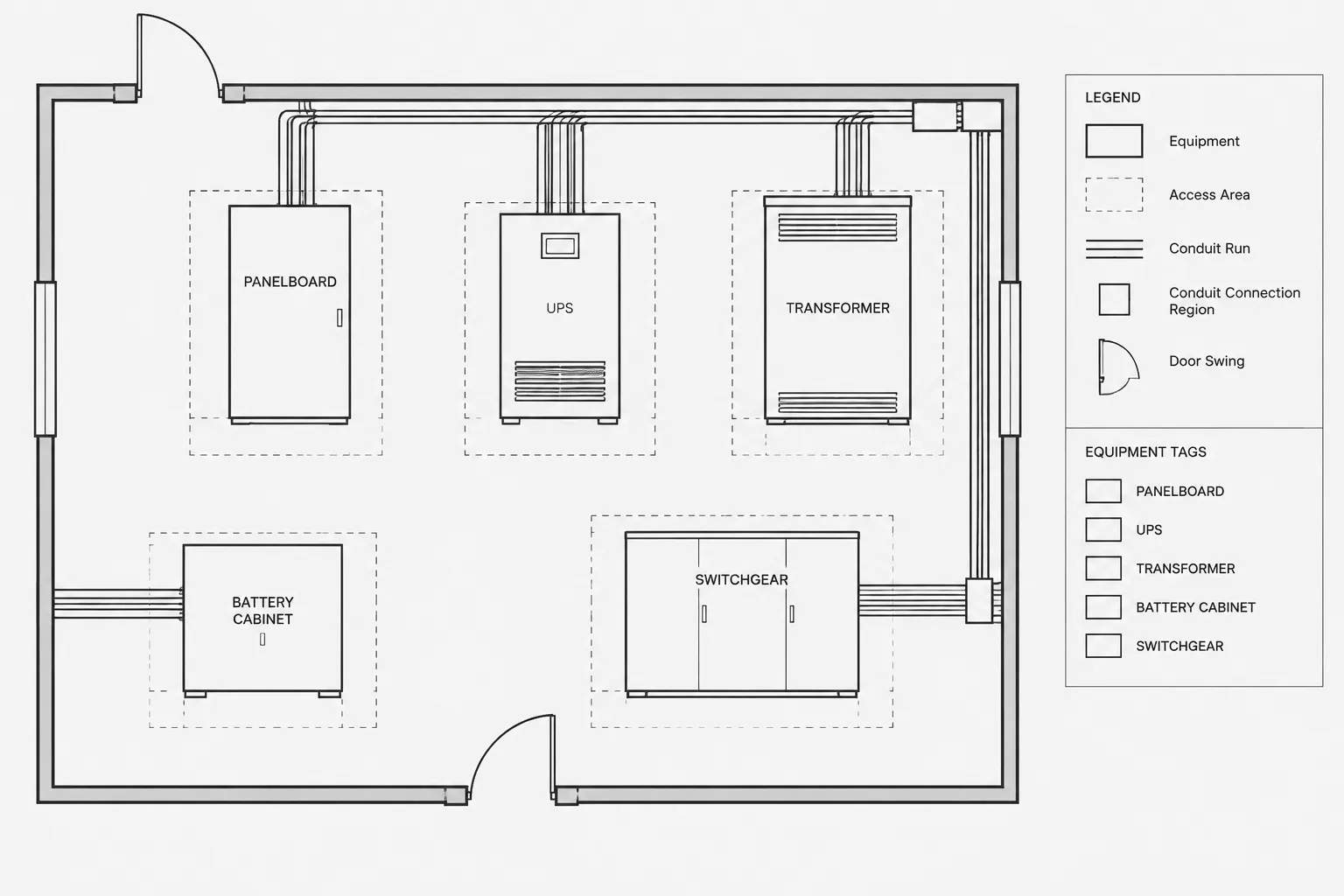
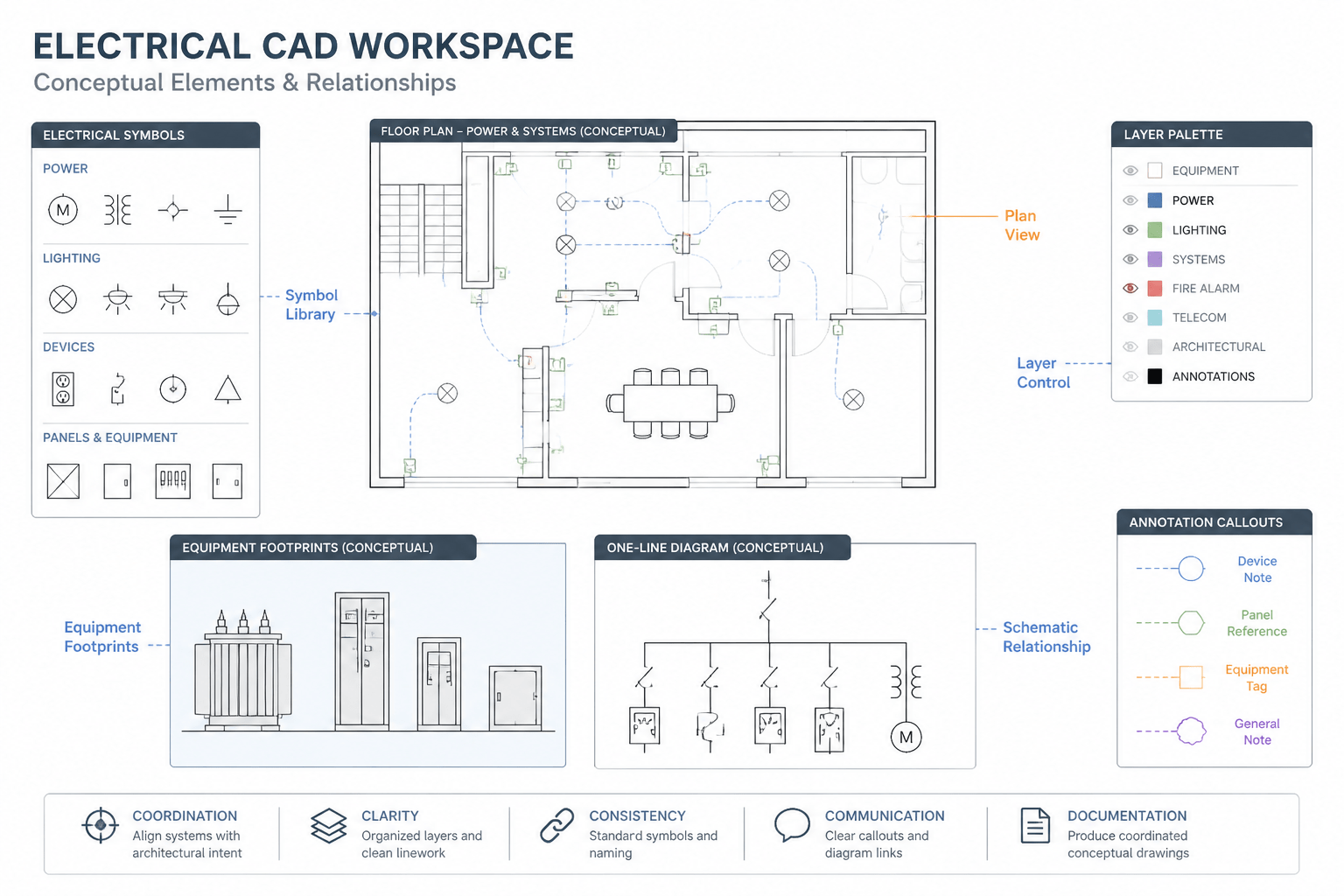
Electrical equipment footprints in CAD are more than plan-view outlines. They communicate location, spatial assumptions, coordination interfaces, and the maturity of the information available to the drawing team. A highly detailed block can still be misleading if its source or verification status is unclear.
The central drafting goal is therefore not maximum graphic detail, but controlled reliability. Placeholder geometry should remain visibly provisional, while product-based geometry should retain enough source and revision information to support later review. The following guidance presents a documentation workflow for moving between those stages without allowing an early planning block to appear more authoritative than it is.
Electrical equipment footprints in CAD often begin as simple rectangles and later become detailed outlines based on selected products. The difficulty is not drawing the shape; it is communicating how reliable that shape is at each stage of the project.
A generic block may be sufficient for an early room study, but it should not silently become the basis for final wall locations, housekeeping pads, conduit entries, or access coordination. A practical drafting workflow distinguishes conceptual space reservations from verified equipment geometry and preserves that distinction through revisions.
This guide explains how to create, classify, update, and review equipment footprints without implying that a generic CAD block is approved for construction.
What an Equipment Footprint Represents
An equipment footprint is the plan-view area used to locate and coordinate an electrical item. Depending on the drawing purpose, it may represent the enclosure, the overall assembly, an approximate reserved area, or selected external features.
Common examples include:
- Panelboards, switchboards, switchgear, and distribution cabinets
- Transformers, generators, transfer equipment, and control panels
- Battery systems, power-conditioning equipment, and communications cabinets
- Outdoor electrical enclosures and utility-related equipment
- Packaged equipment with electrical connection interfaces
The visible outline should not be assumed to include every coordination requirement. Door swings, removable sections, ventilation needs, connection spaces, access areas, and maintenance paths may need separate linework or references.
Classify Footprints by Information Status
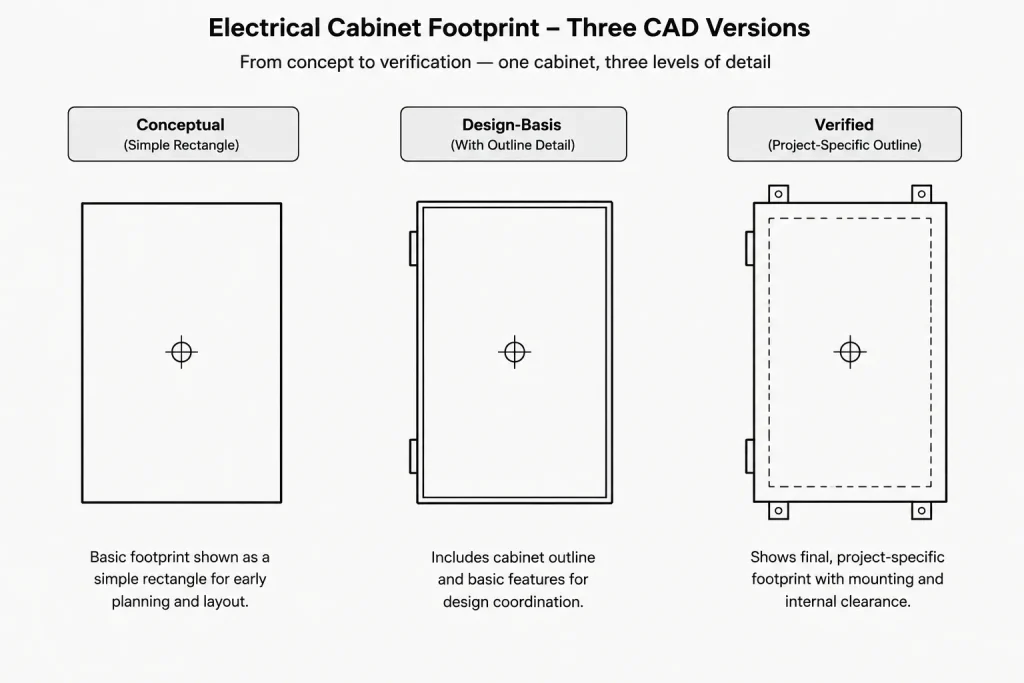
A useful CAD library can contain several representations of the same equipment category. The drawing team should identify which representation is being used rather than treating every block as equally reliable.
| Footprint status | Typical purpose | Drafting treatment |
|---|---|---|
| Conceptual | Early planning and space reservation | Use simple geometry and an explicit placeholder note or status attribute. |
| Design-basis | Coordination around an identified equipment type or planning assumption | Record the source and date, but retain a verification requirement. |
| Selected product | Coordination using current product information | Trace or construct only the geometry needed for the drawing and identify the source document. |
| Submittal-coordinated | Updating layouts from reviewed project information | Record the relevant submittal or review reference and check affected views. |
| Record condition | Documenting confirmed installed conditions | Base updates on accepted field information and preserve revision traceability. |
These labels describe documentation status, not engineering approval. A product-derived footprint still requires project-specific review for installation, access, structural support, routing, and applicable requirements.
Separate the Enclosure from Coordination Geometry
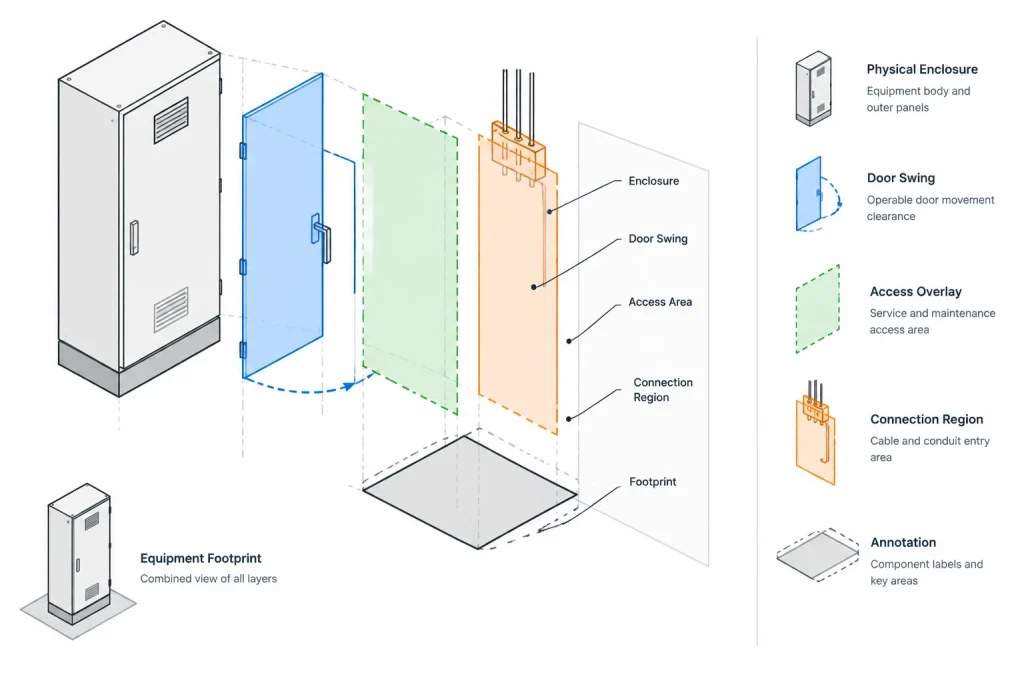
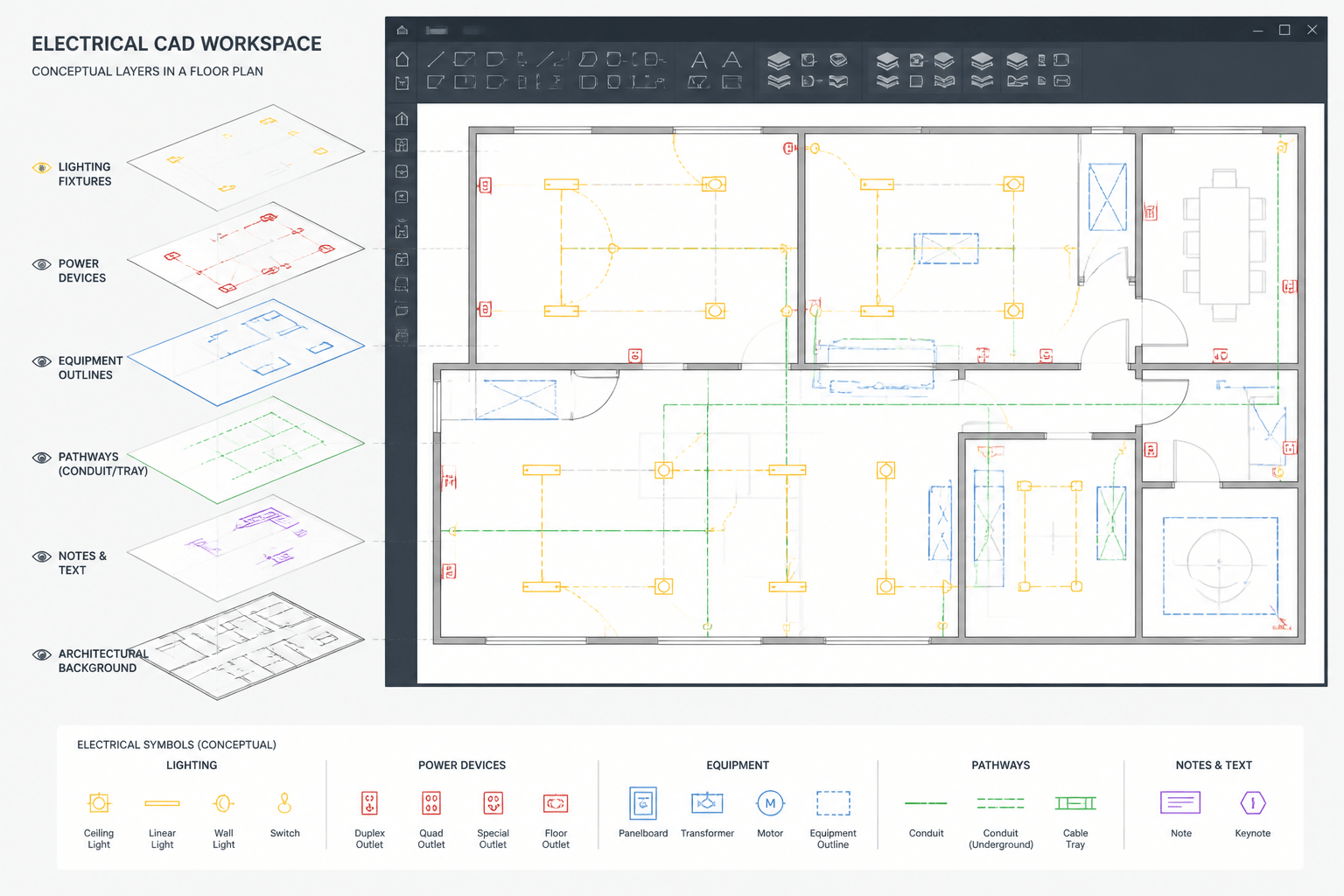
Putting every graphic element into one block can make an equipment footprint difficult to use. A better approach separates physical geometry from coordination overlays.
Physical outline
The physical outline shows the body of the equipment at the relevant plan cut or projection. Include projections only when they matter to placement or interference review. Excessive internal detail can obscure dimensions and increase file size without improving coordination.
Operable components
Doors, covers, pull-out sections, or other movable components may be shown with distinct linework when their movement affects the layout. An arc or dashed outline can communicate operation, but it should not be confused with a required access boundary.
Access and service overlays
Access zones should usually be separate objects, nested visibility states, or linked coordination blocks. This allows the team to display them on enlarged plans and coordination views without overwhelming general plans.
Do not assign a generic access zone to every item merely because the block library permits it. The required area depends on the equipment, arrangement, project conditions, and governing criteria. Treat unverified zones as placeholders and label them accordingly.
Connection regions
If routing coordination depends on cable or raceway entry locations, show connection regions separately from the enclosure outline. Use clear labels such as top entry, bottom entry, side entry, or connection area only when supported by current project information.
A connection region is not necessarily an exact termination point. The drawing should distinguish between a broad routing interface and a verified connection coordinate.
Build a Practical Footprint Block
A reusable footprint block should support coordination without becoming a miniature product drawing. Include only information that has a clear drafting purpose.
- A consistent insertion point tied to a meaningful equipment reference
- A clean outer outline on an appropriate object layer
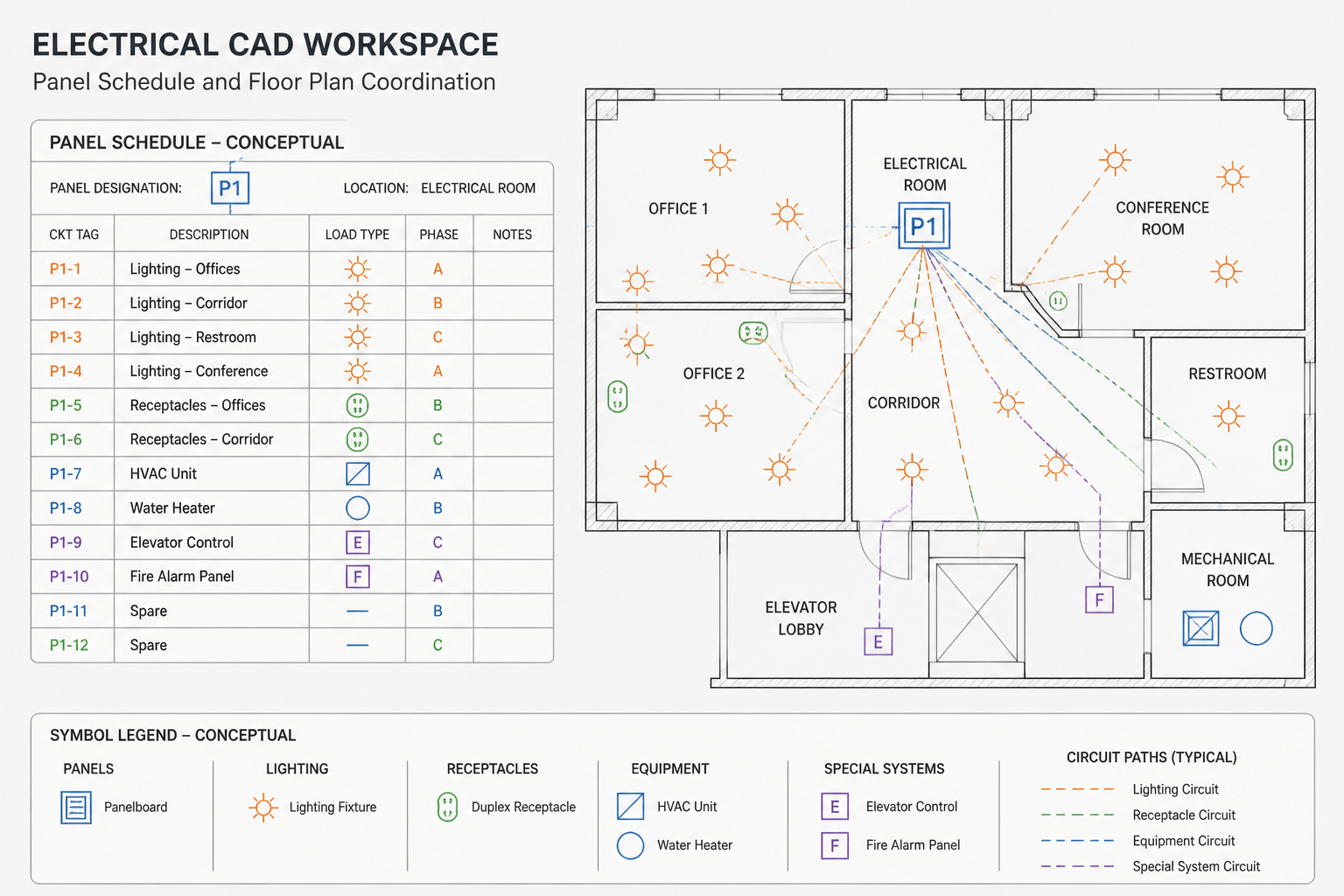
- An equipment tag or attribute that can be coordinated with schedules
- A footprint status such as conceptual, design-basis, or verified from current project information
- Optional door, access, base, and connection graphics with controlled visibility
- A source note or reference attribute maintained outside the plotted graphic when appropriate
- A revision or checked-date field if the office workflow supports it
Avoid embedding manufacturer names, model identifiers, or dimensional claims in a generic shared-library block. Project-specific information can be added through attributes, schedules, or a controlled project copy.
Choose a Stable Insertion Point
The insertion point determines how safely a footprint can be replaced. A center insertion may be convenient for freestanding equipment, while a back corner or wall reference point may be more useful for wall-mounted enclosures. The correct choice depends on how the object is located in the project.
Whichever reference is selected, apply it consistently across placeholder and verified versions. If the conceptual block uses its center but the product-based block uses an enclosure corner, replacing the block can shift the equipment unexpectedly.
When a library contains multiple equipment families, document the insertion-point convention in the block name, metadata, or library guide. Never rely on users to infer the base point from geometry alone.
Use Layers to Control Coordination Information
Layer separation makes footprints useful in several drawing contexts. A typical structure may distinguish:
- Primary equipment outlines
- Equipment tags and annotations
- Door swings or operable extents
- Access or service overlays
- Connection zones
- Existing, relocated, or demolished status
Layer names should follow the project or client standard. The important principle is that secondary coordination graphics can be isolated, screened, or hidden without altering the primary footprint.
Avoid object-level color and linetype overrides unless the project workflow specifically requires them. ByLayer properties make it easier to adapt a shared block to different plot and visibility standards.
Replace Placeholders Without Losing Coordination
When verified information becomes available, do not simply resize the old rectangle and consider the update complete. Use a controlled replacement process:
- Confirm the source and current status of the new information.
- Compare the new reference point with the existing insertion convention.
- Replace or rebuild the physical outline without scaling it arbitrarily.
- Review adjacent walls, doors, columns, equipment, and circulation paths.
- Recheck conduit, tray, busway, or cable routing interfaces.
- Update equipment pads, bases, penetrations, and elevations where applicable.
- Review access and operable-component overlays separately.
- Reconcile the equipment tag with schedules, diagrams, and detail references.
- Record the change in the project revision or coordination log.
Scaling a generic block until it visually matches a product outline can distort door swings, text, connection graphics, and nested symbols. Reconstructing the relevant geometry is usually more reliable than applying uncontrolled scale factors.
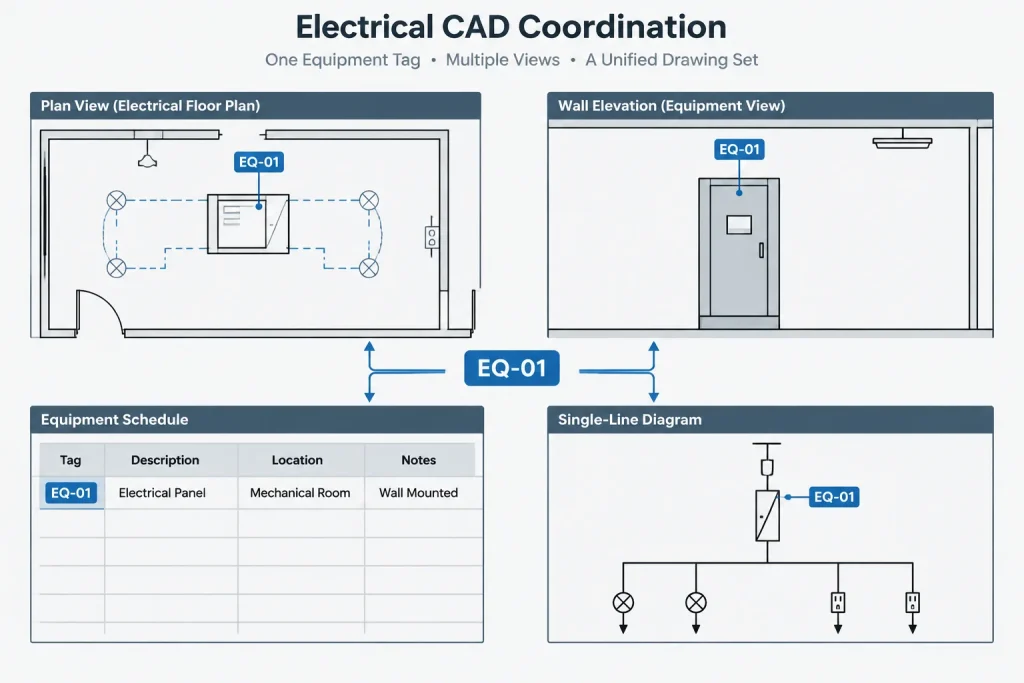
Coordinate More Than the Plan View
A plan footprint is only one representation of the equipment. Changes may also affect:
- Room elevations and wall elevations
- Sections showing height relationships or overhead routing
- Equipment schedules and identification lists
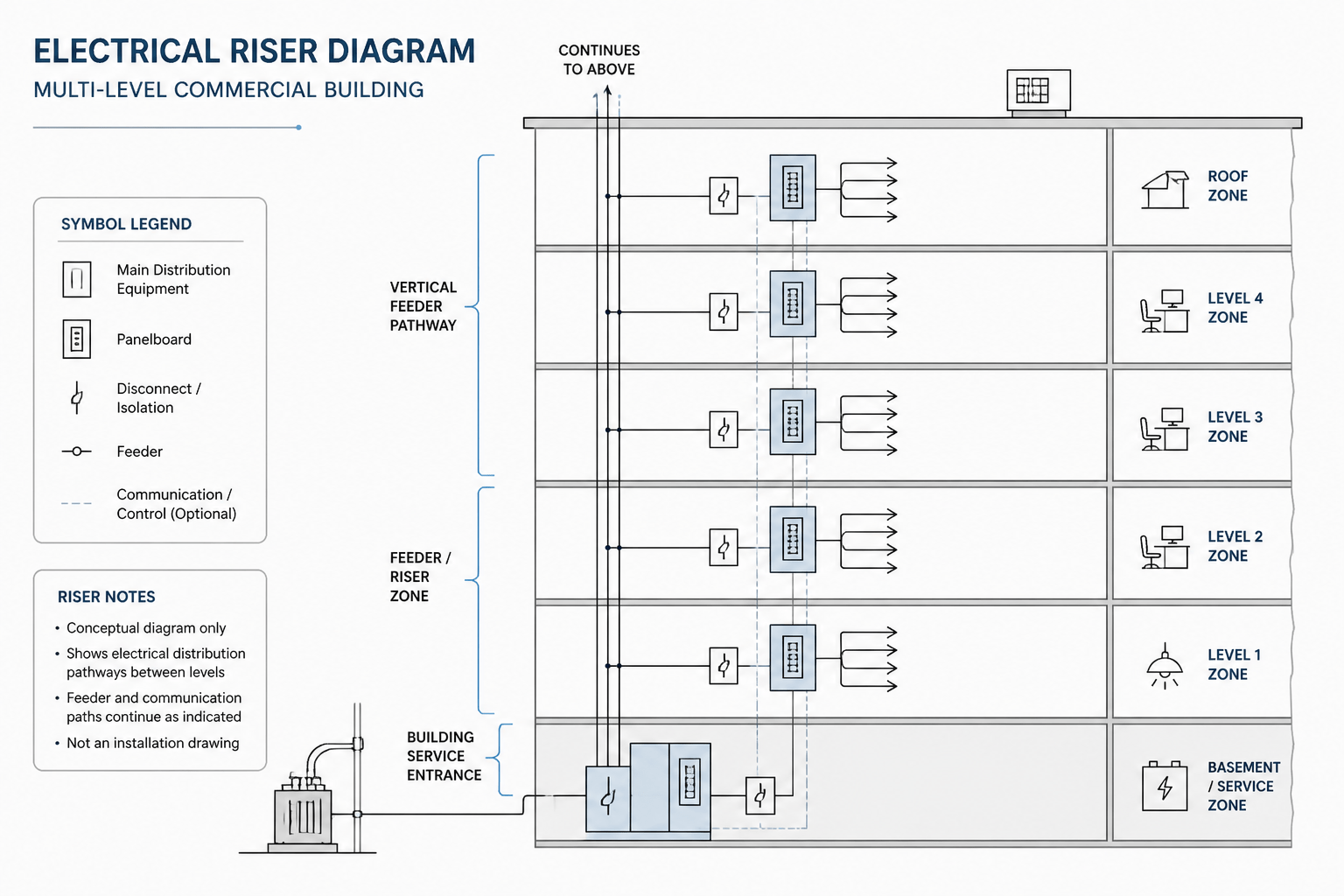
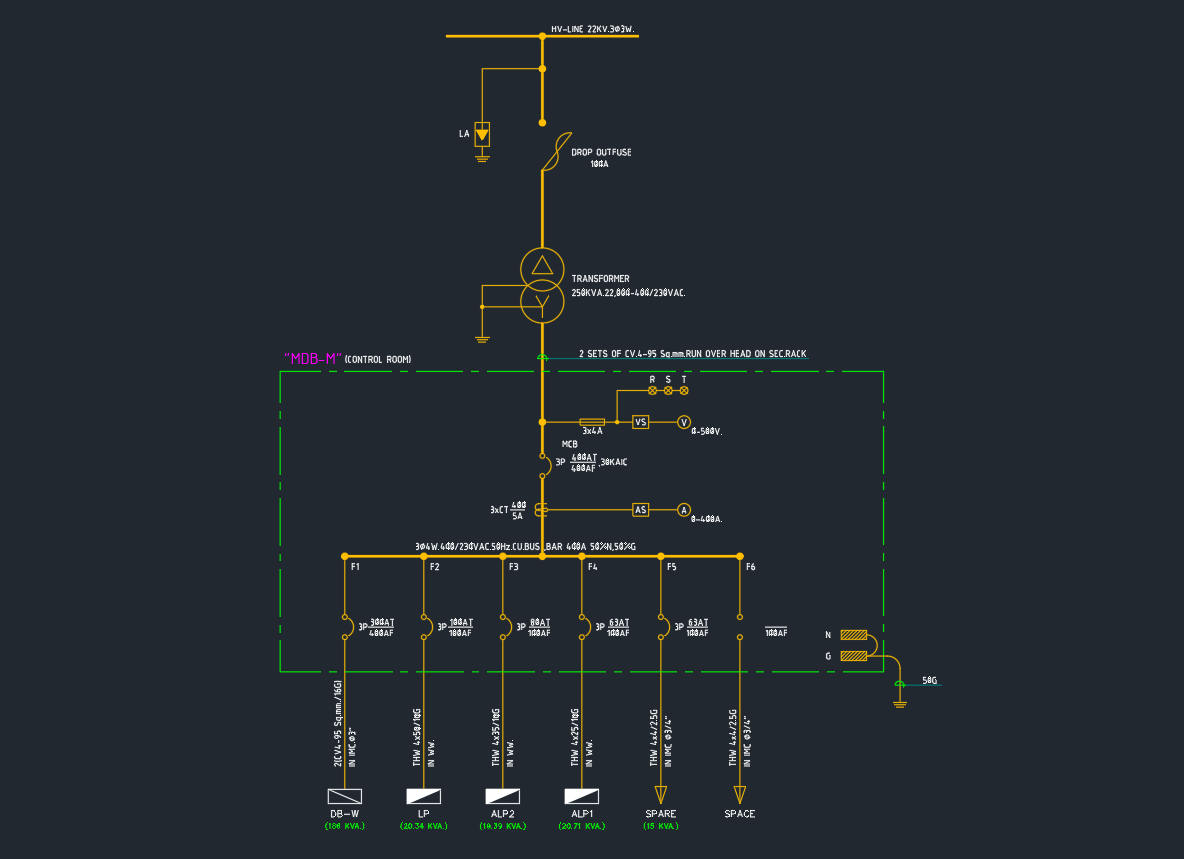
- Single-line or riser diagrams
- Housekeeping pads and structural coordination drawings
- Conduit entry details and penetration plans
- Mechanical ventilation and architectural access coordination
Plan, elevation, and section blocks should share a common equipment identity even when they use different geometry. A coordinated tag allows reviewers to recognize that several drawing objects represent the same physical item.
Common Footprint Errors
- Unlabeled placeholders: A simple rectangle appears authoritative because its conceptual status is not stated.
- Scaled product geometry: A block is stretched or uniformly scaled without checking how the real enclosure changes.
- Access areas drawn as equipment: Reviewers cannot distinguish the physical enclosure from a coordination overlay.
- Inconsistent base points: Replacing one block definition moves equipment throughout the drawing.
- Excessive detail: Product drawing linework is copied wholesale, making plans slow and difficult to read.
- Uncoordinated views: The plan is updated while elevations, pads, routing, schedules, or diagrams retain the old configuration.
- Missing source history: The team cannot determine whether geometry came from a planning assumption, catalog reference, or project submittal.
Footprint Review Checklist
Before issuing a drawing that includes significant equipment footprints, review the following:
- Is the information status clear?
- Does the insertion point follow the project convention?
- Is the block placed at an unscaled, intended size?
- Can physical geometry be distinguished from access and operation overlays?
- Are connection regions supported by current information?
- Do tags match equipment schedules and diagrams?
- Have adjacent architectural and structural elements been reviewed?
- Have plan, elevation, section, detail, and routing impacts been checked?
- Can another team member identify the geometry source and revision status?
Make Uncertainty Visible
The most useful electrical equipment footprint is not always the most detailed one. It is the one that accurately communicates what the project team knows at the time of issue.
Use simple placeholder blocks during early planning, but label them. Use product-derived geometry when it improves coordination, but retain the source and verification status. Separate physical outlines from access, movement, and connection information so each can be reviewed independently.
This workflow allows an electrical CAD block library to support design development without allowing preliminary geometry to masquerade as verified construction information.
Accuracy, Detail, and Verification Are Different
Three qualities should be evaluated separately when reviewing an equipment footprint:
- Graphic detail describes how much visible geometry the block contains.
- Dimensional accuracy describes how closely the geometry reflects the information used to create it.
- Verification status identifies whether that information has been accepted for the current project workflow.
A simple rectangle can be appropriate and honest during planning. Conversely, a detailed outline imported from a product document may remain unsuitable for final coordination if its product selection, configuration, orientation, or revision has not been confirmed.
Treat the Footprint as Managed Project Data
The footprint, equipment tag, source reference, and information status should function as a coordinated record. When geometry changes, the team should be able to identify what changed, why it changed, and which related drawings require review.
This approach also helps separate drafting confidence from engineering approval. CAD geometry can document the best information currently available without implying that installation conditions, access requirements, support, routing, or other project criteria have been resolved.
Frequently Asked Questions
What is the difference between a placeholder block and a verified footprint?
A placeholder reserves approximate space for planning and should carry an obvious provisional status. A verified footprint is based on current project information that has been checked through the applicable documentation process. Verification should still be understood in context; it does not automatically confirm every installation or coordination requirement.
Should a manufacturer drawing be inserted directly into an electrical plan?
Usually, only the geometry needed for coordination should be retained. Unedited product drawings may contain excessive internal detail, annotations, title information, or linework that reduces plan clarity. The source should be recorded, and the simplified CAD representation should preserve the project’s layer and insertion-point conventions.
Can an equipment block be scaled to match a selected product?
Arbitrary scaling is risky because it can distort annotations, door swings, connection regions, and other nested graphics. Rebuilding or replacing the relevant outline from current information generally produces a more controlled result while preserving the intended reference point.
Why should access zones be separate from the equipment outline?
Separate graphics let reviewers distinguish the physical enclosure from operational, service, or planning space. They can also be displayed selectively for coordination views without making general plans unnecessarily dense.
What should be checked after replacing a placeholder?
Review the insertion point, nearby construction, routing interfaces, tags, schedules, diagrams, elevations, sections, pads, penetrations, and related details. The replacement should also be recorded through the project’s revision or coordination process.
How can a drawing show that footprint information is still uncertain?
Use a clear status attribute, note, layer treatment, or library designation that identifies the geometry as conceptual or pending verification. The method should remain visible enough that another team member does not mistake provisional linework for confirmed project information.
Leave a Reply
You must be logged in to post a comment.