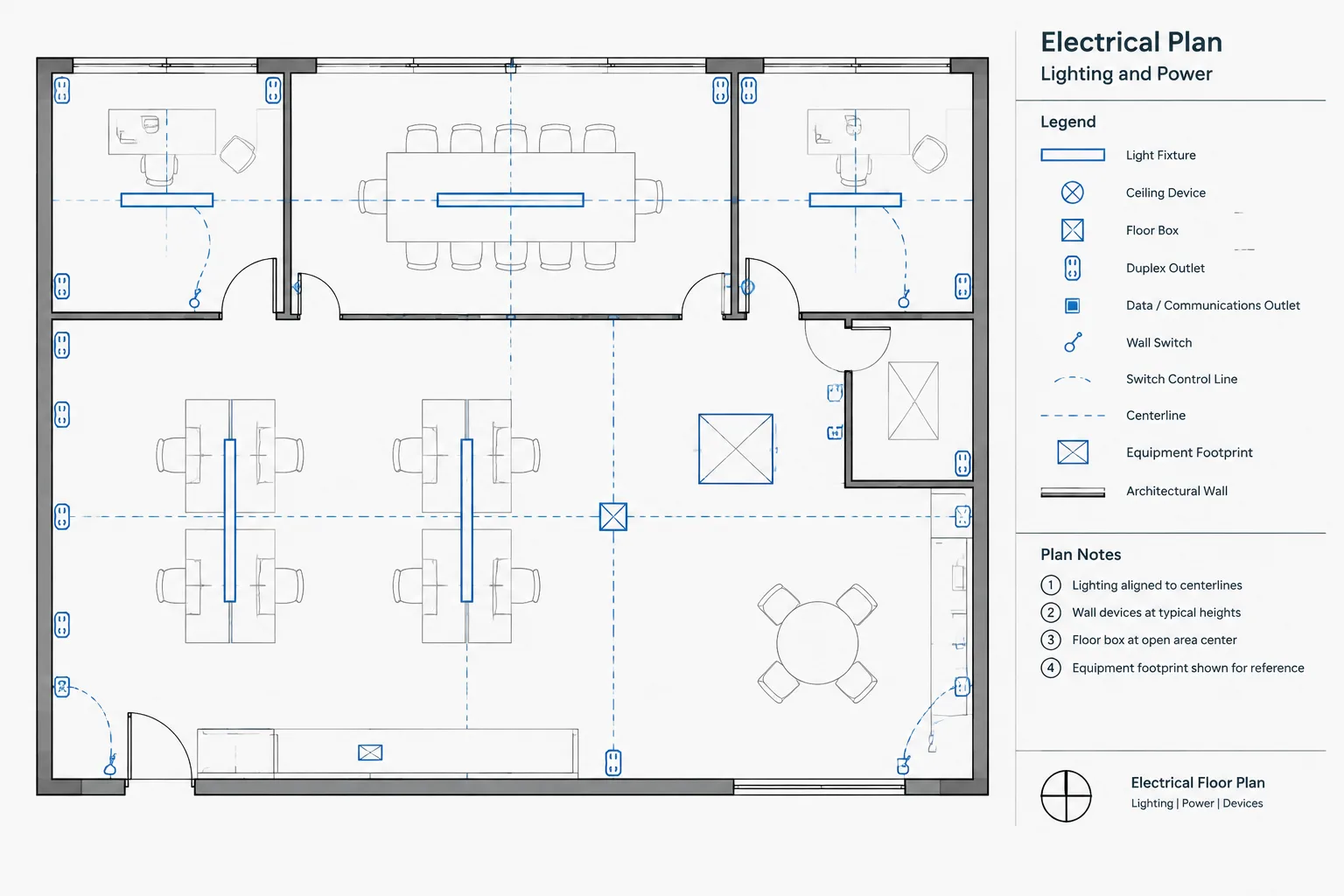
Electrical plan dimensioning in CAD should clarify design intent without turning the drawing into a duplicate architectural plan. The key is to identify which devices and equipment require exact location control, select dependable reference geometry, and make the dimension target unmistakable.
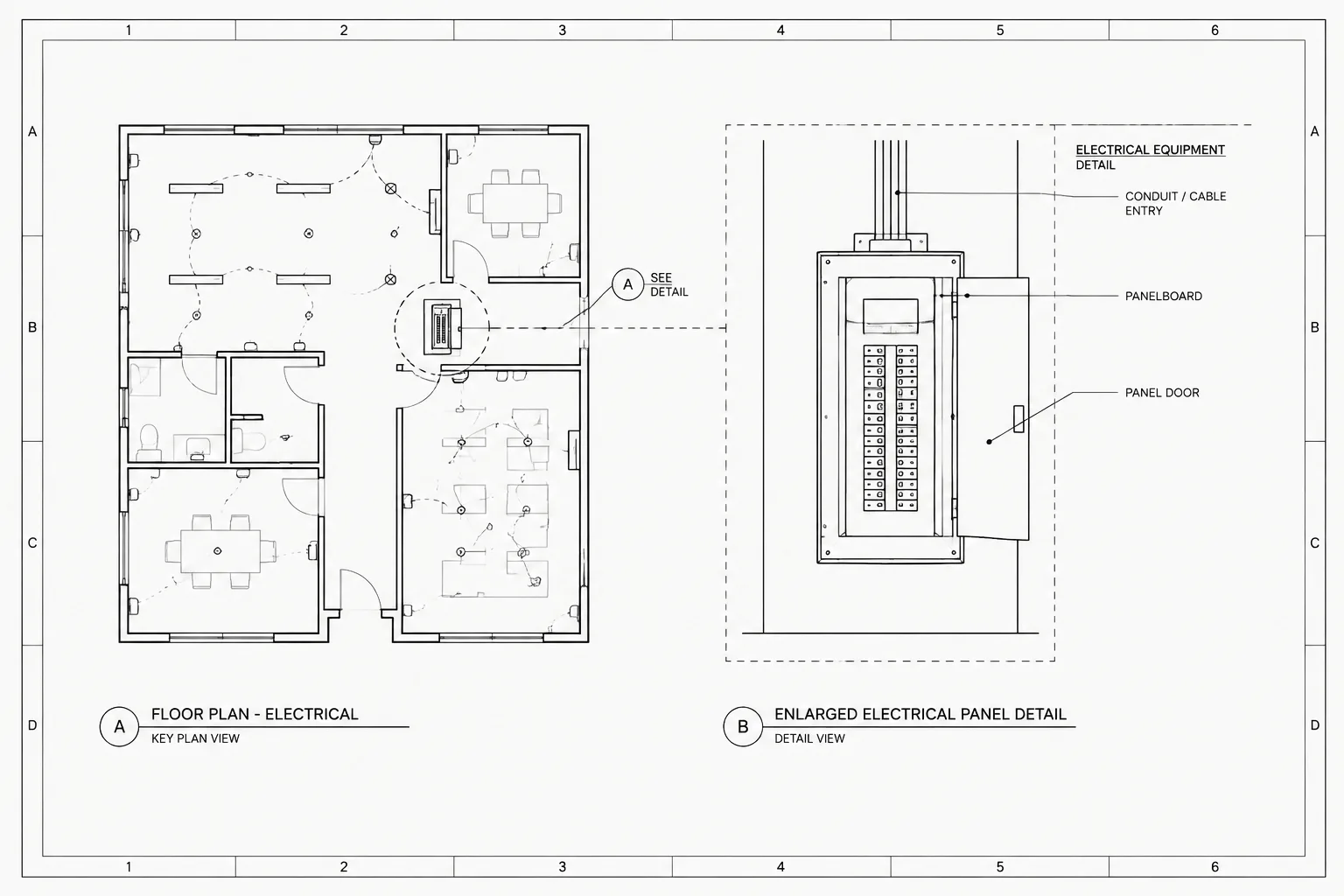
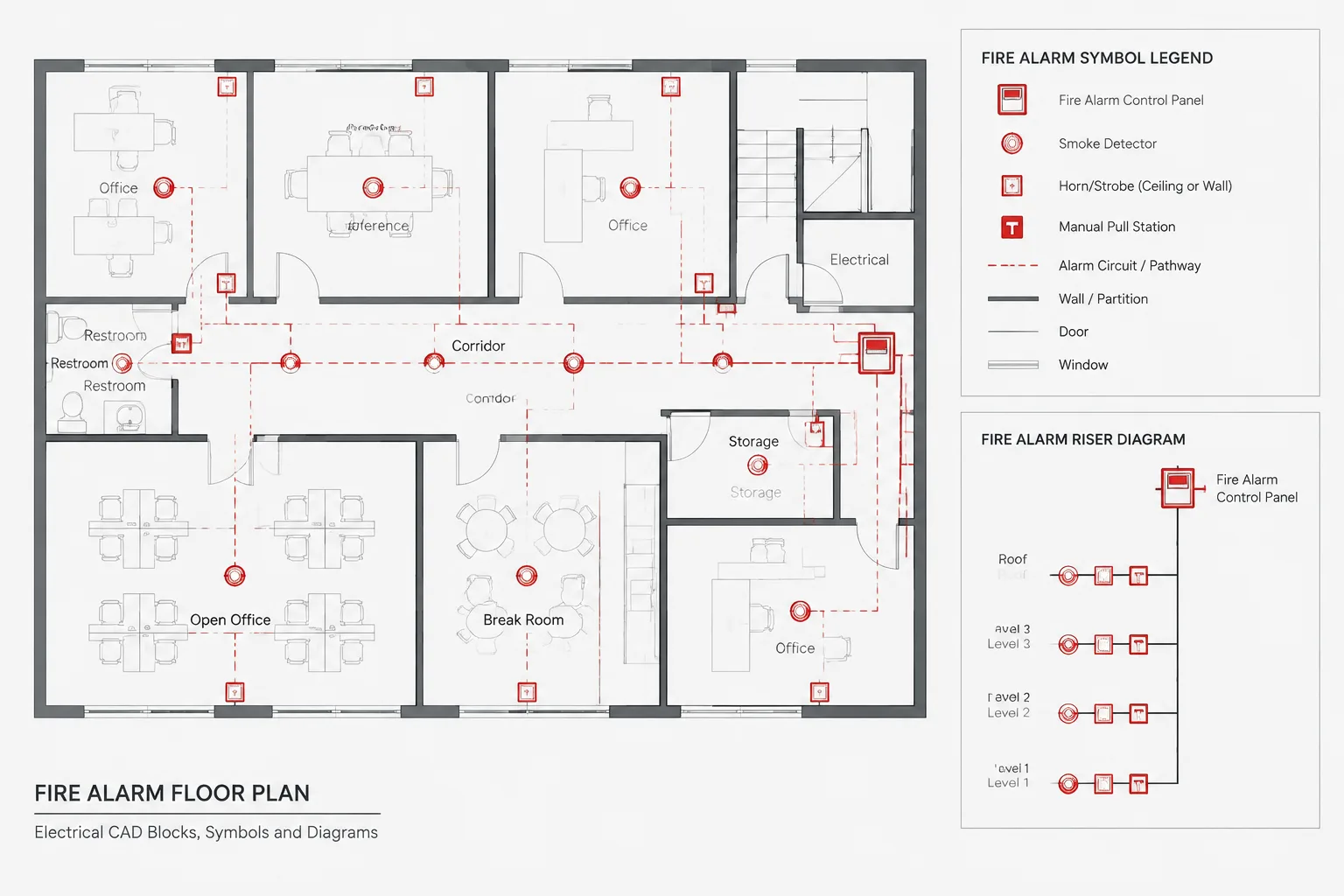
This reference explains how dimensions, notes, elevations, details, schedules, CAD blocks, and background files work together to communicate electrical locations. It also highlights common coordination problems that can make apparently precise drawings difficult to interpret or maintain.
Electrical symbols can look precisely placed in a CAD file while still leaving their intended field locations unclear. A receptacle near a casework end, a floor box within a furniture layout, or a disconnect beside mechanical equipment may require more than a symbol and circuit tag. The drawing must communicate which location matters, what geometry controls it, and where the reader should look for additional information.
Electrical plan dimensioning in CAD is therefore not simply a matter of adding measurements around every device. Effective dimensioning identifies the critical location references without duplicating architectural information or creating a network of conflicting values. The objective is a drawing that remains understandable as backgrounds change and that can be checked against elevations, details, schedules, and equipment layouts.
Dimensions, location notes, and graphic intent serve different purposes
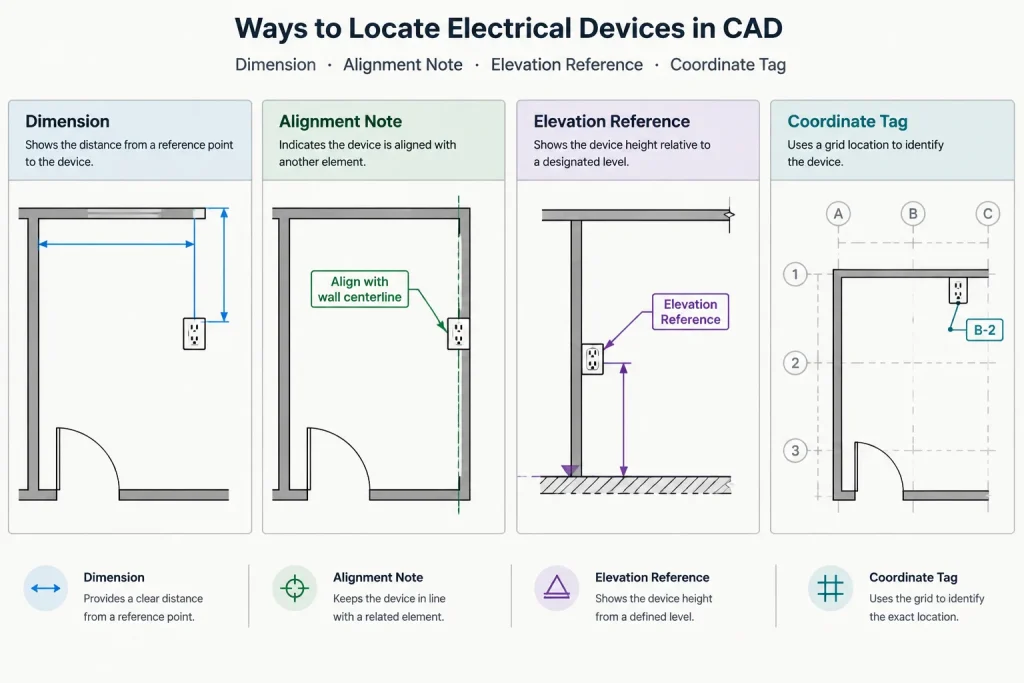
A dimension communicates a measurable relationship between defined points. A location note communicates an instruction or condition that may not be practical to express as a dimension. Graphic placement shows the general arrangement, but it should not automatically be interpreted as an exact installation coordinate.
These methods can work together. For example, a device symbol may show which wall it belongs to, a dimension may locate it from a controlling corner, and an elevation may establish its relationship to adjacent millwork. Trying to place all three kinds of information directly on the floor plan can make the plan harder to read.
| Documentation method | Best use | Common risk |
|---|---|---|
| Plan dimension | Locating a critical point from stable reference geometry | Becoming incorrect when the background moves |
| Alignment note | Relating a device to a visible building or equipment feature | Using vague terms such as “centered” without naming the controlling object |
| Elevation or section | Showing vertical and horizontal relationships at walls or equipment | Failing to coordinate the elevation with the plan symbol and tag |
| Coordinate or point schedule | Documenting numerous location-sensitive items in a structured form | Allowing plan tags and schedule entries to fall out of sync |
| Detail reference | Directing the reader to a larger or more specialized view | Repeating dimensions differently in multiple views |
Decide which electrical locations require explicit control
Not every symbol needs an electrical dimension. General-use wall devices may be adequately located by the architectural wall layout, project notes, and typical installation conventions. Explicit control becomes more valuable when an electrical item must coordinate with a particular opening, finish, equipment connection, furniture element, structural feature, or process layout.
Common candidates for deliberate location documentation include:
- Floor boxes and service fittings coordinated with furniture or partitions.
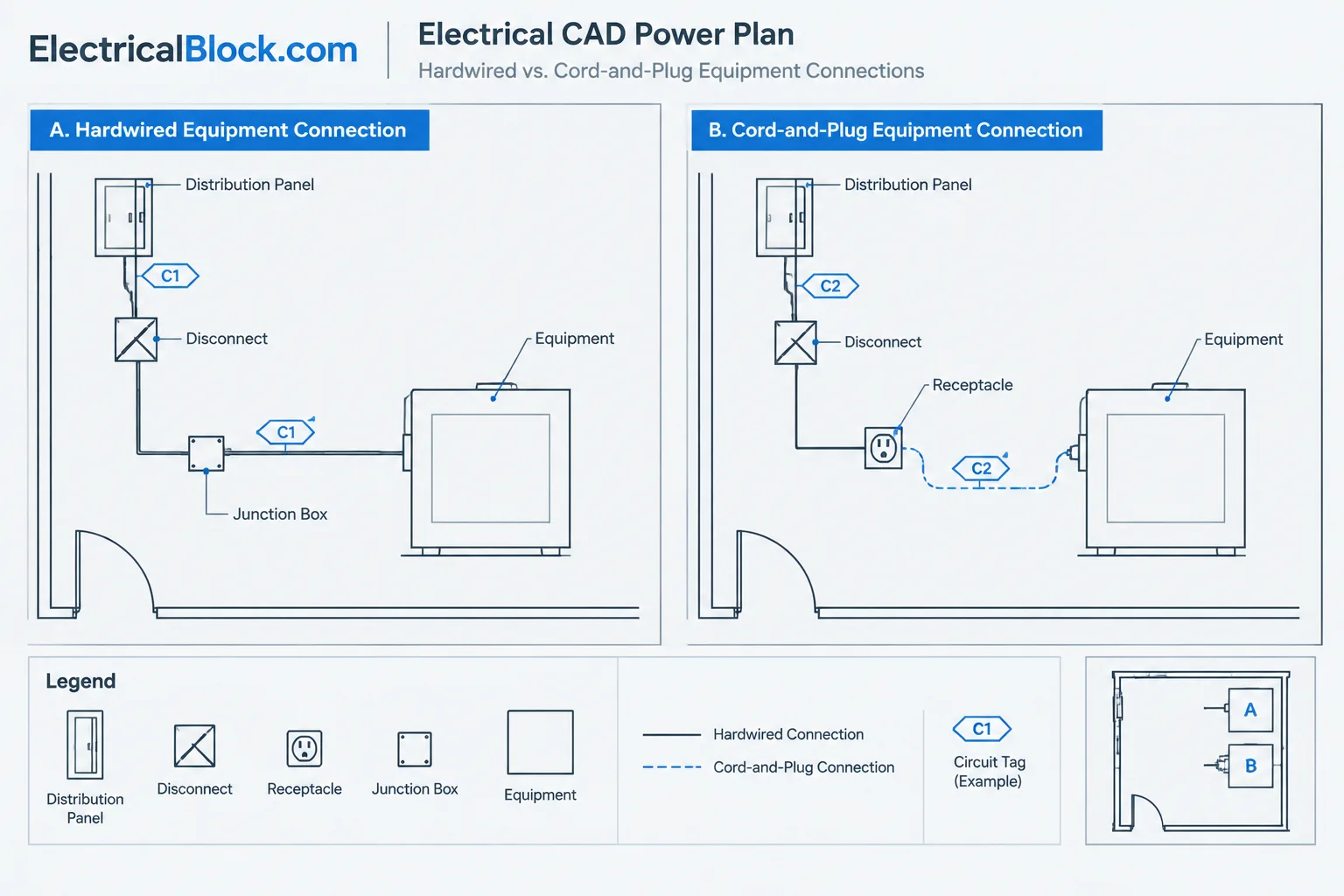
- Connections serving fixed kitchen, laboratory, industrial, or mechanical equipment.
- Devices integrated into casework, millwork, wall panels, or modular assemblies.
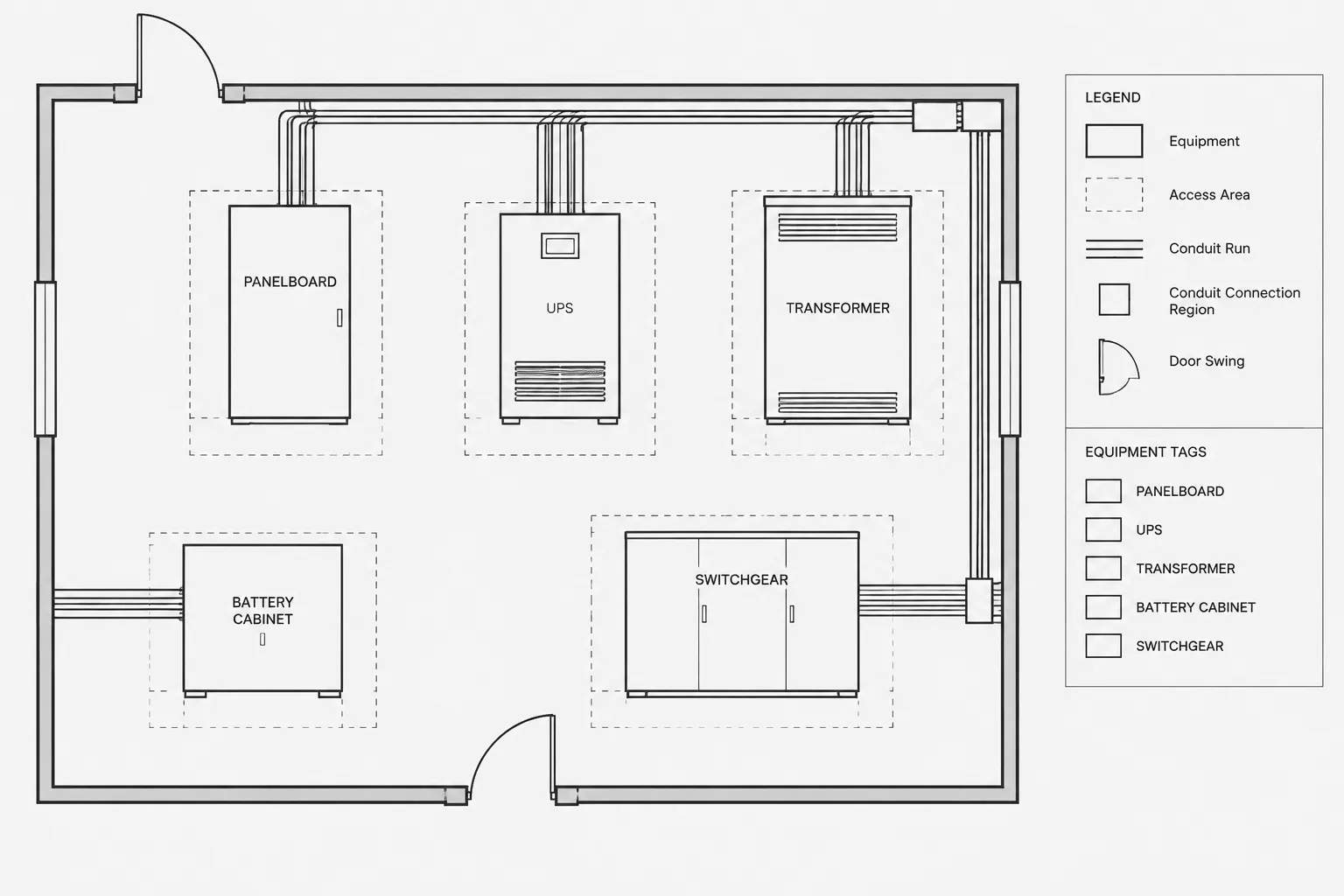
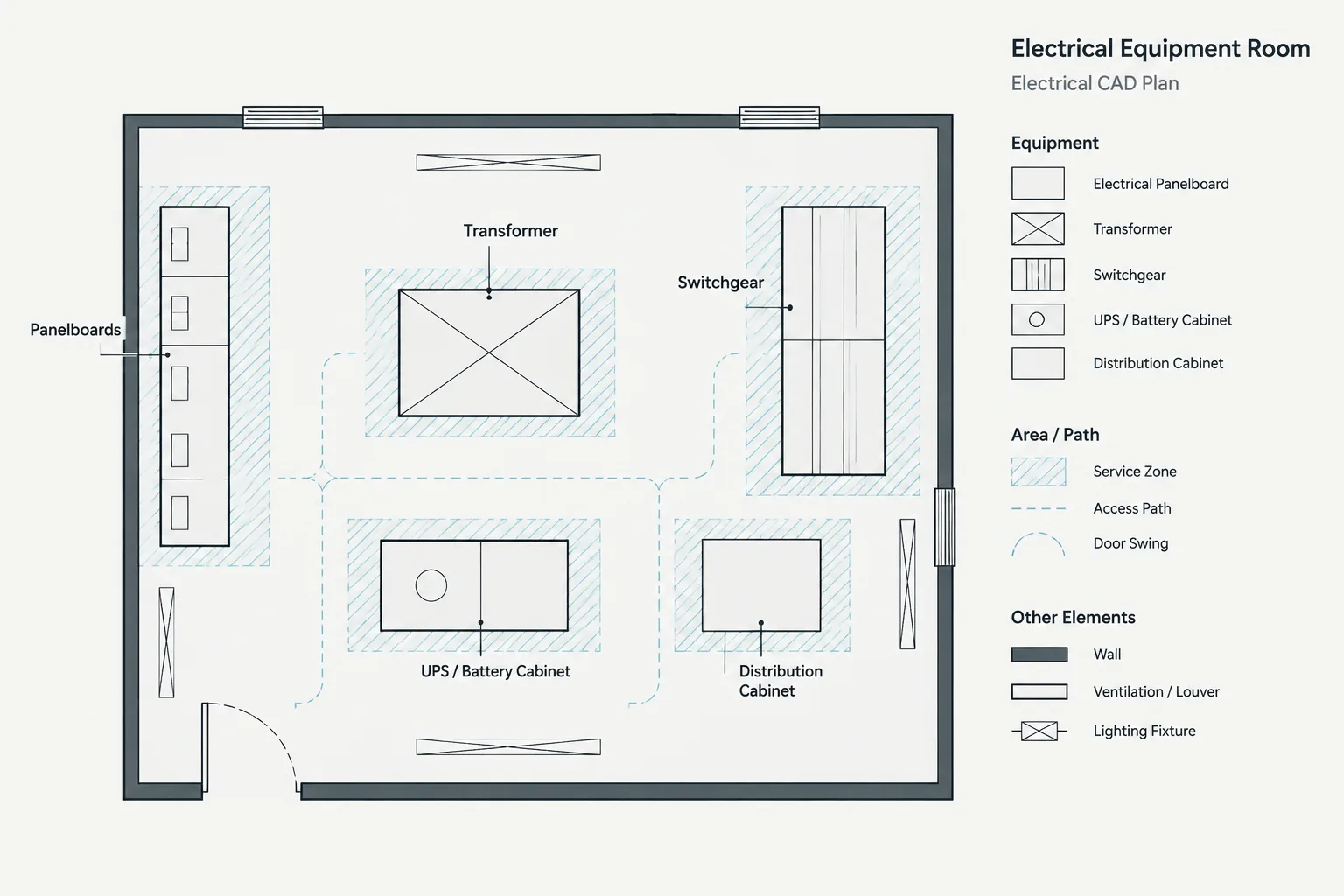
- Equipment footprints that must align with pads, housekeeping bases, or access areas.
- Wall devices arranged with controls, technology outlets, door hardware, or architectural features.
- Site equipment located relative to curbs, paving, property features, or utility routes.
- Penetrations, sleeves, and stub-up points requiring coordination with other disciplines.
The drafter should distinguish location-critical information from graphic convenience. A symbol shifted slightly to avoid text may no longer represent the exact insertion point. If the displayed symbol is offset from its intended location, use a leader, target, center mark, or other project-approved notation to identify the controlling point.
Select stable reference geometry
A dimension is only as reliable as its reference. Referencing temporary furniture, schematic equipment graphics, hatch boundaries, or unverified background linework can create misleading precision. Prefer geometry that the project team treats as a stable control, such as established grids, structural elements, defined wall faces, room control lines, equipment centerlines, or surveyed site references.
The appropriate reference depends on the item being located. A wall-mounted device may relate to a finished wall face or an architectural feature. A large equipment footprint may be controlled by a structural grid or equipment-room layout. An exterior pull box may require civil or site references. The electrical drawing should not silently substitute one reference basis for another.
Name the point being dimensioned
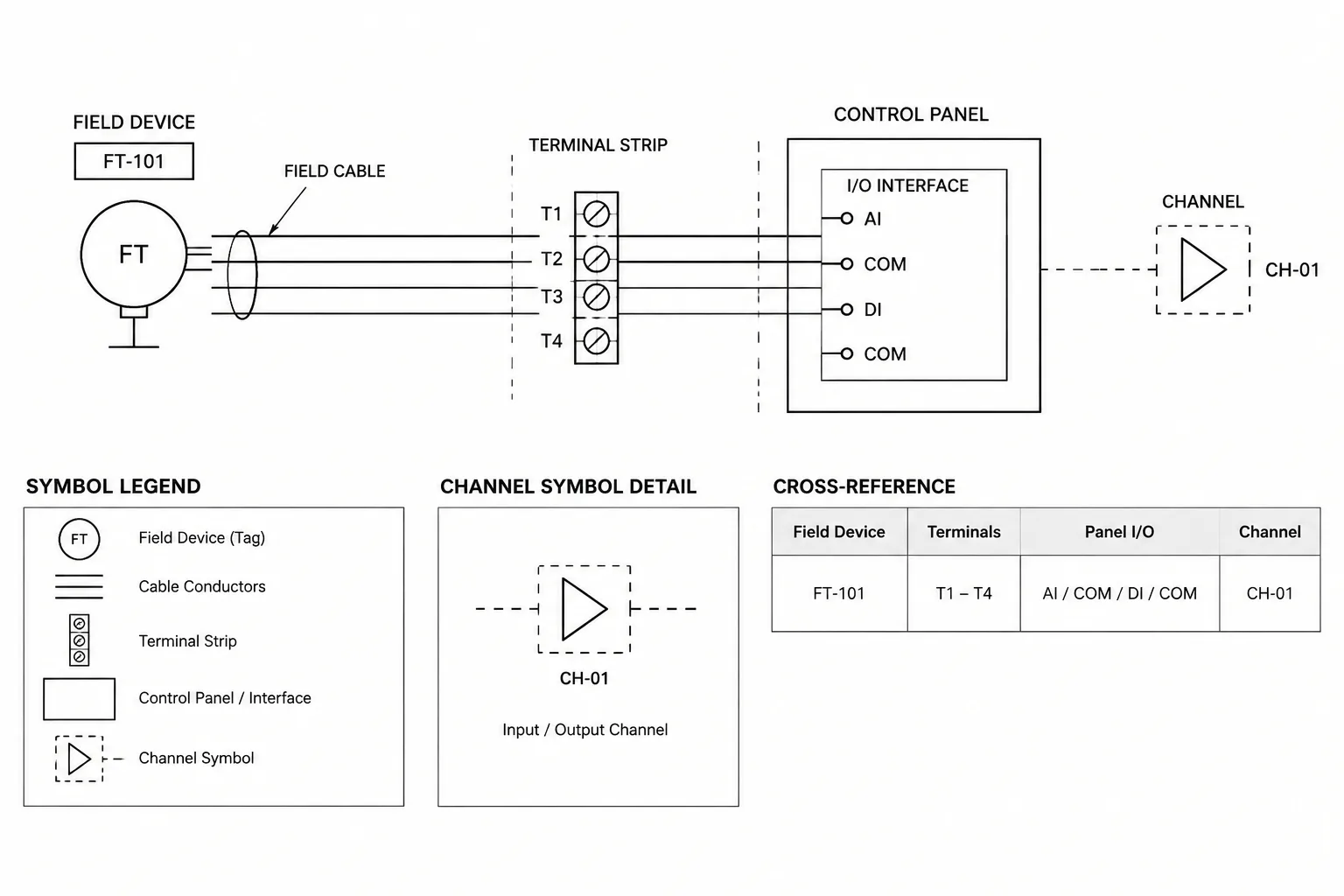
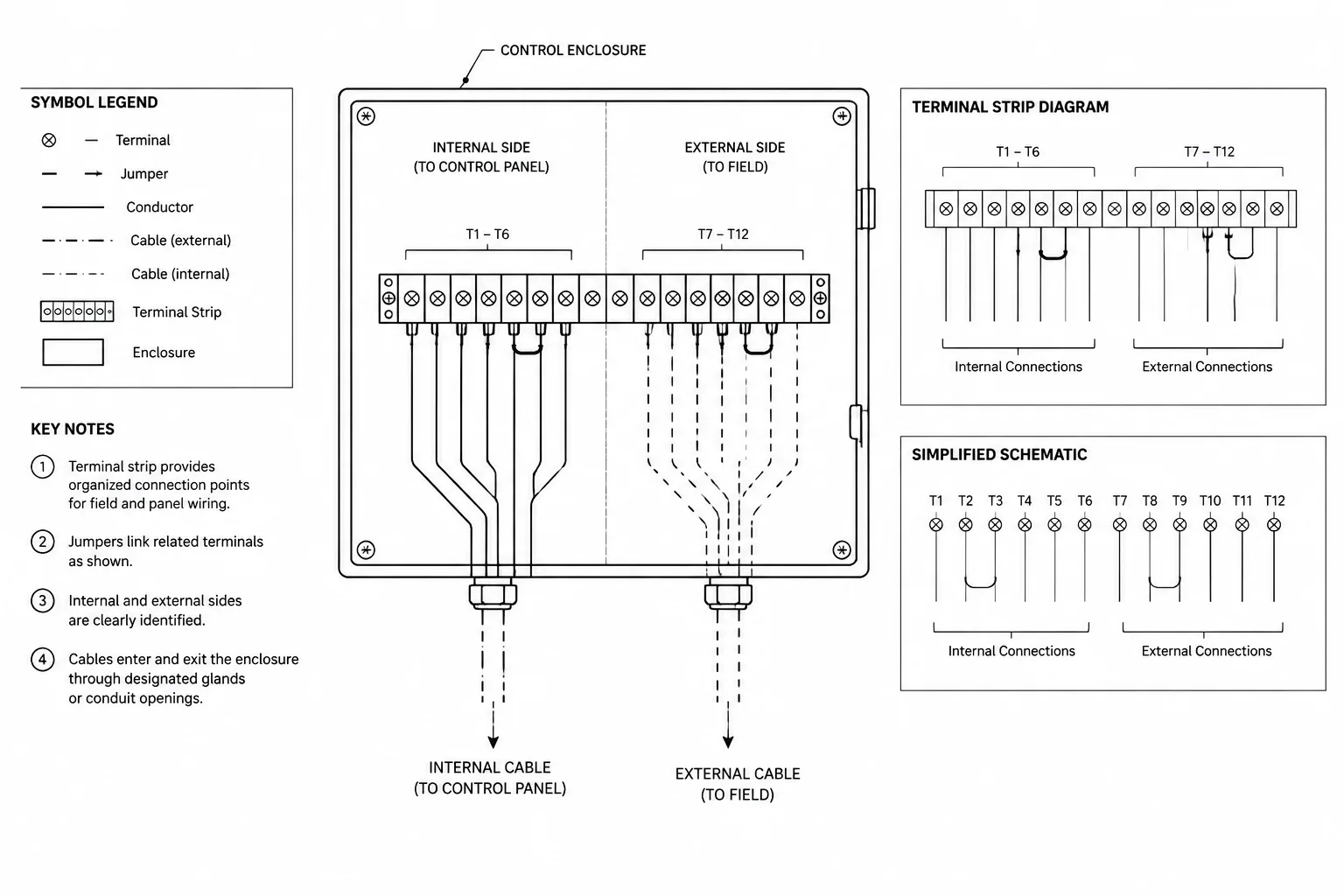
Electrical CAD blocks may contain several visually significant points: the insertion point, geometric center, connection point, mounting face, or edge of the represented equipment. These are not always interchangeable.
For small symbols, the insertion point may be sufficient if the block library uses it consistently. For equipment, dimensions may need to reference a mounting edge, centerline, or connection location instead. When the target is not visually obvious, supplement the dimension with a centerline, extension line, leader, or local note. Avoid assuming that every reader knows how a particular block was constructed.
Build a controlled dimension hierarchy
Dimensions should follow the visual hierarchy of the drawing. Overall building dimensions usually belong to the architectural background, while electrical dimensions should emphasize electrical coordination. Repeating long architectural dimension strings on an electrical plan can add clutter and create another set of values requiring maintenance.
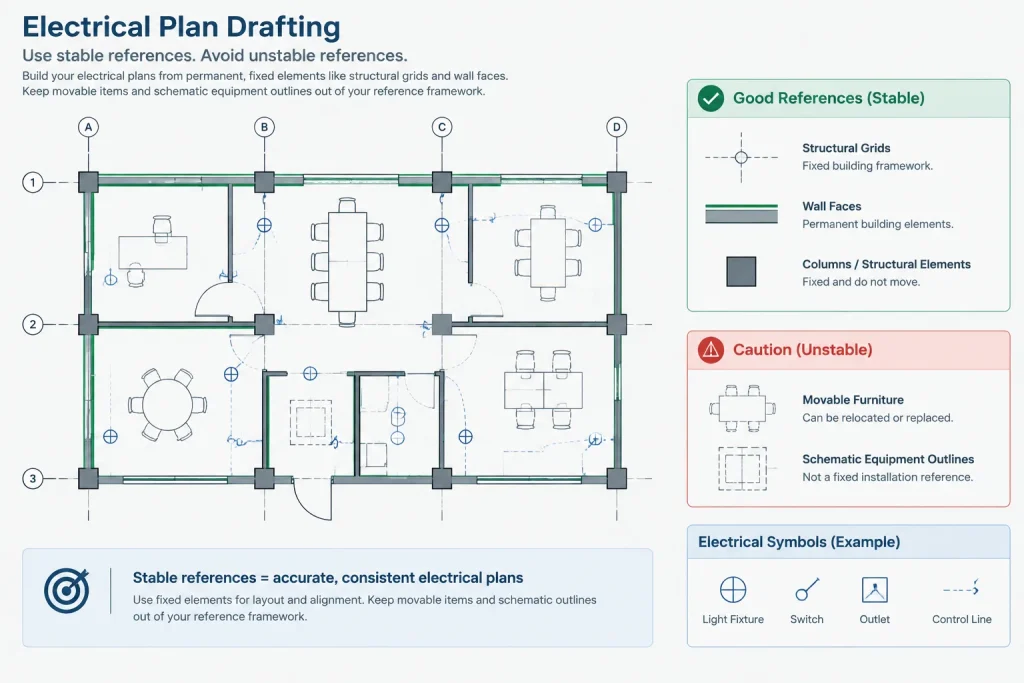
A practical hierarchy may include:
- Primary controls: grids, major wall faces, room boundaries, or project coordinate references.
- Secondary controls: equipment edges, casework breaks, door openings, or ceiling features.
- Electrical targets: device centers, connection points, equipment footprints, or pathway penetrations.
Dimension from the clearest dependable control to the electrical target. Avoid long chains in which each location depends on the previous location unless that relationship is intentional. Chained dimensions can accumulate ambiguity and make a changed item affect the apparent position of everything that follows.
Coordinate dimensions with CAD layers and backgrounds
Electrical dimensions should be placed on controlled layers rather than mixed with symbols, circuiting, or imported architectural annotation. Separate layers can help distinguish permanent electrical dimensions from temporary coordination dimensions and background dimensions. Layer names, colors, plotting behavior, and visibility should follow the project CAD standard rather than an improvised convention.
When dimensions reference an external background, check them after each significant background update. A dimension may retain its displayed value while its extension line no longer points to the intended wall or feature. Conversely, a dimension linked to modified geometry may change correctly but still describe the wrong design relationship.
Before plotting, review dimensions at the actual sheet view and intended scale. Text that looks orderly in model space can collide with symbols, room names, circuit tags, or viewport boundaries on the sheet. Dimensions should remain subordinate to the electrical scope while still being legible.
Avoid duplicate and conflicting location information
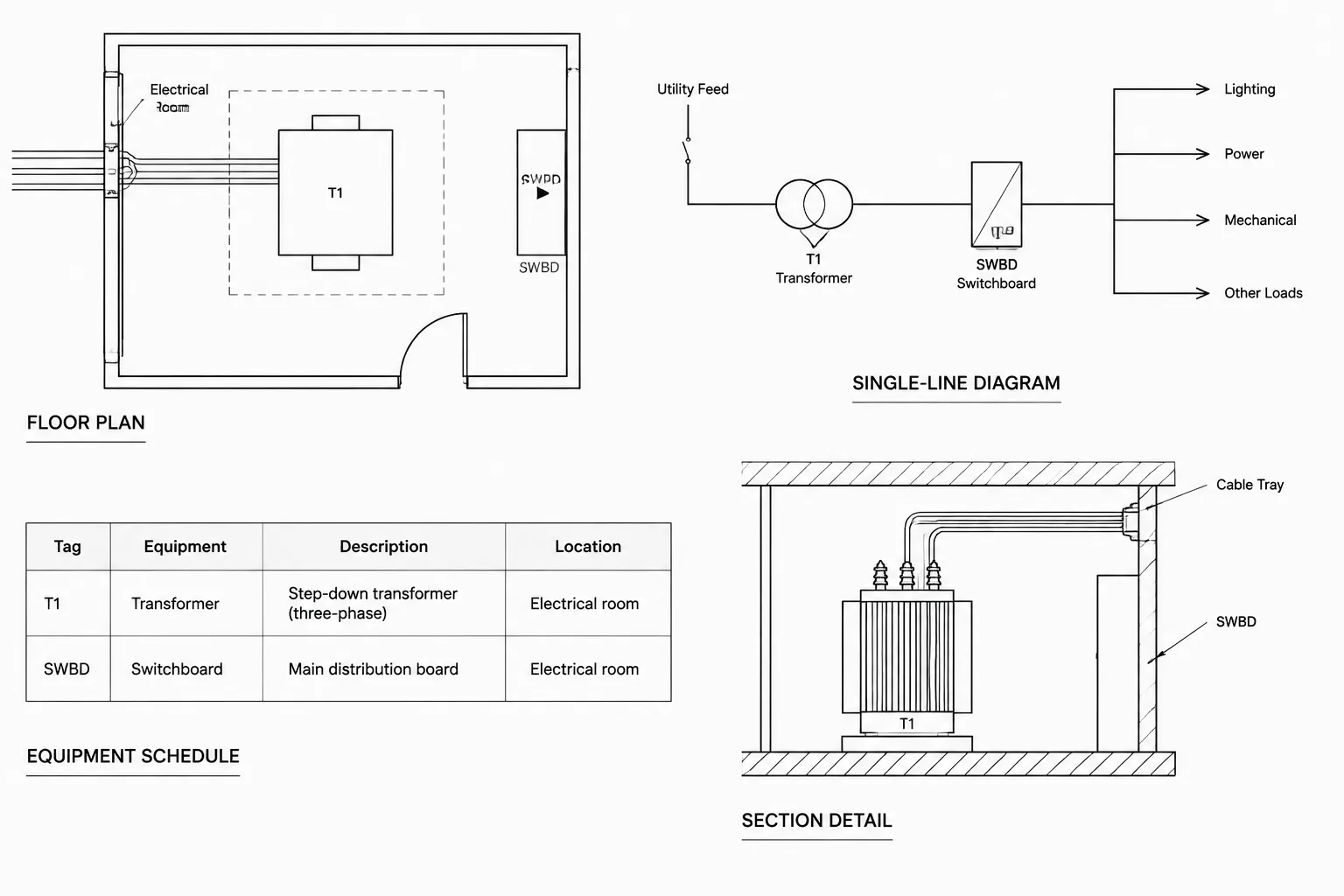
Location data often appears in several places: floor plans, enlarged plans, wall elevations, equipment details, vendor drawings, and schedules. Repetition may be useful, but each repeated value creates another coordination obligation.
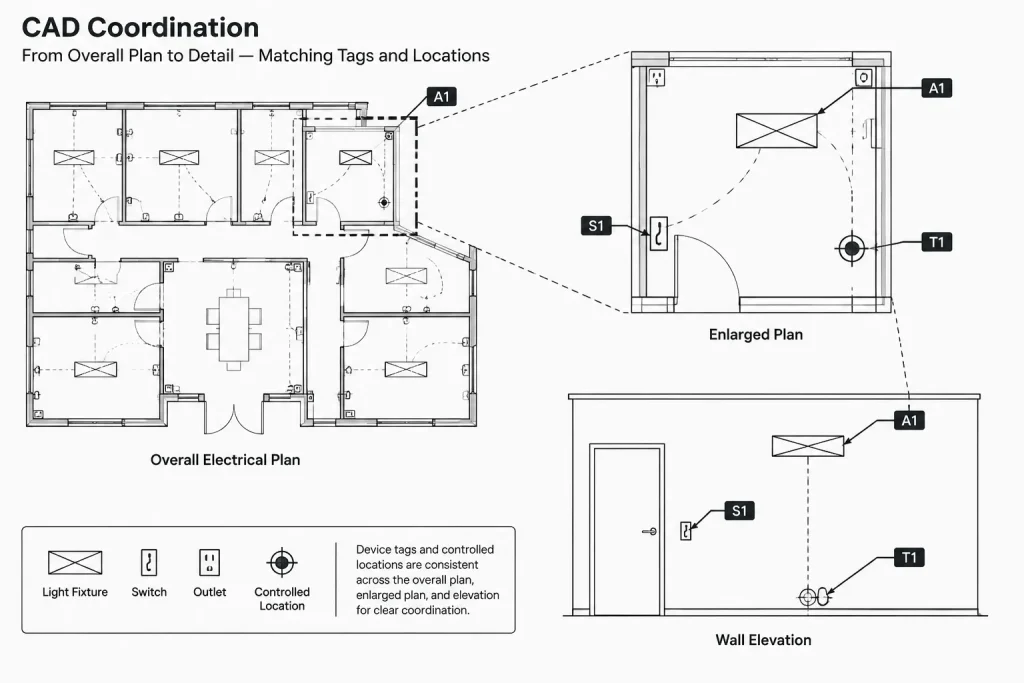
Choose a controlling view for each critical relationship. A floor plan might establish the horizontal position of a device group, while an elevation establishes its arrangement on the wall. The plan can then reference the elevation rather than reproducing every dimension. If information must appear in more than one place, use a review process that compares the values and target points before issue.
Do not conceal unresolved discrepancies with broad notes. If the architectural plan, equipment drawing, and electrical detail use different origins or footprints, identify the discrepancy for coordination. The CAD drawing should expose uncertainty rather than present unverified geometry as final.
Use location notes with precise language
Notes can be clearer than dimensions when the design relationship is alignment-based. However, the note must identify the controlling feature. “Center in wall” may be unclear if the wall contains offsets, panels, or multiple finish zones. “Align with adjacent control station” is incomplete if more than one station is shown.
Useful location language identifies both the electrical item and the reference object. Terms such as align, center, match, coordinate, and verify should be accompanied by enough context to eliminate competing interpretations. If final positioning depends on approved equipment or shop drawings, state that dependency without implying that the CAD background has already been verified.
Review workflow for dimensioned electrical plans
- Identify critical items. Mark devices, equipment, penetrations, and connection points whose positions affect other work.
- Confirm the reference basis. Determine whether each item is controlled by architectural, structural, civil, equipment, or project-coordinate information.
- Check block target points. Verify whether the insertion point or displayed center actually represents the intended location.
- Choose the controlling view. Decide whether the relationship belongs on the overall plan, enlarged plan, elevation, section, detail, or schedule.
- Remove unnecessary repetition. Retain dimensions that add electrical coordination value rather than duplicating the background.
- Compare related views. Reconcile tags, orientations, footprints, dimensions, and references across the drawing set.
- Test sheet readability. Review plotted output for overlaps, broken extension lines, clipped text, and ambiguous targets.
- Recheck after updates. Treat changed backgrounds, equipment selections, and room layouts as triggers for another dimension review.
What a well-dimensioned plan communicates
A well-dimensioned electrical plan does not attempt to measure every symbol. It identifies the relationships that matter, references stable geometry, defines the target point, and directs the reader to the correct supporting view. It also makes uncertainty visible when equipment information or background geometry still requires confirmation.
Used this way, dimensions become part of the drawing’s coordination system rather than decorative annotation. The result is a cleaner plan, fewer conflicting location instructions, and a more maintainable CAD file when the project changes.
Associative dimensions still require design judgment
CAD associativity can help a dimension respond when referenced geometry changes, but it cannot determine whether the relationship remains correct. A dimension may stay connected to a wall segment that no longer controls the device, or it may follow an equipment outline that was only intended as preliminary coordination geometry.
After a background revision, review the meaning of each critical dimension rather than checking only whether it remains attached. Confirm the reference object, electrical target point, controlling view, and related annotation as a complete documentation relationship.
Separate location intent from drawing presentation
The exact electrical target and the displayed symbol do not always occupy the same graphic position. Symbols may be offset for readability, rotated to match plan orientation, or simplified compared with the represented equipment. The CAD file should retain a clear connection between the intended point and its graphic presentation.
Consistent block insertion points, dedicated center marks, leaders, and controlled dimension layers can help preserve that connection. These methods also make it easier for another drafter to understand what should remain fixed when symbols or annotations are rearranged.
Record unresolved coordination visibly
A dimension should not imply certainty that the project team does not yet have. If a final location depends on equipment information, casework development, an approved layout, or another discipline’s background, the drawing should identify that dependency through the project’s established notation and review process.
Temporary coordination information should also remain distinguishable from issued design information. Clear layer control and drawing-status practices help prevent provisional dimensions from being mistaken for final location instructions.
Use a location-control test before adding a dimension
- Purpose: Determine what coordination problem the dimension resolves.
- Reference: Confirm that the selected geometry is stable and appropriate for the item.
- Target: Identify the exact point, edge, face, or centerline being located.
- Ownership: Decide which drawing view controls the relationship.
- Maintenance: Confirm that the information can be checked efficiently after revisions.
- Readability: Verify that the added annotation improves the plotted sheet rather than obscuring other electrical information.
If any part of this test is unclear, a coordinated note, elevation, detail, or schedule may communicate the requirement more reliably than another plan dimension.
Frequently Asked Questions
Should every electrical device be dimensioned on the plan?
No. Dimensions are most useful for location-sensitive devices, equipment, penetrations, and connection points. General symbol placement may be adequately communicated by the architectural background, typical project conventions, and supporting notes.
What is the best reference for an electrical dimension?
The best reference is stable geometry that genuinely controls the electrical location. Depending on the context, that may be a grid, defined wall face, structural element, equipment centerline, room control line, or coordinated site feature.
Can the center of a CAD block be treated as the device location?
Only when the block library consistently defines that center or insertion point as the intended target. Equipment blocks may instead require reference to a mounting face, connection point, edge, or centerline.
Why can an associative CAD dimension still be wrong?
Associativity maintains a geometric connection, not design intent. The dimension can remain attached while referencing the wrong wall, equipment outline, or background object after a revision.
When should an elevation or detail control the location?
An elevation or detail is often preferable when a device must coordinate with casework, wall panels, controls, equipment connections, or other features that cannot be shown clearly on the overall floor plan.
How should dimensions be reviewed after a background update?
Check both the displayed annotation and the underlying relationship. Verify the reference geometry, target point, block position, related tags, detail references, and plotted readability.
Leave a Reply
You must be logged in to post a comment.