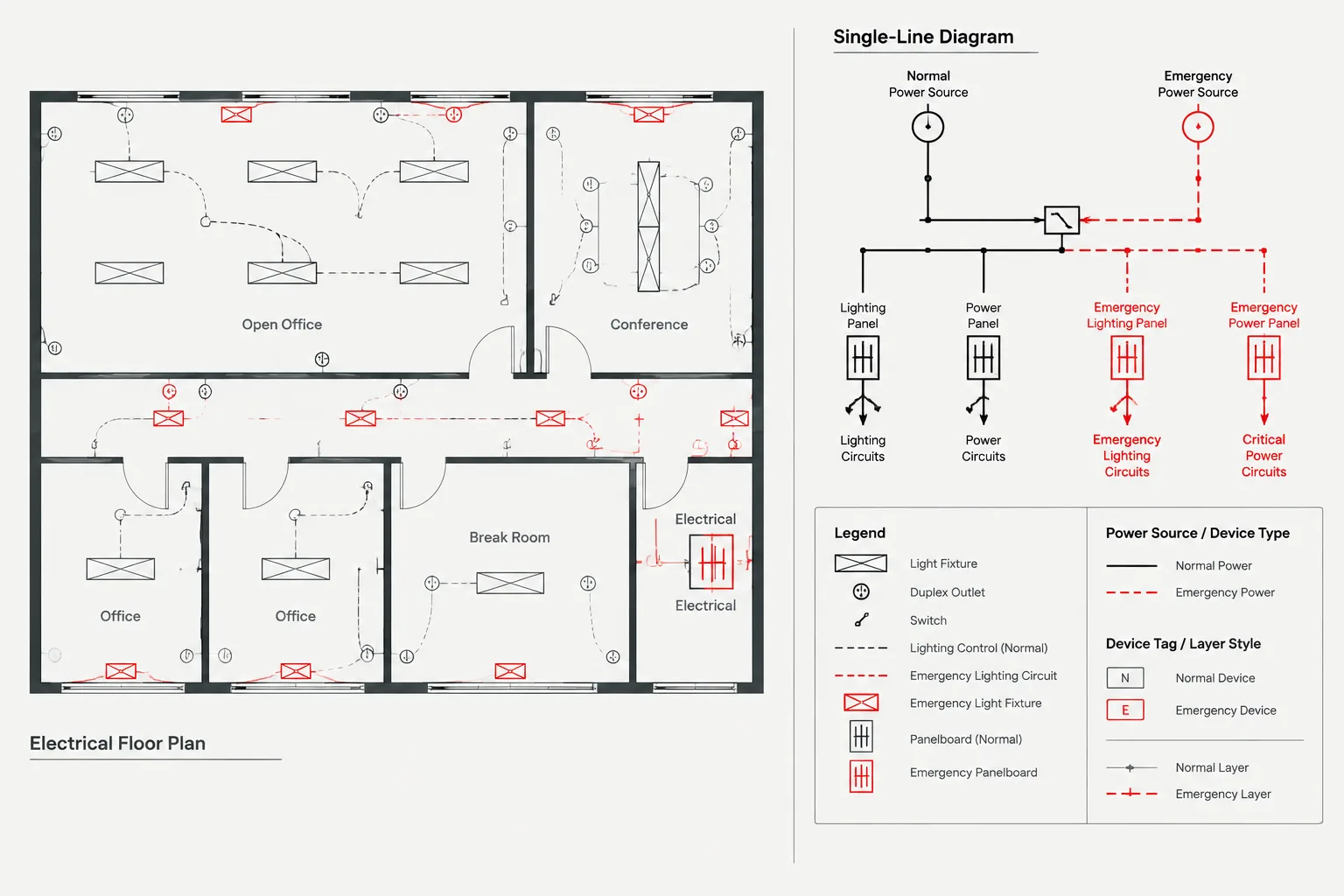
Clear source separation is a documentation problem as much as a graphic one. A dependable CAD set lets reviewers connect each plan symbol to its circuit reference, supplying equipment, schedule entry, and documented transfer relationship without relying on color alone. The guidance below explains how to divide that information among plans, diagrams, schedules, layers, blocks, and legends.
Buildings with more than one electrical source can produce deceptively complicated drawings. A floor plan may show ordinary branch circuits, loads supplied from a backup source, equipment connected through transfer devices, and systems with project-specific operating priorities. If those relationships are communicated only through color or a few general notes, the drawing can become difficult to interpret and even harder to coordinate with panel schedules and single-line diagrams.
Normal and emergency power plans in CAD should make each load’s intended source understandable without turning the floor plan into a complete system diagram. The plan locates devices and equipment, while diagrams and schedules explain the distribution path in greater detail. A disciplined drafting workflow keeps those documents aligned.
Begin with the project’s power classifications
Before creating layers or modifying symbols, identify the source classifications used by the project. Terms such as normal, emergency, standby, backup, optional, critical, or life safety can have distinct technical and contractual meanings. They should not be treated as interchangeable drafting labels.
Use terminology established by the project’s design criteria, approved equipment naming convention, and governing documentation. If the source classification is unresolved, flag it for review rather than assigning a familiar abbreviation from another project.
A simple source matrix can help the CAD team understand how drawing labels relate to the distribution documents:
| Drawing information | Primary coordination source | Drafting question |
|---|---|---|
| Power category | Design criteria and single-line diagram | What project-approved term identifies this source? |
| Panel or distribution equipment | Panel schedules and equipment schedules | Does the equipment tag match across every view? |
| Transfer relationship | Single-line or transfer diagram | Is the load supplied through transfer equipment? |
| Device location | Floor plan and coordinated background | Is the symbol located in the correct room or area? |
| Circuit assignment | Panel schedule and circuiting plan | Does the plan tag agree with the scheduled circuit? |
Decide what belongs on each drawing type
A common documentation problem is asking one plan to explain everything. The better approach is to divide information according to the purpose of each drawing.
Floor plans
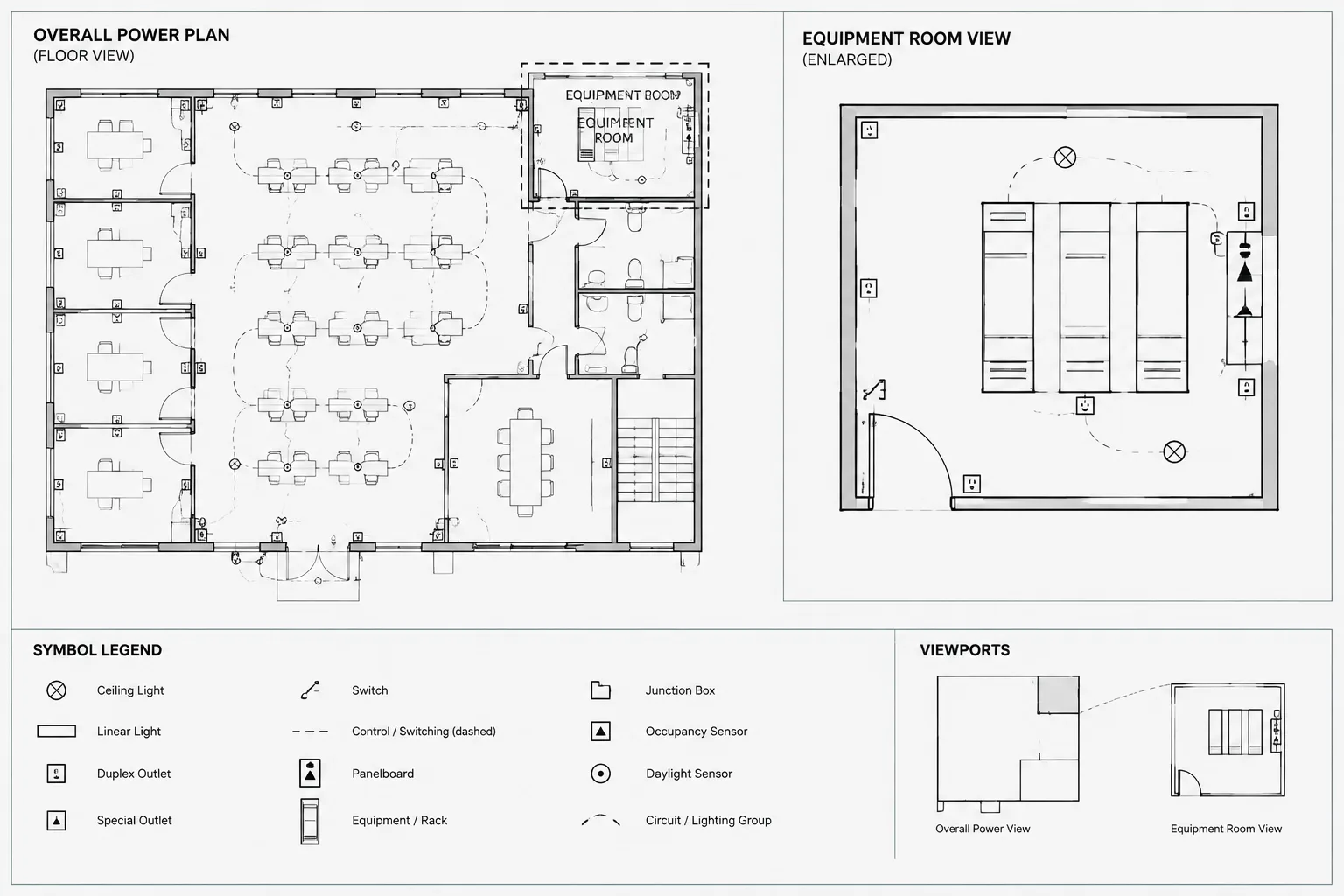
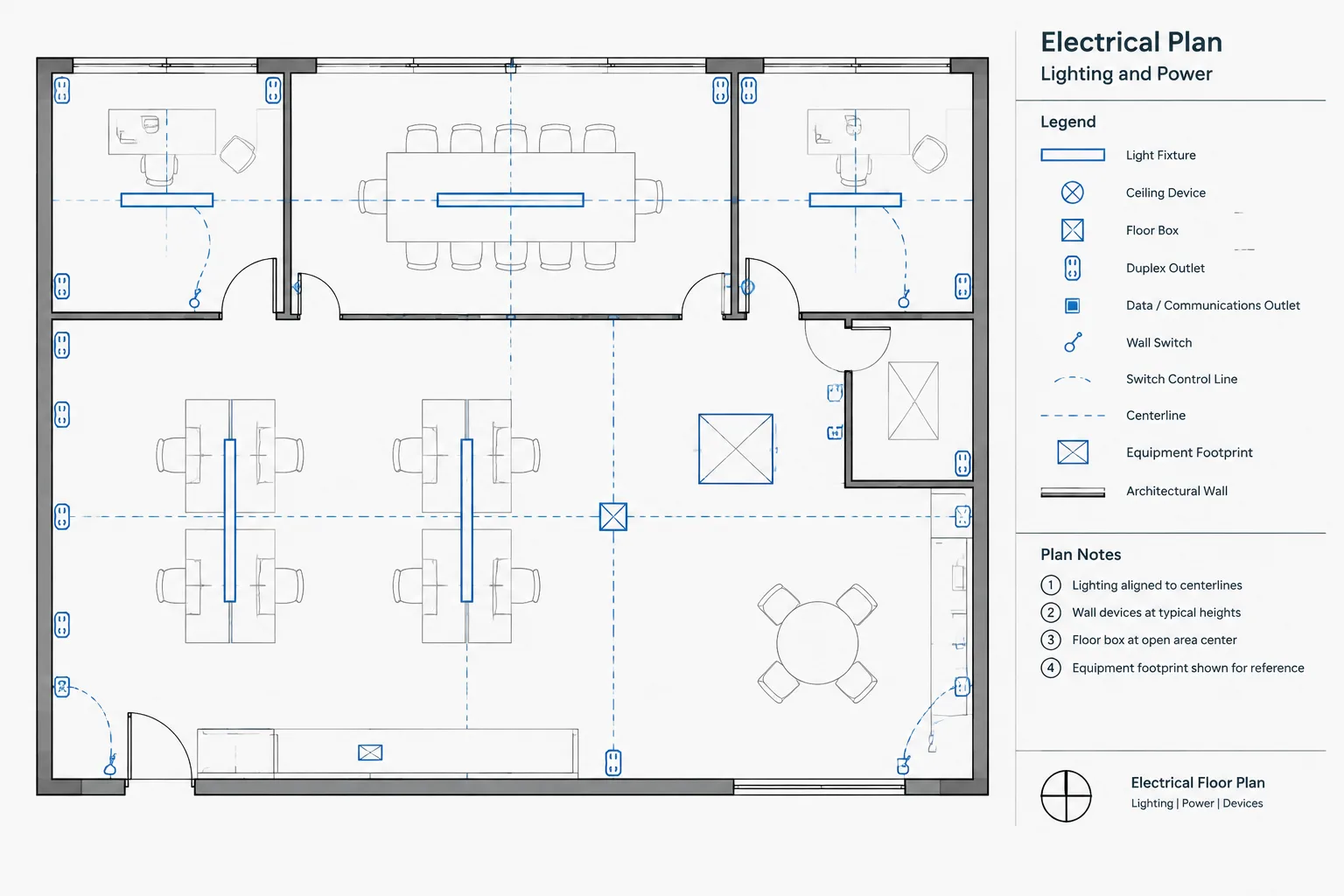
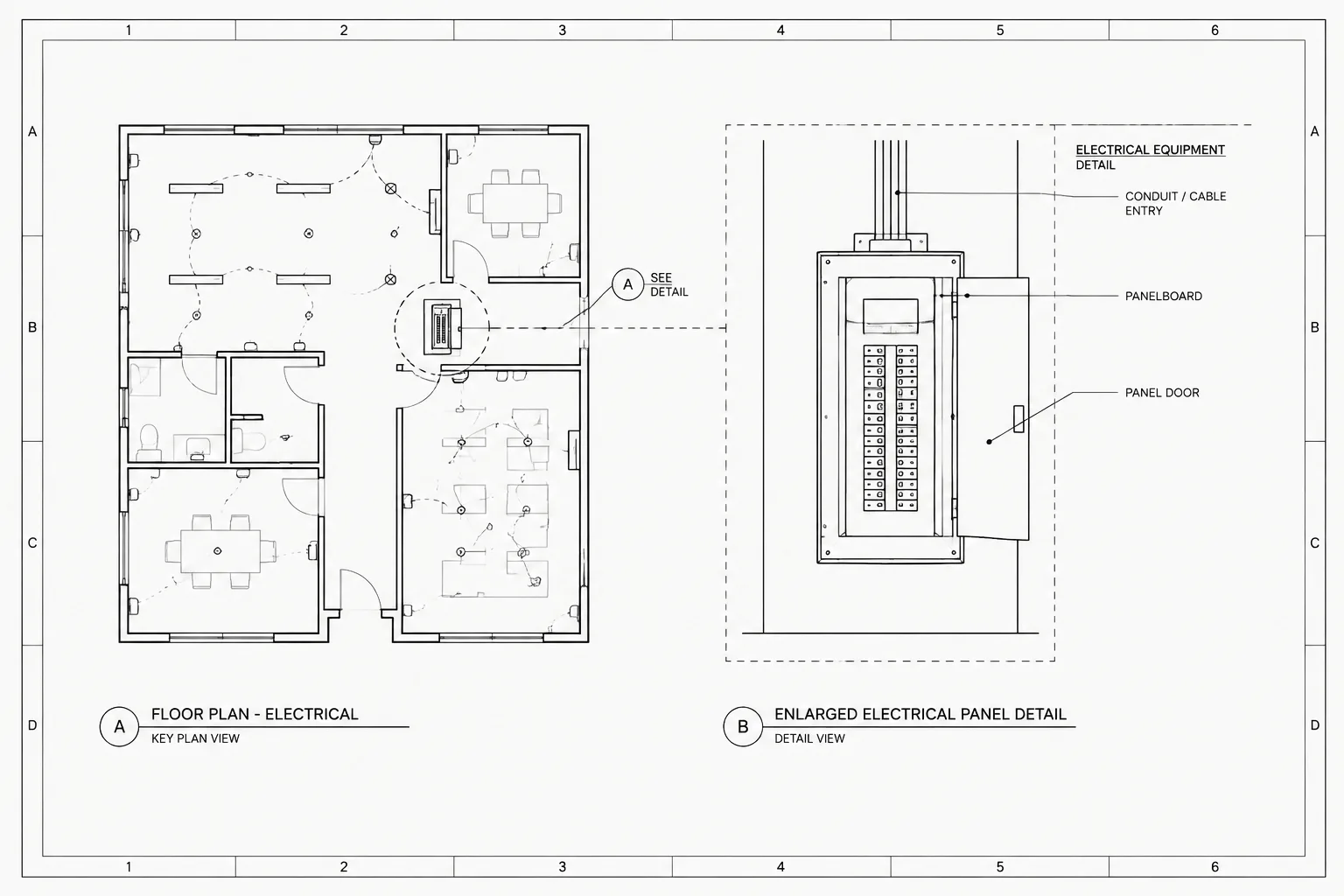
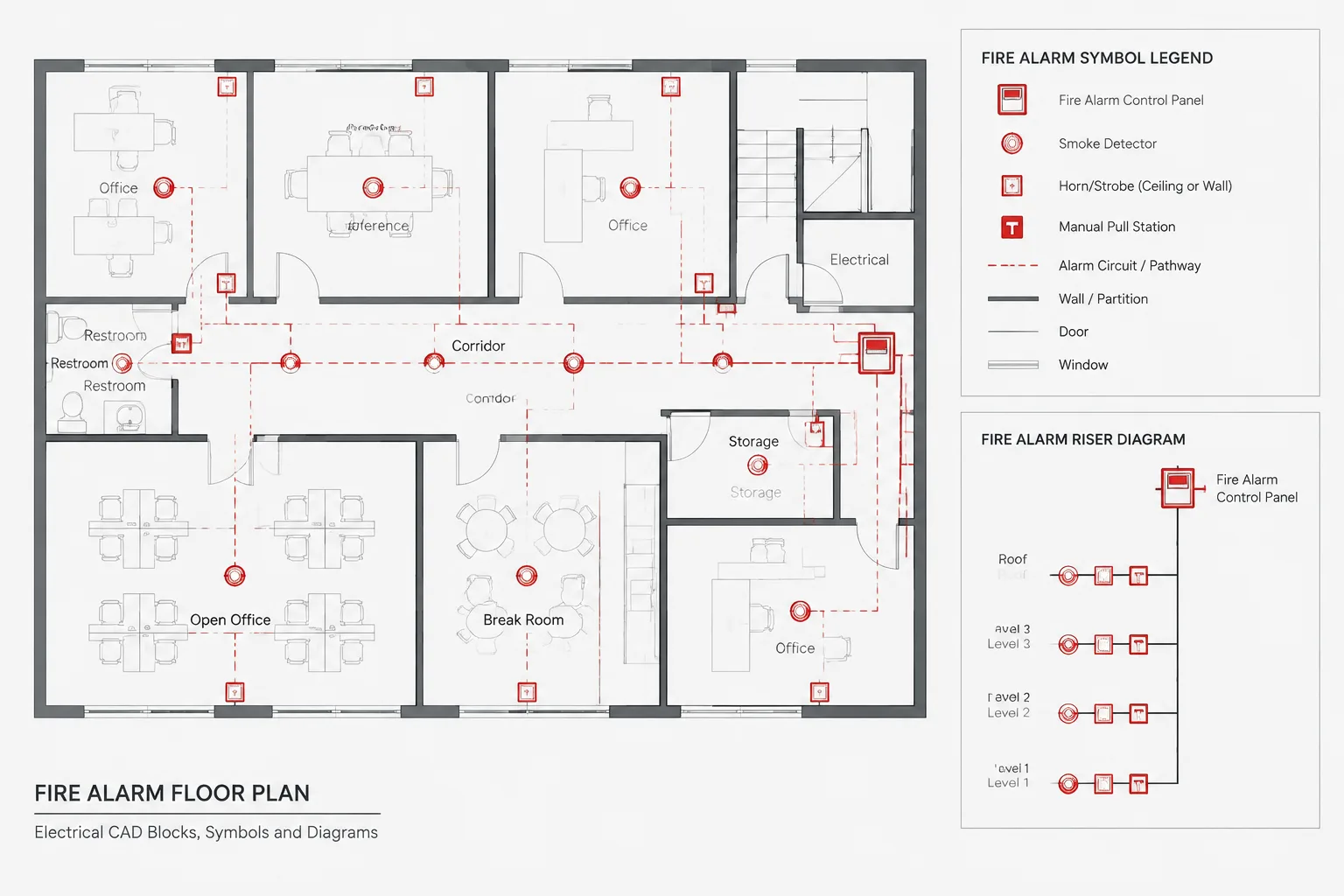
Floor plans should communicate load and device locations, source-related symbols or tags, circuit references, equipment identifiers, and the approximate routing intent where routing is part of the design documentation. They may also show transfer equipment locations when relevant to spatial coordination.
Single-line diagrams
The single-line diagram should show the logical power path between sources, distribution equipment, transfer devices, and downstream loads or panels. It is normally the clearest place to distinguish source sides, switched paths, and distribution relationships that would be cumbersome on a floor plan.
Schedules
Panel and equipment schedules hold structured information such as equipment names, circuit assignments, connected loads, and project-defined source categories. A plan symbol may be graphically correct yet still be wrong if its tag points to the wrong schedule entry.
Control or sequence documents
When source transfer depends on a defined operating sequence, a control diagram, sequence narrative, or vendor-coordination document may be needed. Do not imply a detailed sequence through unexplained dashed lines or arrows on the power plan.
Build a clear graphic distinction
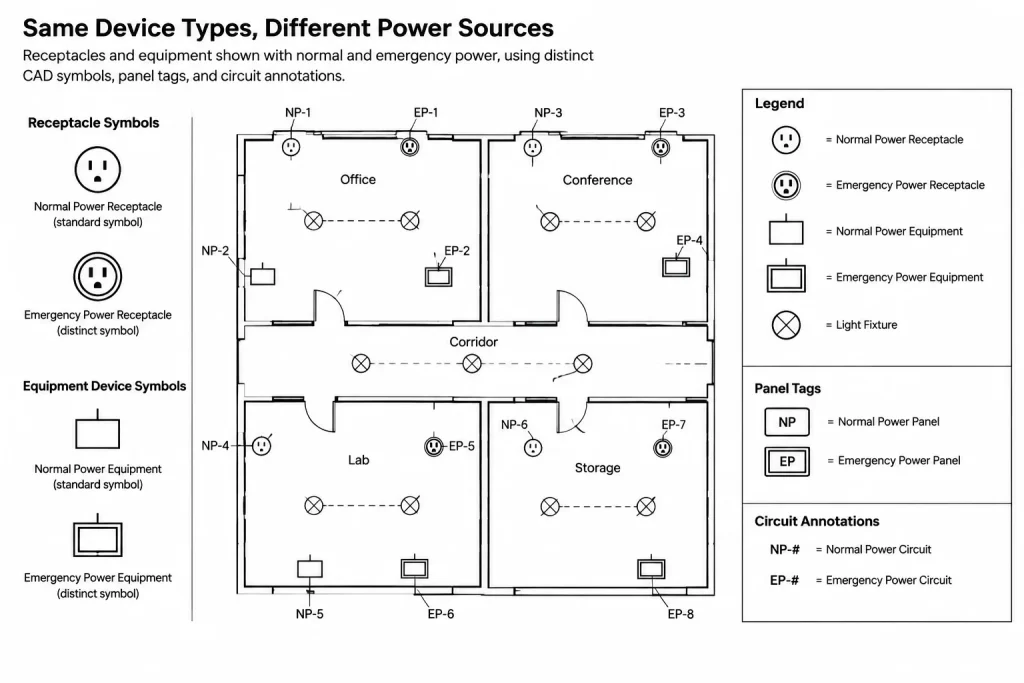
Normal and emergency systems need a visible distinction, but that distinction should survive plotting, copying, and grayscale review. Color can support readability in the CAD workspace, but it should not be the only carrier of meaning.
- Symbols: Use approved symbol variants where the project convention calls for them. Keep the base geometry recognizable so users can still identify the device type.
- Tags: Include a source, panel, or circuit identifier when that information is required to distinguish otherwise similar devices.
- Layers: Separate categories when layer visibility, plotting, or quality control benefits from the separation.
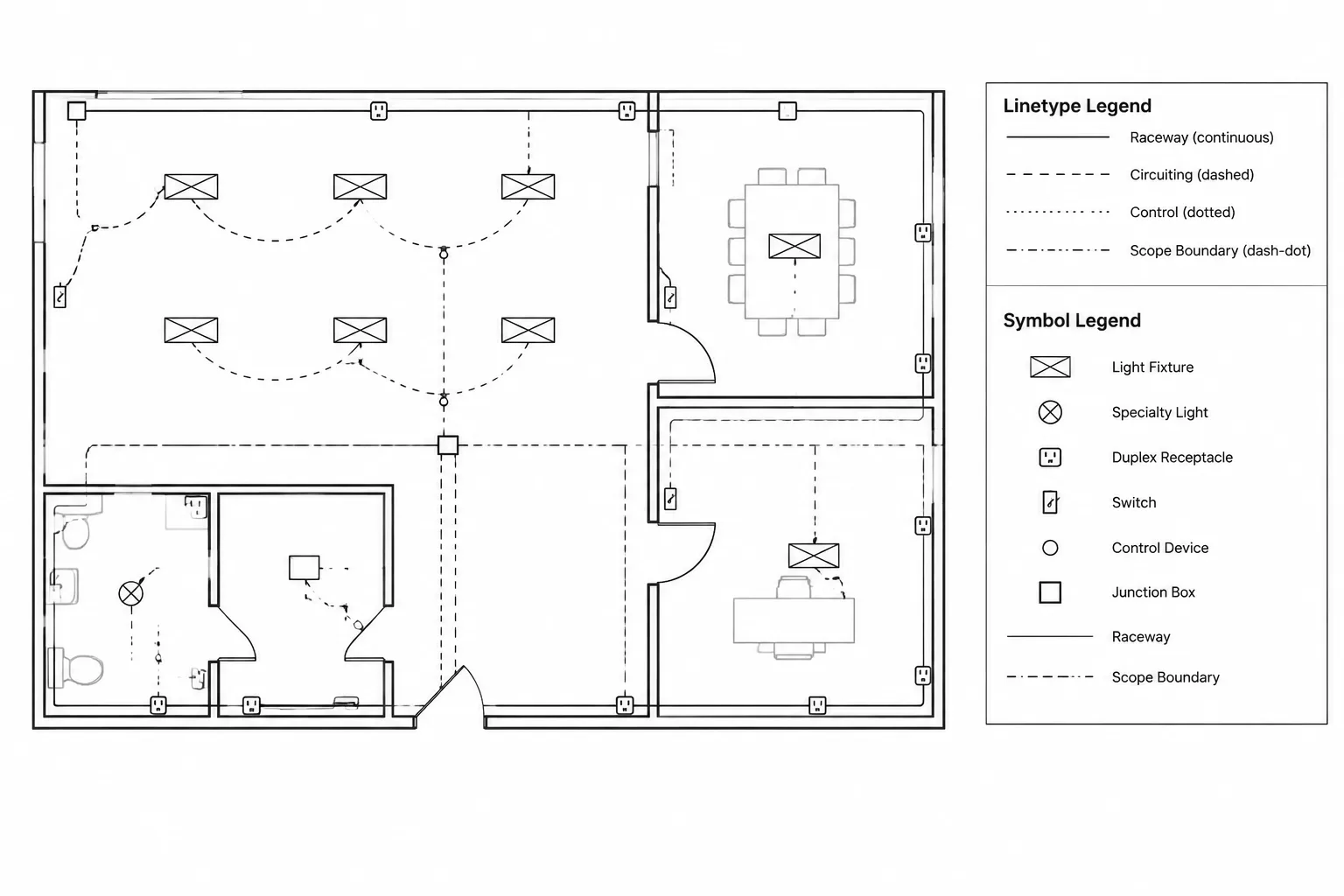
- Linetypes: Use distinct linework only when it has a defined meaning in the legend. Avoid relying on subtle patterns that disappear at plotted scale.
- Notes: Apply local notes to genuine exceptions rather than repeating the same explanation at every device.
- Legends: Show the exact graphic conventions used in the drawing set, not a generic collection of unused symbols.
When symbol fills or screening are used, check them against architectural backgrounds, room labels, and other electrical information. A symbol that appears obvious in model space may lose its distinction after plotting.
Organize CAD layers around editing and review
Layer structure should support both production and checking. One approach is to separate device geometry, circuiting, equipment, and annotation by system category. Another is to keep common device geometry together while separating only the source-specific tags and circuit linework.
The right choice depends on the project’s CAD standard and expected deliverables. Avoid creating a separate layer for every minor condition if that structure makes the file difficult to manage. Conversely, placing all electrical information on one layer prevents useful isolation during coordination.
For each proposed layer, ask:
- Will reviewers need to isolate this information?
- Does it require a distinct plotted appearance?
- Is it controlled by a separate design discipline or drawing package?
- Will the distinction remain understandable after DWG handoff?
- Can the layer name be mapped reliably to the client’s standard?
Object-level color and linetype overrides should be limited. ByLayer properties make global revisions and plot troubleshooting more predictable.
Coordinate transfer equipment without oversimplifying it
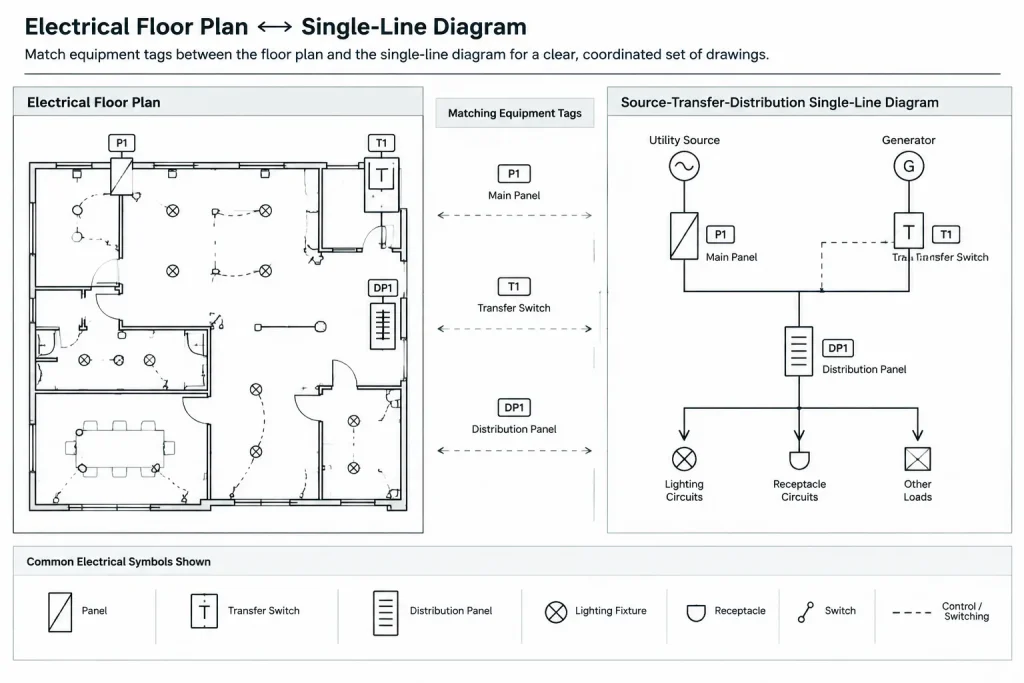
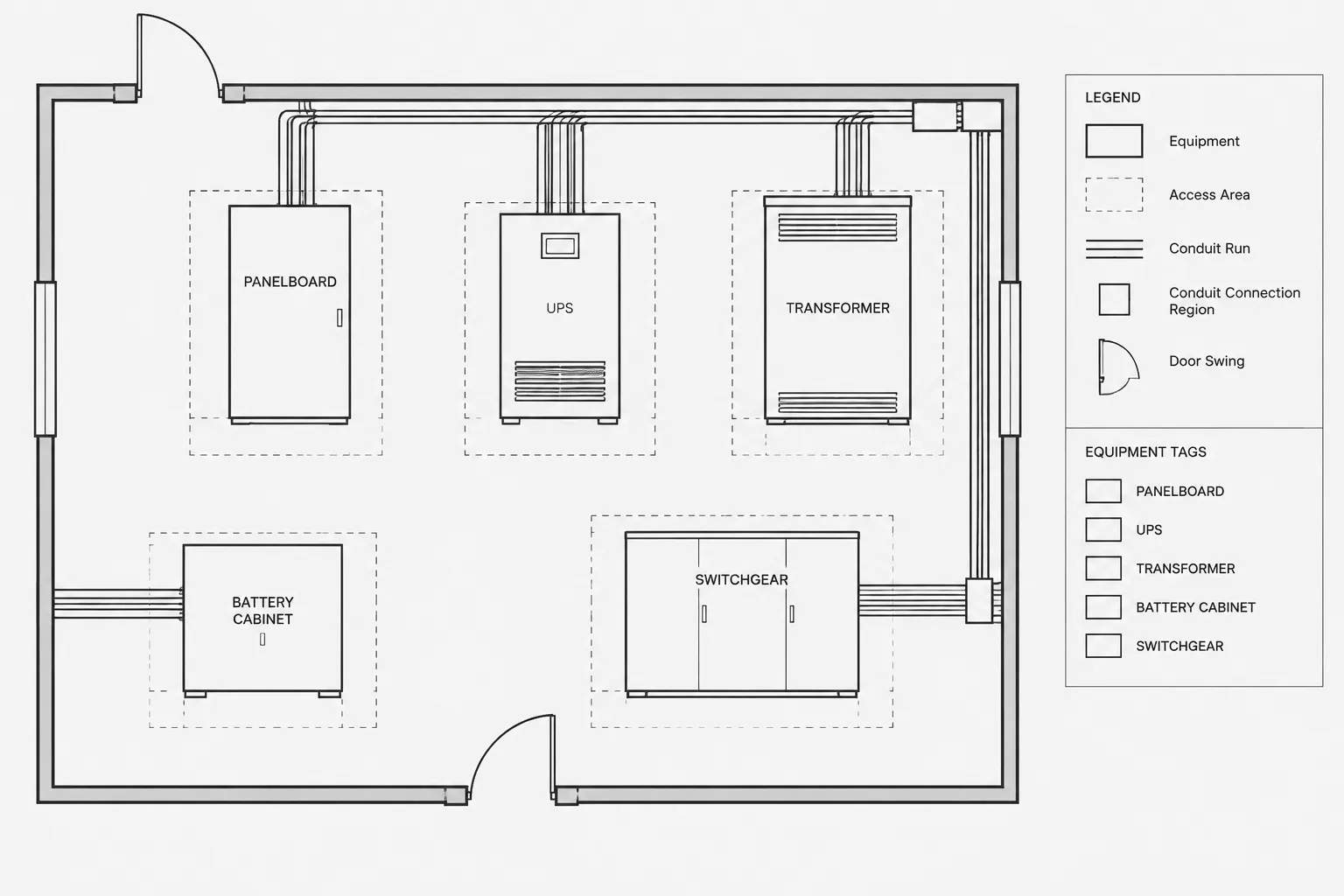
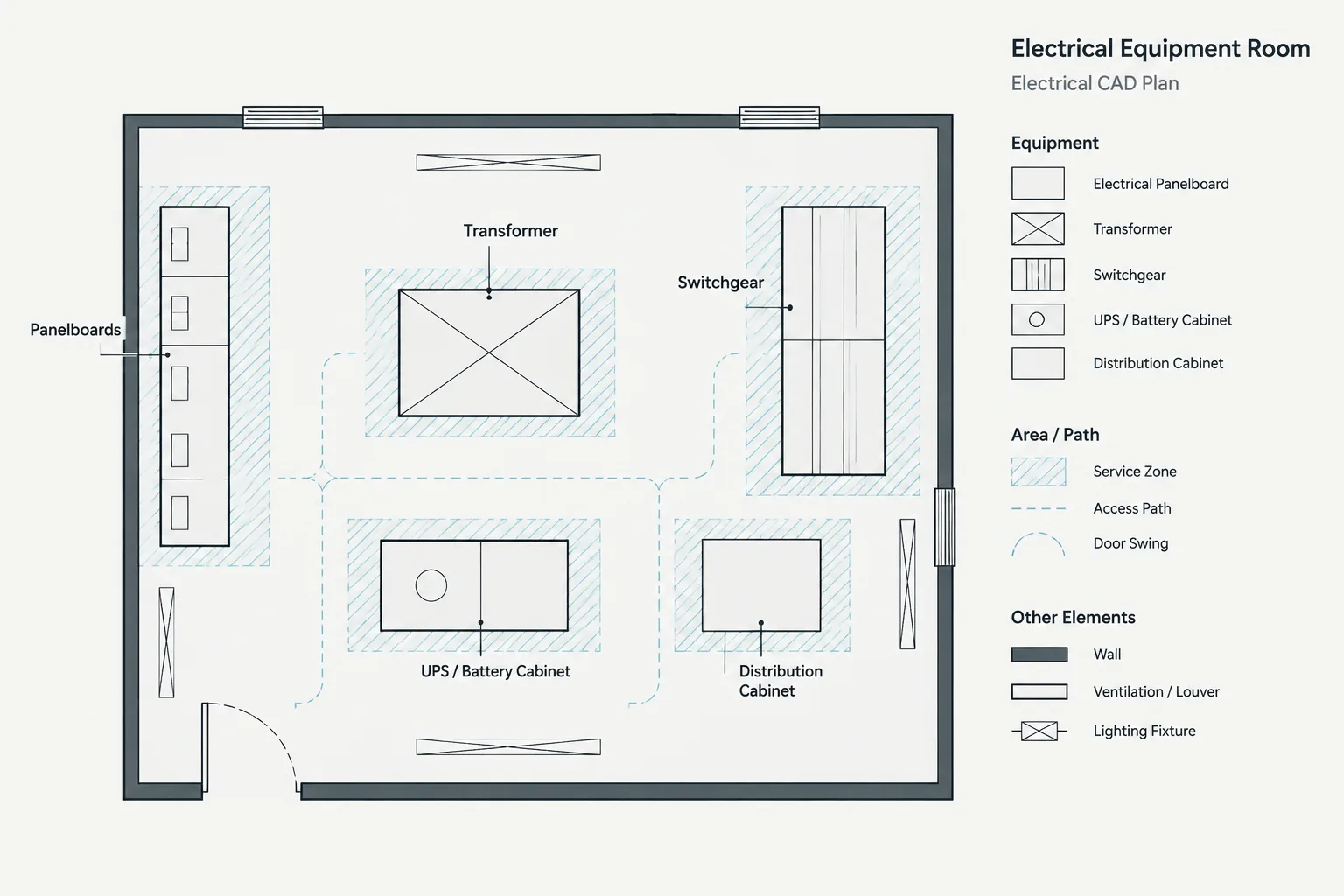
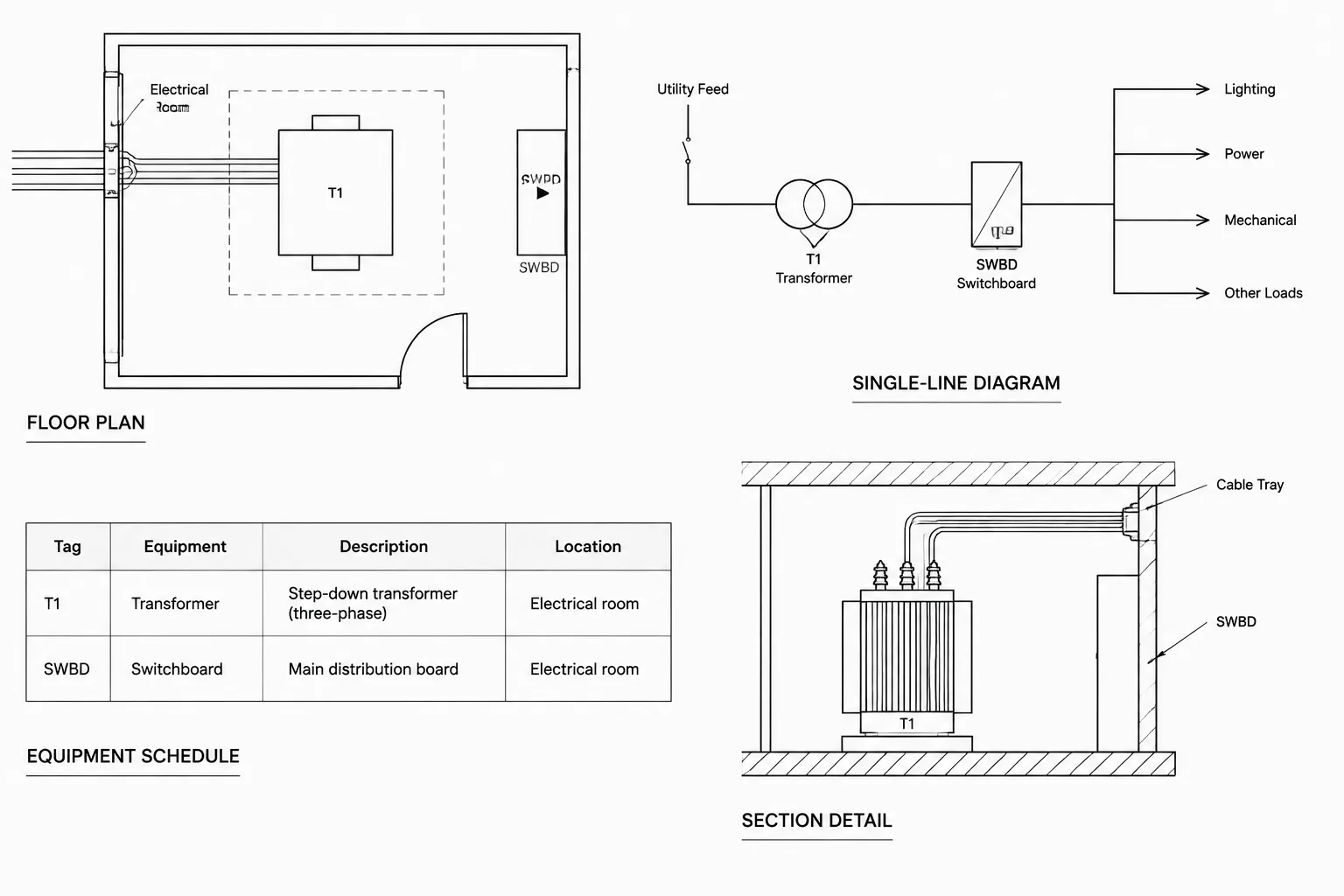
Transfer equipment is an important bridge between plans and diagrams. On a floor plan, its block primarily represents a physical location and equipment identity. On a single-line diagram, its symbol represents an electrical relationship. These are related representations, but they do not need identical geometry.
Assign a consistent equipment tag to every representation. The same tag should appear on the plan, diagram, schedule, and applicable details. If several transfer devices are present, generic text such as “transfer switch” is not sufficient for cross-referencing.
Do not infer transfer behavior from block orientation. Rotation on a floor plan may reflect room layout rather than source direction. Source connections and switched relationships should be established by the diagram and associated documentation.
Keep circuit tags source-aware
A circuit number by itself may be ambiguous when normal and emergency panels use similar numbering. Circuit tags should identify the supplying panel or use another project-approved reference that resolves the source.
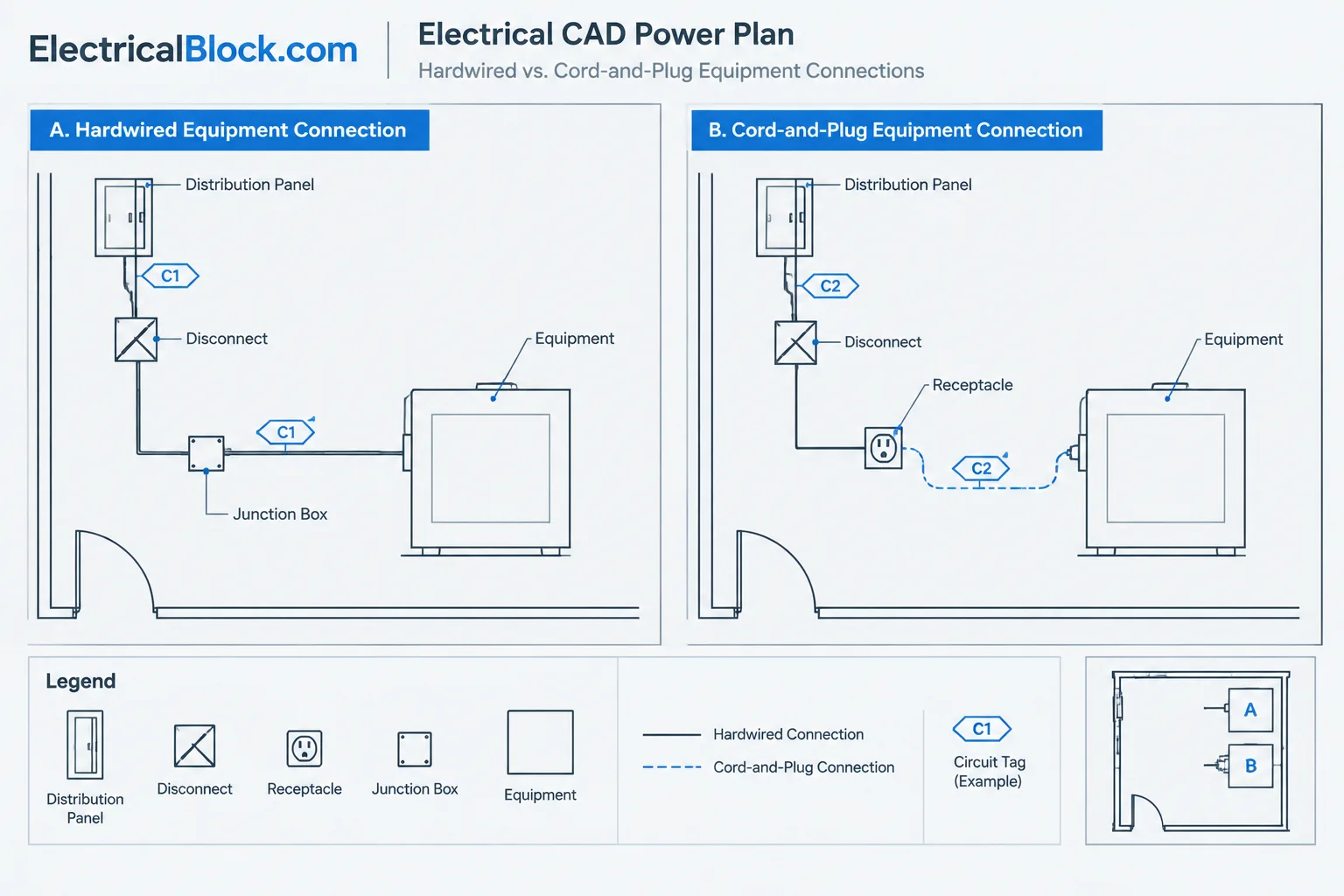
Block attributes can improve consistency by storing panel, circuit, and device identifiers as separate fields. This also makes it easier to review or extract data. However, attributes are not automatically trustworthy. A copied block can retain an old panel name, and a visually edited label may not update hidden or extracted data.
When a device changes source, review all related information rather than editing only the visible tag:
- Panel and circuit attributes
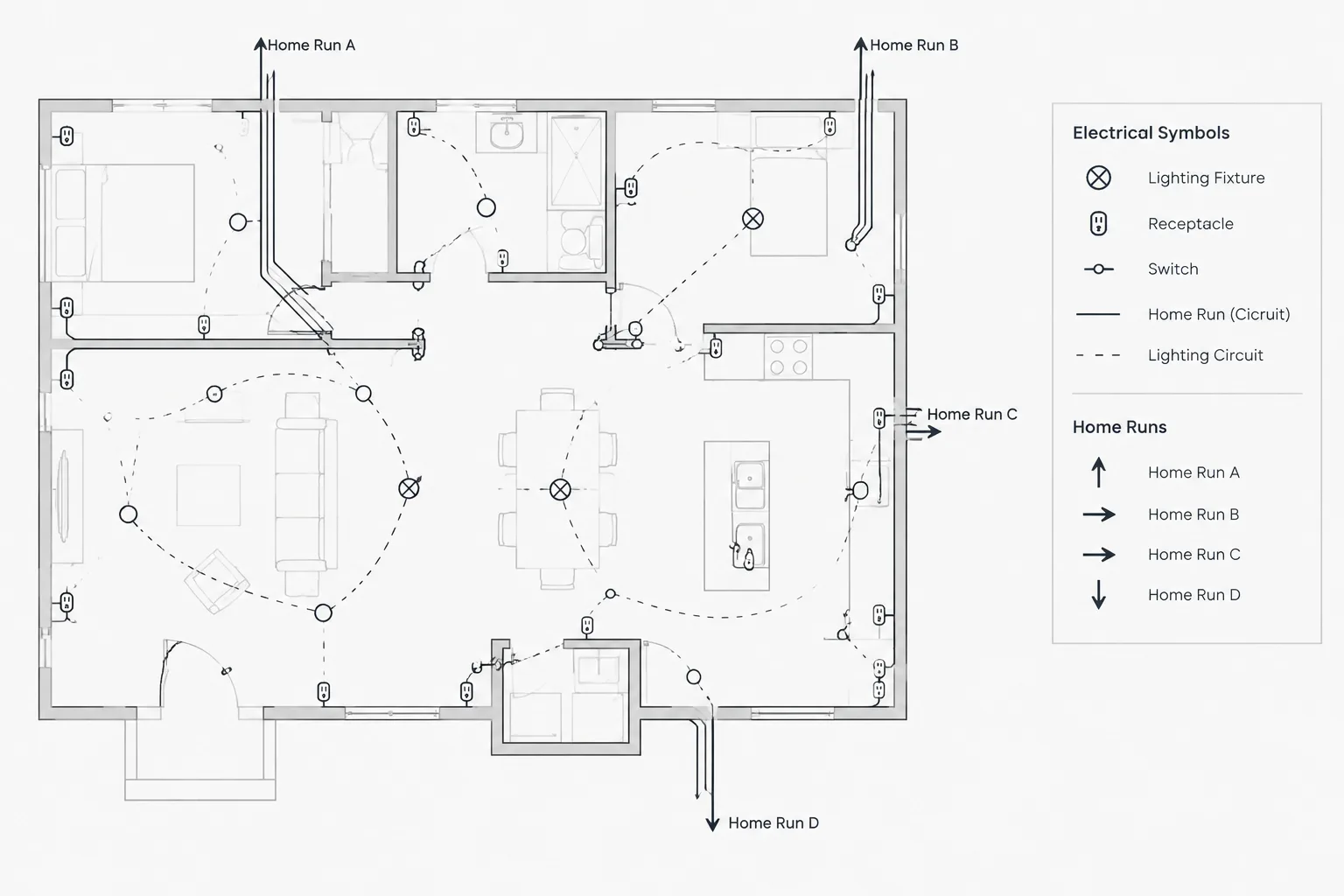
- Circuiting linework and home-run information
- Panel schedule entries
- Single-line distribution path
- Source-specific layer assignment
- Legend or keynote references
- Associated equipment connections
Handle combined plans carefully
Some projects show normal and emergency devices on one plan, while others publish separate plan types. A combined plan supports direct spatial comparison but may become crowded. Separate plans can improve clarity, yet they introduce the risk of duplicated or conflicting device locations.
If separate plans are used, establish which plan owns each object. Avoid placing the same editable device block independently in two files. A controlled reference, view, or data workflow can reduce divergence. When combined plans are used, test the graphic hierarchy at final sheet scale and ensure the source distinction remains visible in monochrome output.
Run a cross-document quality-control review
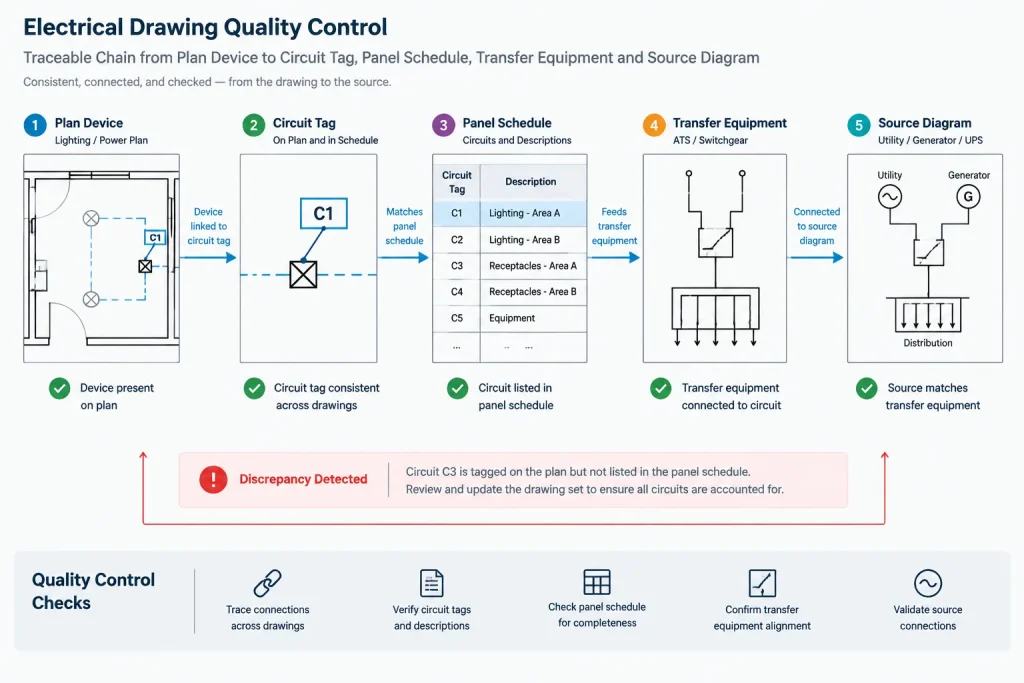
A useful review starts with the plan and follows each selected load upstream. Confirm that its circuit tag points to an existing schedule entry, that the scheduled panel appears in the distribution diagram, and that any transfer relationship is represented consistently. Then reverse the process by selecting equipment on the single-line and confirming that its downstream devices or loads are documented where expected.
Use filtered selections, attribute extraction, or layer isolation to locate common drafting errors. The specific CAD tools vary, but the review targets are consistent:
- Emergency-category symbols placed on normal-power layers
- Devices with missing or duplicate circuit references
- Panel names that differ between plans and schedules
- Transfer equipment shown on a plan but absent from the diagram
- Diagram equipment with no corresponding plan location where one is expected
- Unused legend symbols or unlegended symbols in the plan
- Source distinctions that disappear in the published plot
Use CAD graphics to communicate intent, not assumptions
A well-drafted power plan does more than display different symbol colors. It creates a traceable path from each device to a circuit, from the circuit to distribution equipment, and from that equipment to the documented source arrangement. Every label should support that traceability.
Before issue, verify project-specific classifications, equipment names, circuit assignments, and operating relationships with the responsible design documents. CAD blocks and graphic conventions are communication tools; they do not establish that a system arrangement is compliant, complete, or suitable for construction without technical review.
Manage source changes as coordinated drawing revisions
Changing a load from one source category to another should be treated as a coordinated revision rather than a simple layer or color edit. The visible plan symbol is only one part of the record. Its attributes, circuit linework, schedule assignment, equipment references, diagram path, notes, and legend convention may also require review.
A practical revision workflow should identify which document controls each item of information. The plan may control location, while the panel schedule controls the circuit assignment and the single-line diagram controls the upstream distribution relationship. When conflicting information is found, send it back to the responsible design source instead of selecting whichever label appears most familiar.
Recommended handoff review
- Confirm object ownership: Determine whether each device is native to the file, referenced from another drawing, or generated from coordinated project data.
- Inspect attributes: Check that visible labels and stored block data describe the same panel, circuit, equipment tag, and source category.
- Review layer behavior: Verify that source-specific objects remain correctly classified when references are attached, layers are mapped, or files are exported.
- Compare published output: Examine the plotted drawing rather than relying only on model-space colors and display settings.
- Resolve exceptions: Record unclear classifications, unmatched tags, and missing diagram relationships for design review rather than masking them with drafting assumptions.
This approach improves traceability during revisions and helps the receiving team understand how the CAD file is organized. It does not replace project-specific engineering review or establish the required operating classification of any load.
Frequently asked questions
How should normal and emergency devices be distinguished on a CAD plan?
Use a project-approved combination of symbols, tags, layers, linetypes, notes, and legend entries. The distinction should remain understandable when the drawing is plotted or reviewed without color.
Should a floor plan show the complete transfer path?
Usually, the floor plan should emphasize device locations, equipment identities, circuit references, and relevant spatial relationships. The single-line or transfer diagram is generally better suited to showing the logical path between sources, transfer equipment, distribution equipment, and loads.
Can color be the only indication of the power source?
Color is useful for editing and on-screen review, but it should not carry the entire meaning. Printing, grayscale reproduction, display settings, and file exchange can weaken or remove color distinctions.
What should be checked when a device changes source?
Review the device attributes, supplying panel, circuit reference, circuit linework, schedule entry, distribution diagram, layer assignment, legend convention, and associated equipment connections. Updating only the visible label can leave conflicting information elsewhere.
How can duplicated devices be avoided on separate power plans?
Establish which drawing or coordinated data source owns each device. References, controlled views, or another managed workflow are preferable to maintaining unrelated copies of the same editable block.
Does an emergency-style symbol establish the technical classification of a load?
No. A symbol communicates the classification assigned by the project documentation. The applicable design criteria and responsible technical review determine the actual source category and operating relationship.
Leave a Reply
You must be logged in to post a comment.