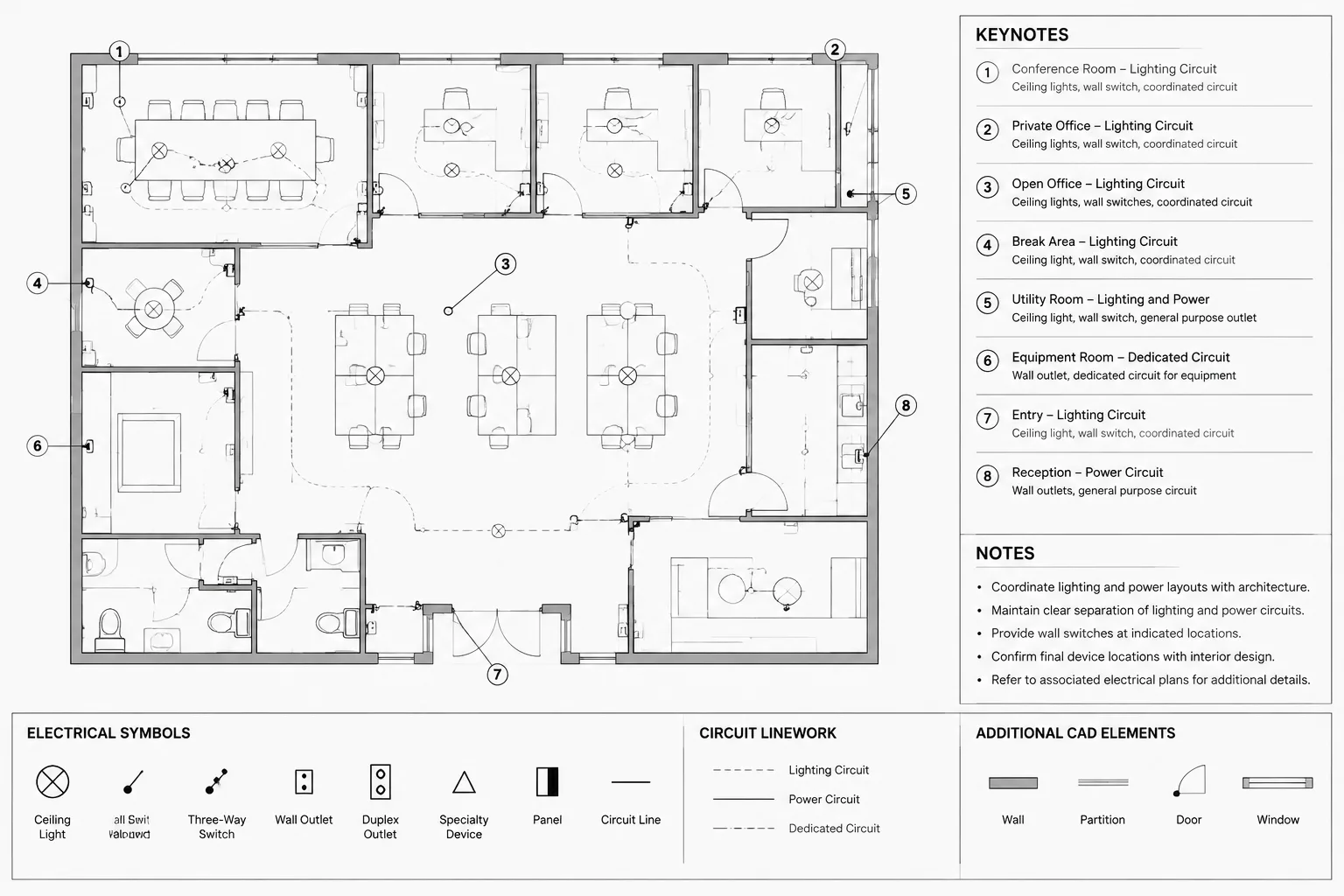
Using This CAD Documentation Guide
Electrical plan keynotes are more than annotation bubbles. Each marker forms a documentation link between a plan condition and the instruction listed elsewhere on the sheet or in the drawing set. That link must remain clear when objects move, backgrounds change, notes are edited, and sheets are issued again.
Use this guide to evaluate the complete keynote relationship: the identifier, marker, leader, affected object, note text, and revision status. Reviewing those elements together helps prevent a visually tidy drawing from containing broken or misleading references.
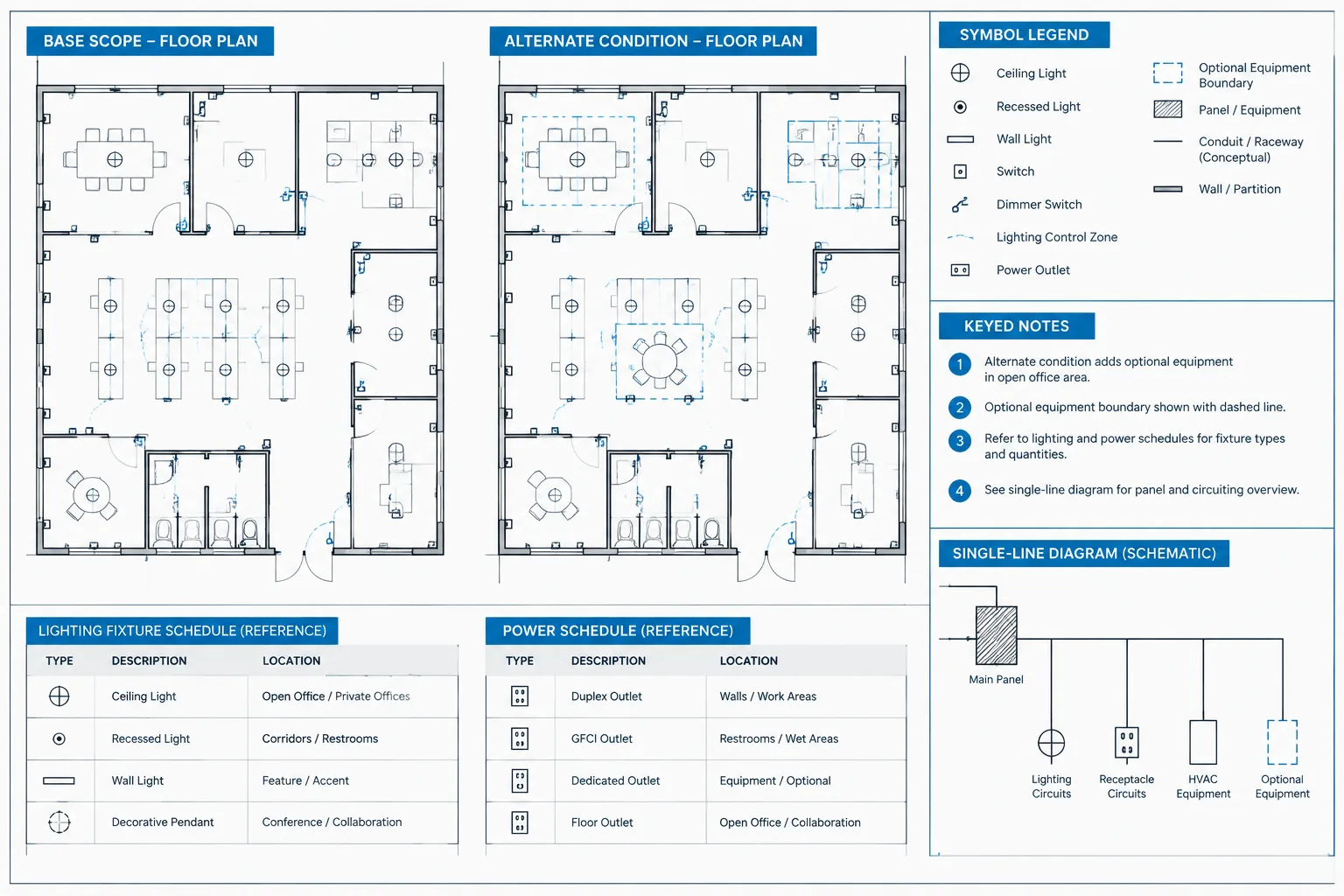
Electrical plan keynotes connect short identifiers on a drawing to more detailed instructions in a note list. They can reduce plan clutter, but only when their numbers, leaders, wording, and revision history remain coordinated. A misplaced keynote may appear minor in CAD while directing the reader to the wrong requirement or leaving an important condition unexplained.
A reliable keynote workflow treats the marker, leader, note text, and affected drawing objects as related documentation. This guide explains how to structure that relationship without turning the plan into a dense field of bubbles and crossing leaders.
What an Electrical Keynote Communicates
A keynote usually identifies a condition that needs more explanation than can fit beside a device or circuit. The marker may point to one object, a group of objects, a route, an area, or an interface with another discipline.
Typical electrical keynote subjects include:
- Special connection or rough-in conditions
- Requirements applying to selected equipment rather than every similar device
- Routing or coordination intent that is difficult to show graphically
- Existing equipment that must remain, be relocated, or be modified
- Interfaces with architectural, structural, mechanical, or vendor work
- References to related schedules, diagrams, sections, or details
- Phasing and temporary-condition information
A keynote should explain an exceptional or important condition. It should not replace geometry that can be shown more clearly, duplicate information already provided by a schedule, or become a substitute for resolving the design.
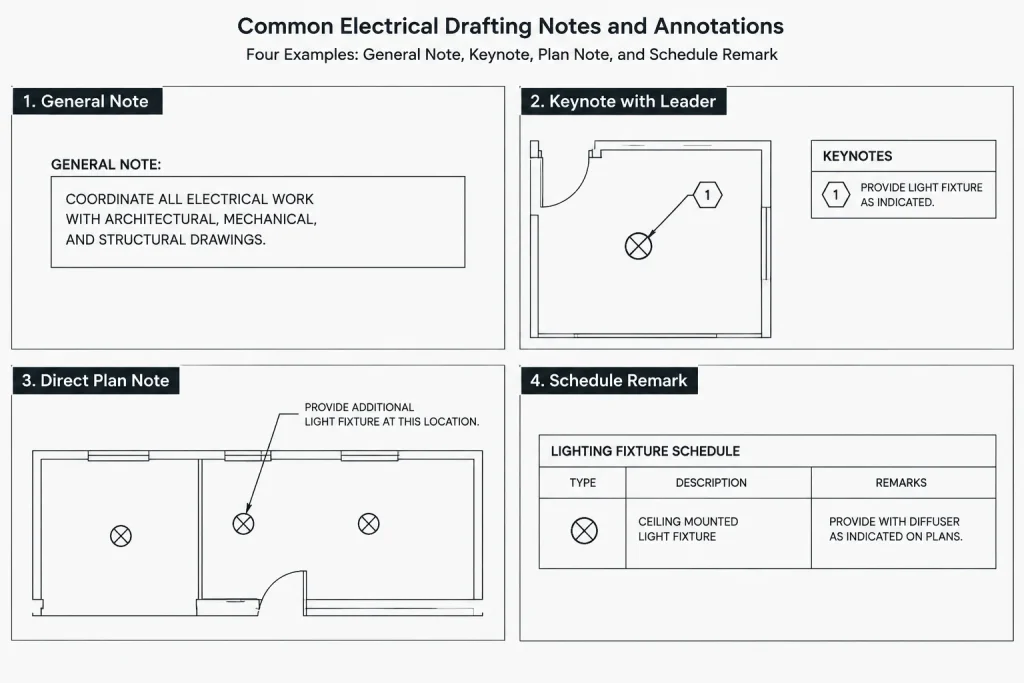
Keynotes, General Notes, and Direct Notes
These annotation types serve different purposes. Mixing them makes it difficult for readers to determine where an instruction applies.
| Annotation type | Typical scope | Best use |
|---|---|---|
| General note | A drawing, discipline, or project area | Requirements that apply broadly without individual markers |
| Keynote | Selected objects, routes, or locations | Conditions linked to numbered or coded markers |
| Direct note | One nearby condition | Brief text that is clearer beside the affected object |
| Schedule remark | A scheduled item or type | Information that applies consistently to an equipment, fixture, or device entry |
Before adding a keynote, ask whether the instruction applies only at the marked location. If it applies to every device of a given type, a legend or schedule may be a better home. If it applies to the entire sheet, a general note may be more appropriate.
Choose a Numbering Strategy
Keynotes can be numbered by sheet, drawing series, discipline, or project-wide list. The best strategy depends on the document-control workflow and how often information is reused.
Sheet-specific numbering
Each sheet has its own keynote list, and markers refer only to that list. This approach keeps the reader’s search local and allows wording to match the plan. However, the same note may receive different identifiers on different sheets, and repeated text can diverge during revisions.
Project-wide numbering
A central list assigns one identifier to each maintained note. This supports consistency where the same condition appears throughout a set. It also requires stronger controls because changing shared text may affect several sheets.
Category-based identifiers
Some teams group keynotes by topic, system, or drawing function. Categories can help authors recognize related notes, but complicated codes may be harder to read than simple sequential identifiers. Avoid creating a code that requires a separate explanation merely to understand the keynote system.
Document the chosen method in the CAD template or project drafting plan. Do not switch casually between local and global numbering within the same drawing set.
Build a Dependable Keynote Marker
A keynote marker should be distinct from equipment tags, circuit identifiers, detail references, and revision symbols. Similar-looking bubbles can cause readers to consult the wrong list.
A practical keynote block commonly includes:
- A clearly defined boundary shape
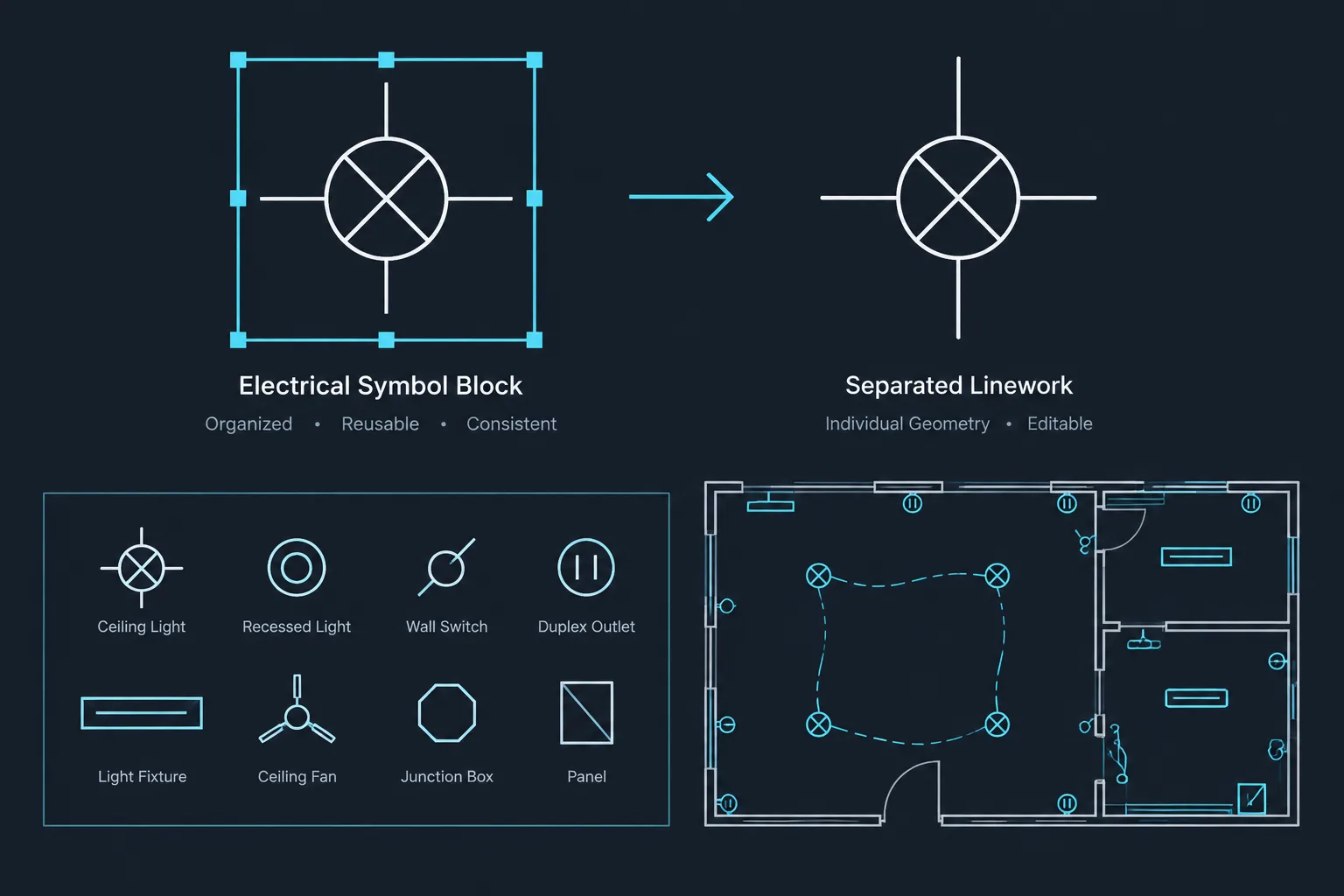
- An editable identifier attribute
- A consistent text style and plotted size
- A deliberate insertion point for leader attachment
- Layer assignment that separates keynotes from electrical geometry
Keep the block visually simple. Decorative geometry adds little value and can reduce clarity at smaller plotted scales. Test the marker in a crowded plan, not only in an isolated block-library preview.
If attributes or external data are used to manage identifiers, confirm that plotted output still communicates the keynote correctly without relying on hidden object data. The issued sheet remains the primary record for the reader.
Place Markers Without Hiding the Condition
The marker should sit in available white space while the leader points unambiguously to the affected object or area. Avoid placing the bubble directly over receptacles, fixtures, equipment outlines, dimensions, room names, or circuiting.
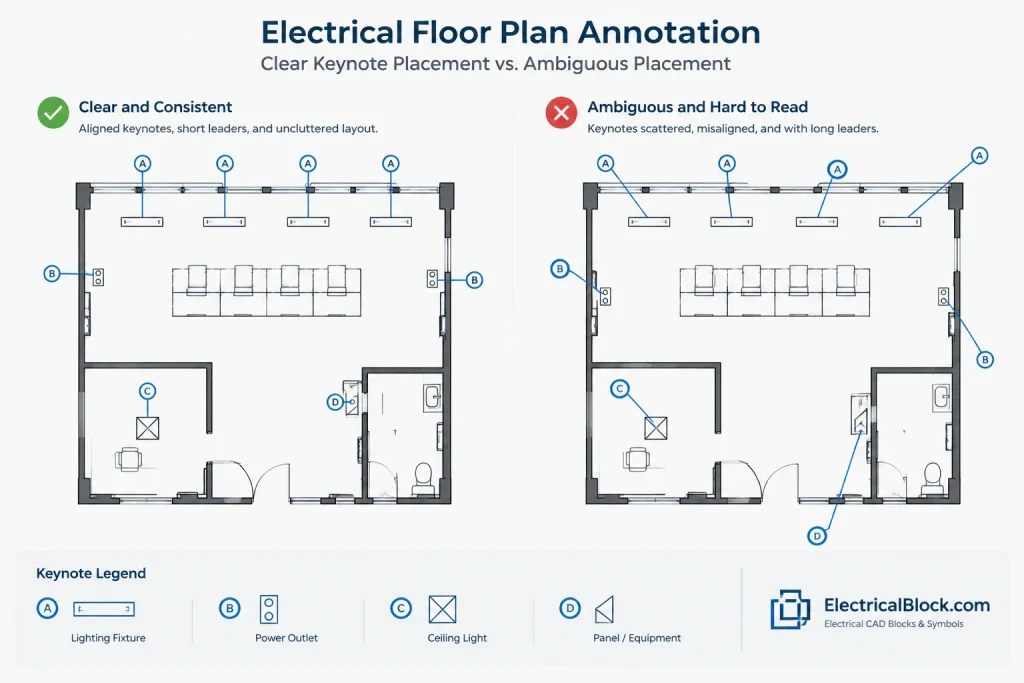
Use these placement practices:
- Keep related markers aligned where practical.
- Use short leaders with minimal changes in direction.
- Avoid leader crossings and overlaps with circuit lines.
- Point to a meaningful edge, connection, route, or object rather than empty space.
- Use separate markers when one leader would imply an uncertain group.
- Check that background changes have not moved the referenced condition away from the leader endpoint.
When a note applies to an area, an enclosure or clearly bounded region may communicate scope better than a leader pointing toward the middle of a room. The drawing should make it apparent whether the note affects one device, all similar devices in the room, or the complete area.
Write Keynote Text for Drawing Use
Keynote wording should identify the required drawing intent and the object or interface involved. It should be concise, but not so compressed that readers must guess what the note modifies.
Useful keynote text generally:
- Begins with a clear action or condition
- Names the affected equipment, pathway, device, or location
- States the intended coordination outcome
- References another drawing only when that reference adds necessary information
- Avoids repeating visible information such as a tag already shown beside the object
Avoid vague phrases such as “coordinate as required” when the drawing can identify what must be coordinated. If the responsible party matters, define that responsibility through the project’s scope language rather than assuming the reader will infer it.
Do not place unverified ratings, dimensions, installation criteria, or code interpretations into a reusable keynote library. Project-specific technical content should be reviewed before issue.
Organize Keynote Layers and Note Lists
Separate the visible parts of the keynote system so they can be reviewed and plotted predictably. Depending on office standards, the marker, leader, and note-list text may use one annotation layer or several coordinated layers. The important point is that they are not mixed with device geometry or background linework.
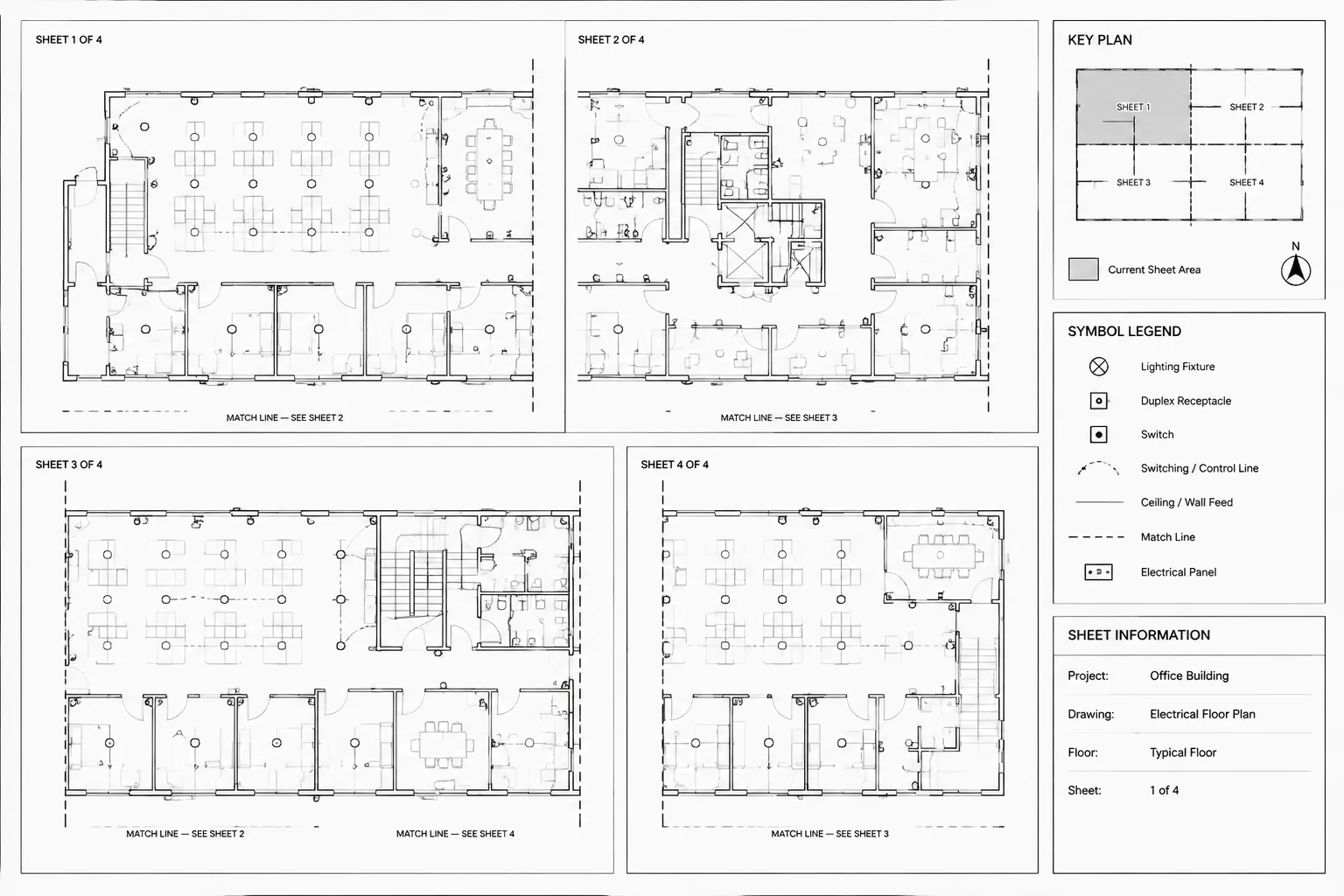
Keep the note list in a stable sheet location. If the list must continue into another column, preserve an obvious reading order. Do not allow viewport boundaries, revision schedules, or title-block content to crowd the list.
For sheets with multiple plans, decide whether each view has its own list or whether one sheet list serves every view. Label separate lists clearly. If one list is shared, confirm that duplicate markers refer to exactly the same instruction in every view.
Coordinate Revisions Without Breaking References
Keynote errors commonly appear when a note is deleted, renumbered, or copied between sheets. A clean-looking list does not prove that every marker is valid.
During each drawing revision:
- Identify keynotes affected by the design change.
- Revise the wording and the associated plan condition together.
- Search the sheet or set for every use of the changed identifier.
- Remove markers that no longer point to applicable work.
- Find list entries that no longer have a marker.
- Check copied plans, enlarged views, and dependent details.
- Review the plotted sheet rather than relying only on model-space inspection.
Renumbering a list to remove gaps may create unnecessary coordination risk. A missing number is often less harmful than changing multiple valid references late in documentation. Follow the project’s issue-control practice and prioritize traceability over cosmetic sequencing.
Common Keynote Failures
- Orphaned marker: A bubble remains, but its list entry has been removed.
- Unused note: Text remains in the list even though no marker references it.
- Duplicate identifier: Two different instructions use the same number on one sheet.
- Ambiguous leader: The arrow lands between several possible objects.
- Conflicting text: A keynote disagrees with a schedule, diagram, or direct label.
- Copied note residue: A marker from another plan still references a condition that does not exist.
- Revision disconnect: Geometry changes, but the original note wording remains.
A Practical Pre-Issue Review
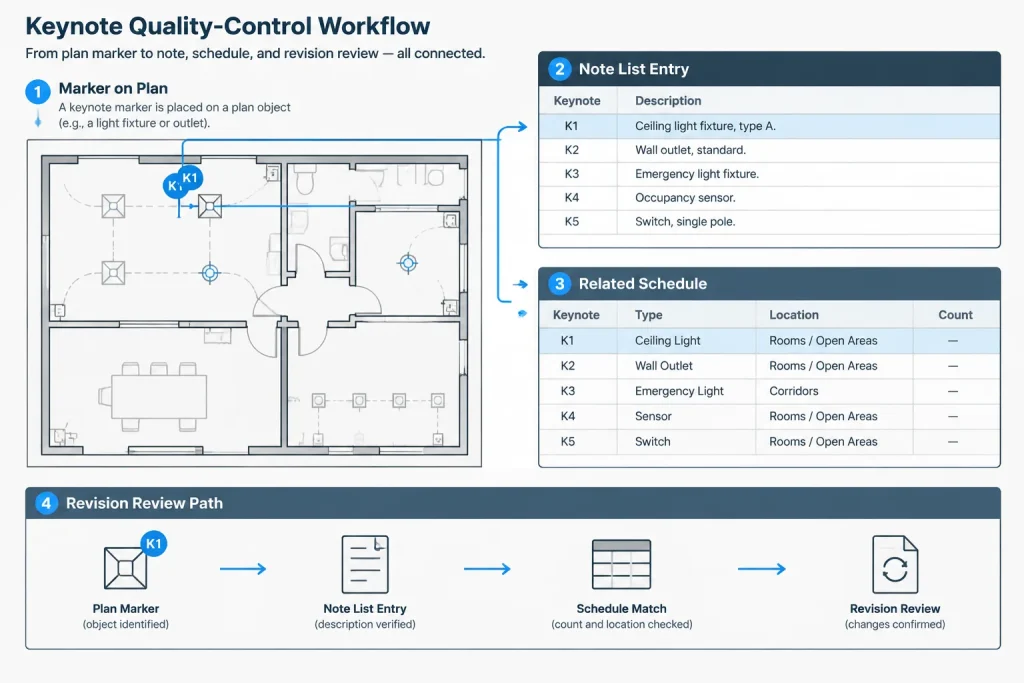
Review keynotes as a linked system rather than proofreading the note list alone. A useful check starts at each marker, follows its leader to the plan object, and then confirms the corresponding text. A reverse check starts with each listed note and locates every marker using it.
Before issue, verify that:
- Every visible marker has one matching list entry.
- Every listed keynote is used or intentionally retained.
- Identifiers are unique within their defined scope.
- Leaders point to the intended objects and do not obscure symbols.
- Wording agrees with schedules, details, diagrams, and equipment tags.
- Keynote layers plot with the intended hierarchy.
- Renumbering has not created broken references on related sheets.
- The final PDF remains readable and searchable where the workflow supports text output.
Well-managed electrical plan keynotes make dense drawings easier to read without disconnecting instructions from their locations. The goal is not to maximize the number of notes. It is to create a small, controlled set of references that remains accurate from CAD editing through final issue.
Keynote Coordination as an Information-Control Task
A dependable keynote system can be reviewed through three connected ideas: identity, scope, and status. Identity confirms that the marker and list entry match. Scope establishes exactly which object, route, interface, or area the instruction affects. Status confirms that the plan condition and note wording reflect the current drawing issue.
Check Identity
Confirm that each identifier belongs to the intended keynote list and cannot be confused with a device tag, circuit label, detail callout, or revision symbol. When a marker is copied to another sheet or view, verify that its meaning remains valid within the numbering method used there.
Check Scope
Follow the leader to its endpoint rather than judging placement from the bubble alone. The endpoint should make the affected condition evident. If the instruction applies to an area or group, use a graphic method that defines that scope instead of relying on proximity or reader interpretation.
Check Status
Treat keynote text and referenced geometry as a coordinated pair during revisions. A note can become incorrect even when its identifier still exists, particularly after equipment moves, routes change, or linked backgrounds are updated.
CAD Handoff Considerations
Keynotes should remain understandable when the drawing passes between authors, consultants, reviewers, and issue formats. Avoid workflows in which the visible marker depends on undocumented object data or local knowledge that another user cannot inspect.
- Block behavior: Confirm that attributes remain editable, visible, and associated with the correct marker.
- Leader behavior: Check attachment points after objects, view scales, or background references change.
- Layer behavior: Verify that marker, leader, and note-list layers are included in the intended plotted view.
- Reference behavior: Review keynote endpoints after updated architectural or consultant backgrounds are loaded.
- Output behavior: Inspect the issued sheet for readability, hierarchy, clipping, and unexpected overlaps.
The strongest quality-control method is bidirectional. Start at each marker and trace it to the note list, then start at each list entry and locate its uses on the plan. This reveals both broken references and unused text that a one-way review may miss.
Frequently Asked Questions About Electrical Plan Keynotes
Can the same keynote identifier appear in several locations?
Yes, when every occurrence refers to the same instruction within the defined numbering scope. If similar-looking conditions require different actions, use separate identifiers so the drawing does not imply that the requirements are identical.
Should gaps in keynote numbering be removed?
Not automatically. Renumbering can break valid references and complicate issue comparisons. Follow the project’s document-control method and favor traceability over a cosmetically continuous list.
What should happen when a referenced background changes?
Recheck every affected leader endpoint and confirm that the note still applies. A marker may remain in its original location even though the equipment, wall, route, or room arrangement has shifted.
Can a keynote replace a detail or diagram?
A keynote can direct the reader to related information, but it should not replace geometry or system relationships that are clearer in a detail, diagram, schedule, or enlarged view.
How should duplicate keynote text be managed?
First determine whether the instructions are truly identical. Shared text can support consistency, but project-specific conditions may require separate notes. Avoid consolidating notes when doing so makes their scope ambiguous.
What is the best way to review copied keynotes?
Check the copied marker, leader endpoint, note-list scope, and actual plan condition together. Do not assume that a keynote remains applicable merely because the identifier exists on the destination sheet.


Leave a Reply
You must be logged in to post a comment.