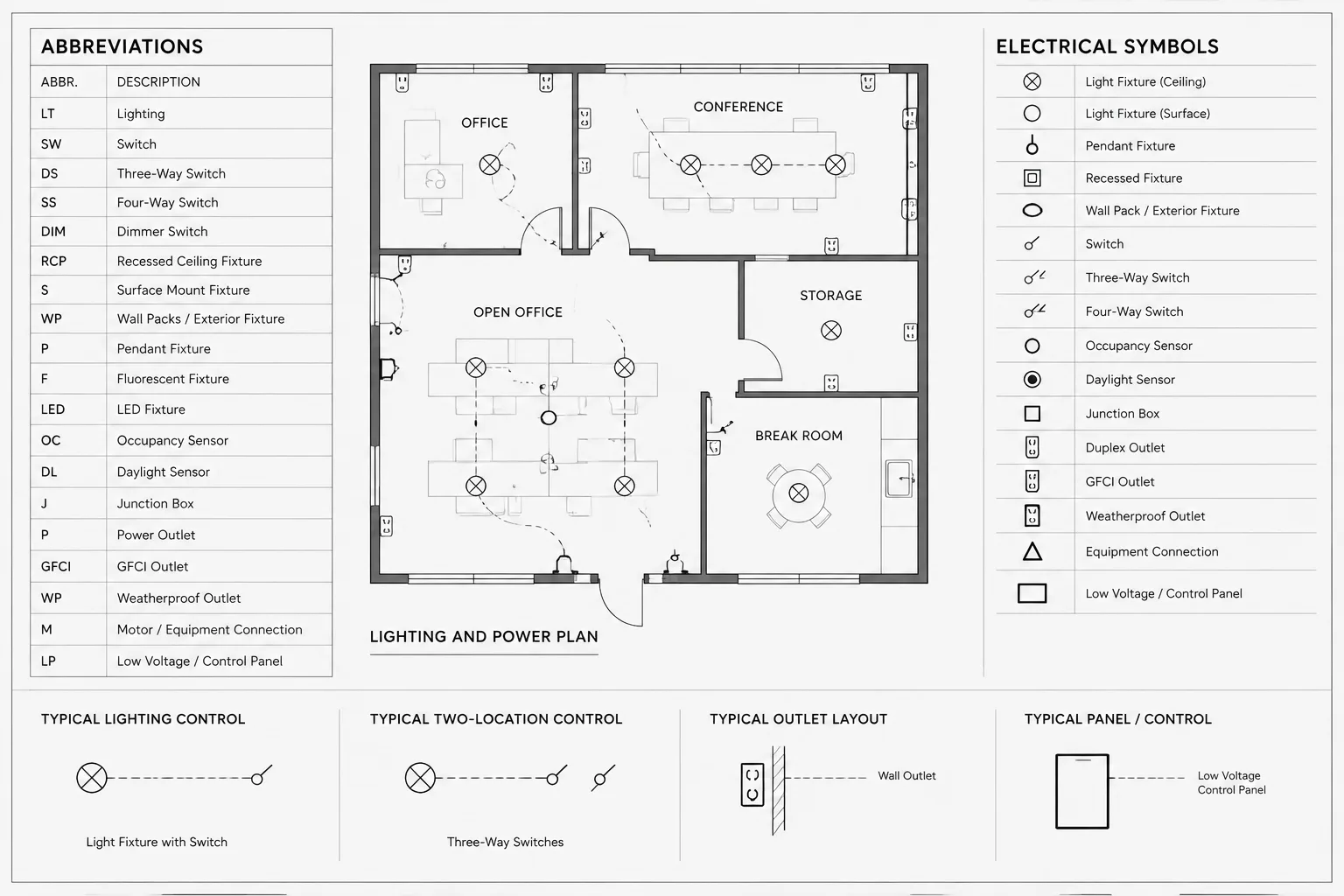
Electrical drawing abbreviations in CAD should function as coordinated project data, not as isolated text copied from a standard sheet. Every shortened term needs a clear meaning, a defined context, and consistent use wherever it appears.
The following guidance helps CAD teams distinguish abbreviations from symbols and identifiers, maintain a controlled source list, and review terminology across plans, diagrams, schedules, notes, and block attributes. It is intended as a documentation framework that can be adapted to the project team’s established conventions and review process.
Electrical drawing abbreviations save space, reduce repeated wording, and make dense plans easier to read. They can also create confusion when the same letters have different meanings across disciplines, offices, or project types. A reliable abbreviation list is therefore more than a collection of shortened terms. It is a controlled project reference that must agree with the plans, diagrams, schedules, notes, and equipment tags.
This guide explains how to manage electrical drawing abbreviations as part of a CAD documentation workflow. It focuses on drafting clarity and coordination rather than prescribing a universal vocabulary. Project teams should verify terminology against their design requirements, owner conventions, applicable references, and established office standards.
Why Electrical Abbreviations Need Active Management
An abbreviation may be familiar to its author but unclear to another reader. Contractors, reviewers, facility personnel, and other design disciplines may interpret the same letters differently. The risk increases when an abbreviation appears without context or is used inconsistently between sheets.
Common documentation problems include:
- One abbreviation being used for two different concepts.
- Different abbreviations being used for the same item.
- An abbreviation appearing on a plan but not in the drawing list.
- A defined abbreviation that is never used anywhere in the set.
- Plan terminology that does not match schedules or diagrams.
- Legacy abbreviations remaining after copied details are revised.
- Discipline-specific shorthand being mistaken for an electrical term.
A well-maintained list helps readers decode the documents, but it does not replace clear labeling. If a term appears only once and sufficient space is available, writing it out may be more useful than creating another abbreviation.
Abbreviations, Symbols, Tags, and Designations Are Different
These documentation tools are related, but they perform different jobs. Mixing them in one undifferentiated legend can make the reference harder to use.
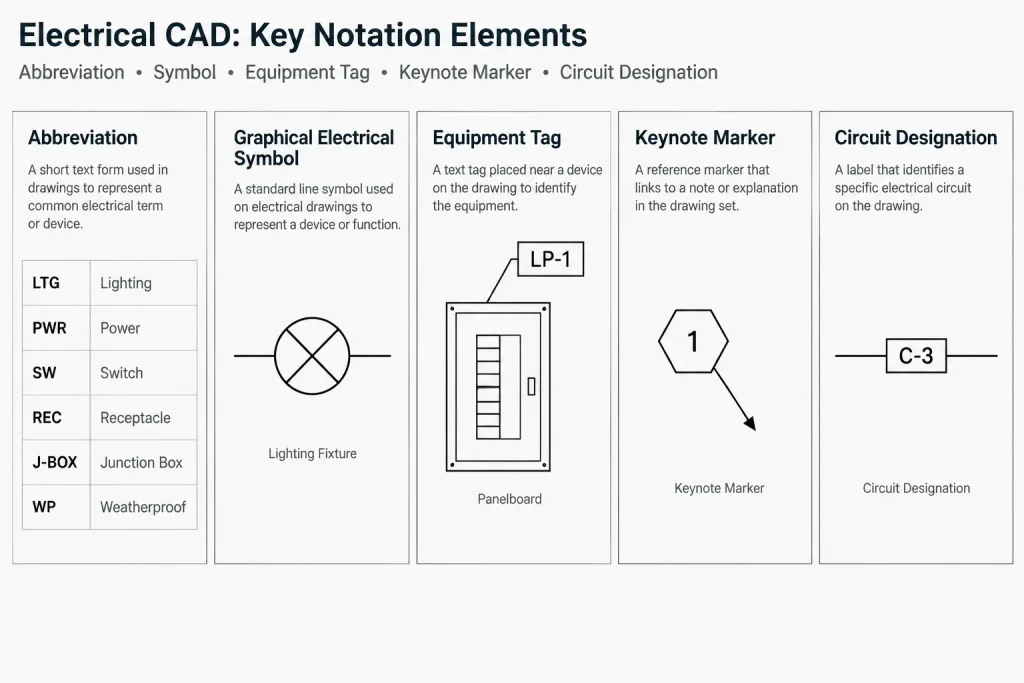
| Documentation item | Primary purpose | Typical presentation |
|---|---|---|
| Abbreviation | Shortens a word or phrase | Letters or a compact text expression |
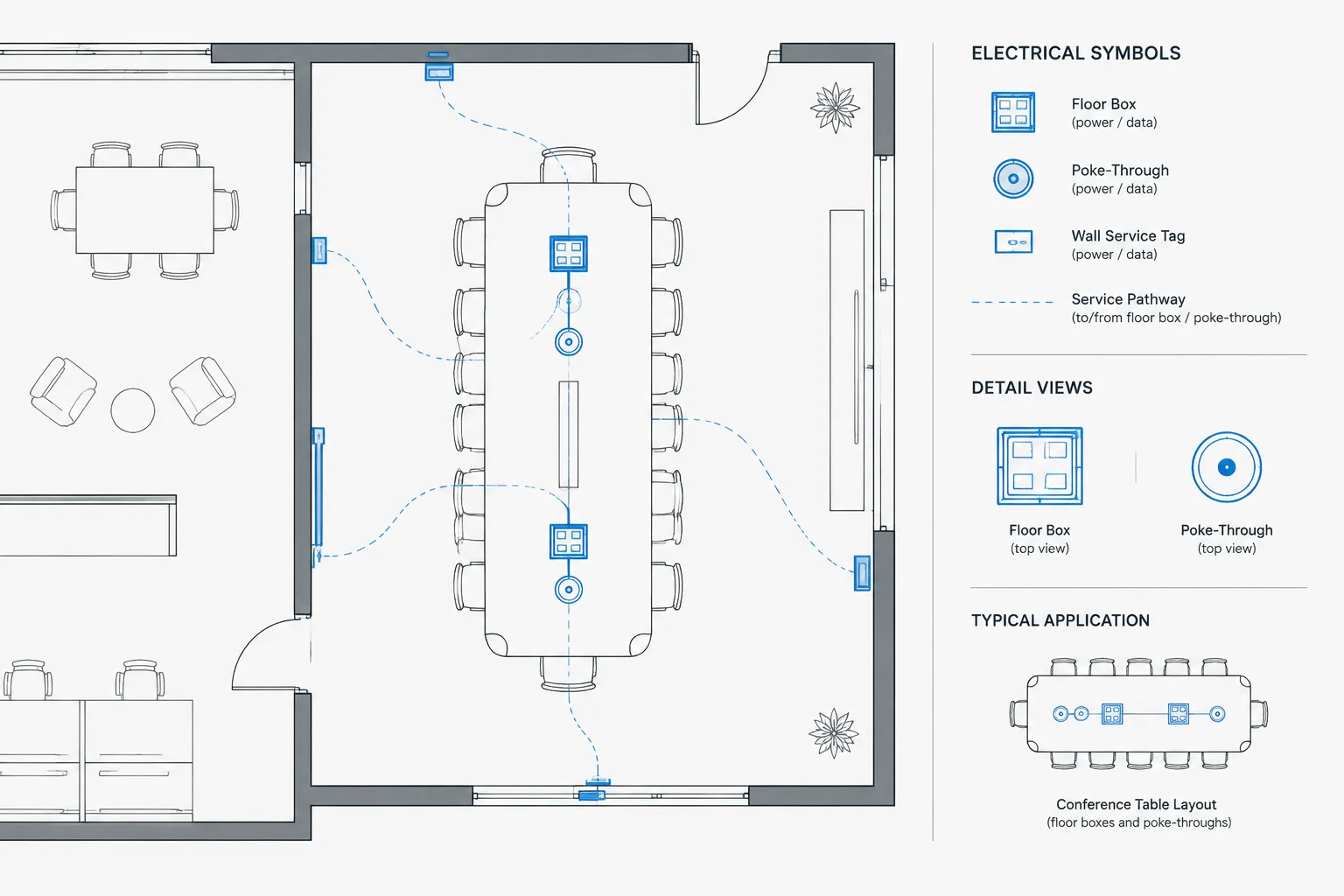
| Symbol | Graphically represents a device, connection, or condition | Linework, geometry, or a schematic mark |
| Equipment tag | Identifies a particular item or type | Letters, numbers, or a combined identifier |
| Keynote | Points to explanatory text elsewhere | Reference marker connected to a note list |
| Circuit or feeder designation | Connects an electrical path to related documentation | Identifier coordinated with diagrams or schedules |
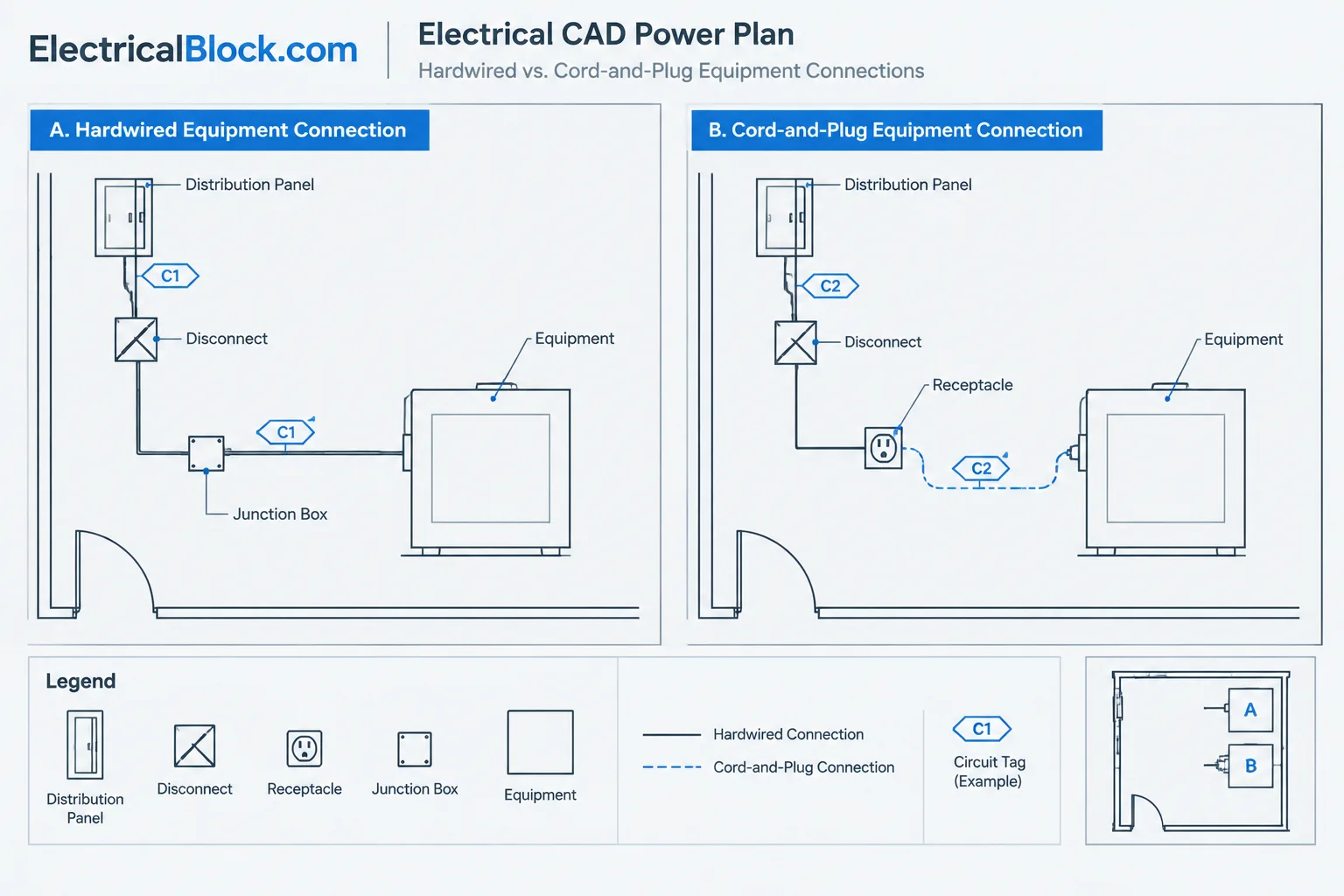
For example, a panel identifier is not automatically an abbreviation simply because it contains letters. It may be a unique equipment tag governed by a separate naming convention. Similarly, a home-run mark is a graphical or symbolic convention, not merely shortened text.
Start with a Controlled Source List
Avoid building the abbreviation list by scanning the sheets near the end of production. Instead, create a controlled source list early and update it as documentation develops. This may be maintained in a worksheet, database, CAD table, or another project-controlled format.
Useful fields include:
- Abbreviation: The exact text used in the drawings.
- Meaning: The approved project wording.
- Category: Equipment, distribution, lighting, controls, communications, life safety, or another relevant group.
- Drawing context: Plan, single-line diagram, riser, detail, schedule, or multiple locations.
- Status: Proposed, active, replaced, or removed.
- Coordination note: Known conflicts or discipline-specific limitations.
This structure makes review easier than maintaining an alphabetized text block with no supporting information. The published sheet may show only the abbreviation and meaning, while the working source contains the additional management fields.
Choose Terms That Remain Clear in Context
Avoid collisions
A collision occurs when the same abbreviation could reasonably refer to more than one item. Search the electrical sheets and compare terminology with architectural, mechanical, plumbing, fire protection, controls, and technology documents. If a collision exists, revise the shorthand, add a qualifier, or write out the term.
Do not rely on punctuation alone
Periods, slashes, and hyphens may be omitted during editing or display differently in imported text. An abbreviation should not become ambiguous simply because punctuation changes. Select a form that remains recognizable and apply it consistently.
Separate generic terms from project identifiers
Generic shorthand describes a concept. A project identifier points to a specific asset, system, panel, or device type. Keep these roles distinct so readers do not mistake a general definition for a unique equipment designation.
Preserve readable text
Do not compress wording merely to fit an overcrowded note or schedule cell. Adjust the layout, use a leader, revise column widths, or move supporting information to a coordinated reference. Abbreviation should improve readability, not conceal documentation problems.
Coordinate Abbreviations Across Drawing Types
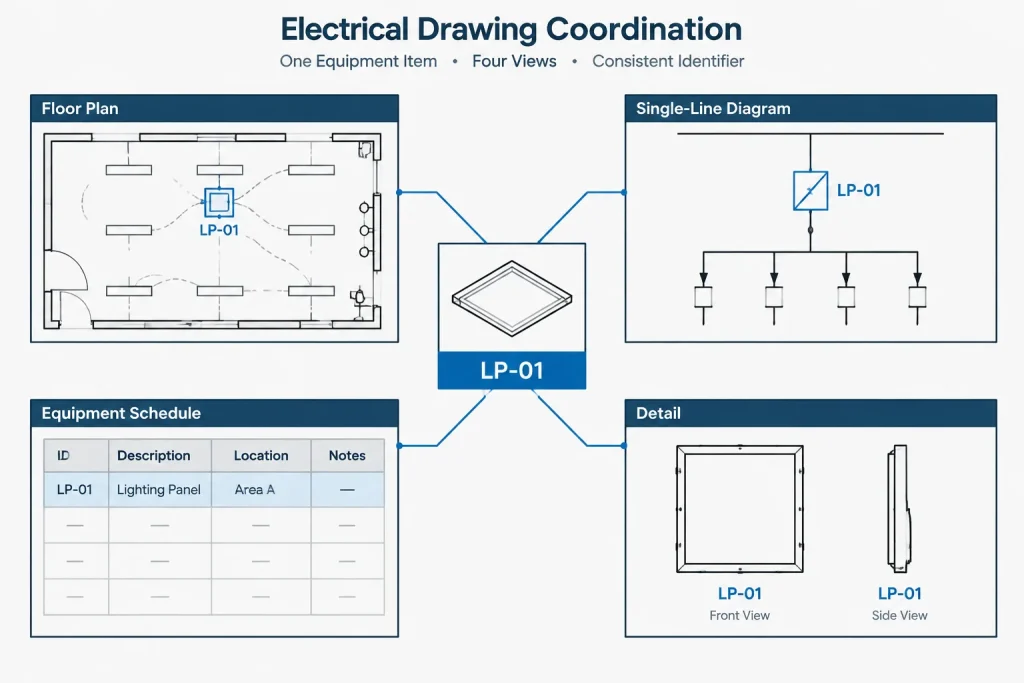
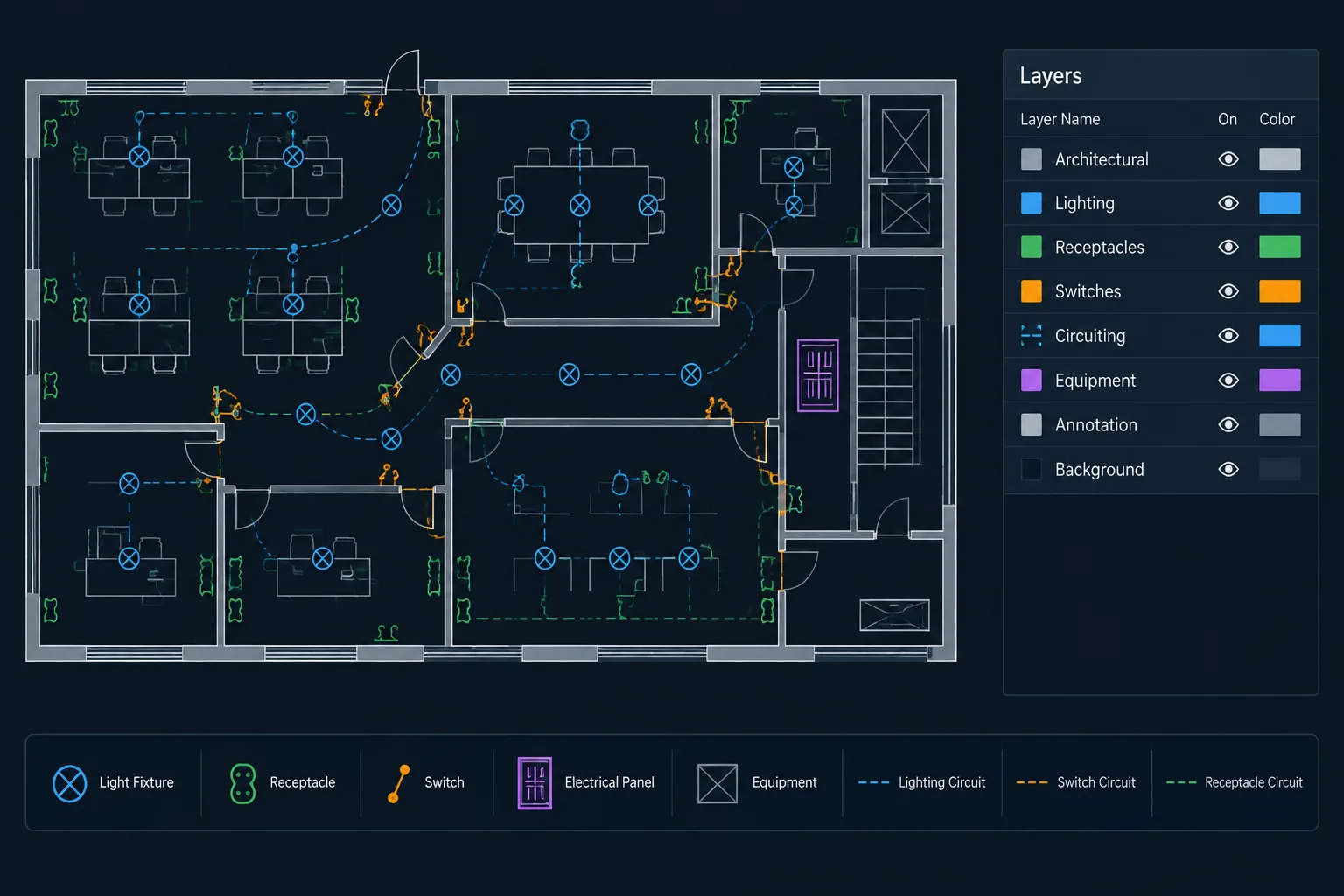
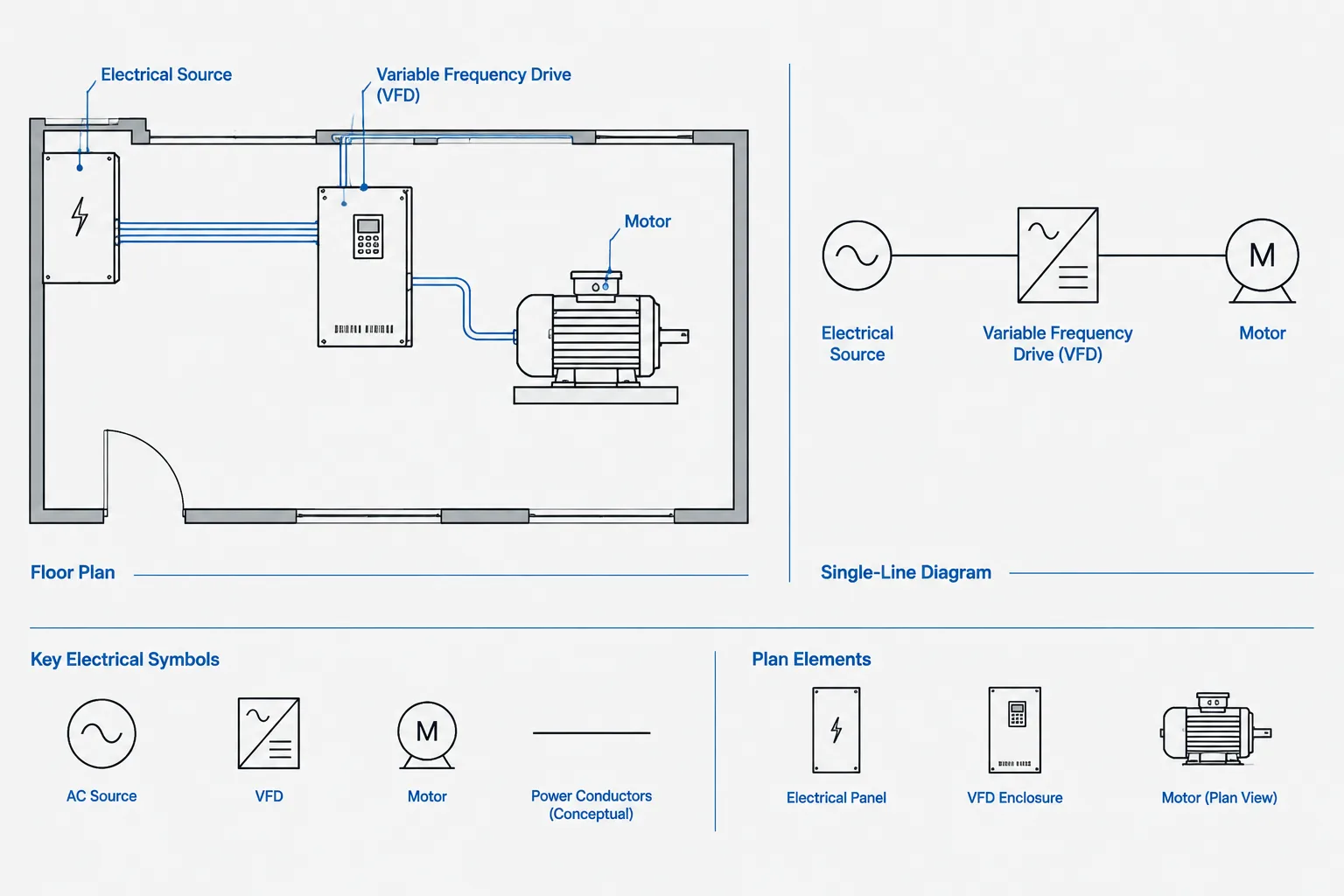
The same electrical concept may appear in several representations. A piece of equipment can be shown by footprint on a plan, by symbol on a single-line diagram, by row in a schedule, and by name in a detail. Its terminology should remain traceable across all of them.
Review abbreviations in these locations:
- Floor plans and enlarged plans.
- Single-line and riser diagrams.
- Panel, feeder, fixture, cable, and equipment schedules.
- Control diagrams and sequence notes.
- Typical installation details.
- General notes and keyed notes.
- Sheet titles, view titles, and cross-references.
- CAD block attributes and extracted data.
Particular attention is needed when block attributes generate schedules. Changing visible text manually without updating the attribute or source data can produce mismatched terminology. The displayed plan label and the extracted schedule value should come from a coordinated source wherever practical.
Lay Out the Abbreviation List for Fast Reading
An abbreviation list is usually scanned rather than read from beginning to end. Its layout should support quick lookup.

- Arrange entries alphabetically unless the project has a strong reason to group them by system.
- Use clear column headings and consistent alignment.
- Keep text height and spacing legible at the intended plotted sheet size.
- Avoid splitting a single definition across distant columns.
- Use the same capitalization convention throughout the list and drawings.
- Place symbols in a separate section when mixing graphics and text would reduce clarity.
- Identify project-specific definitions when readers might otherwise assume a broader meaning.
If the list is long, separate sections can be useful, but excessive categorization may make terms harder to find. A reader who does not know the designer’s category may prefer one alphabetized list.
Use CAD Styles and Layers Deliberately
Abbreviation content should follow the project’s text, table, and plotting conventions. Avoid exploding table content into unrelated lines and text unless the workflow requires it. Structured content is easier to update, align, and review.
Place abbreviation lists on an appropriate annotation or reference layer rather than equipment geometry layers. If the list is reused through an external reference or standard sheet, confirm that project-specific edits do not unintentionally alter the office master. Also check that text fonts, special characters, and column spacing survive file exchange and PDF creation.
When copied from another project, treat the list as unverified source material. Remove irrelevant entries, resolve changed terminology, and confirm that every remaining definition matches the current drawing set.
A Practical Review Workflow
- Collect candidate terms. Review notes, tags, schedules, diagrams, and block attributes for shortened wording.
- Normalize variations. Identify alternate spellings, capitalization, punctuation, and plural forms.
- Resolve duplicates and conflicts. Select one preferred term for each concept and eliminate ambiguous reuse.
- Classify identifiers correctly. Separate abbreviations from symbols, panel names, circuit references, and keynote markers.
- Update the controlled source. Revise the project list before editing repeated instances.
- Search the drawing files. Find obsolete forms and replace them carefully, checking context rather than using blind global replacement.
- Compare related documents. Verify plans against schedules, one-lines, risers, details, and specifications or other project documentation where applicable.
- Plot and inspect. Review the published output for clipping, wrapping, missing characters, and unreadable text.
Quality-Control Questions Before Issue
- Is every non-obvious abbreviation used in the set defined?
- Does every listed entry still appear in the project, or is it intentionally retained?
- Does each abbreviation have only one meaning within the drawing set?
- Are equipment tags being incorrectly presented as generic abbreviations?
- Do plans, schedules, diagrams, and details use the same terminology?
- Have copied details and legacy notes been checked?
- Are discipline conflicts resolved or clearly qualified?
- Is the list readable in the final plotted output?
- Do searchable PDF results reveal alternate or obsolete forms?
Make the List Serve the Drawings
The goal is not to create the largest possible abbreviation list. The goal is to help readers interpret the electrical documents accurately and efficiently. A short, project-specific, coordinated list is generally more useful than an extensive collection of unused office terminology.
Treat electrical drawing abbreviations as controlled data rather than incidental text. When terms are selected carefully, coordinated across drawing types, and checked during issue preparation, they improve navigation without adding unnecessary visual clutter.
Turn the Abbreviation List Into a Project Control
An office abbreviation library can provide candidate terminology, but it should not automatically become the published project list. The project list should contain terms that are relevant, approved, and coordinated with the current drawing set. This distinction prevents unused legacy language from being presented as if it applies to the work.
Assign responsibility for terminology
The project team should identify who can approve a new abbreviation, revise an existing definition, and resolve conflicts between disciplines. The responsible role will vary by organization, but the approval path should be clear. Without ownership, separate drawing authors may introduce competing terms that remain unnoticed until issue review.
Use a term-to-document map
A useful internal review tool is a matrix showing where each active abbreviation is expected to appear. Columns can represent plans, schedules, diagrams, details, notes, and attribute data. Unexpected gaps or appearances can reveal a coordination problem even when each individual sheet looks correct.
Document intentional exceptions
Some terminology may need to differ because of owner naming conventions, existing facility records, or discipline-specific requirements. Record the reason for the exception in the working source rather than relying on team memory. The published documents should then provide enough context to prevent readers from treating the variation as an error.
Manage Revisions Without Breaking References
Changing an abbreviation can affect visible labels, block attributes, schedule fields, note text, diagram annotations, and exported data. Review the complete documentation path before making a replacement. A text search can identify many instances, but it may not find terms stored in attributes, external references, or linked data sources.
Keep a revision record in the controlled working file when terminology changes during production. This provides reviewers with a way to distinguish an approved replacement from an accidental variation. Before issue, compare the controlled source with the plotted or published output rather than assuming the CAD file alone represents the final result.
Prepare the List for Project Handoff
A final abbreviation list should reflect the delivered drawing set rather than the drafting history behind it. Remove abandoned proposals, identify retained project-specific meanings, and confirm that external references or standard-sheet sources will not change unexpectedly after the issue is assembled.
If editable CAD files or extracted asset information are included in a project handoff, verify that the visible definitions and underlying attribute values remain aligned. The receiving team should not have to infer whether a short text value is a generic abbreviation, an equipment identifier, or a data field with a separate naming rule.
Frequently Asked Questions About Electrical Drawing Abbreviations
Is there one universal list of electrical drawing abbreviations?
No single list can account for every office, owner, discipline, facility, and project context. Familiar terminology can still carry different meanings. Use applicable project references and established conventions, then define terms that could be unclear to the intended readers.
Should every shortened term appear in the abbreviation list?
Include non-obvious and project-specific terms that readers need to interpret the documents. A term used only once may be clearer when written out. Avoid filling the list with unused office vocabulary merely to make it appear comprehensive.
Where should the abbreviation list be placed?
Placement depends on the drawing-set organization. It may appear on a general information sheet, legend sheet, or another clearly referenced location. If definitions are repeated on multiple sheets, maintain an authoritative source so the copies do not diverge.
How should a conflict between disciplines be handled?
Compare the intended meanings and drawing contexts before publication. The team may select a different abbreviation, add a clear discipline or system qualifier, or write out the affected term. The chosen approach should remain consistent across coordinated documents.
Are panel names and equipment tags abbreviations?
Not necessarily. A compact identifier may be a project-specific tag governed by an equipment naming convention rather than an abbreviation for a phrase. Classifying it correctly helps readers understand whether they should look for a definition, a schedule entry, or a tagged asset.
Can CAD search tools complete the abbreviation review automatically?
Search tools can locate visible text and some attribute values, but they cannot reliably judge meaning or context. Human review is still needed to identify ambiguous terms, false matches, external-reference content, and differences between displayed labels and underlying data.
Leave a Reply
You must be logged in to post a comment.