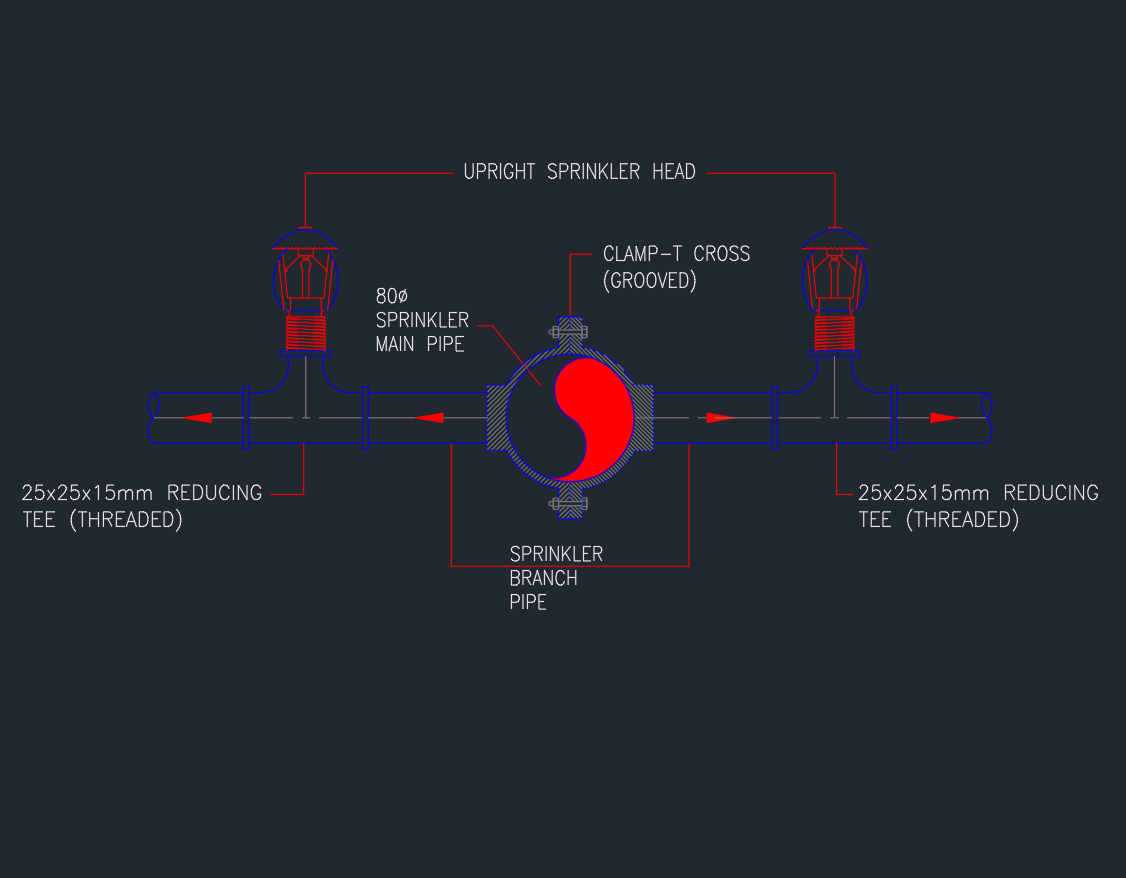
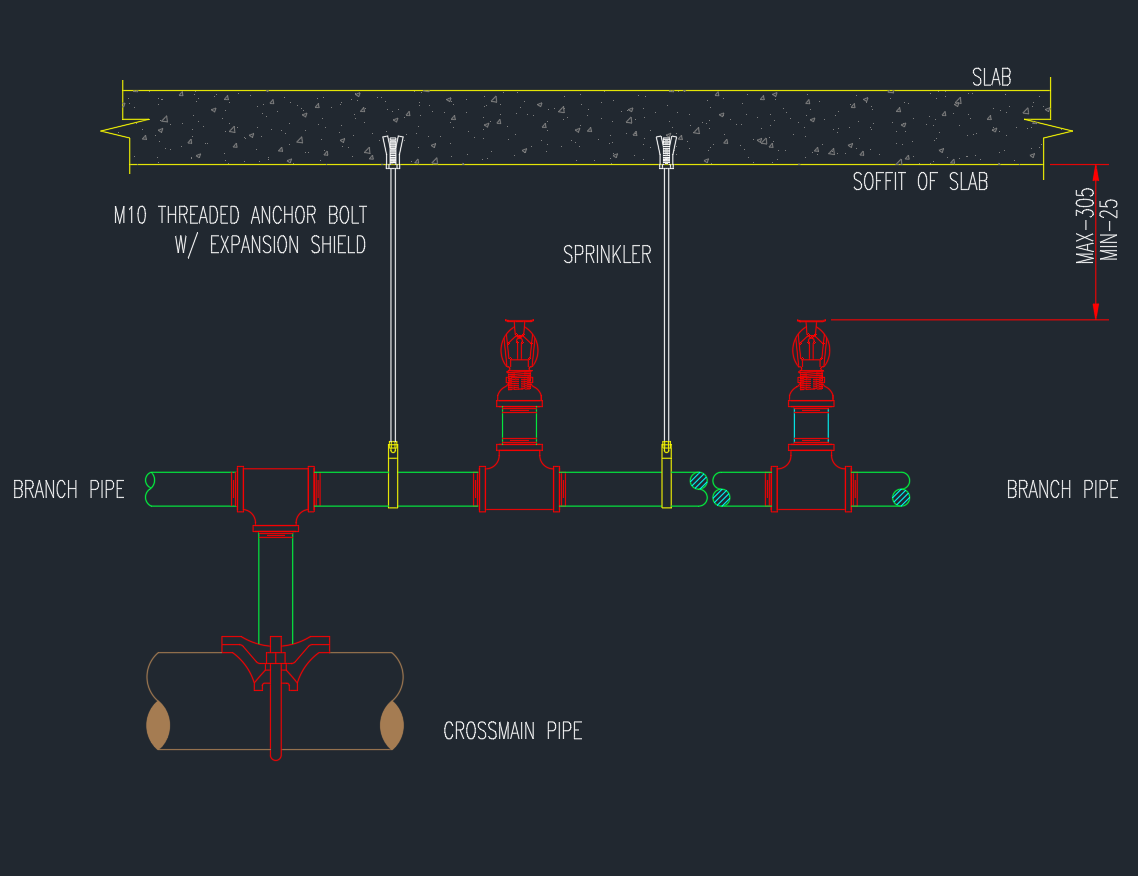
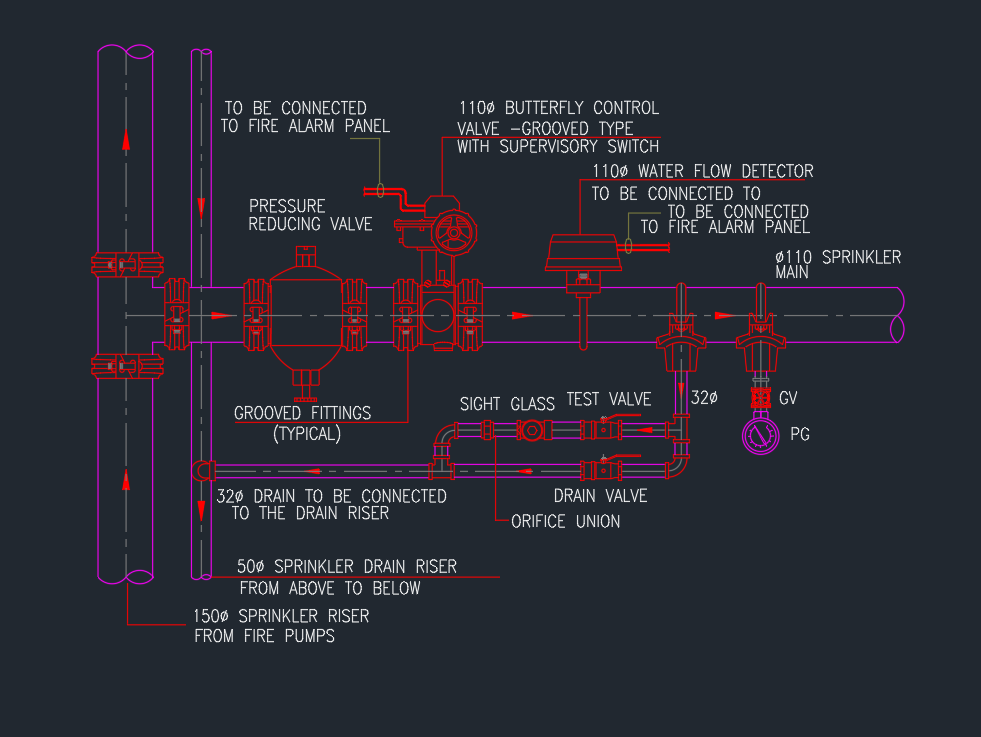
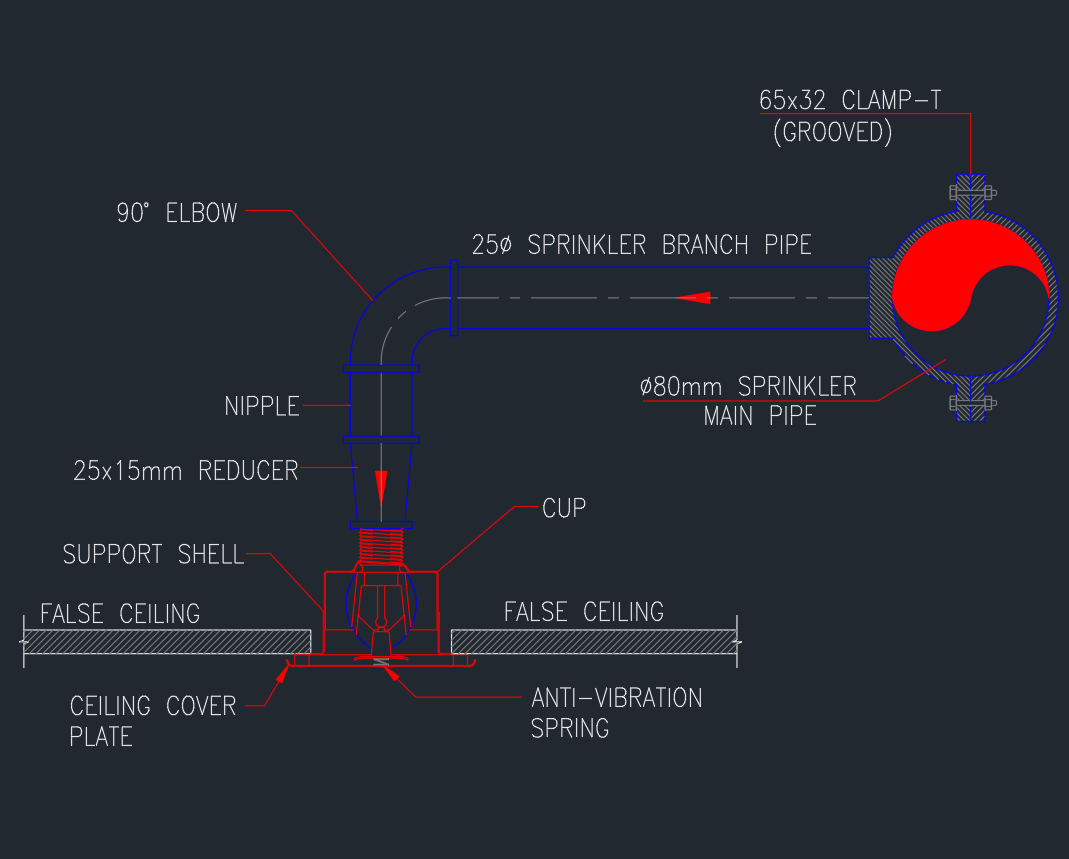
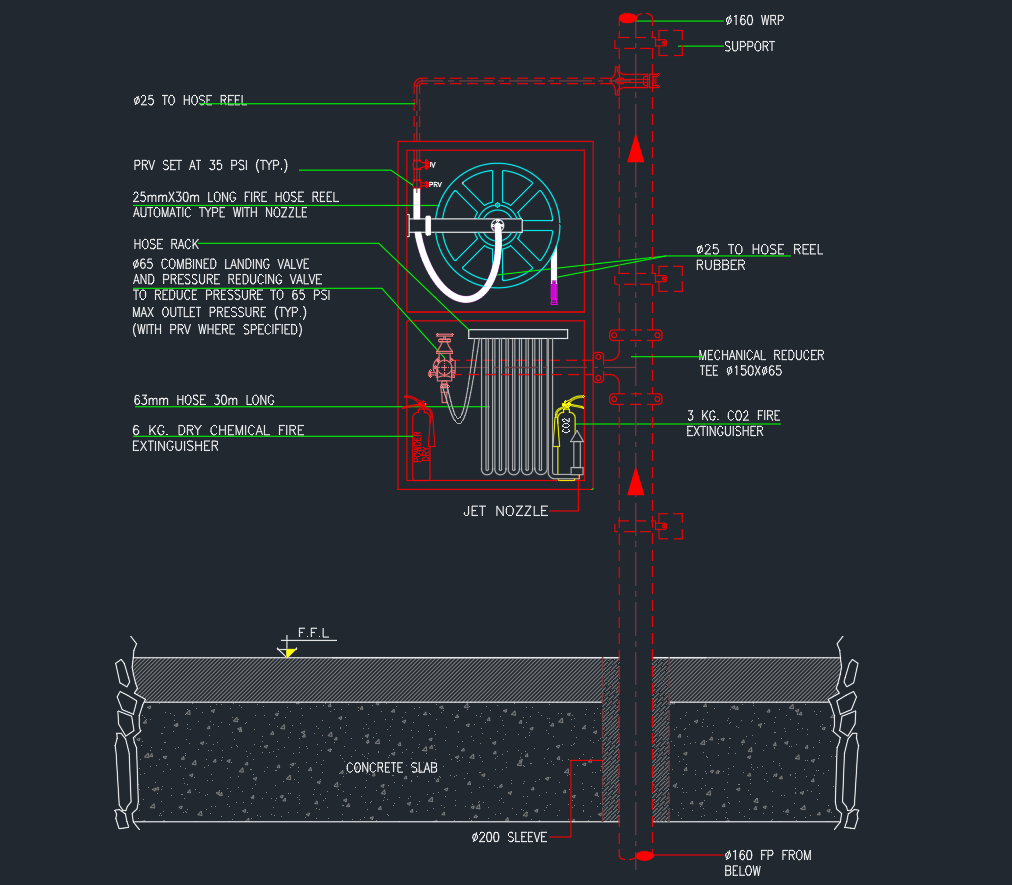
This upright sprinkler head AutoCAD detail is intended as a drawing reference for documenting typical fire-protection conditions at basement and technical floors. It can help CAD users understand how a sprinkler-head detail fits into a coordinated drawing set alongside piping layouts, equipment plans, sections, legends, and construction notes.
A typical detail communicates design intent rather than every project-specific requirement. Before incorporating the DWG into construction documents, review its geometry, annotations, layer organization, and terminology against the approved fire-protection design, project specifications, equipment information, and applicable requirements.
Discover the comprehensive DWG file for “Upright Sprinkler Head Typical Installation Detail Basement Floors And Technical Floor.” This high-quality CAD block provides detailed and precise installation guidance for upright sprinkler heads, specifically designed for basement floors and technical floor setups. Ideal for architects, engineers, and contractors, this DWG file streamlines your fire protection system planning. Easily compatible with AutoCAD and other leading CAD software, it ensures seamless integration into your project workflow. Enhance your safety design with this essential, ready-to-use sprinkler head installation detail, perfect for professional construction documentation.
Please log in or register to download this file.
How This Detail Supports Fire-Protection Drawings
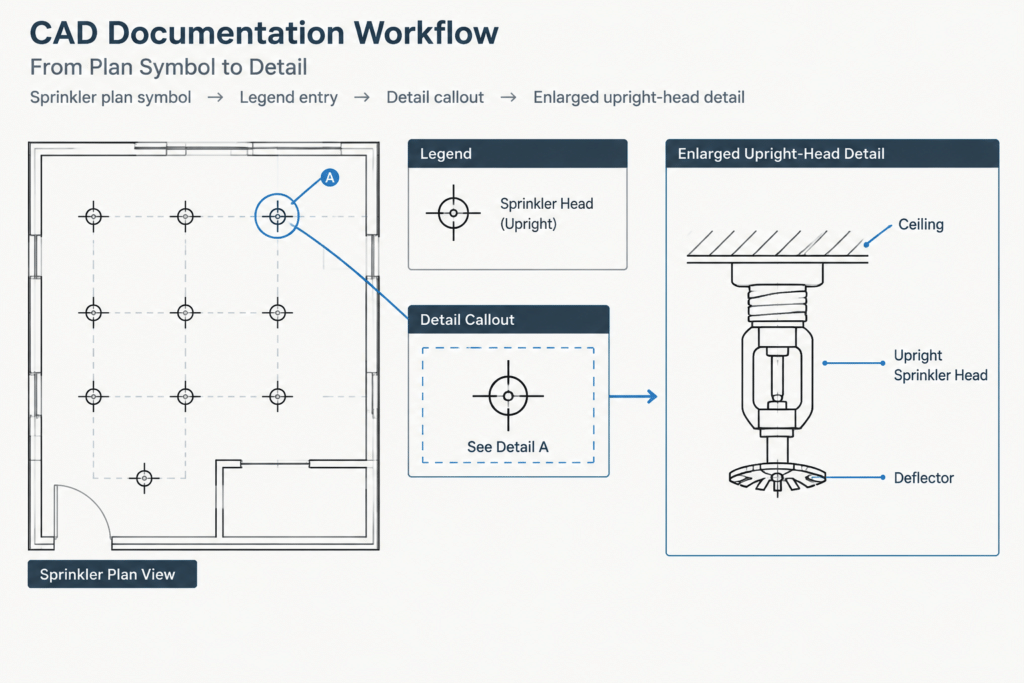
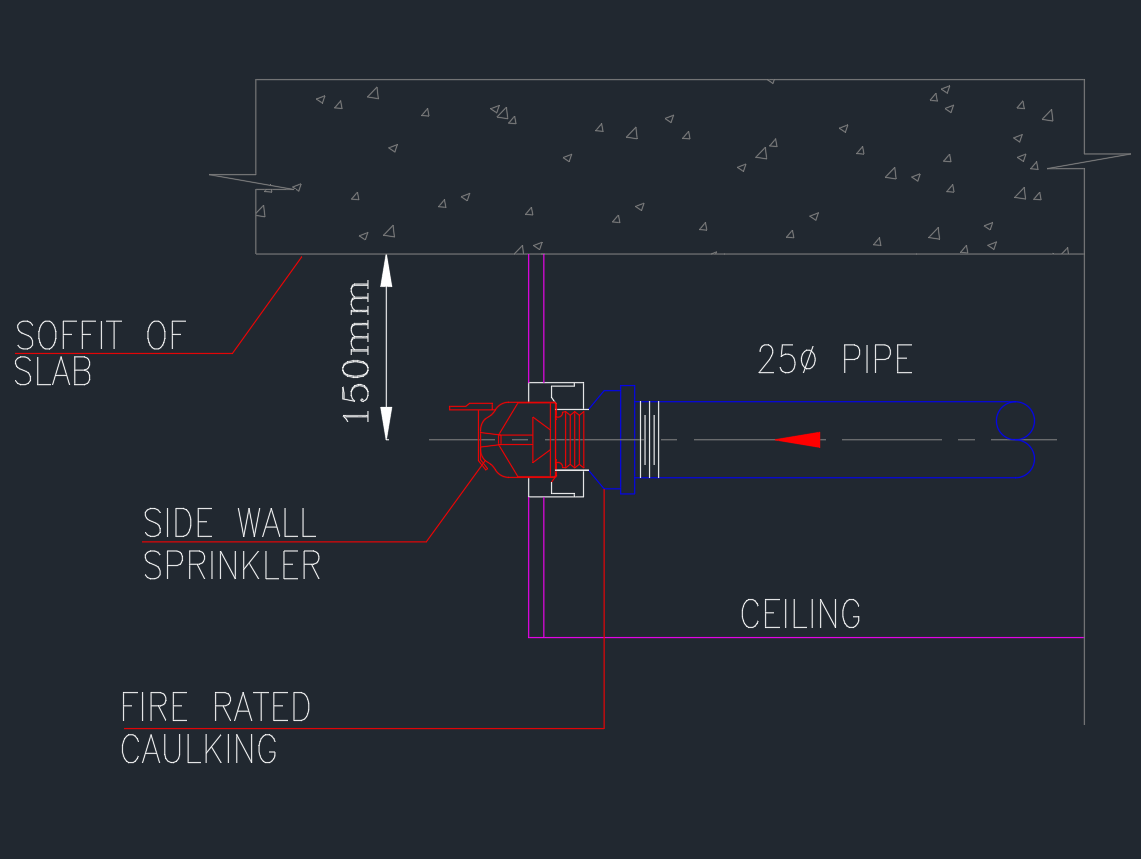
An upright sprinkler head is commonly represented through a combination of plan symbols and enlarged installation details. The plan identifies location and system relationships, while the detail clarifies the intended orientation and connection concept. Keeping these two forms of documentation consistent helps reviewers move between the layout, legend, and typical-detail sheets without misinterpreting the symbol.
Basement and technical-floor drawings often contain dense coordination information. Structural elements, ducts, cable containment, lighting, piping, equipment, and access zones may occupy the same drawing area. The sprinkler detail should therefore be treated as part of a broader coordination workflow rather than as an isolated CAD block.
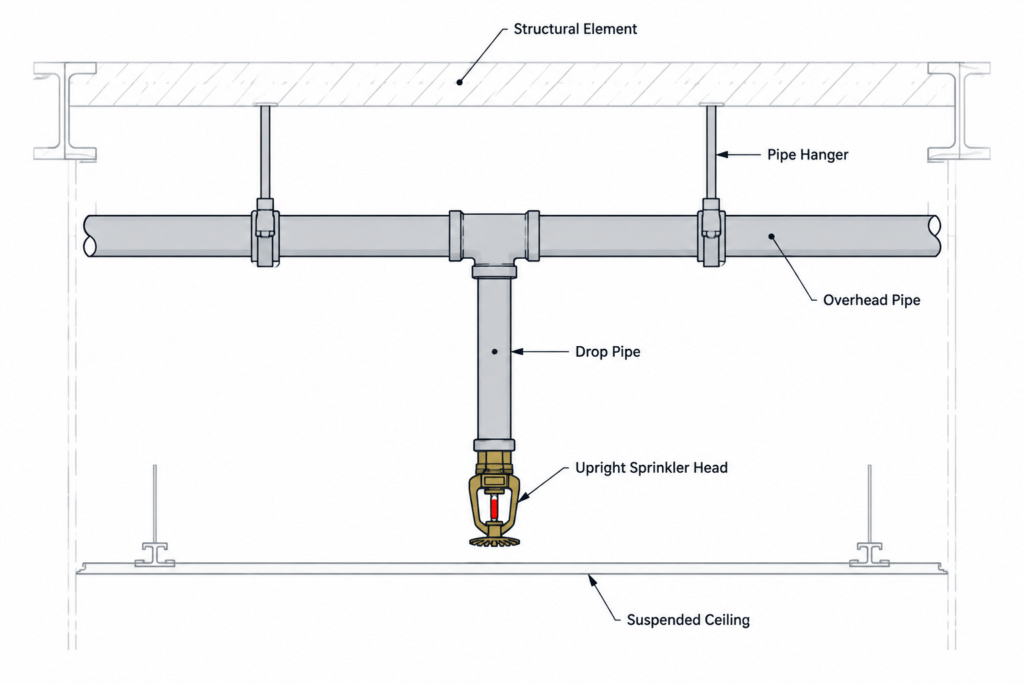
CAD Review Checklist
- Block definition: Check whether the imported content uses a reusable block, grouped geometry, or individual drawing entities.
- Layers: Move geometry, text, centerlines, and hatching onto the office or project layer structure where appropriate.
- Annotation: Confirm that notes, abbreviations, leaders, and callouts match the terminology used elsewhere in the fire-protection set.
- Scale behavior: Verify that text, symbols, and linework remain readable at the intended plotted presentation.
- Line hierarchy: Use lineweights and linetypes that clearly distinguish equipment, piping, surrounding construction, and reference geometry.
- References: Coordinate the detail identifier with plan callouts, detail sheets, legends, and schedules.
- Drawing cleanup: Review unused layers, duplicate entities, external references, fonts, and object properties before adding the file to a managed project.
Coordination With Related Drawing Content
This detail is most useful when connected to related documentation concepts. A fire-protection plan can show sprinkler locations and branch piping, while a reflected ceiling plan may provide additional context for nearby ceiling-mounted elements. Sections and equipment layouts can help reveal vertical conflicts that are difficult to identify in plan view alone.
For basement and technical-floor conditions, also compare the sprinkler documentation with structural framing, mechanical services, cable tray or conduit routes, access requirements, and architectural construction. These comparisons are drafting and coordination checks; final placement and installation requirements must come from the responsible fire-protection design professionals and approved project documents.
Using the DWG as a Typical Detail
Place the drawing in the project only after checking its units, insertion behavior, annotation style, and origin. Avoid changing the graphic in a way that disconnects it from the plan symbol or the approved design intent. If the project contains multiple sprinkler conditions, use clear detail titles and references so that an upright-head condition is not confused with another head orientation or mounting arrangement.
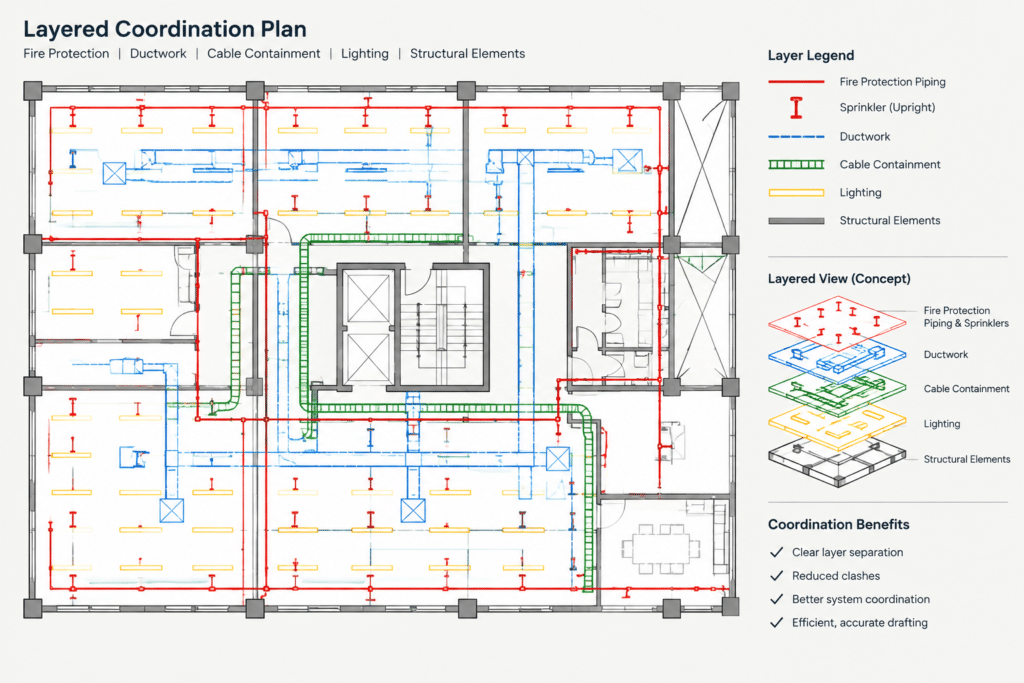
The completed sheet should make the relationship between symbol, piping, orientation, notes, and surrounding construction easy to interpret. Consistent naming and cross-referencing also improve CAD searches, drawing reviews, and future revisions.
Frequently Asked Questions
What does an upright sprinkler head detail show?
It typically communicates the head orientation and its relationship to connected piping and nearby construction. The exact content depends on the project drawing standard and the information included in the source DWG.
Is this detail the same as a sprinkler symbol used on a floor plan?
No. A plan symbol is a compact graphic used to indicate location or type, while a typical detail provides an enlarged representation of a condition. The symbol, legend entry, and detail reference should use consistent terminology.
Why are basement and technical-floor details coordination-sensitive?
These areas may contain several building services within the same zone. Comparing fire-protection linework with structural, mechanical, electrical, and architectural drawings helps identify documentation conflicts before sheets are issued.
What should be checked after importing the DWG?
Review units, insertion point, layers, object properties, text styles, linetypes, lineweights, and plotting appearance. Also confirm that callouts and notes match the current project documents.
Can the CAD detail determine final sprinkler placement?
No. A reusable typical detail is a documentation aid and does not replace project-specific design, coordination, approvals, product information, or professional verification.
Which related drawings should be reviewed with this detail?
Useful references may include fire-protection plans, piping diagrams, sections, reflected ceiling plans, structural drawings, equipment layouts, legends, and detail sheets.


Leave a Reply
You must be logged in to post a comment.