
An electrical CAD symbol audit is a documentation quality-control process that tests whether the graphics used across a drawing set communicate consistent, traceable meanings. It connects plan symbols with legends, tags, schedules, notes, details, and diagrams rather than treating each sheet as an isolated file.
The most useful audit result is not merely a cleaned block list. It is a review record showing which symbols are verified, which require correction, and which intentional exceptions have been accepted. The guidance below outlines how to build that record without removing project-specific information or standardizing graphics before their purpose is understood.
An electrical symbol legend can look complete while the plans still contain undefined, inconsistent, or outdated graphics. Symbols may have been copied from older projects, added as loose linework, renamed during coordination, or removed from the plans without being deleted from the legend. These discrepancies make drawings harder to review and can obscure design intent.
An electrical CAD symbol audit compares what appears in the drawing set with the project legend, schedules, notes, and block library. The objective is not simply to count blocks. It is to confirm that each graphic has a defined meaning, consistent appearance, appropriate annotation, and a clear relationship to the documented electrical scope.
What an Electrical Symbol Audit Should Find
A useful audit looks for more than missing legend entries. It should identify several types of documentation problems:
- Undefined symbols: Graphics used on a plan but not explained by the legend, notes, schedules, or callouts.
- Orphaned legend entries: Symbols listed in the legend that are no longer used anywhere in the issued drawing scope.
- Graphic variants: Multiple blocks or linework arrangements representing the same device without an intentional distinction.
- Duplicate definitions: Different legend entries that appear to describe the same symbol or device type.
- Incorrect block usage: A valid block used for a purpose that does not match its documented meaning.
- Uncontrolled linework: Symbols drawn from individual lines, arcs, hatches, or text instead of managed block definitions.
- Annotation conflicts: Tags, circuit references, mounting notes, or type designations that disagree with schedules or other sheets.
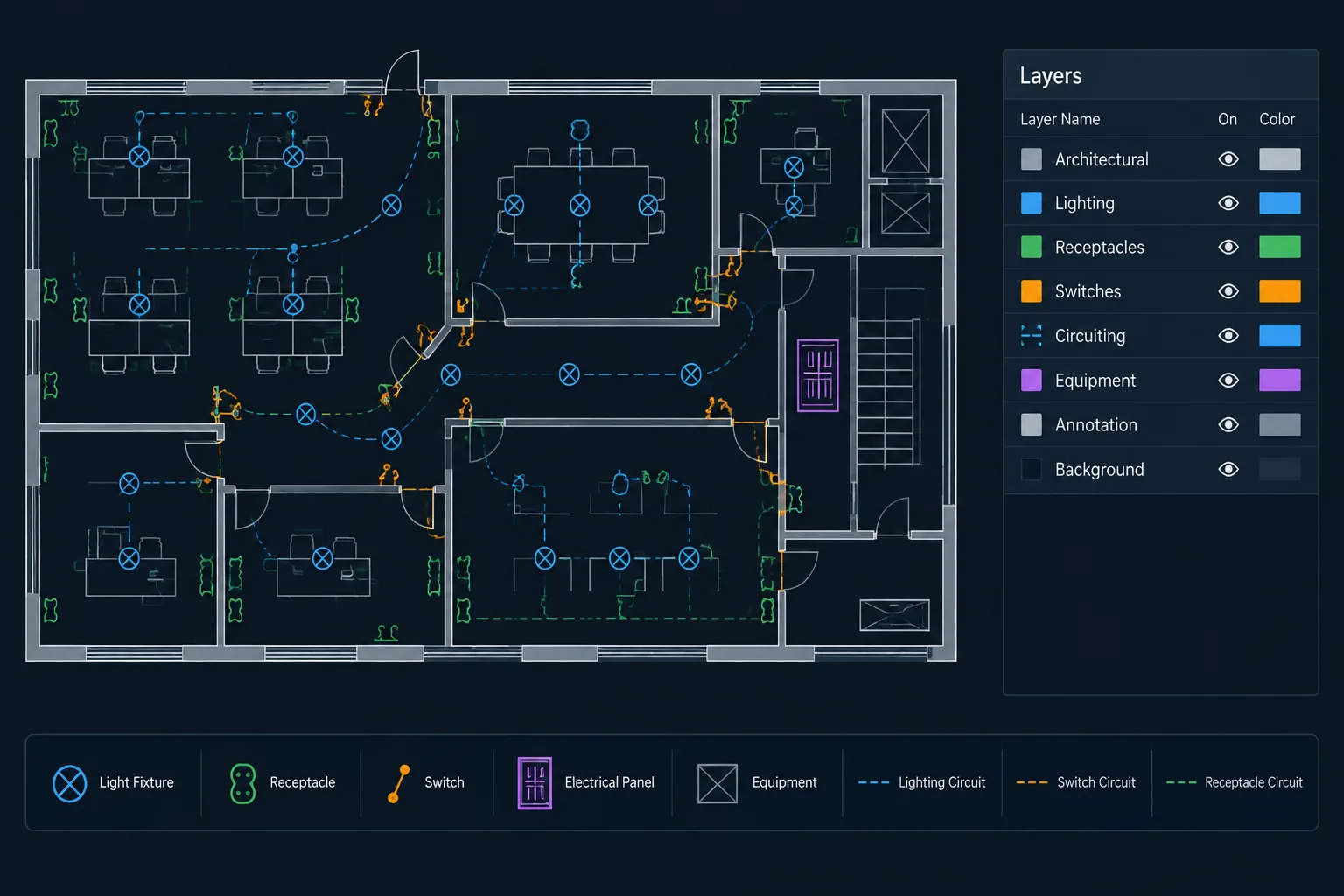
- Visibility problems: Symbols hidden by layer states, masks, background geometry, or plotting behavior.
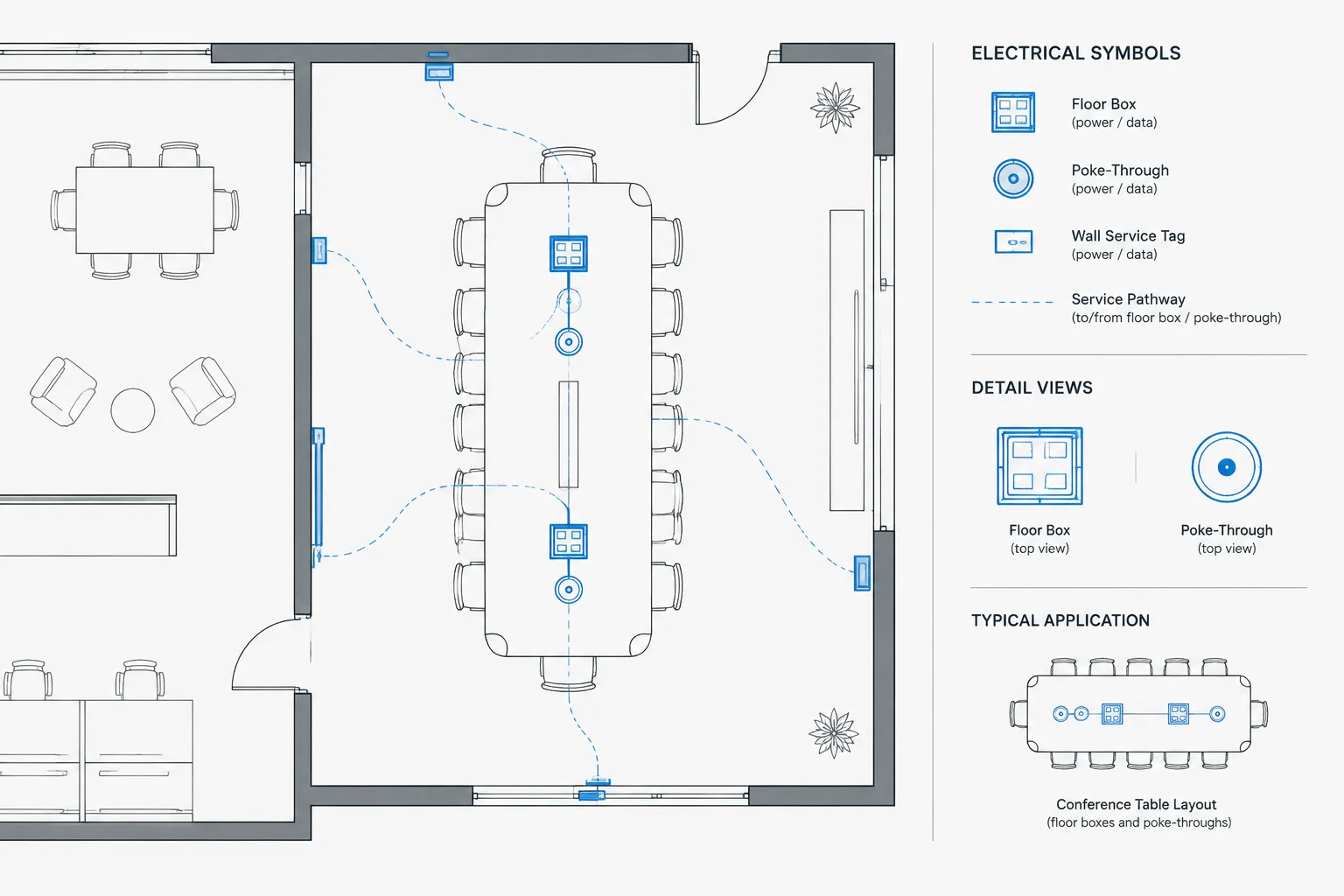
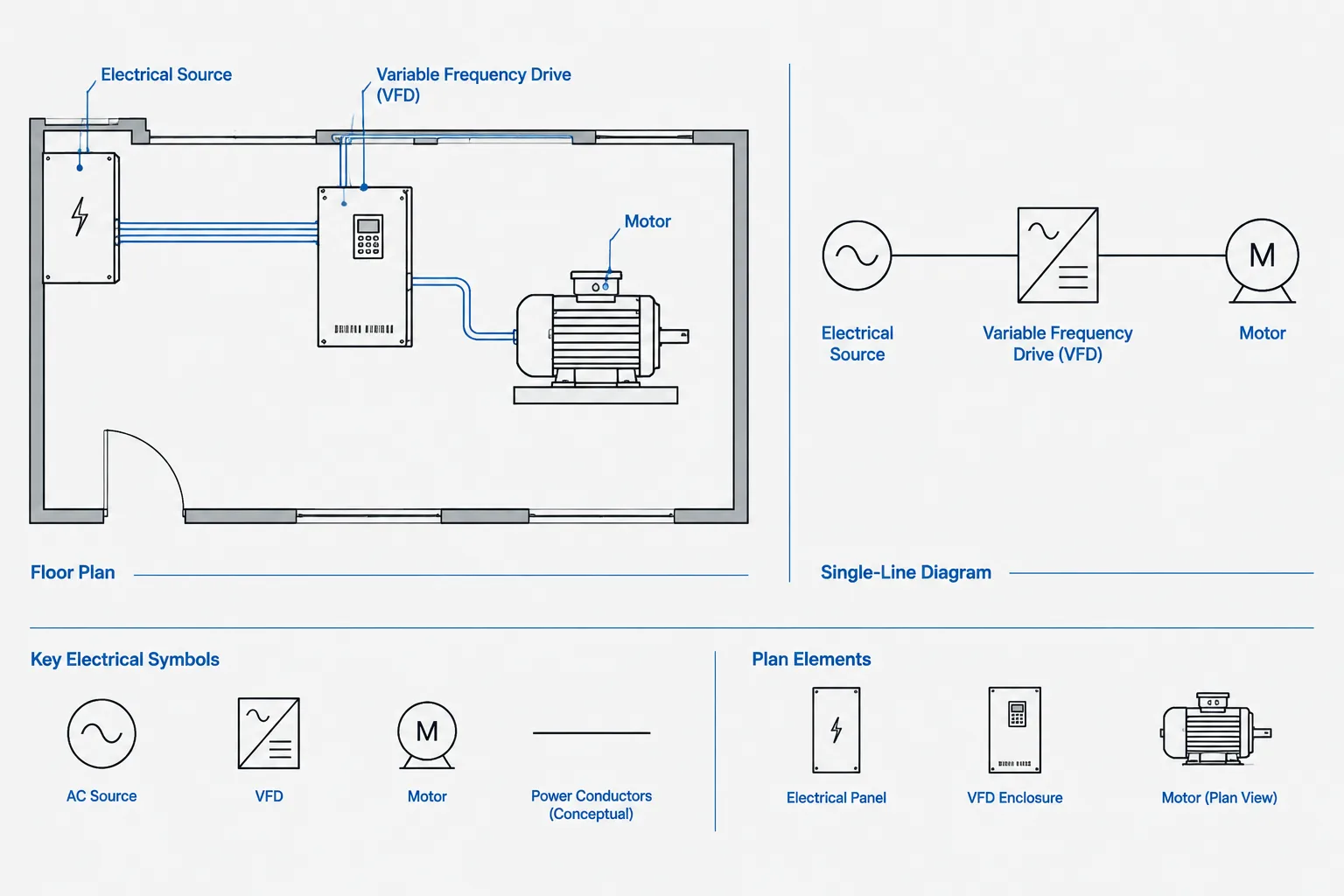
The audit should distinguish genuine errors from intentional graphic differences. A plan symbol, elevation symbol, and diagram symbol may represent the same equipment while serving different drawing views. They do not necessarily need to look identical, but their relationship should be understandable.
Define the Audit Scope Before Editing
Start by deciding which files and drawing conditions are included. A symbol audit performed only on active floor plans may miss symbols in enlarged plans, site plans, roof plans, details, risers, or diagram sheets. It may also miss blocks inside external references.
The review scope should identify:
- Drawing files included in the current issue.
- Electrical plan types and diagram types being reviewed.
- Whether symbols inside referenced files are part of the electrical team’s responsibility.
- Whether demolition, existing-work, alternate, and future-work graphics are included.
- Whether detail sheets and typical diagrams are reviewed for symbol consistency.
- Which legend or master symbol source is considered authoritative for the project.
Do not assume that the office block library is automatically the project authority. A project may contain approved modifications, owner-specific notation, or consultant-provided symbols. Treat the current contract documentation and verified project decisions as the basis for correction.
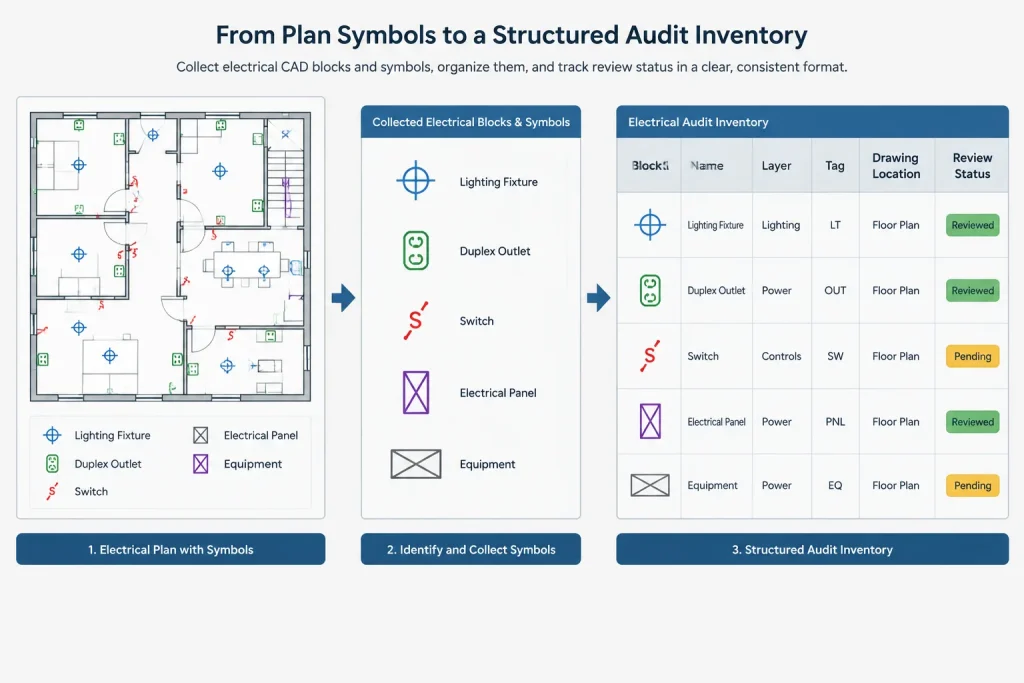
Build an Inventory from the Drawings
The safest inventory begins with symbols actually used in the project, not with the legend. This reveals graphics that entered the plans without ever being documented.
Collect managed block references
Use the CAD platform’s block listing, selection, extraction, or reporting tools to identify inserted block references. Record the block name, drawing location, layer, visible attributes, and sheet or view where it appears. Dynamic or parameter-driven blocks may require review by both definition name and displayed state.
Look beyond named blocks
Not every symbol will be a conventional block. Search for repeated groups of loose geometry, anonymous definitions, nested blocks, imported content, proxy objects, and symbols contained within externally referenced drawings. Visual inspection remains important because automated reports may not explain what a graphic means.
Capture context
A block name alone is rarely enough to confirm intent. A generic symbol could change meaning through a nearby tag, keynote, circuit annotation, or schedule reference. Include that context in the inventory so reviewers can distinguish a true duplicate from a purposeful variation.
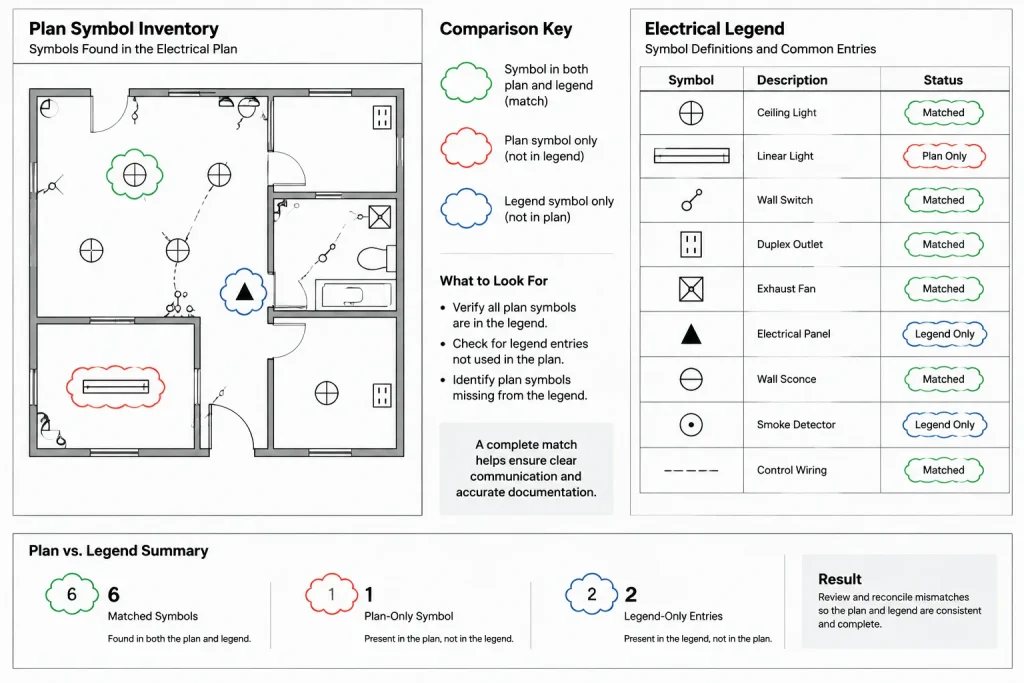
Compare Plan Usage with the Legend
After creating the drawing inventory, compare each used symbol with the project legend. The comparison should work in both directions: from plan to legend and from legend to plan.
| Audit result | Likely meaning | Recommended documentation action |
|---|---|---|
| Used on plan and listed in legend | Potentially coordinated | Verify appearance, description, layer, and related tags. |
| Used on plan but absent from legend | Undefined or documented elsewhere | Find the controlling note or schedule, then add or revise documentation if needed. |
| Listed in legend but not used | Possible orphaned entry | Confirm whether it applies to another sheet, phase, alternate, or future scope before removal. |
| Multiple graphics share one description | Possible uncontrolled variants | Determine whether the distinction is intentional and document it clearly. |
| One graphic has multiple descriptions | Ambiguous symbol meaning | Separate the symbols or clarify the descriptions and associated tags. |
A legend should not become a catalog of every symbol the company has ever used. It should explain the notation relevant to the project, subject to the team’s documentation conventions. At the same time, removing an apparently unused entry without checking alternates, typical details, or referenced sheets can create a different coordination error.
Evaluate Similar Symbols Carefully
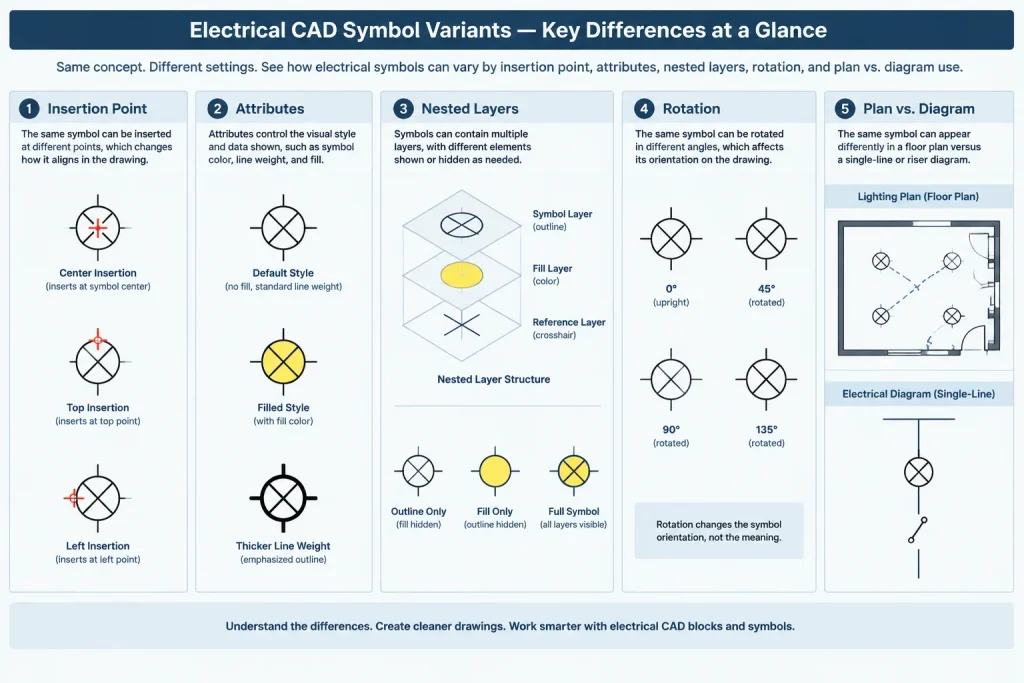
Many symbol conflicts are subtle. Two blocks may look nearly identical at plotted scale but contain different insertion points, attributes, wipeouts, layer assignments, or nested entities. Conversely, symbols that look different may intentionally distinguish equipment types or drawing conditions.
When comparing variants, review:
- Block definition and visible geometry.
- Insertion point and expected rotation behavior.
- Layer assignment of the block reference and nested objects.
- Attribute names, values, visibility, and placement.
- Text style and annotation behavior.
- Status graphics for existing, new, demolished, future, or alternate work.
- Plan, elevation, section, and diagram representation.
- Plot appearance at the intended sheet scale.
Do not replace a variant solely because its name is unfamiliar. First verify whether it carries project information that would be lost during substitution.
Reconcile Symbols with Tags and Schedules
A symbol may be graphically correct but still be incorrectly documented. For example, a device type tag may not exist in the associated schedule, or a schedule may describe an item that is tagged differently on the plan.
Trace each relevant symbol through its documentation chain:
- Symbol graphic on the plan.
- Device, fixture, or equipment type tag.
- Legend description.
- Schedule entry, where applicable.
- Keynote or general note.
- Circuit, feeder, or control reference.
- Detail, elevation, riser, or diagram callout.
The purpose is to verify that these references describe the same design object. A symbol audit should flag mismatches for review rather than guessing which source is correct.
Use a Controlled Correction Workflow
Bulk symbol replacement can save time, but it can also move graphics, discard attributes, change orientation, or alter plotted appearance. Make corrections in a controlled copy of the files and review the results in context.
A practical correction workflow is:
- Record the issue and affected drawings before changing geometry.
- Identify the verified replacement block or documentation change.
- Test the correction on representative plan conditions.
- Preserve required attribute values, rotation, scale, and insertion location.
- Review nested geometry and layer behavior.
- Regenerate reports or inventories after replacement.
- Plot or publish review sheets to confirm the final appearance.
If a symbol is built from loose geometry, convert it to a managed block only after its meaning and required behavior have been confirmed. Standardization should preserve design intent, not merely create matching block names.
Document Exceptions Instead of Hiding Them
Some differences cannot or should not be resolved immediately. Consultant backgrounds, owner-provided drawings, or legacy details may contain notation outside the project’s primary symbol system. Record these as reviewed exceptions.
An exception log can include the symbol or issue, affected sheets, responsible discipline, proposed resolution, review status, and final decision. This creates a traceable distinction between an accepted variation and an overlooked inconsistency.
Final Quality-Control Review
Complete the electrical CAD symbol audit with both an electronic check and a plotted-sheet review. Database-style extraction is effective for finding block names and attributes, while visual review catches masking, overlap, scale, and readability problems.
- Confirm every used symbol has a clear documented meaning.
- Check that legend entries correspond to current project scope.
- Verify that intentional variants are distinguishable and explained.
- Review symbol layers under the sheet’s intended visibility state.
- Check tags against schedules, notes, and diagram references.
- Inspect representative symbols at plotted scale.
- Confirm that corrections did not shift or rotate device locations.
- Retain a review record for unresolved or accepted exceptions.
A disciplined symbol audit turns the legend into a reliable navigation tool rather than a decorative sheet element. It also reduces ambiguity between plans, schedules, and diagrams while helping the CAD library evolve from verified project experience. Final symbol selection and documentation should always be checked against the project’s design requirements, owner criteria, consultant coordination, and applicable governing requirements.
Turn Audit Findings into a Reusable Project Record
After the drawing corrections are reviewed, retain a concise symbol disposition record with the project documentation. This record can identify the symbol or block definition, where it was found, how its meaning was verified, what action was taken, and whether further coordination remains open.
Group findings by documentation outcome rather than by appearance alone. Useful categories include confirmed project symbols, corrected definitions, accepted view-specific variants, removed legend entries, unresolved consultant content, and graphics awaiting design clarification. This makes the audit easier to review and prevents an unfamiliar symbol from being repeatedly investigated.
Separate project cleanup from library maintenance
A corrected project block should not automatically replace the office library version. Project-specific attributes, owner notation, layer behavior, or status graphics may not belong in a general-purpose library. Review approved corrections separately and promote only broadly applicable definitions through the organization’s normal CAD library process.
Use audit results during later revisions
Symbol consistency can change after coordination updates, imported backgrounds, copied details, or schedule revisions. The completed inventory provides a comparison point for later drawing issues. Reviewers can focus on newly introduced or changed graphics while still confirming that previously accepted exceptions remain valid.
This approach makes symbol control part of drawing-set coordination rather than a one-time cleanup task. It also supports clearer handoffs between designers, drafters, consultants, and quality-control reviewers.
Electrical CAD Symbol Audit FAQ
Is an unused legend symbol always an error?
No. It may apply to another included view, an alternate, future work, a typical detail, or content located in a referenced drawing. Confirm the complete issue scope before removing it.
Can a block report find every electrical symbol?
Not necessarily. Symbols may exist as loose linework, nested content, anonymous definitions, imported objects, or geometry inside external references. Automated extraction should be supported by visual review.
Should similar-looking symbols be merged into one block?
Only after confirming that the difference has no documented purpose. Geometry, attributes, layer behavior, insertion points, status notation, and drawing-view conventions can distinguish symbols that appear similar.
Which source should control when the legend and schedule disagree?
The audit should flag the conflict rather than assume that either source is correct. The responsible project team should verify the intended design object and coordinate the affected plans, schedules, notes, and diagrams.
Why review plotted output after correcting blocks?
Model-space geometry alone may not reveal masking, lineweight, overlap, annotation, visibility, or readability problems. A published-sheet review confirms how the corrected symbol communicates in its intended drawing context.
Should accepted symbol exceptions remain documented?
Yes. Recording accepted differences helps later reviewers distinguish intentional project notation from unresolved inconsistency and supports more reliable future revisions.
Leave a Reply
You must be logged in to post a comment.