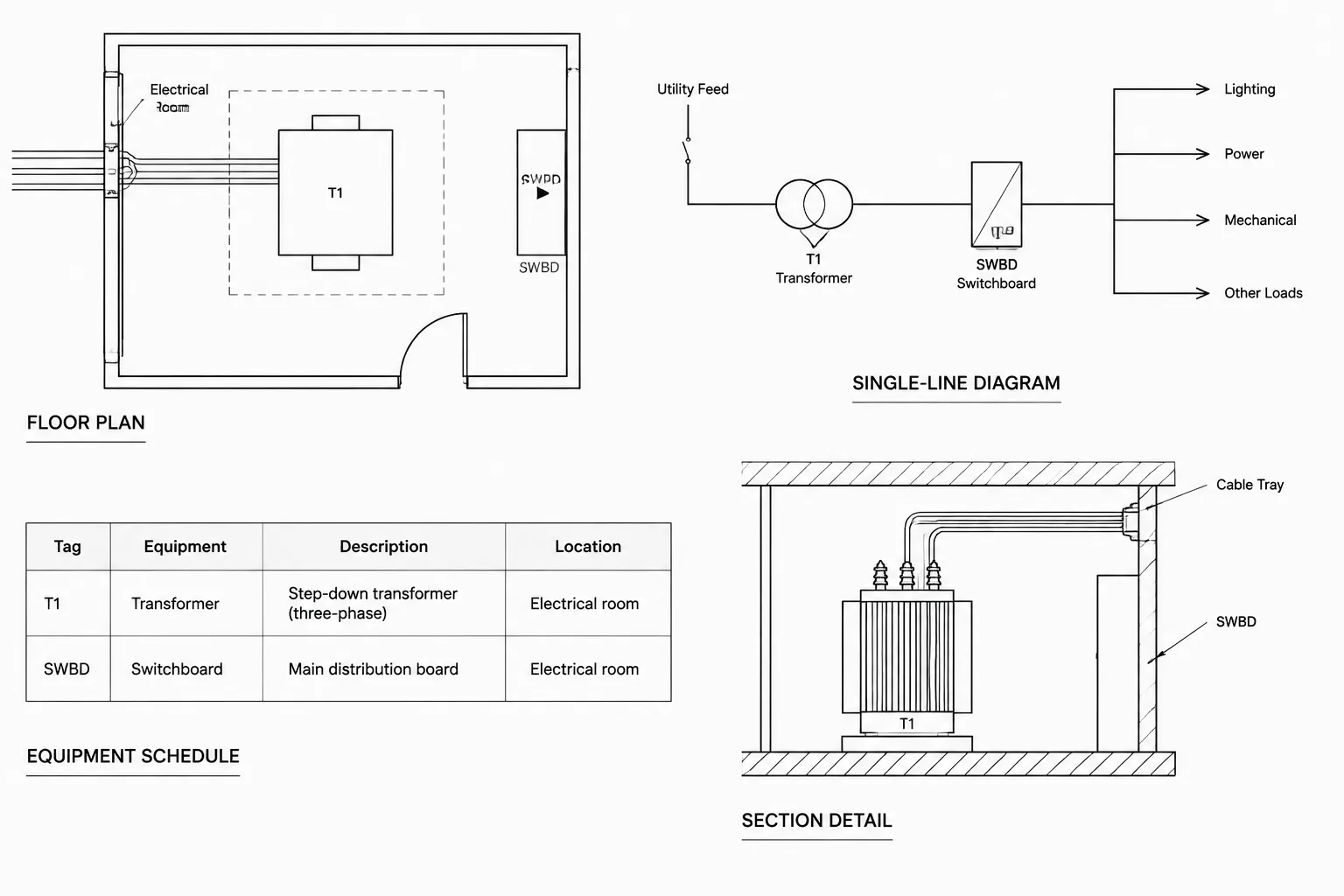
Transformer drawings in CAD must coordinate physical placement, electrical relationships, equipment data, and installation interfaces without making every sheet carry the same information. The central drafting challenge is deciding which view owns each piece of information and how the remaining views reference it.
The following guidance explains how to organize transformer plan blocks, single-line symbols, schedules, details, attributes, and cross-checks as parts of one documentation system. It is intended as a drafting and drawing-management reference; project characteristics, equipment geometry, connection arrangements, and installation requirements still require verification from current design information.
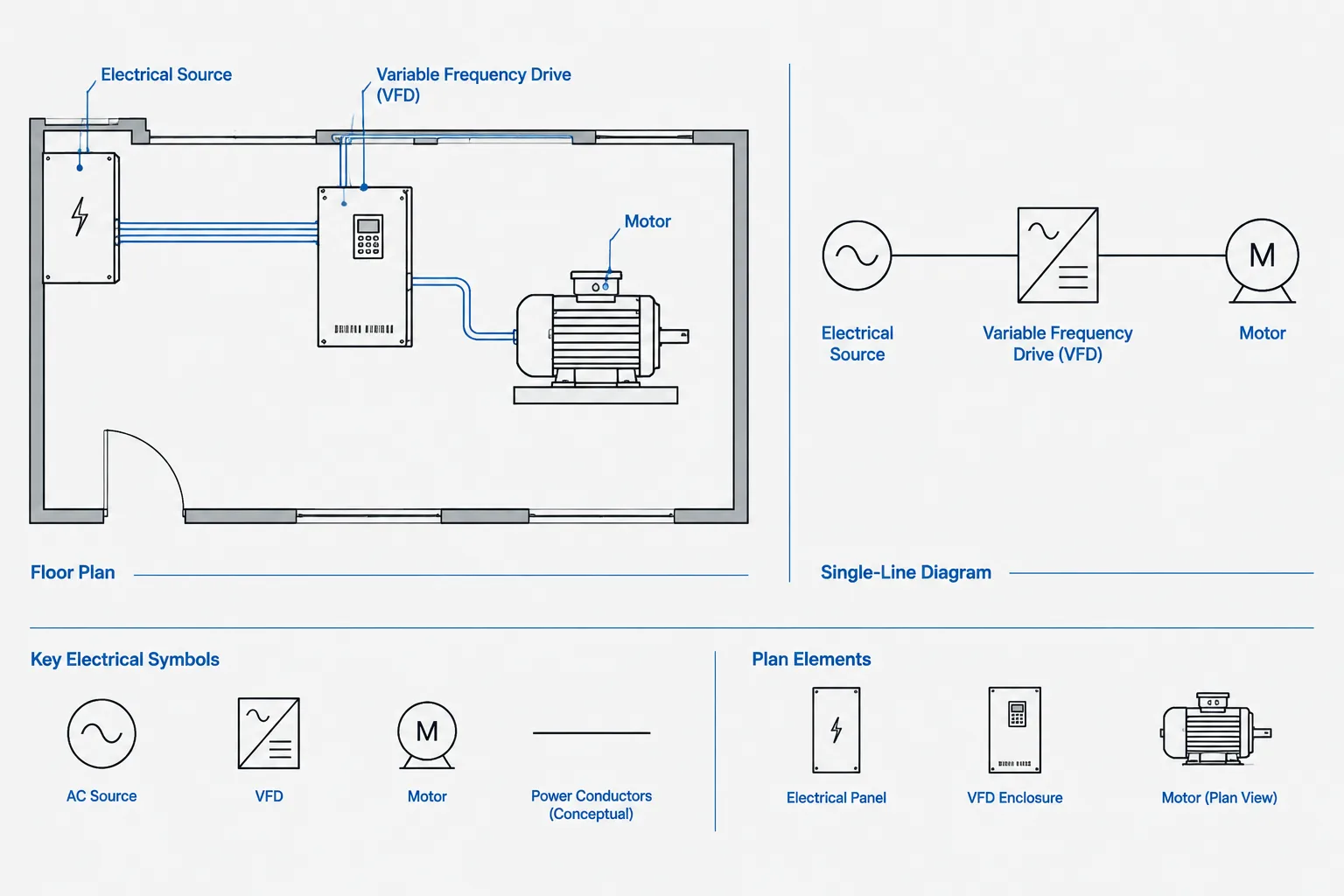
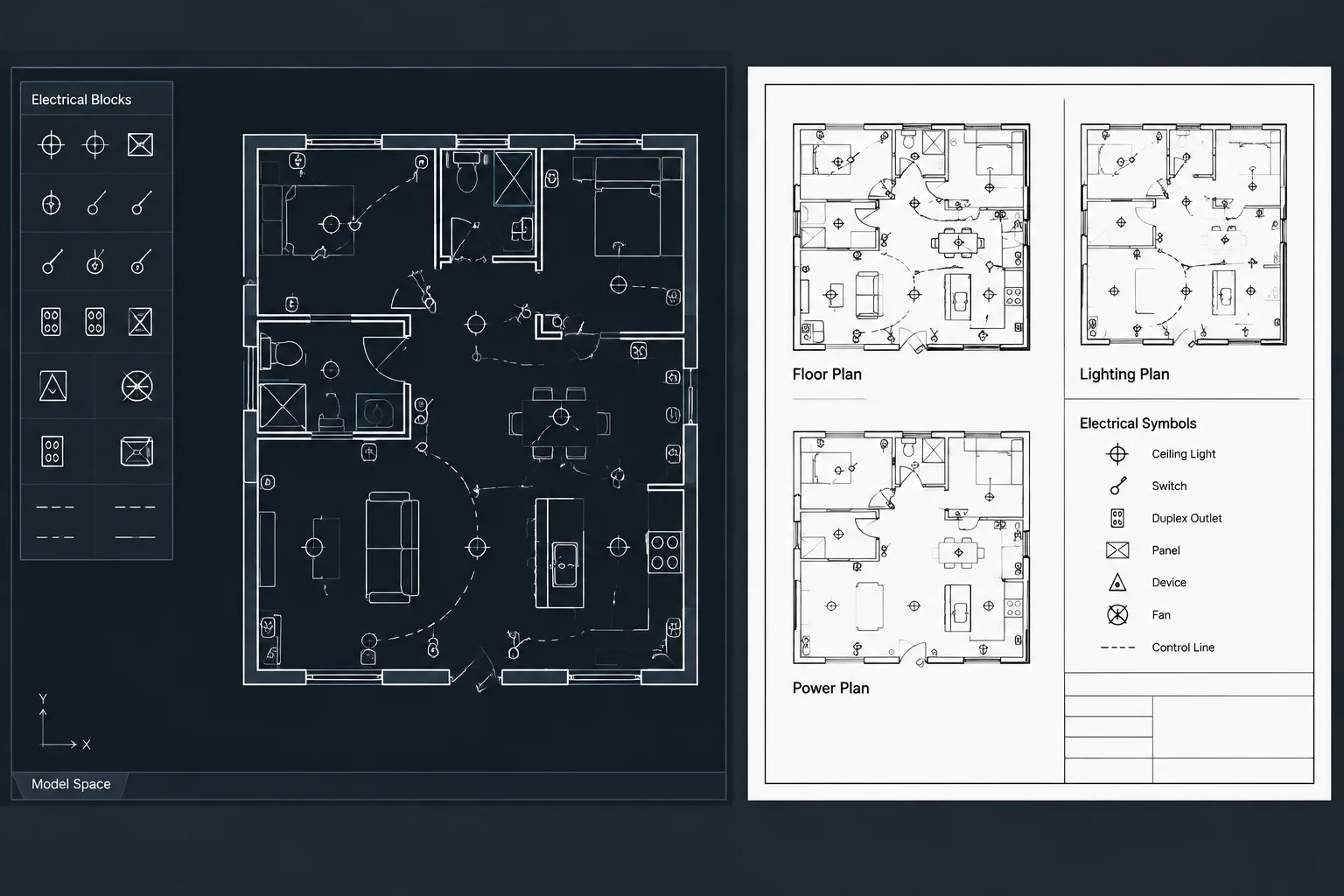
Transformer documentation rarely belongs on only one electrical drawing. A floor plan establishes the physical location, a single-line diagram explains the electrical relationship, a schedule records selected characteristics, and details communicate installation interfaces. When these views are developed independently, transformer tags, connections, and equipment descriptions can easily become inconsistent.
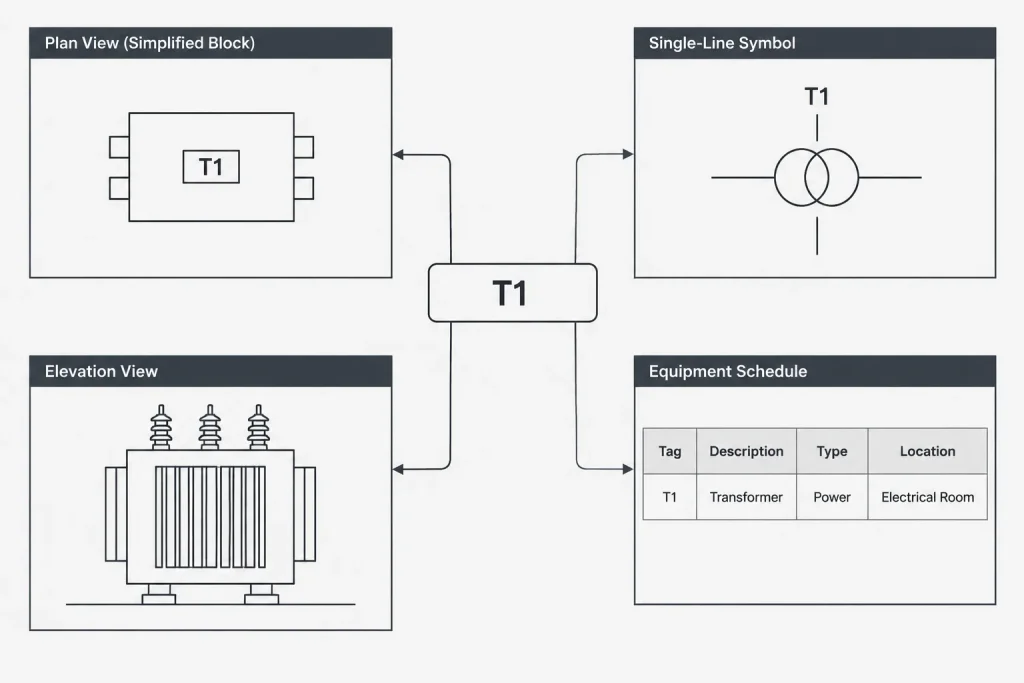
A reliable CAD workflow treats each transformer as one documented asset represented in several ways. The graphics may differ by drawing type, but the identifier and core design intent should remain coordinated. This approach improves drawing readability while making reviews and revisions more manageable.
What Each Transformer Drawing Should Communicate
The purpose of a transformer symbol changes with the drawing context. A plan symbol should not be expected to carry the same information as a single-line symbol, and a schematic symbol should not be used as a substitute for an equipment footprint.
| Drawing type | Primary purpose | Typical transformer information |
|---|---|---|
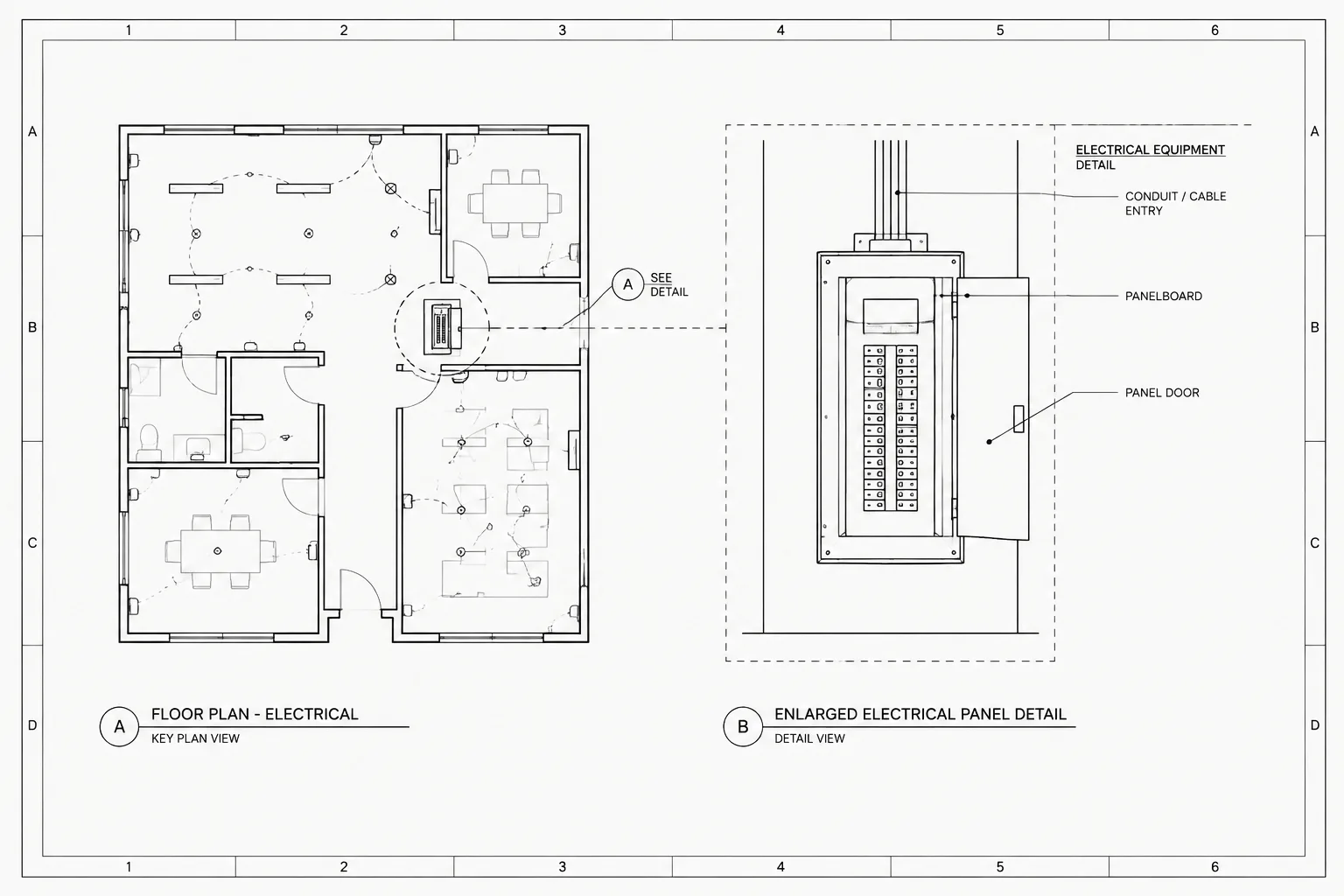
| Floor or equipment plan | Show physical location and coordination | Equipment tag, footprint, orientation, access context, and nearby routing |
| Single-line diagram | Show the electrical distribution relationship | Source, protective devices, transformer tag, winding relationship, grounding intent, and downstream equipment |
| Equipment schedule | Organize selected characteristics | Identifier, service description, electrical characteristics, enclosure or installation notes, and drawing references |
| Detail or section | Clarify installation interfaces | Mounting concept, support, housekeeping base or pad relationship, connection zones, and adjacent construction |
| Site or utility plan | Coordinate exterior equipment and routes | Location, access context, underground or overhead interfaces, barriers, and related utility features |
Not every project needs all of these views. The documentation set should include only the views required to explain the design, while avoiding conflicting duplicate information.
Use One Stable Equipment Identifier
The transformer tag is the main link between plans, diagrams, schedules, details, and specifications. Select a project naming convention and use it consistently. A transformer should not have one identifier on the plan and a slightly different identifier on the single-line diagram unless the drawings clearly explain the distinction.
Keep the tag separate from long descriptive text. The identifier should remain visually prominent, while ratings, system descriptions, and installation notes can be placed in a schedule or adjacent annotation. This prevents plan graphics from becoming overloaded and makes future changes easier to manage.
When CAD block attributes are used, assign separate fields for the equipment identifier, description, and relevant references. Do not combine all information into one text attribute. Separate data fields are easier to edit, audit, and extract into equipment lists.
Draft the Plan Representation for Physical Coordination
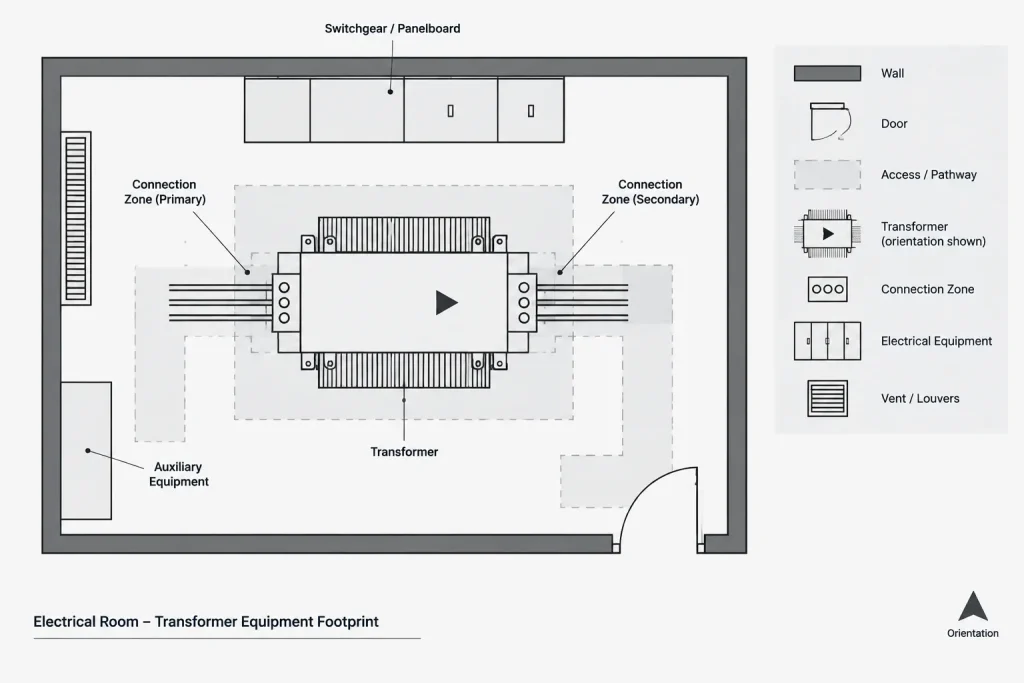
A transformer plan block should represent the intended documentation level. During early design, a generic footprint may be sufficient to reserve space. As equipment information develops, the footprint should be checked against the selected basis of design or verified project data. A generic library block should never be assumed to represent the final enclosure, connection compartments, or required access areas.
Elements to coordinate on the plan
- Location: Confirm the transformer is associated with the correct room, yard, roof area, or equipment space.
- Orientation: Show the equipment in an orientation that supports the intended connection and access strategy.
- Access context: Coordinate doors, walls, columns, curbs, other electrical equipment, and architectural circulation.
- Connection approach: Indicate where feeders are expected to enter or leave when that information affects routing and layout.
- Support interface: Reference a floor, wall, structure, pad, or base detail where needed.
- Adjacent systems: Review nearby piping, ductwork, cable tray, and other building services for drawing conflicts.
Access and working-area graphics can be useful coordination aids, but they should be placed on controlled layers and verified for the actual project. They may be visible on coordination views without appearing as dominant construction graphics on every plotted sheet.
Build the Single-Line Symbol Around Electrical Relationships
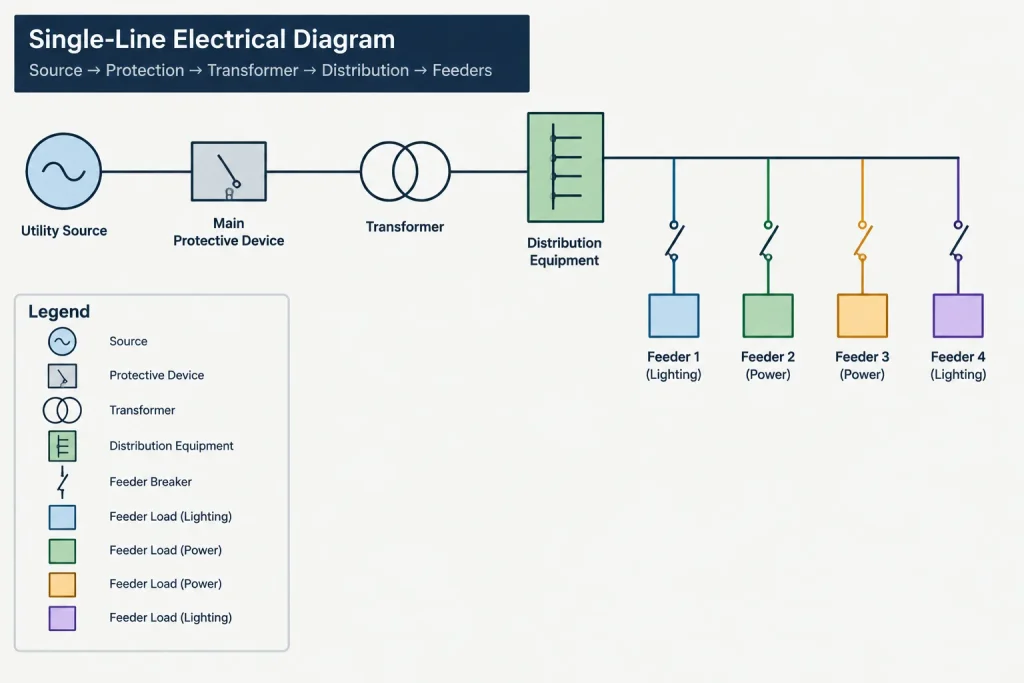
The transformer symbol on a single-line diagram is diagrammatic rather than physical. Its purpose is to show how the transformer fits between a source and the downstream distribution system. It should align with the diagram flow and remain readable at the final sheet scale.
Coordinate the transformer with the upstream protective device, feeder designation, downstream main or distribution equipment, and any relevant grounding or neutral representation. The winding connection and system characteristics should be based on verified design information rather than assumptions drawn from a generic symbol.
Keep conductor and feeder annotations in a consistent location relative to the symbol. If detailed feeder information is maintained in a separate schedule, use a stable feeder identifier on the diagram instead of repeating a large note. This reduces duplicated data while preserving traceability.
Avoid graphic ambiguity
- Do not let feeder lines pass through the transformer tag or descriptive text.
- Use connection dots and line crossings consistently with the project drafting convention.
- Keep primary and secondary sides visually clear, even when the diagram changes direction.
- Distinguish equipment boundaries from conductors, buses, and annotation leaders.
- Show optional or future connections with an established status convention rather than an improvised linetype.
Structure the Transformer Schedule Carefully
A transformer schedule should support coordination without becoming a substitute for engineering calculations, specifications, or manufacturer documentation. Include only fields that the project team can maintain accurately.
Useful schedule categories may include the equipment tag, service or location description, source, downstream equipment, selected electrical characteristics, installation classification, enclosure description, and references to plans or details. The exact categories depend on project scope.
Avoid creating conflicting sources of truth. If a characteristic is controlled in the schedule, consider referencing the schedule from the plan instead of repeating that characteristic beside every plan symbol. Information that must be visible on the single-line diagram can still appear there, but it should be included in formal cross-checks.
Use Details and Sections to Explain Interfaces
A detail should answer a coordination question that cannot be resolved clearly on the plan. Examples include the relationship to a housekeeping base, wall support, exterior pad, protective barrier, overhead pathway, or adjacent equipment lineup.
Generic details require project verification. They may contain placeholder geometry or broad installation concepts that do not match the selected transformer. Label unverified content appropriately during design development, and update it when reliable project information becomes available.
Sections are especially useful where elevation affects conduit approach, overhead routing, structural support, or equipment access. Use reference callouts to connect the transformer plan symbol to the applicable detail or section, and confirm that those references remain correct when sheets are reorganized.
Separate Symbolic and Physical CAD Blocks
A well-managed library should not use one transformer block for every drawing purpose. Maintain related but distinct block types:
- A clean single-line symbol for diagrammatic use
- A simplified plan symbol for early layouts
- A verified equipment footprint for developed coordination
- An elevation or section representation when vertical interfaces matter
- A detail component for pads, supports, barriers, or connection zones
Use a shared naming pattern so drafters can recognize that the blocks belong to the same equipment family. Preserve appropriate insertion points and orientation conventions for each view. A plan footprint might use a logical equipment corner or center, while a single-line symbol should use predictable conductor connection points.
A Practical Cross-Check Workflow
Before issuing the drawings, review transformer documentation as a connected set rather than checking each sheet in isolation.
- Generate or compile a list of all transformer tags found in the drawing package.
- Confirm each plan tag has a corresponding diagram or documented reason why no diagram representation is required.
- Compare source and downstream equipment references with the single-line diagram.
- Check that schedule descriptions match the intended location and service.
- Review footprints, access graphics, and connection zones against current verified equipment information.
- Confirm detail and section callouts point to the correct sheet and view.
- Search for obsolete tags left behind after equipment renaming or deletion.
- Plot representative sheets to verify symbol, text, lineweight, and screening readability.
Automated attribute extraction can help identify missing or duplicate tags, but it cannot confirm design intent. Visual review remains necessary because a correctly spelled identifier can still be attached to the wrong equipment or location.
Common Transformer Documentation Problems
Several recurring issues can weaken an otherwise clear drawing set:
- The plan uses a generic rectangle that appears to be a verified equipment footprint.
- The plan tag, schedule tag, and single-line tag do not match.
- The transformer is moved, but its routing, access graphics, or detail callout remain in the old location.
- Electrical characteristics are repeated in several places and updated in only one.
- A schematic symbol is enlarged and used as a physical plan block.
- Primary and secondary connections are visually unclear on the diagram.
- Future, existing, relocated, and new equipment are not distinguished consistently.
- A detail implies a mounting or connection arrangement that has not been verified.
The best correction is usually not more annotation. Instead, assign each piece of information to the drawing where it is most useful, establish references between views, and remove uncontrolled duplication.
Make the Transformer a Coordinated Drawing Object
Clear transformer drawings in CAD depend on relationships. The plan communicates where the equipment is, the single-line diagram communicates how it is connected, the schedule organizes selected information, and the details explain physical interfaces. Stable tags and disciplined cross-references bind those views together.
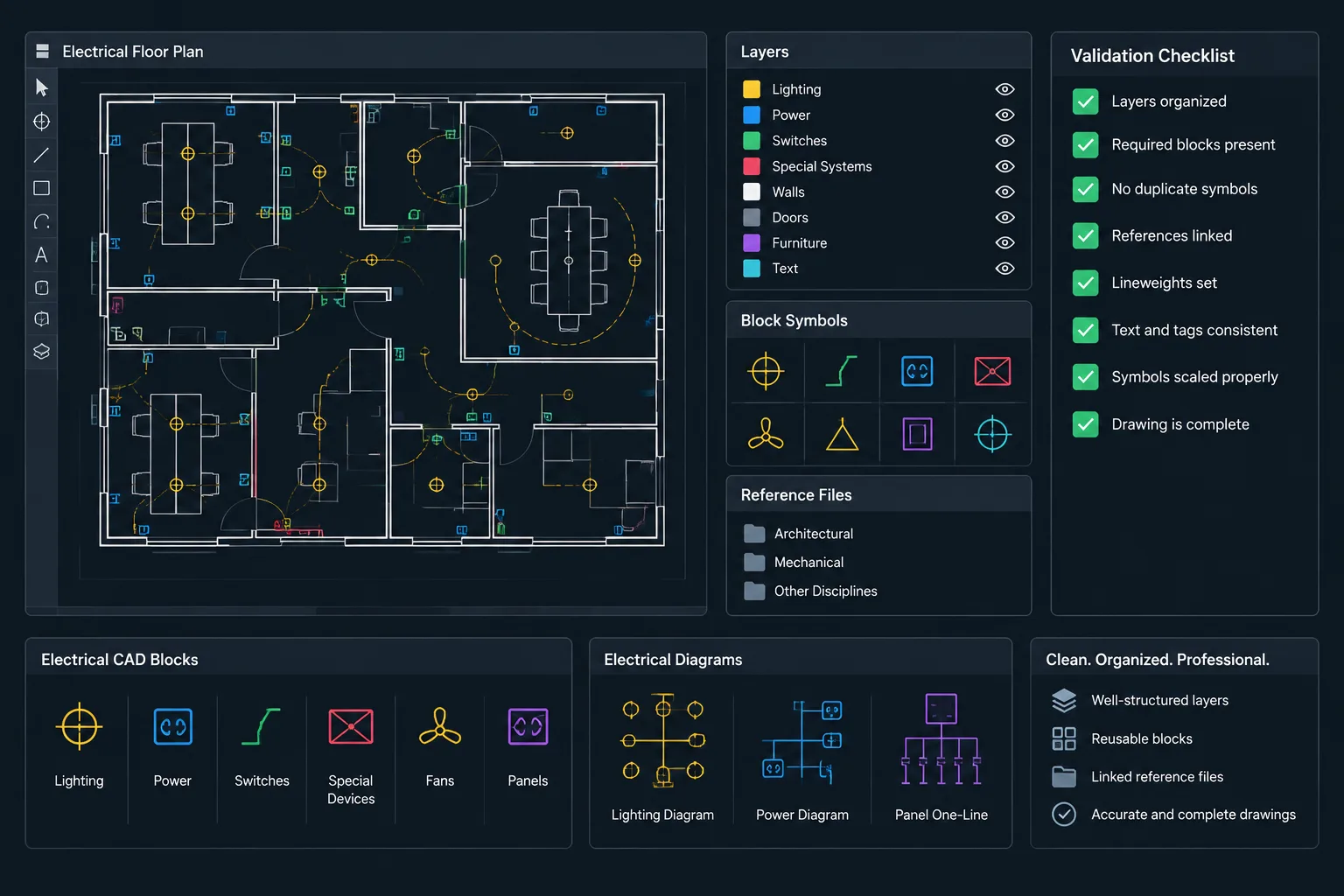
CAD blocks can make this process faster, but blocks are starting points rather than project approval. Verify footprints, connections, characteristics, access needs, and installation conditions using current project information before relying on them in an issued drawing set.
Assign Information Ownership Before Drafting
A simple information-ownership plan can prevent conflicting transformer data. Identify where each project characteristic will be maintained, then decide where it must also be displayed for drawing clarity. For example, a schedule may control the equipment description while the plan carries only the stable tag and a schedule reference.
Displayed information and controlled information are not always the same. A single-line diagram may need to show selected characteristics so the distribution relationship can be understood, even when those characteristics are maintained elsewhere. Mark such repeated fields for deliberate review whenever the controlling information changes.
Coordinate Drawing Status as Well as Equipment Data
Transformer graphics may represent proposed, existing, relocated, future, or removed equipment. Apply the project status convention consistently to the plan footprint, single-line symbol, schedule entry, detail reference, and associated feeders. A status change applied to only one view can make an otherwise coordinated tag misleading.
Use layers, linetypes, screening, and notes according to the established drawing convention rather than embedding status into unrelated block geometry. This makes status graphics easier to manage and helps prevent accidental changes to the underlying equipment symbol.
Plan for Revisions and Drawing Audits
Transformer coordination should be repeated after equipment moves, tag changes, distribution revisions, or sheet reorganization. These changes can affect more than the visible symbol. Leaders, feeder identifiers, detail callouts, schedule rows, room references, connection zones, and adjacent routing may also require updates.
A useful review compares the drawing package in both directions. Start with each plan symbol and trace it to the diagram, schedule, and applicable details. Then start with each scheduled transformer and confirm that its required drawing representations can be found. This catches both incomplete references and entries that no longer correspond to active graphics.
Keep Library Content Distinct from Project-Verified Content
Library blocks should communicate their intended use through clear names, attribute fields, insertion behavior, and layer assignment. Project teams should also be able to distinguish generic layout geometry from a footprint based on verified equipment information. That distinction should not depend on visual appearance alone.
When a generic block is replaced or adjusted, review its insertion point, orientation, connection locations, annotation placement, and references. A new footprint can be geometrically accurate yet still disrupt established routing or place the tag in an unreadable position.
Frequently Asked Questions About Transformer CAD Documentation
Should the same transformer block be used on plans and single-line diagrams?
Usually not. A plan block represents physical location and coordination, while a single-line symbol represents an electrical relationship. Related blocks can share naming and attribute conventions, but their geometry and insertion behavior should suit their drawing purpose.
What information should appear beside a transformer on a floor plan?
The plan should emphasize the stable equipment tag, location, orientation, footprint, and relevant coordination context. Longer descriptions and selected characteristics can be maintained in a schedule when repeating them would crowd the plan or create another source of truth.
How can transformer tags be kept consistent across drawings?
Use a documented naming convention, separate block attributes for identifiers and descriptions, and a review process that compares plans, diagrams, schedules, and details. Attribute extraction can help locate missing or duplicate tags, but visual review is still needed to confirm that each tag is attached to the intended equipment.
Can a generic transformer footprint be used for final coordination?
A generic footprint may support early layout work, but it should not be treated as verified equipment geometry. Developed coordination should use current project information for the enclosure, orientation, connection areas, support interface, and access context.
Where should transformer characteristics be maintained?
The project team should designate a controlled location for each characteristic, commonly within an equipment schedule or another managed project record. Information repeated on diagrams or notes should be included in revision checks so all displayed values remain coordinated.
What should be reviewed after a transformer is moved on a plan?
Review associated routing, access graphics, connection zones, room references, detail callouts, leaders, and adjacent equipment coordination. Also confirm that the schedule description and diagram references still match the revised location and design intent.
Leave a Reply
You must be logged in to post a comment.