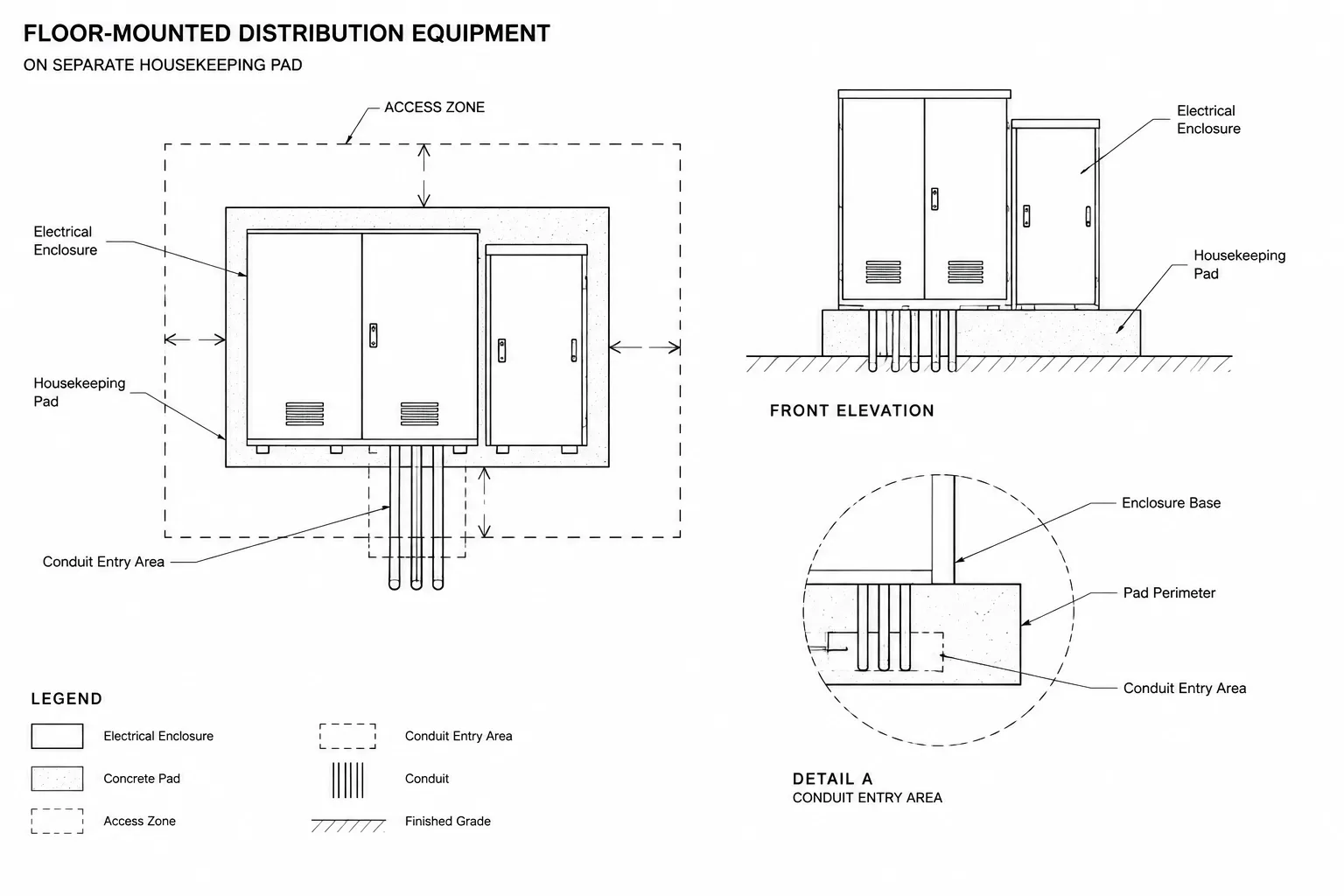
Electrical equipment pads require more coordination than their simple plan geometry suggests. This reference explains how to distinguish the equipment footprint, supporting base, access graphics, conduit entry areas, and anchoring information while keeping each item tied to the appropriate design source.
Use the guidance as a CAD documentation framework rather than a construction specification. Final support geometry and installation requirements must be checked against current project documents, approved equipment information, and the responsibilities assigned to each discipline.
Electrical equipment pads may look like simple rectangles on a floor plan, but they affect several disciplines and multiple drawing types. A pad can influence equipment placement, working-space graphics, conduit entry, housekeeping details, structural design, and installation sequencing. If its CAD representation is vague or copied from an unrelated project, coordination problems can remain hidden until construction.
A well-drafted pad graphic should communicate design intent without pretending that a generic block contains verified construction information. The electrical drawings identify the equipment relationship and required location, while dimensions, reinforcement, anchorage, and final construction details may depend on structural documents, manufacturer information, and project-specific criteria.
What an equipment pad represents
An electrical equipment pad is a supporting base shown beneath or around equipment such as switchboards, transformers, distribution equipment, motor-control assemblies, generators, battery systems, or outdoor enclosures. Depending on the project, it may be a raised housekeeping base, an exterior foundation, an equipment curb, or another coordinated support condition.
These terms should not be treated as interchangeable without confirmation. A housekeeping base shown inside an electrical room does not necessarily have the same design, purpose, or documentation requirements as an exterior equipment foundation. Use the terminology established by the project team, and make the drawing reference clear enough that reviewers can find the governing detail.
Separate the equipment footprint from the pad outline
The most important graphic decision is to show the equipment and its support as separate objects. A single rectangle labeled with an equipment tag does not tell the reader whether the line represents the enclosure, the base, or a required clearance.
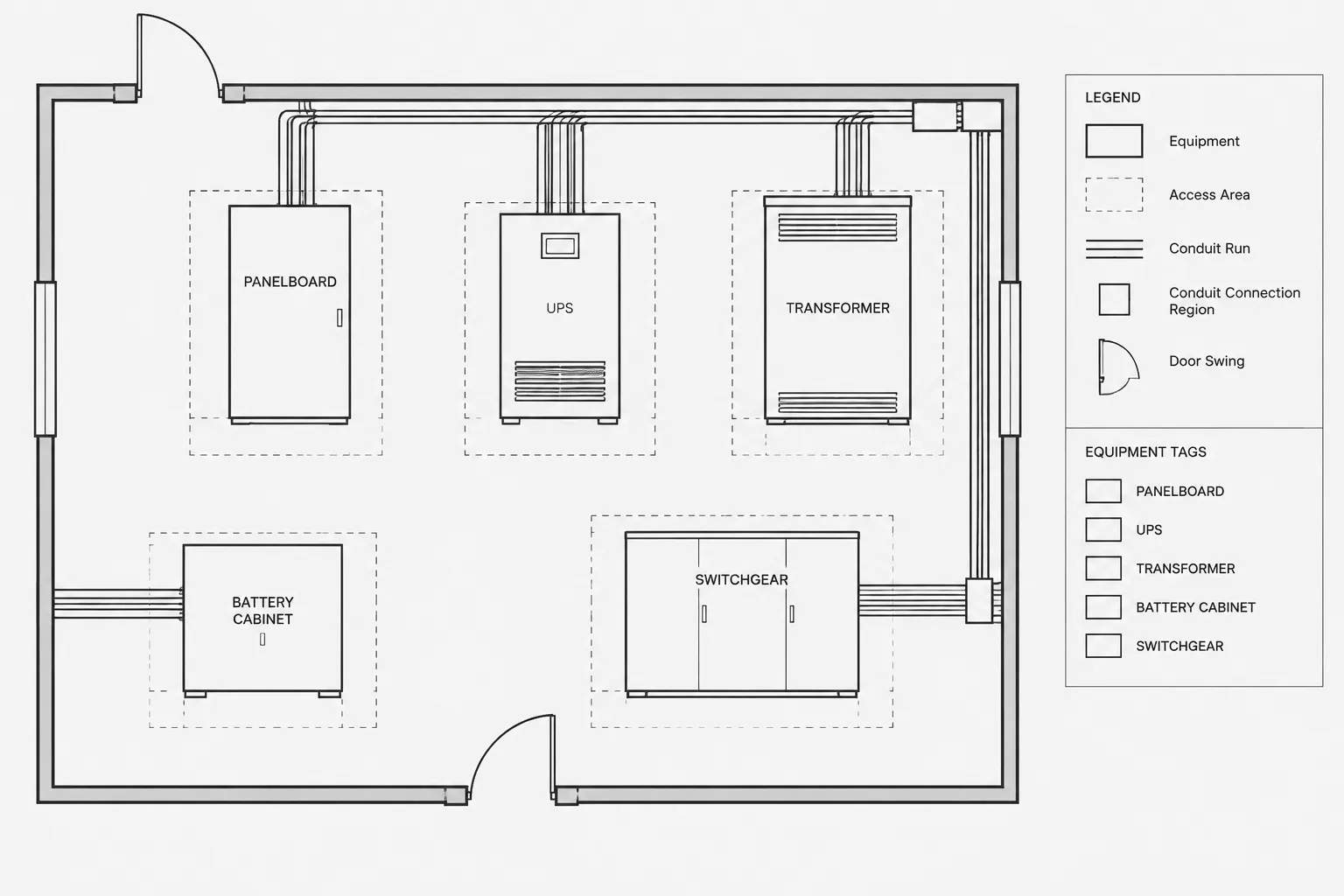
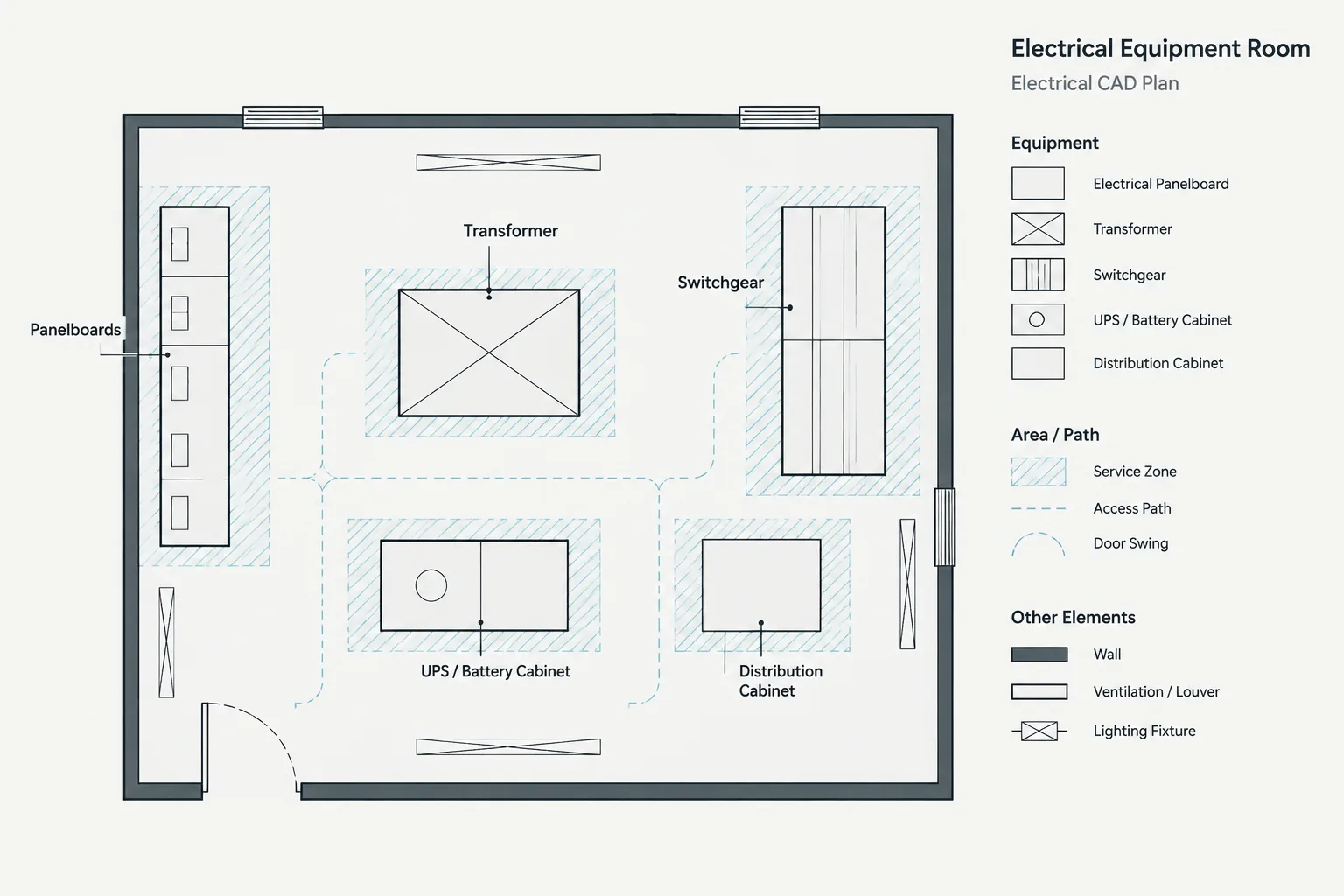
A coordinated plan may include:
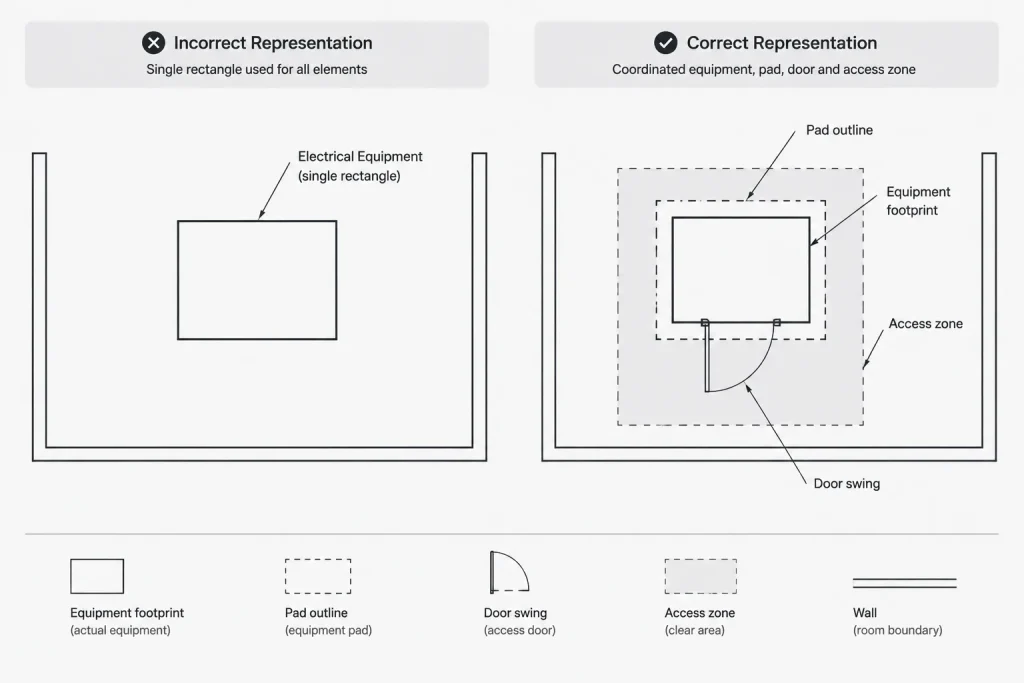
- The actual or preliminary equipment enclosure footprint.
- The supporting pad or base perimeter.
- Doors, removable panels, or access sides when relevant to coordination.
- Working-space or service-access graphics on a nonplot or controlled layer.
- Conduit entry regions or reserved openings where confirmed.
- Equipment tags, pad references, dimensions, and detail callouts.
Use distinct layers, lineweights, or linetypes for these elements. The pad should remain readable without competing with the equipment outline. Clearance graphics must also be visibly different from physical construction so they are not mistaken for curbs or partitions.
Build a pad block around verified information
A reusable CAD block can speed drafting, but it should not lock unverified geometry into the project. Generic equipment blocks are often schematic representations rather than manufacturer-accurate footprints. They may omit access panels, cable compartments, ventilation zones, lifting features, or projection beyond the main enclosure.
A practical workflow is to create separate nested or associated objects for the equipment footprint and pad outline. Include attributes only for information the team intends to manage, such as the equipment tag, pad identifier, detail reference, or verification status. Avoid embedding fixed dimensions unless they have been confirmed for the selected equipment and support condition.
If the design is still preliminary, mark the geometry accordingly. A note such as “footprint subject to manufacturer coordination” is more useful than an unlabeled precise-looking rectangle. Once submittal or manufacturer data becomes available, update the plan, enlarged view, and related detail together.
Choose dimensions that locate design intent
Dimensions should help another discipline understand where the pad belongs and how it relates to the room or site. Randomly dimensioning every edge can create clutter without improving coordination.
Common dimensioning relationships include:

- Pad location from stable architectural or structural references.
- Overall pad extents when established by the responsible designer.
- Equipment position relative to the pad.
- Relationship to walls, columns, doors, curbs, and adjacent equipment.
- Critical alignment with conduit zones or floor openings.
- Elevation or top-of-base references when vertical coordination matters.
Use references that are expected to remain stable. Dimensions tied to movable furniture, finish patterns, or unverified background geometry are vulnerable to later changes. When a structural grid or established wall face controls the layout, dimension to that reference rather than relying only on coordinates.
Coordinate conduit entry and reserved openings
Pad plans often fail where underground or underfloor raceways enter the equipment. Showing conduits terminating somewhere inside a broad equipment rectangle may be acceptable early in design, but it is not enough for detailed coordination.
As the project develops, identify whether raceways enter from below, above, or the side. If the equipment has restricted entry areas, represent those areas using verified manufacturer information. Keep conduit centerlines and opening outlines separate from anchor locations and structural reinforcement graphics.
Do not assume the entire equipment base is available for conduit entry. Internal barriers, cable compartments, structural members, and anchoring zones may limit usable space. Where final openings are delegated or coordinated later, state that condition and provide a clear reference to the responsible drawing or submittal process.
Show anchoring intent without inventing structural design
Electrical drawings may need to indicate that equipment is anchored, but they should not fabricate anchor sizes, embedment, reinforcement, or edge conditions. Those requirements depend on the equipment, support, loading criteria, substrate, and engineering responsibility assigned for the project.
The plan can show conceptual anchor points when verified data exists, or it can direct the reader to a structural detail, equipment drawing, or project-specific anchorage requirement. If anchor locations are preliminary, label them as such. Avoid converting a generic manufacturer diagram into a construction detail unless it has been reviewed for the actual installation.

Coordinate plan, elevation, and detail views
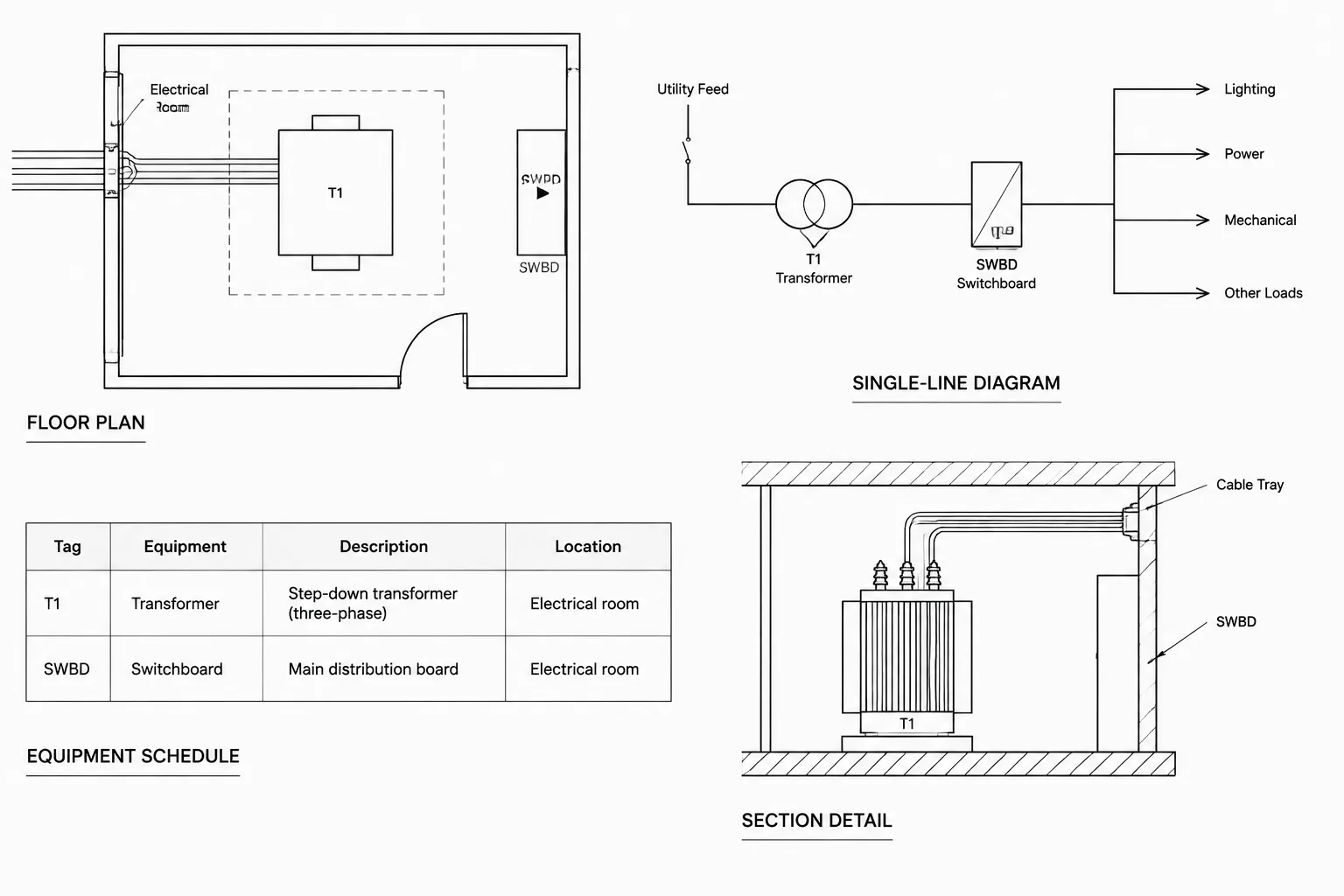
A floor plan establishes horizontal location, but an elevation or section may be needed to explain vertical relationships. This is particularly useful where the equipment base meets wall finishes, cable tray, overhead busway, bottom-entry conduits, ventilation paths, or adjacent curbs.
| Drawing view | Primary purpose | Typical coordination content |
|---|---|---|
| Floor plan | Locate equipment and pad | Footprints, tags, access zones, walls, doors, and routing approaches |
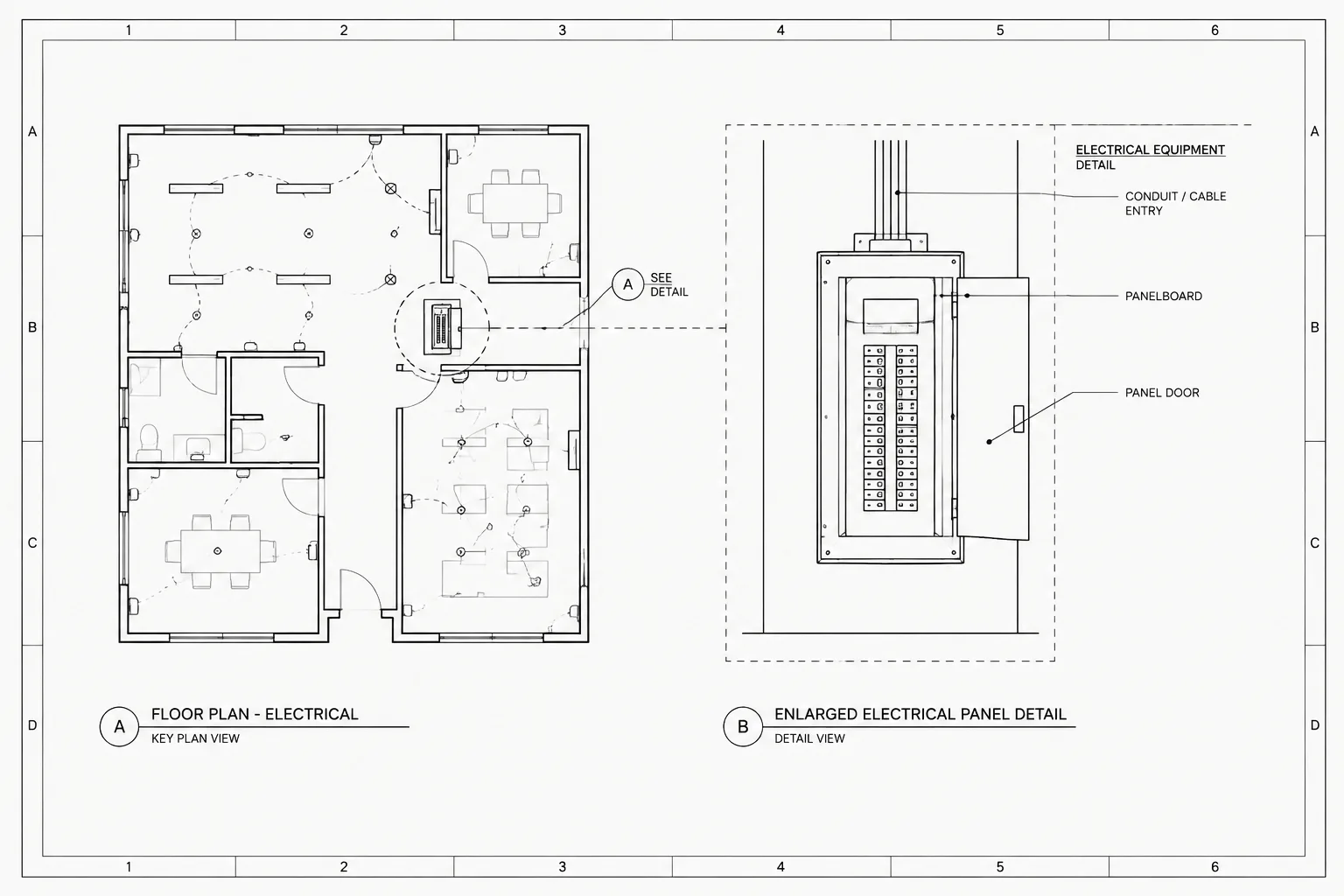
| Enlarged plan | Clarify congested geometry | Pad edges, equipment sections, openings, dimensions, and nearby systems |
| Elevation or section | Explain vertical relationships | Base height reference, equipment position, wall interfaces, and raceway approach |
| Construction detail | Define the support assembly | Materials, edges, joints, reinforcement, anchorage references, and discipline notes |
Callouts should lead to the actual governing view. Avoid placing a detail bubble that refers only to a visually similar standard detail. Confirm that the referenced detail matches the equipment location, interior or exterior condition, and assigned construction responsibility.
Organize CAD layers for review and plotting
Layer separation makes pad coordination easier to review and revise. A project may separate equipment outlines, equipment tags, pad geometry, clearances, underground routing, openings, dimensions, and reference-only manufacturer information. The exact layer names should follow the project CAD standard.
Consider keeping manufacturer or vendor geometry on a dedicated reference layer. This allows the team to compare it against the simplified plotted block without overwhelming the sheet. Nonplot clearance and coordination layers can also support internal checking, but critical requirements must still appear clearly in the issued documents where appropriate.
Common drafting errors
- Using the equipment block as the pad: This hides the relationship between enclosure and support.
- Copying an old pad detail unchanged: Previous dimensions and anchorage concepts may not apply.
- Showing false precision: Detailed geometry can appear verified even when it is only preliminary.
- Confusing clearance with construction: Access zones need a distinct graphic convention.
- Ignoring door swings: Room access and equipment doors can conflict with the pad location.
- Failing to coordinate openings: Conduits, sleeves, and anchor zones may compete for the same area.
- Leaving views inconsistent: The plan, elevation, structural detail, and equipment schedule may show different footprints or tags.
Final CAD review checklist
- Confirm that the equipment outline and pad outline are separate and identifiable.
- Verify the footprint against current project information.
- Check pad location against walls, grids, doors, and adjacent equipment.
- Review working-space and service-access graphics independently of the pad.
- Coordinate conduit entry regions, sleeves, and reserved openings.
- Confirm that anchorage notes refer to the responsible design information.
- Match equipment and pad identifiers across plans, schedules, elevations, and details.
- Remove superseded vendor geometry and obsolete revision clouds.
- Plot a review sheet to confirm lineweight, text, hatch, and callout clarity.
An effective equipment-pad drawing does more than outline concrete beneath a CAD block. It distinguishes verified construction from preliminary geometry, connects electrical layout decisions to structural and architectural coordination, and gives every project participant a clear path to the governing information.
Managing design status and revisions
Pad geometry should have a traceable design status. The project team needs to know whether an outline is conceptual, coordinated with current equipment data, or retained only as reference information. This status can be managed through block attributes, layer conventions, drawing notes, or the project tracking process.
Keep vendor or manufacturer geometry distinguishable from the simplified symbols used for plotting. Avoid exploding reference drawings into the production file without a clear reason, because disconnected lines are harder to update and may appear to be project-designed construction geometry.
When an equipment footprint changes, review more than the pad perimeter. Recheck access graphics, raceway approaches, reserved openings, adjacent equipment, room circulation, elevations, sections, and detail callouts. A revision is incomplete if only one view reflects the current arrangement.
Clarifying drawing responsibility
The electrical layout commonly establishes the equipment relationship and intended location, while other documents may govern the support assembly, reinforcement, anchorage, weather protection, or architectural interface. The drawing set should identify where the controlling information resides instead of repeating uncertain requirements across several sheets.
A useful coordination review compares each graphic element with its information owner. Equipment boundaries should correspond to current equipment data, support geometry should follow the responsible design documents, and openings should align with the coordinated raceway approach. This separation reduces conflicting instructions while preserving a readable electrical plan.
Frequently asked questions
Should the equipment pad be part of the equipment CAD block?
The objects may be associated, but they should remain separately identifiable and editable. Separating them allows a footprint update without implying that the support geometry has also been verified.
How should preliminary pad geometry be shown?
Use a clear layer, linetype, note, or status attribute that identifies the geometry as preliminary. Avoid precise-looking construction details unless the underlying information has been confirmed.
Can a clearance outline be used as the pad boundary?
No. A clearance or access zone represents operational or service space, while the pad boundary represents a physical support. Distinct graphic conventions help prevent reviewers from confusing the two.
Where should anchoring information appear?
Show anchoring information only to the extent supported by verified project data and assigned drawing responsibility. The electrical plan may reference a governing equipment drawing, structural detail, or project-specific requirement rather than duplicating an unverified anchor design.
What should be checked after the equipment footprint changes?
Review the pad outline, access sides, door relationships, raceway entry areas, openings, adjacent equipment, dimensions, elevations, sections, schedules, and detail references. Related views should be revised together.
Leave a Reply
You must be logged in to post a comment.