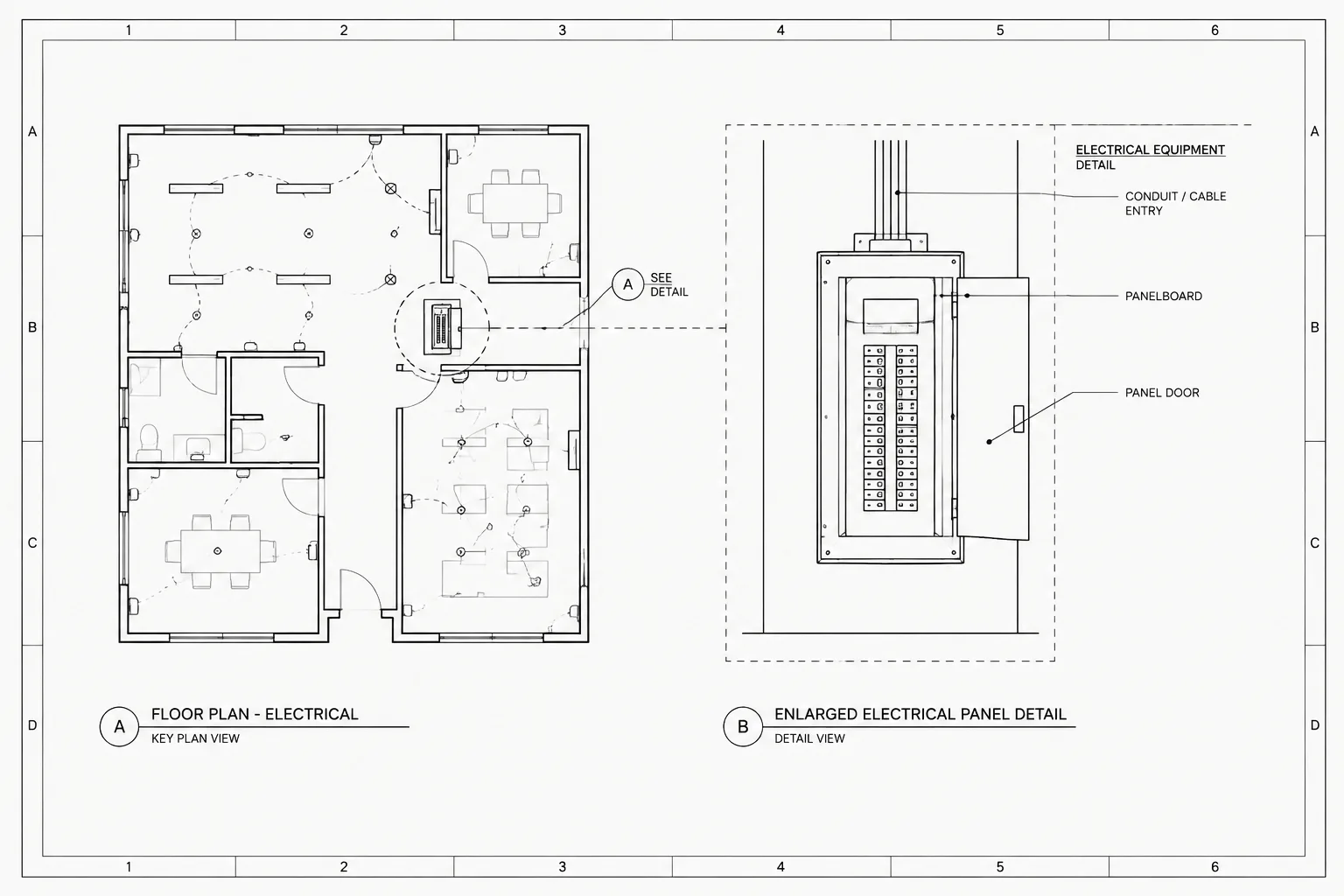
Electrical detail callouts in CAD create the navigation path between plan conditions and the supporting views that explain them. Their value depends on more than symbol appearance: the source marker, destination title, view identifier, and sheet reference must remain coordinated throughout drawing development.
This reference focuses on practical drafting decisions, including callout block structure, reference types, sheet organization, plotted readability, and quality-control methods. It is intended for users preparing or reviewing electrical drawing sets rather than for field installation work.
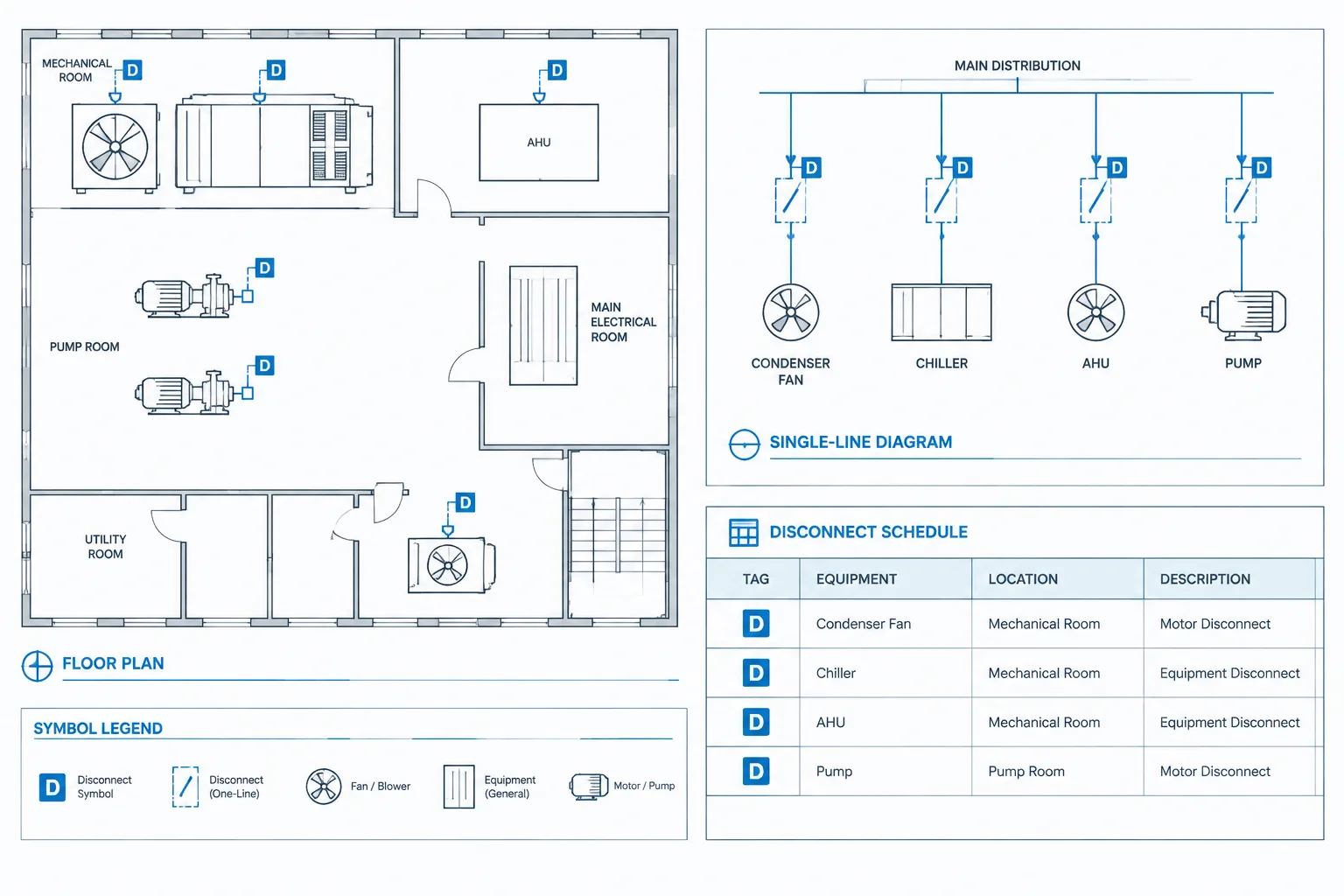
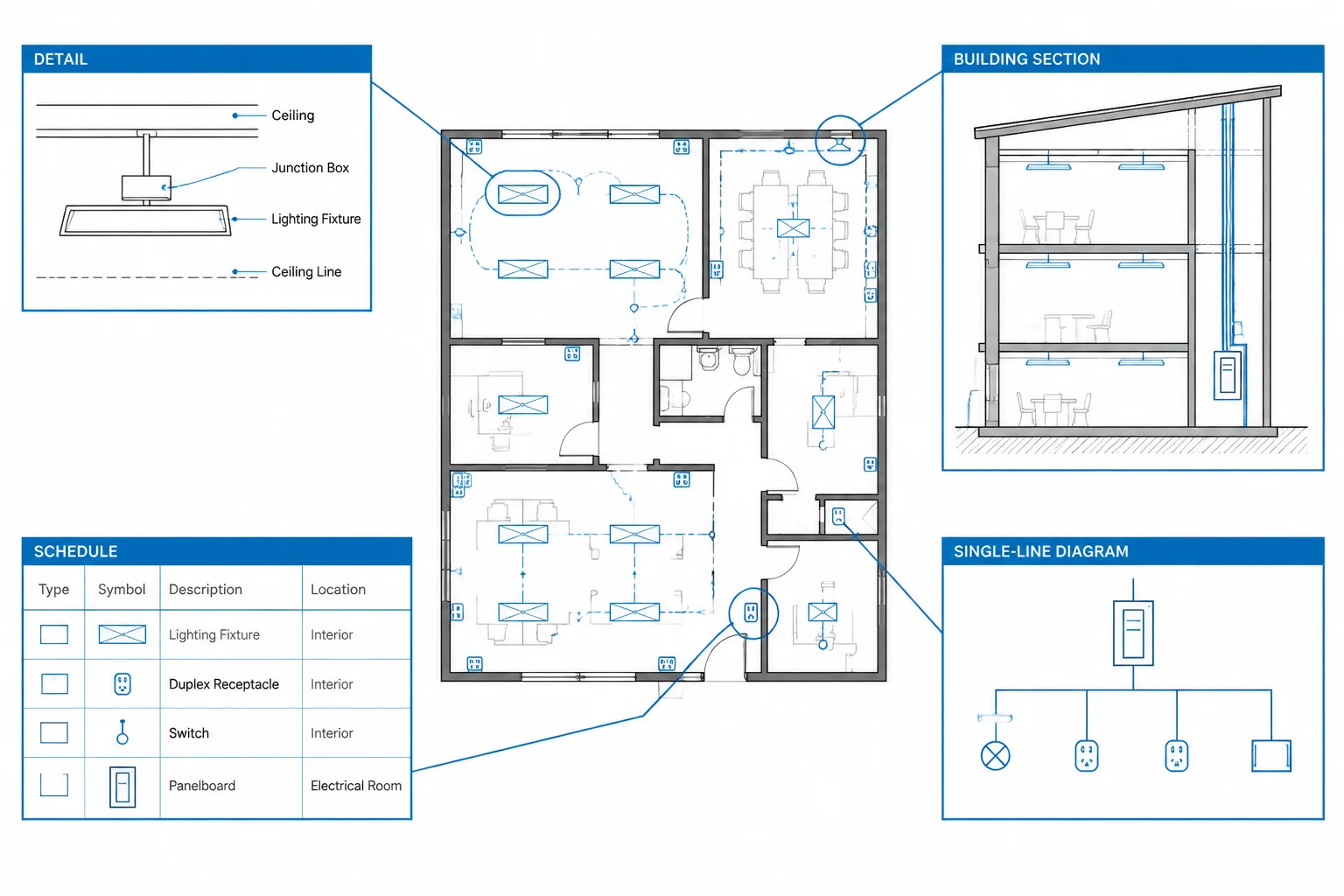
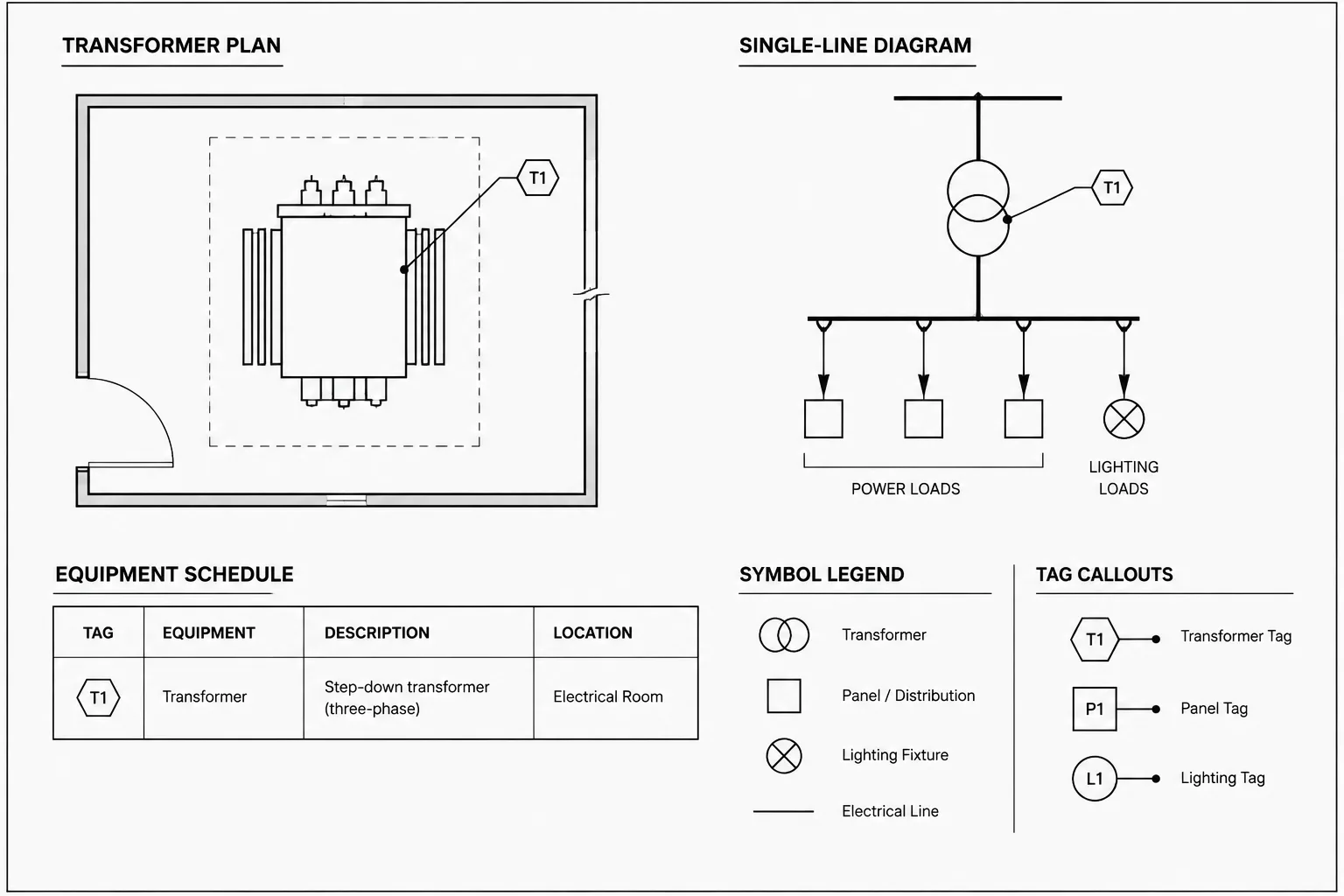
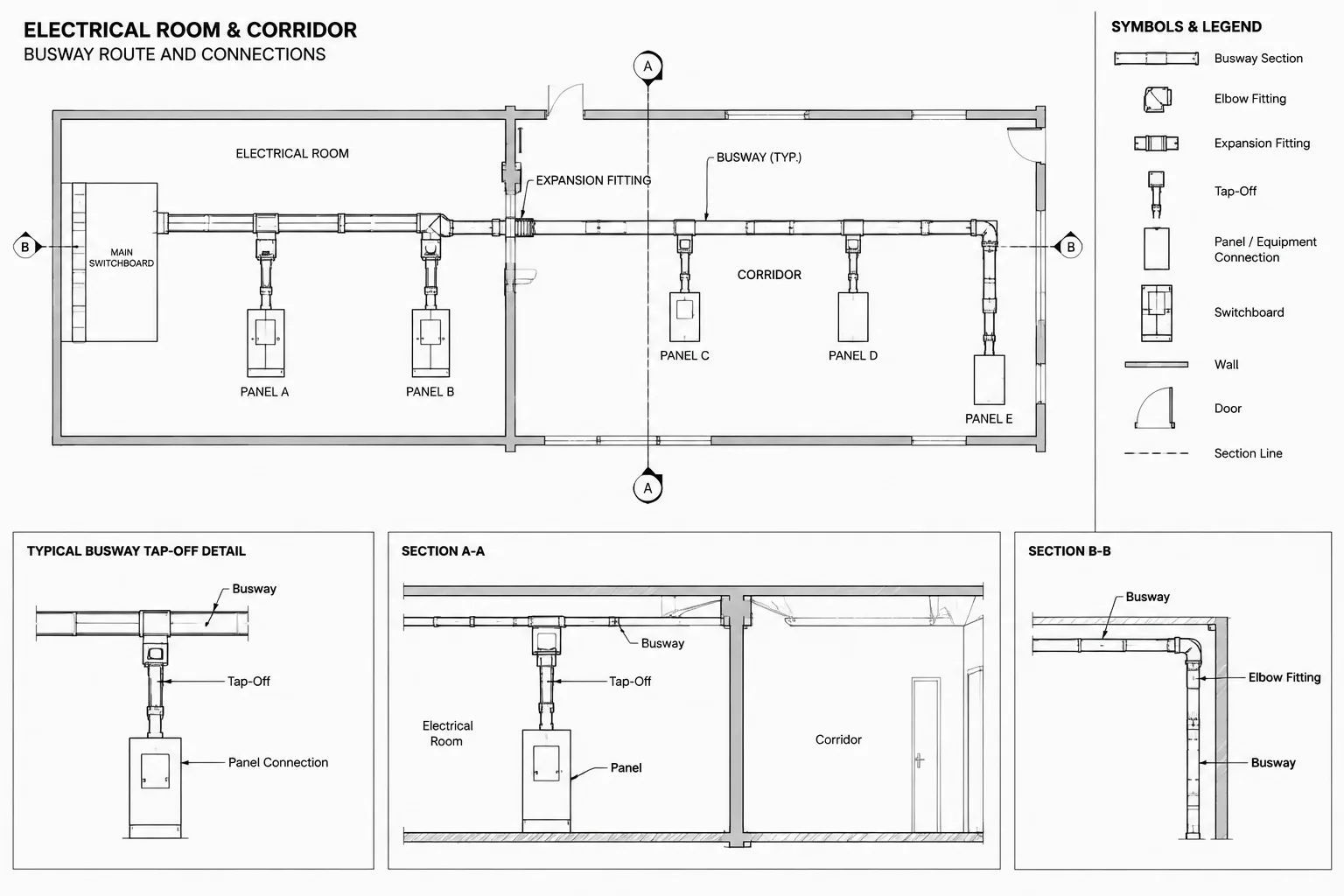
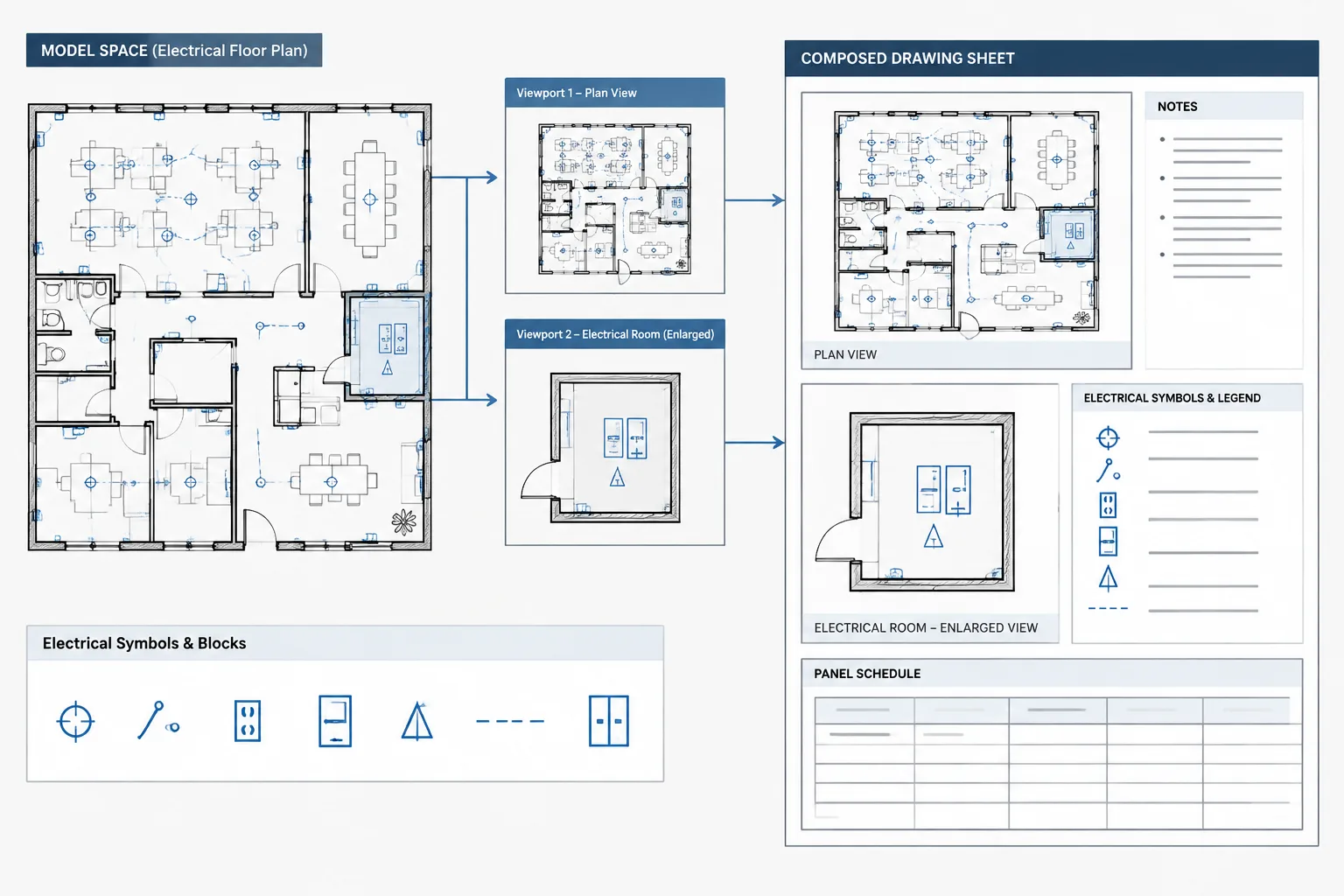
Electrical detail callouts connect a location on a plan to a larger or more explanatory drawing. They help readers move from a general electrical layout to an equipment connection detail, installation diagram, section, elevation, or enlarged view without searching through the entire drawing set.
A callout is more than a circle containing two identifiers. It is part of a reference system that must remain accurate as details move, sheets are renumbered, and project scope changes. A well-managed system makes the drawings easier to navigate. A poorly coordinated system can send readers to an empty grid, an obsolete detail, or a view that does not address the marked condition.
This guide explains how to draft and manage electrical detail callouts in CAD while keeping plans, detail sheets, titles, and revisions coordinated.
What an Electrical Detail Callout Communicates
A detail callout identifies a condition that is explained elsewhere. Depending on the drawing set, the reference may point to a detail on the same sheet, another electrical sheet, or a coordinated drawing prepared by another discipline.
A typical callout communicates some combination of:
- The detail, section, elevation, or enlarged-view identifier.
- The sheet on which the referenced view appears.
- The exact plan location or equipment associated with the view.
- The direction of view when orientation matters.
- The boundary of an enlarged area, if the reference applies to a region rather than a single point.
The graphic form can vary by office or client convention. The important requirement is consistency. Readers should be able to recognize the reference type and understand where to look next without interpreting a new symbol on every sheet.
Choose the Correct Reference Type
Not every supporting drawing should use the same callout. Selecting the reference type according to the information being shown makes the document set easier to follow.
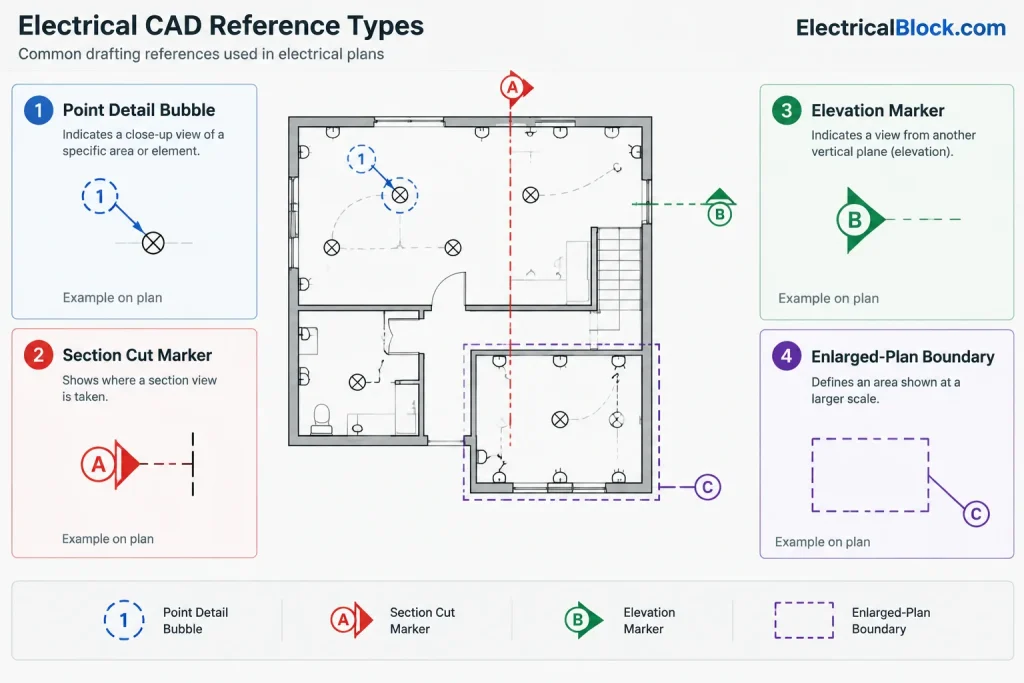
| Reference type | Typical electrical use | Key drafting feature |
|---|---|---|
| Detail reference | Equipment connections, mounting arrangements, raceway entries, or typical installation conditions | A leader or local marker identifies the applicable object or condition |
| Section reference | Vertical relationships, wall penetrations, equipment working areas, trenches, or pathway stacking | A cut line and view arrows define where the drawing is taken and which direction it faces |
| Elevation reference | Wall-mounted devices, control stations, electrical equipment faces, or coordinated device groupings | A directional marker identifies the surface being viewed |
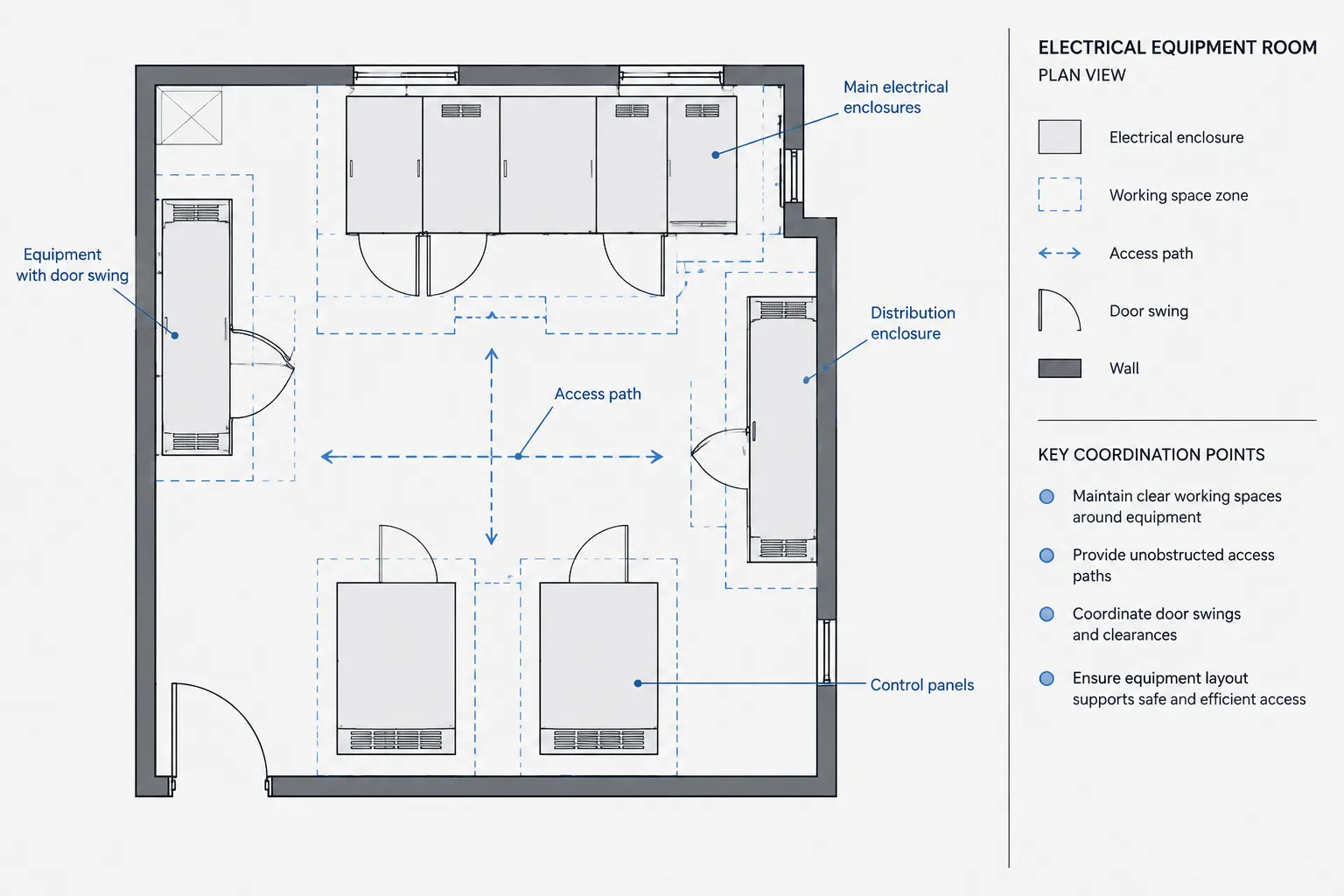
| Enlarged-plan reference | Electrical rooms, dense equipment areas, service spaces, or crowded ceiling zones | A closed or clearly defined boundary shows the extent of the enlarged view |
| Diagram reference | Control relationships, wiring intent, communication paths, or functional interfaces | A note or reference tag links the physical plan condition to a diagram rather than implying geographic scale |
A detail marker should not imply a section cut if no section exists. Likewise, an enlarged-plan boundary should not be replaced with an ambiguous leader when the reader needs to know the full extent of the enlarged area.
Build a Reliable Callout Block
A reusable CAD block can reduce formatting differences and make references easier to update. The block should support the office drawing convention without becoming so complicated that users avoid it.
Separate Geometry from Reference Data
Keep the bubble, divider, arrow, and other graphic elements as controlled block geometry. Store the detail identifier and destination sheet as attributes or another structured text method used by the project team. This separation prevents users from manually reconstructing the symbol and helps maintain text alignment.
Use an Intentional Insertion Point
The insertion point should match how the callout is placed. A point-reference bubble may use the center of the marker, while a section marker may need a logical point on the cut line. An enlarged-view block may require separate geometry for the view boundary and the identifying reference.
Test rotation and mirroring before releasing the block to a shared library. Text should remain readable, arrows should still indicate the intended direction, and attribute order should remain predictable.
Control Annotation Appearance
Callout text should visually relate to other references in the drawing set. Coordinate text style, plotted height, lineweight, masking, and spacing through the project template or CAD standard. Avoid local object overrides that make one callout look heavier or more prominent than comparable references.
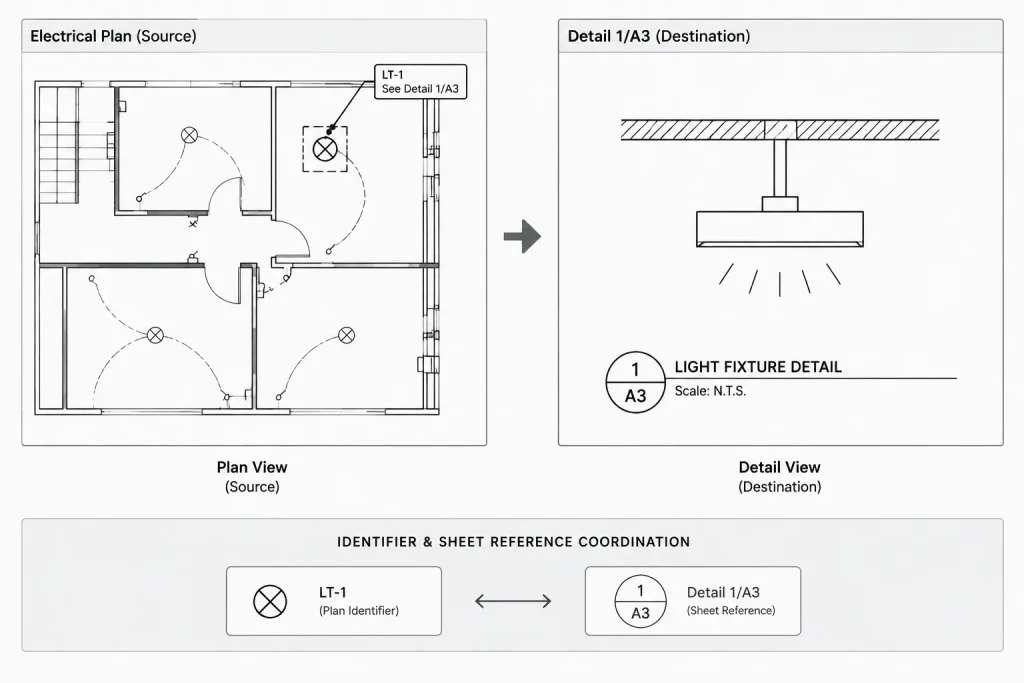
Coordinate the Source and Destination
Every callout has two ends: the source location and the destination view. Both must be checked.
- Source: The plan, diagram, elevation, or schedule location where the reference originates.
- Destination: The detail or view that explains the referenced condition.
At the source, verify that the marker points to the correct equipment, route, room, or assembly. At the destination, verify that the view title carries the same identifier and appears on the sheet named by the callout.
The destination view should also answer the question raised at the source. A technically correct sheet reference is not useful if the detail shows a different equipment arrangement or a generic condition that conflicts with the plan.
Use Bidirectional References When Helpful
A detail title can include a source reference when office practice supports it. This helps readers return to the originating plan and helps reviewers confirm where the detail applies. A detail used in many locations may instead be labeled as typical, with plan notes or callouts identifying each applicable location.
Do not label a detail as typical merely to avoid coordinating its references. Confirm that the represented condition is genuinely repeated and identify exceptions where the geometry, equipment, or scope differs.
Organize Detail Sheets for Stable Referencing
References are easier to maintain when detail sheets follow a deliberate layout. Reserve logical drawing zones, align detail titles, and avoid placing unrelated views wherever temporary space is available.
Before assigning final references, consider:
- Grouping related power, lighting, grounding, controls, and equipment details.
- Leaving space for expected project-specific views.
- Keeping a view and its title together.
- Avoiding arrangements that make title ownership ambiguous.
- Removing unused placeholders before issue.
A fixed sheet grid can support detail numbering, but it still requires review. Moving a view across a grid boundary may change its reference even if its title text was not edited. If detail identifiers are manually entered, sheet reorganization creates a high risk of stale callouts.
Keep Callouts Readable on Electrical Plans
Callouts compete with circuiting, equipment tags, room text, dimensions, and architectural background information. Place them where their association is clear without hiding design content.
- Keep the marker close enough to the referenced condition to avoid long, crossing leaders.
- Do not place bubbles directly over equipment symbols or critical connection points.
- Use consistent leader landing points and arrowhead treatment.
- Prevent view boundaries from being mistaken for walls, raceways, or circuit lines.
- Use background masks carefully so they improve legibility without concealing relevant geometry.
- Check the plotted sheet, not only the model-space display.
If several references apply to the same area, organize them as a deliberate group or use separate markers with clear targets. Stacking unrelated bubbles without distinct leaders may save space but can obscure which detail applies to which condition.
Manage Same-Sheet and Cross-Sheet References
A same-sheet detail may not need the same destination notation as a cross-sheet reference, depending on the project convention. However, the system should remain unambiguous after sheets are printed separately or viewed as individual files.
Cross-sheet references require additional coordination because sheet numbers can change during drawing-set development. Avoid typing destination information into loose text beside a block when it can be stored within the callout object. Keeping the reference together reduces the chance that the bubble moves while its sheet designation remains behind.
References to another discipline should use that discipline’s confirmed sheet and view identifiers. Do not guess a future designation. If the destination has not been established, track the reference as an unresolved coordination item rather than presenting a placeholder as final information.
Revision and Quality-Control Workflow
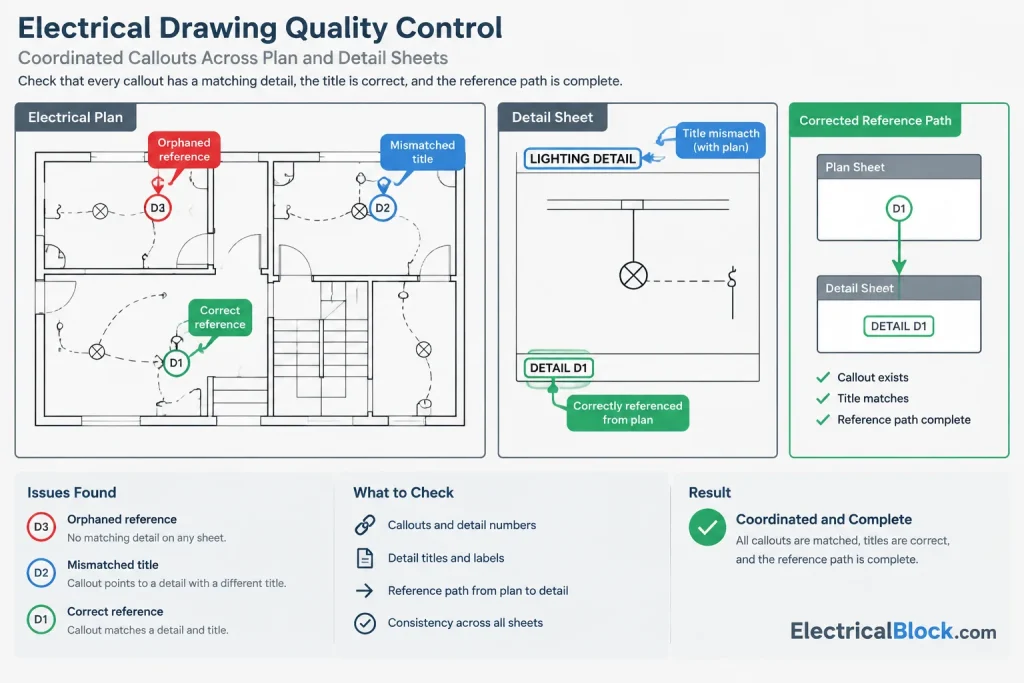
Callout checks should be part of every drawing issue review, especially after sheet additions, detail relocation, or title-block renumbering.
- Extract or list references. Create a review list of source sheet, detail identifier, and destination sheet where the CAD workflow allows it.
- Open every destination. Confirm that the referenced view exists and carries the matching title.
- Review applicability. Verify that the detail actually describes the marked condition.
- Find unreferenced views. Determine whether each project-specific detail has a source callout or another clear reason for inclusion.
- Find orphaned callouts. Search for markers pointing to deleted, relocated, or renumbered views.
- Check plotted readability. Review bubbles, leaders, boundaries, and titles at the intended sheet output.
- Coordinate revisions. When a detail changes, identify every location where it is referenced and verify that the revised content remains applicable.
Automated extraction can help identify mismatched identifiers, but it cannot determine whether a detail is technically relevant to a particular location. Effective quality control combines structured CAD data with visual and design review.
A Practical Drafting Standard for Detail References
A project-specific callout standard should define the approved marker types, attribute fields, layer assignments, text appearance, leader behavior, view-title format, and rules for same-sheet and cross-sheet references. It should also explain how typical details, multiple-source details, and references to other disciplines are handled.
The goal is not to create the most elaborate block. The goal is to establish a reference system that remains understandable after sheets are rearranged and drawings pass between team members. Clear source markers, coordinated destination titles, and a repeatable review process turn electrical detail callouts into dependable navigation tools rather than decorative annotations.
Callout Coordination as a Drawing-Set Workflow
Callout management works best when responsibility for the reference data is clear. The person relocating a detail should know which source markers may be affected, while the person editing a plan should confirm that the destination still represents the marked condition. Treating references as shared drawing data helps prevent isolated edits from creating broken navigation paths.
During Drawing Development
- Use the approved callout block rather than recreating bubbles, dividers, or arrows with loose objects.
- Enter identifiers in structured fields when the CAD environment supports them.
- Mark unresolved destinations as coordination items instead of guessing sheet or view designations.
- Confirm that leaders, view arrows, and enlargement boundaries identify the intended location without covering essential plan information.
Before a Drawing Issue
- Compare every source marker with its destination title.
- Review details that moved between sheets or drawing zones.
- Check whether typical details still apply to every referenced condition.
- Look for destination views that lack a clear source or documented purpose.
- Inspect plotted output for text clipping, masking conflicts, weak linework, and ambiguous leader targets.
After Revisions
A revision to a destination detail can affect several plan locations even when no callout identifier changes. Review both reference accuracy and technical applicability. A marker can point to the correct sheet and title while still leading to a detail that no longer matches the equipment, orientation, or surrounding layout.
Callouts, Keynotes, and Equipment Tags Serve Different Roles
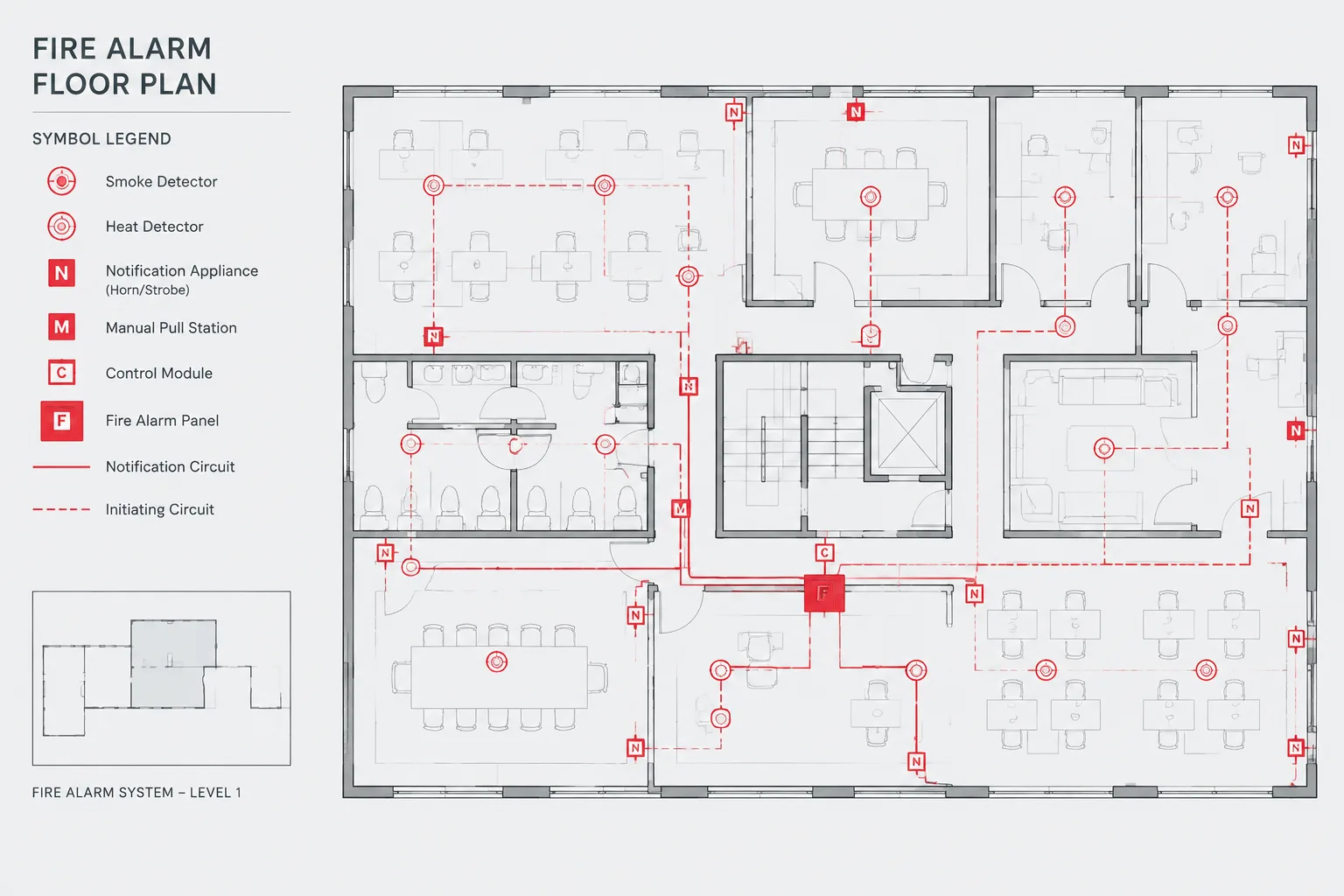
A detail callout directs the reader to another drawing view. A keynote directs the reader to explanatory text, and an equipment tag identifies an object that may connect to schedules, diagrams, or specifications. Keeping these annotation roles distinct makes navigation more predictable and reduces the chance that readers interpret a note reference as a detail destination.
When one condition needs several forms of documentation, place each annotation deliberately. The callout should identify the supporting view, while tags and notes should retain their own established relationships. Avoid combining unrelated identifiers into an improvised symbol unless the project drafting standard clearly defines how it is read.
Frequently Asked Questions
What information belongs in an electrical detail callout?
The callout should provide the identifiers needed to find the destination view and should clearly indicate the plan object, area, or condition to which that view applies. Direction arrows or enlargement boundaries may also be necessary when orientation or coverage is important.
Should callout text be part of the block geometry?
The visible identifier and sheet reference are generally easier to coordinate when stored as attributes or other structured text rather than drawn as fixed geometry. The bubble, divider, arrows, and similar graphic elements can remain controlled block geometry.
Does using an external reference automatically keep callouts coordinated?
No. External references can support file coordination, but they do not by themselves confirm that a source marker matches a destination title or that the referenced detail applies to the condition. Reference data and drawing content still require review.
How should a callout be handled when the destination is not finalized?
Track it as an unresolved coordination item. Avoid presenting an assumed sheet or view identifier as final, especially when another discipline controls the destination.
What is an orphaned callout?
An orphaned callout points to a view that was deleted, moved, renumbered, or otherwise made unavailable. Similar problems occur when a destination detail remains on a sheet but no longer has a valid source reference.
Can the same detail be referenced from several plan locations?
Yes, when the destination accurately represents each marked condition. Review variations in equipment, geometry, orientation, and scope before treating a detail as typical across multiple locations.
Leave a Reply
You must be logged in to post a comment.