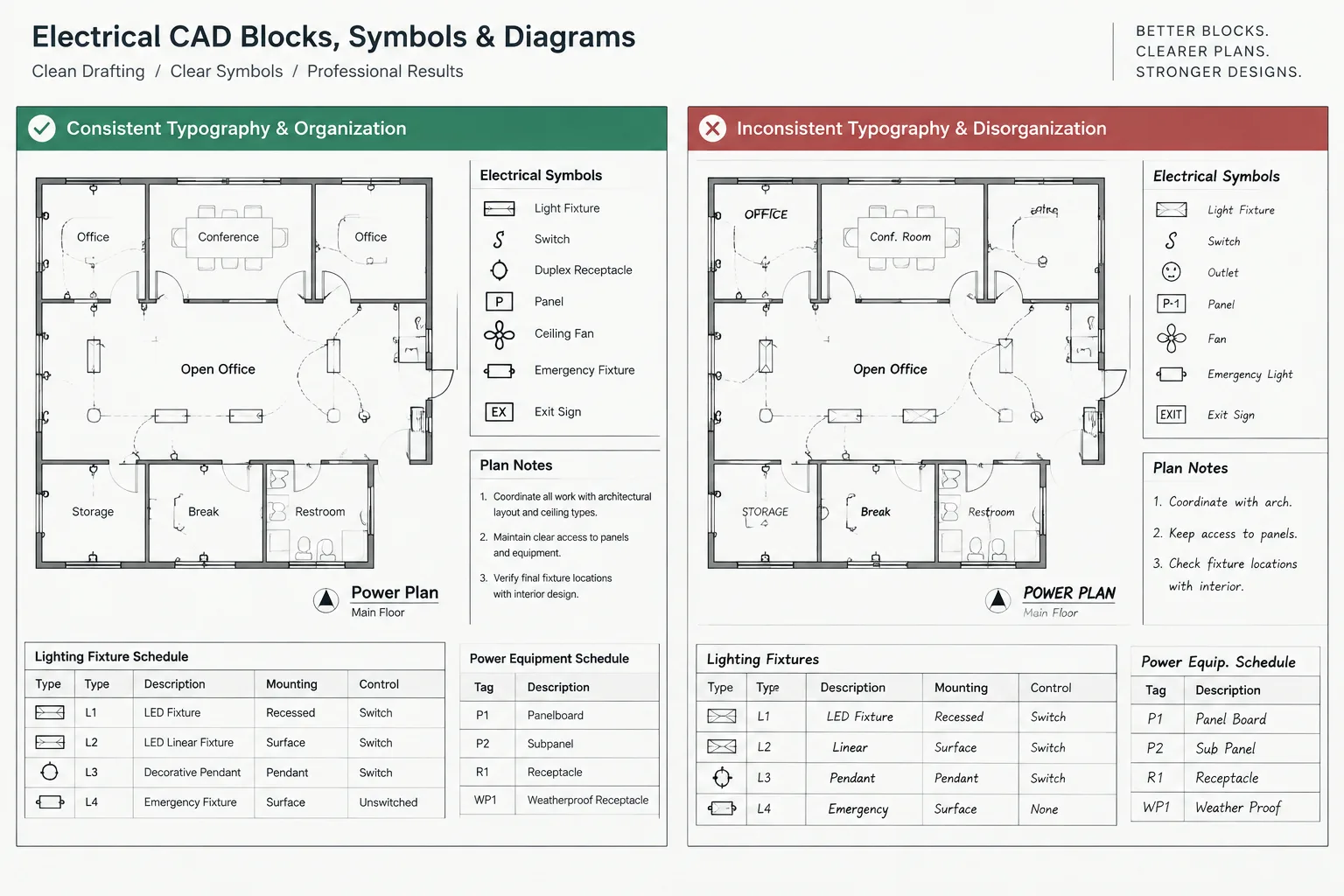
Electrical CAD text must remain understandable across plans, diagrams, schedules, plotted sheets, and exchanged files. A reliable text system therefore depends on more than choosing a visually appealing font. Style definitions, object overrides, annotation behavior, block attributes, and publishing settings all influence the final result.
This guide explains how to organize electrical CAD text styles and fonts for consistent editing and dependable handoff. It also identifies common points of failure, including imported formatting, missing font dependencies, inconsistent attribute definitions, and differences between the drawing display and published output.
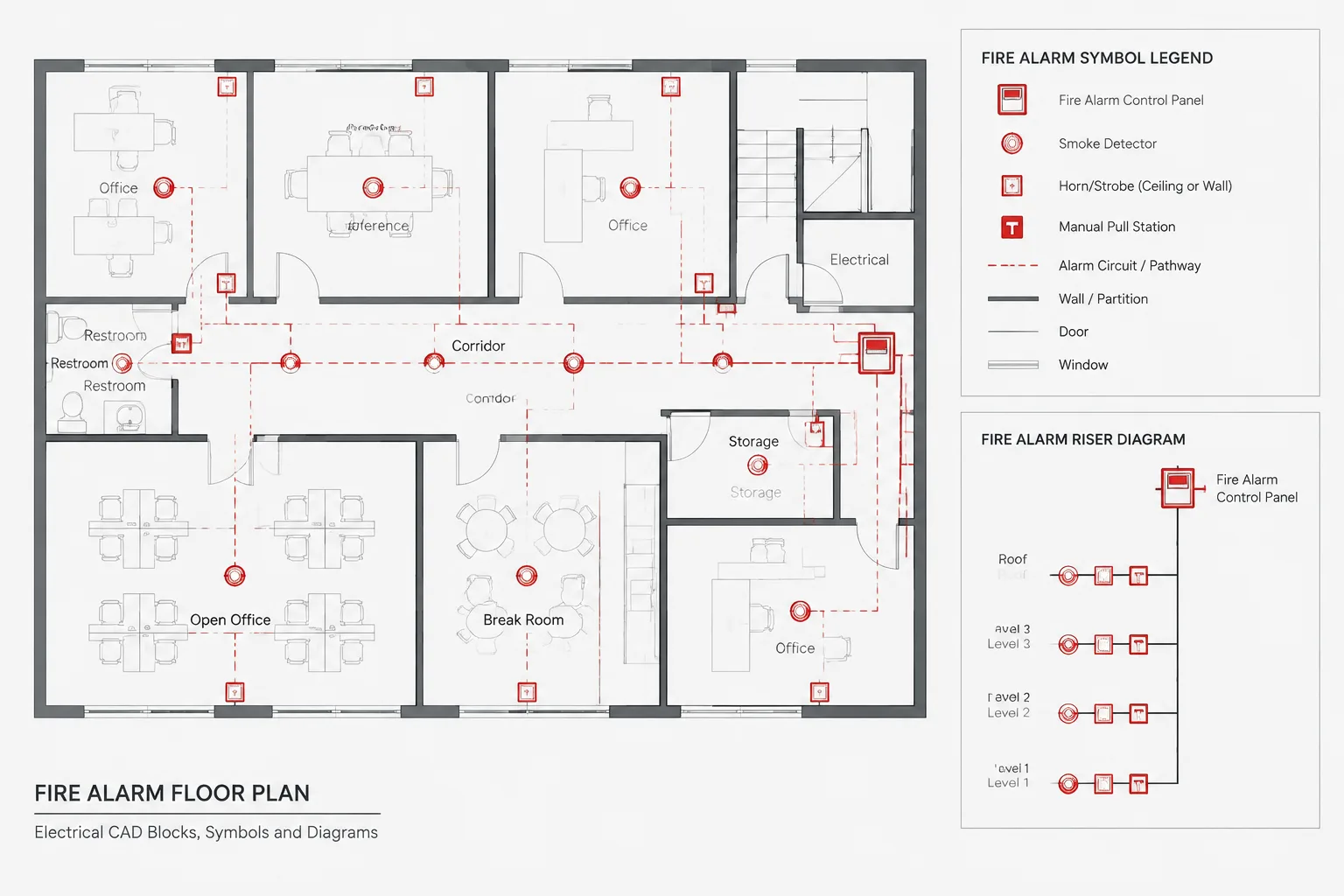
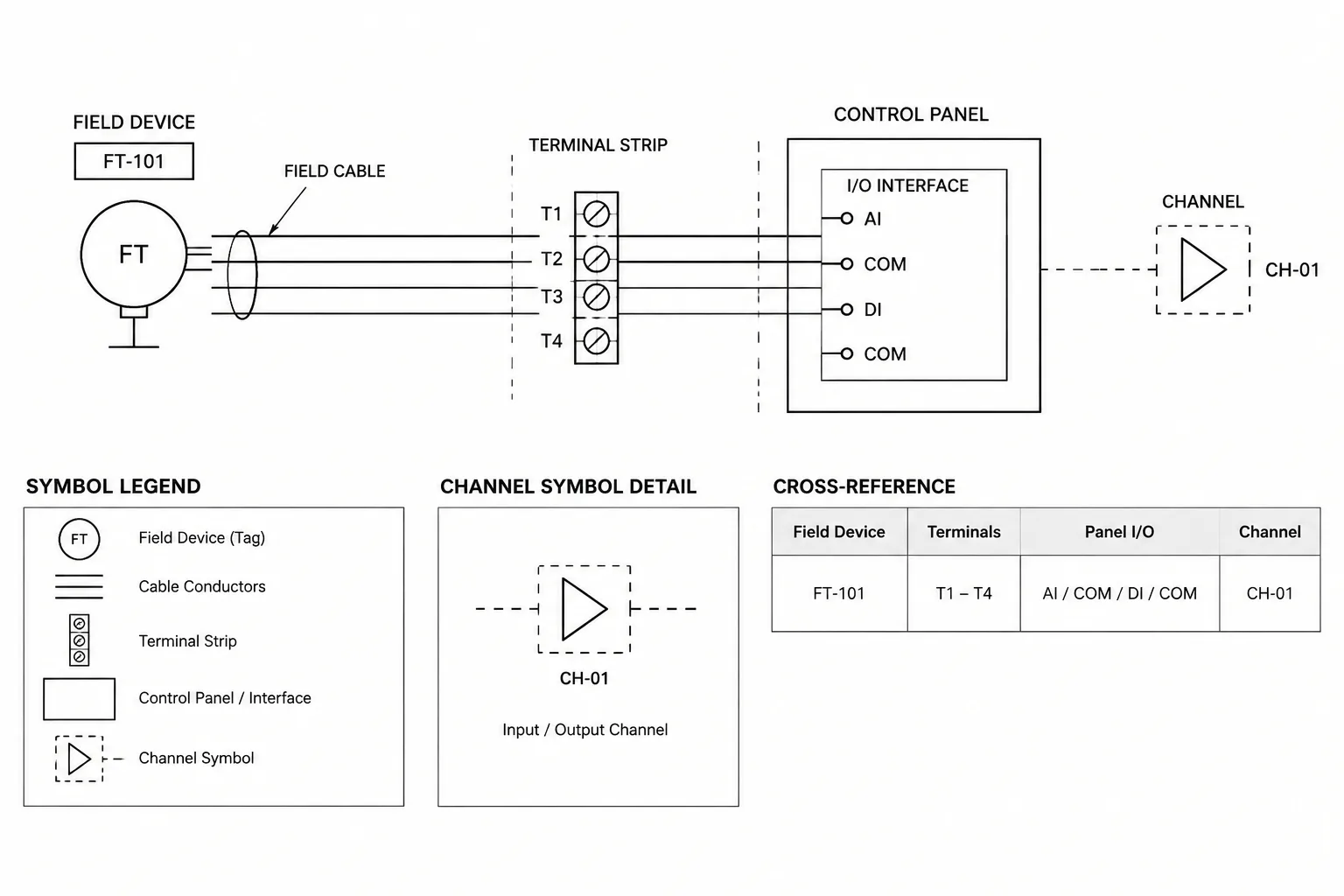
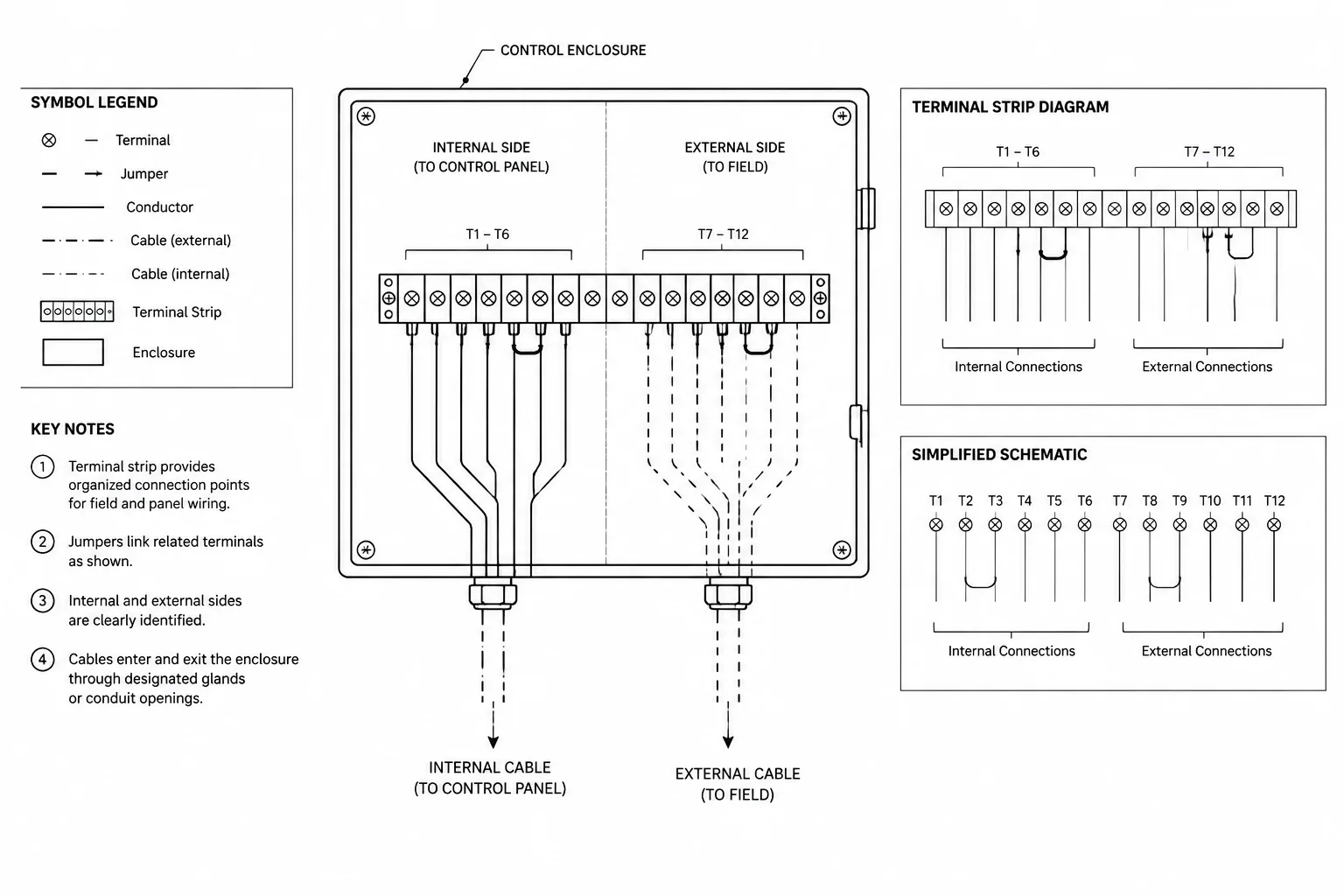
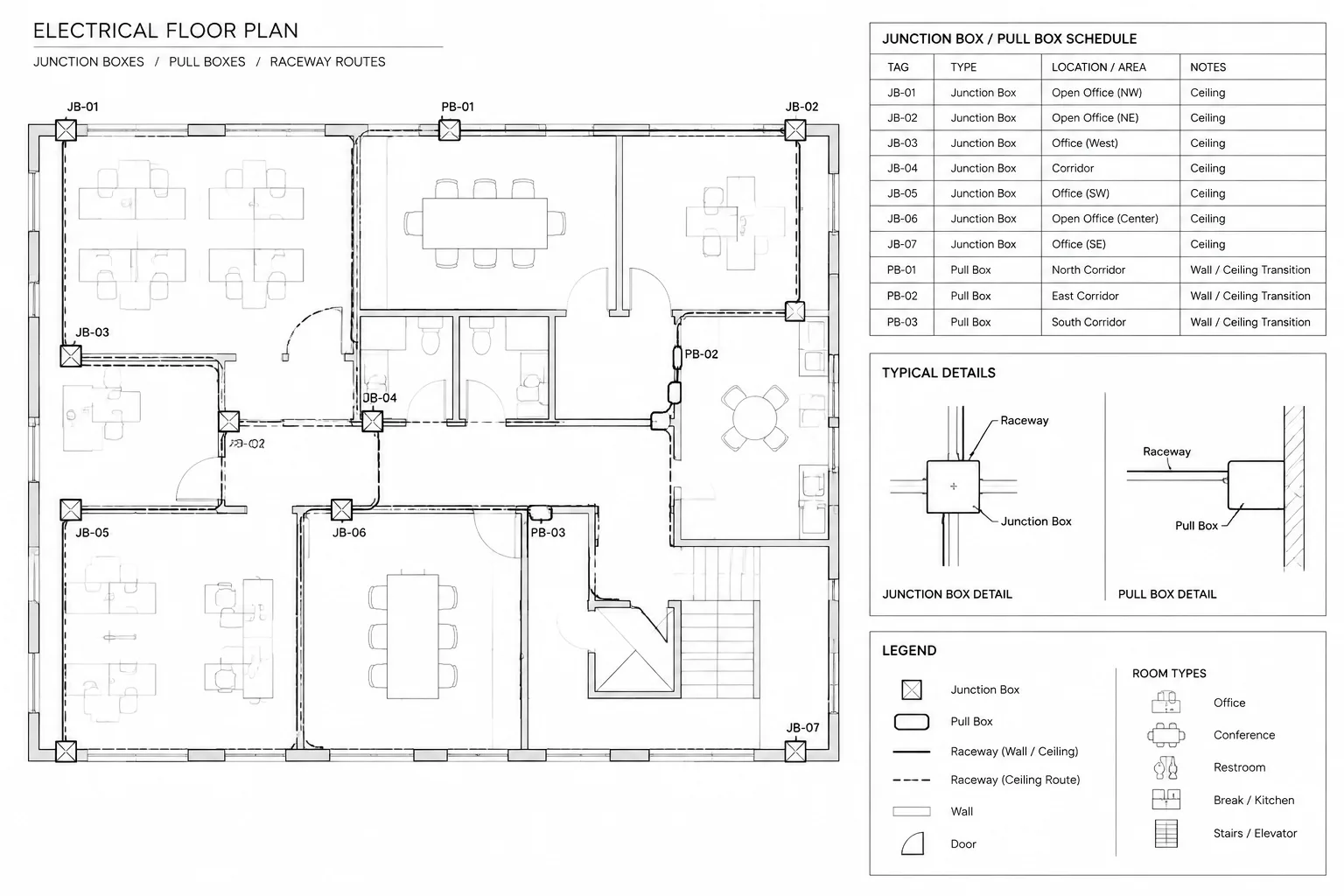
Text is one of the most important coordination tools in an electrical drawing. Symbols may identify devices, but text communicates circuit references, equipment tags, mounting notes, feeder labels, keynote numbers, drawing titles, and design intent. If text styles are inconsistent or dependent on unavailable font files, an otherwise accurate CAD drawing can become difficult to read, edit, exchange, or plot.
A practical electrical CAD text system does more than make notes look uniform. It establishes a visual hierarchy, supports reliable file handoff, and helps reviewers distinguish primary information from supporting annotation. The goal is not to use as many styles as possible. It is to create a small, controlled set of styles with clear purposes.
What an Electrical CAD Text Style Controls
A text style is a named collection of settings used by text and, depending on the CAD workflow, related annotation objects. Typical settings include the font file, character width, oblique angle, and whether the style has a fixed model-space height.
Text appearance may also be affected by properties outside the style itself, including:
- Object height or annotation scale
- Layer color and plotted lineweight
- Text justification and alignment
- Paper-space viewport scale
- Multiline text formatting overrides
- Dimension, leader, and table styles
- Plot settings and PDF font handling
This distinction matters during troubleshooting. A note that looks different from nearby notes may use the correct named style but contain a local formatting override. Changing the style definition will not necessarily remove that override.
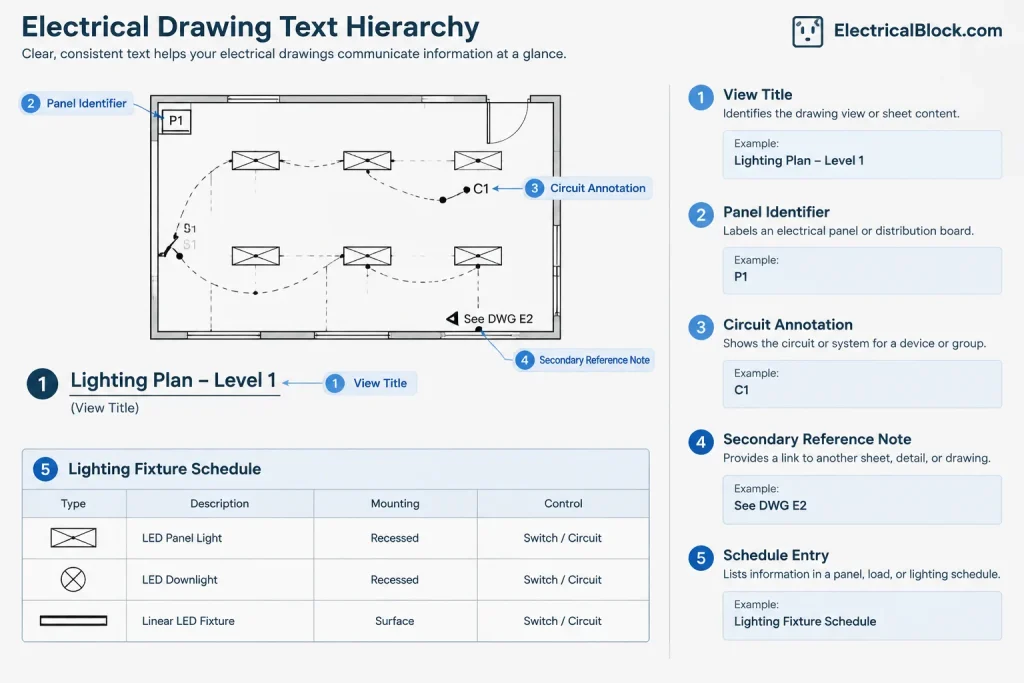
Create a Clear Text Hierarchy
Electrical drawings contain several levels of information. Giving every note the same visual emphasis makes a sheet harder to scan. A controlled hierarchy allows the reader to recognize titles, device identifiers, general notes, and secondary references without studying each item individually.
| Text role | Typical electrical use | Drafting objective |
|---|---|---|
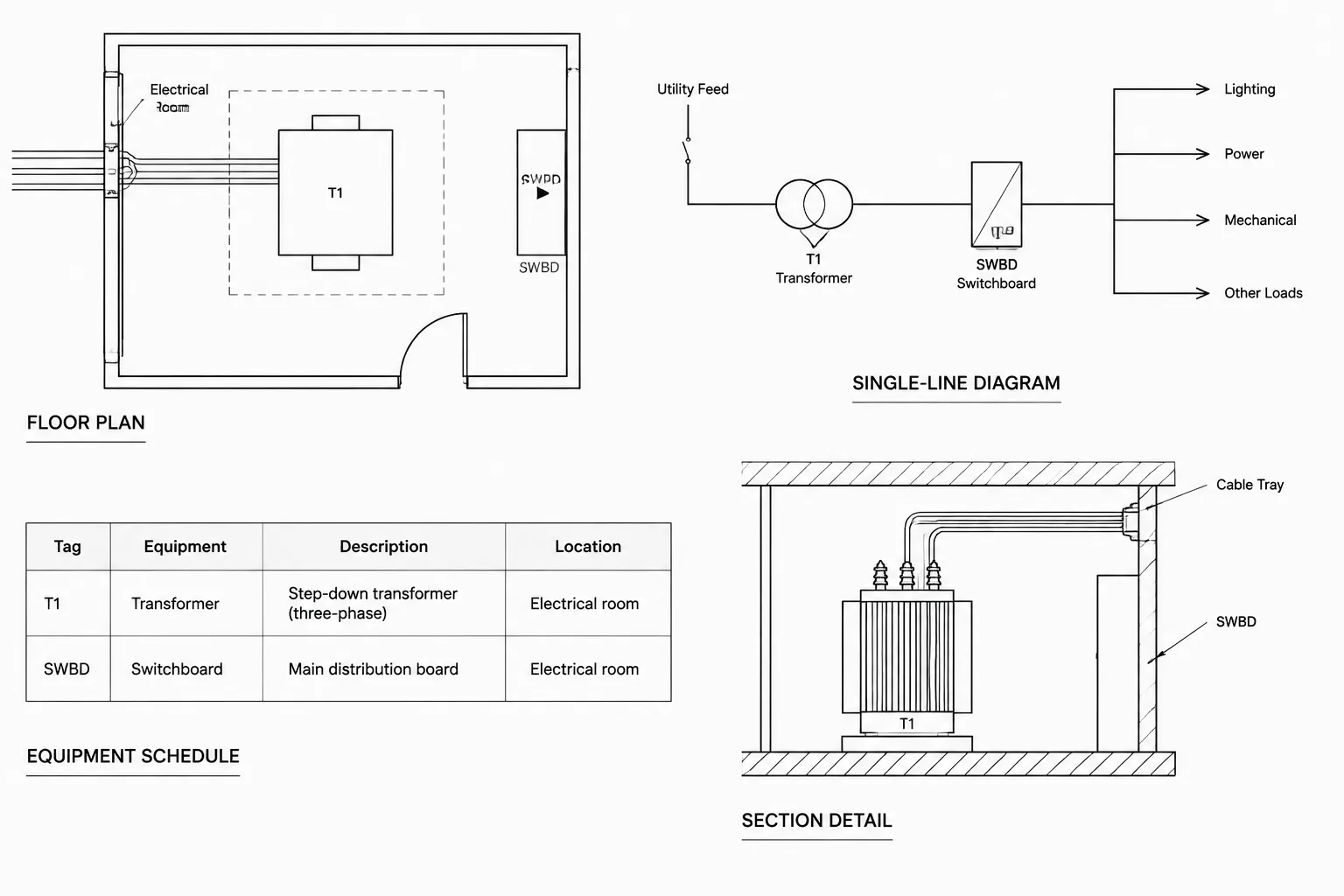
| Sheet or view title | Power plan, lighting plan, riser diagram, enlarged electrical room plan | Provide strong orientation without competing with the title block |
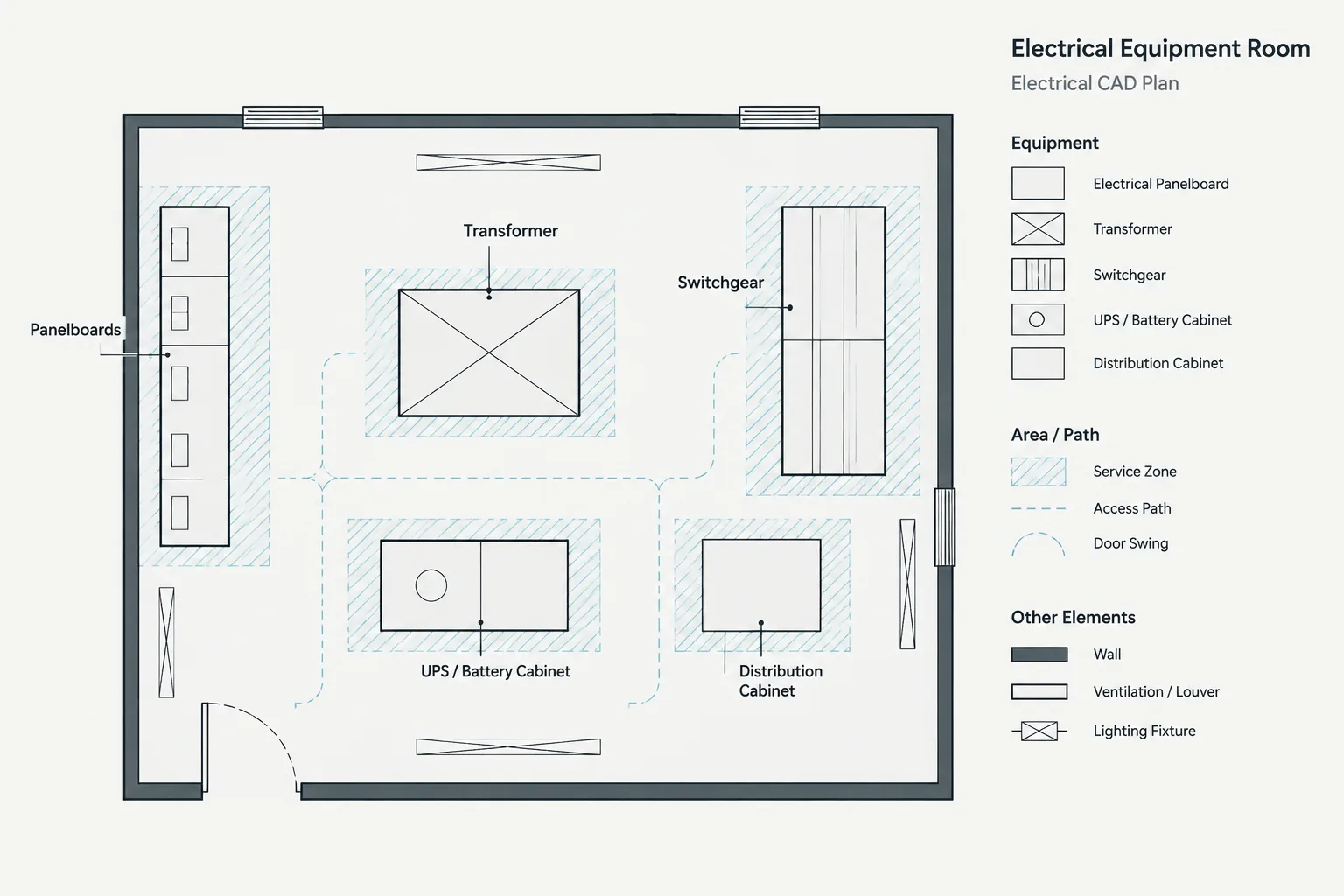
| Primary identifier | Panel name, transformer tag, switchboard tag, equipment designation | Remain easy to find near the associated symbol or outline |
| Standard annotation | Keynotes, circuit references, mounting notes, connection descriptions | Stay readable while allowing dense plan coordination |
| Secondary reference | Continuation note, detail reference, existing-condition qualifier | Support interpretation without overpowering primary information |
| Schedule text | Panel, feeder, fixture, equipment, or cable schedule entries | Fit consistently within rows and columns |
The exact plotted height and graphic treatment should follow the project’s CAD standards and intended sheet output. Avoid selecting model-space values by appearance alone because viewport scale, annotation settings, and plot configuration can change the result.
Use a Limited and Purposeful Style Set
A drawing does not need a separate text style for every plan type. Lighting, power, and systems plans can often share the same core annotation styles while using layers and object properties to distinguish disciplines or content.
A manageable style system might separate normal annotation, emphasized labels, titles, and specialized schedule text. Names should describe purpose rather than a particular person, date, or temporary project condition. Purpose-based names make the file easier to understand when it is transferred to another drafter.
Before adding a style, ask:
- Does an existing project style already serve this purpose?
- Is the desired difference actually a height, layer, or color change?
- Will the new style remain useful on more than one sheet?
- Does it require a font that recipients may not have?
- Can a reviewer understand the style name without opening its settings?
Near-duplicate styles commonly enter drawings through copied details, imported consultant files, and manufacturer backgrounds. Consolidate them carefully. Two styles that look similar may serve different annotation workflows, so inspect their use before replacing or deleting either one.
Choose Fonts with File Exchange in Mind
CAD drawings commonly use shape-based fonts or operating-system fonts. Each approach can work, but the project team should consider portability, plot appearance, character coverage, and downstream editing.
Shape-based CAD fonts
Shape-based fonts are widely used in technical drafting because they can produce a simple plotted appearance and are often familiar to CAD users. However, the receiving team must have the required font file or an acceptable substitution. A substituted font may change character spacing, note wrapping, or schedule alignment.
Operating-system fonts
Operating-system fonts can provide broader character sets and a familiar document-style appearance. Their availability still varies between computers, and licensing or embedding behavior can affect file exchange and PDF output. A common font on one workstation should not automatically be treated as universal.
Whichever font category is selected, use it consistently and include required support files through the project’s approved handoff process. Do not rename an unrelated font file to imitate a missing font. That can conceal the dependency while producing misleading output.
Coordinate Text Styles with Leaders, Tables, and Dimensions
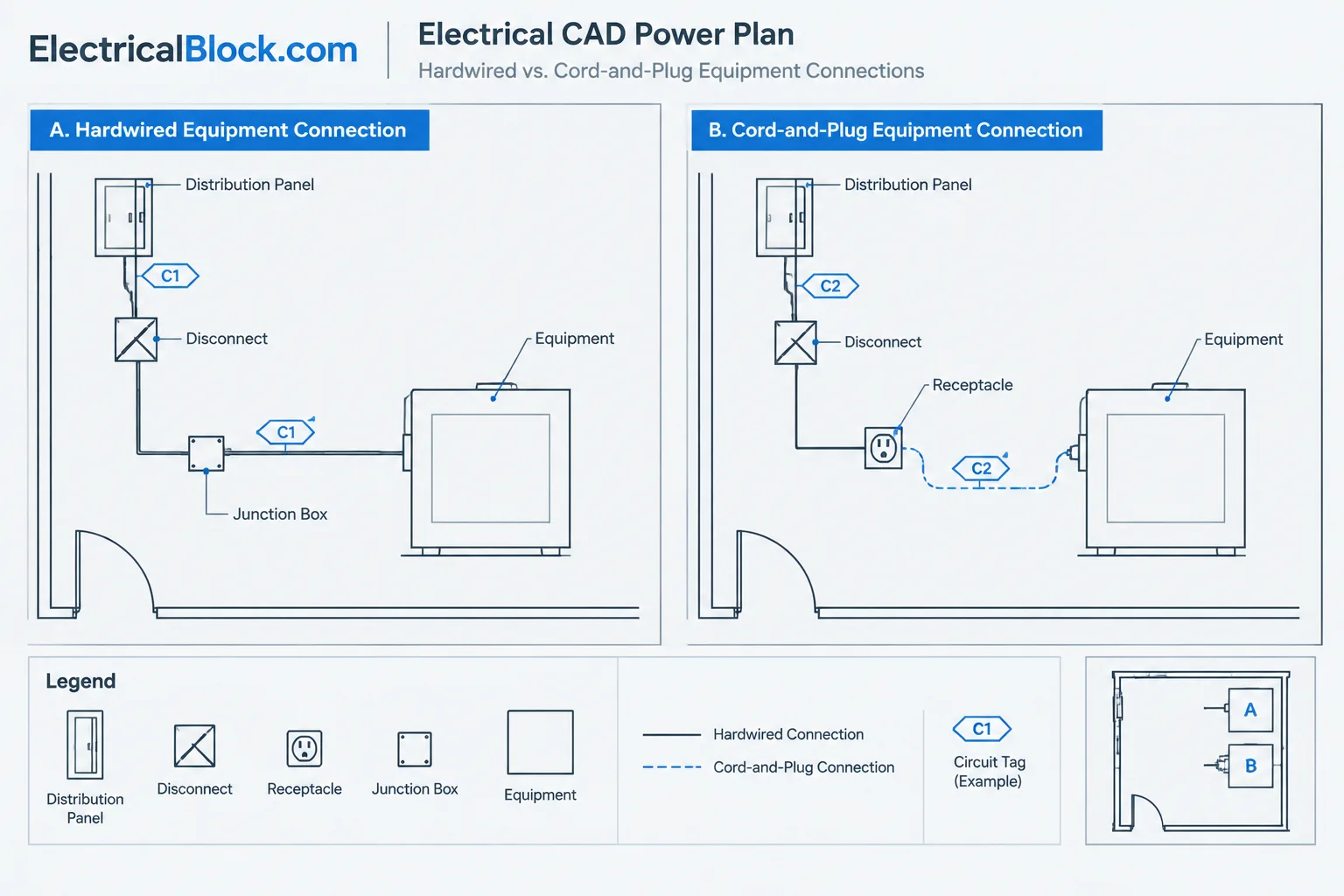
Electrical annotation is not limited to single-line or multiline text. Equipment callouts may use multileaders, schedules may use table objects, and site or equipment layouts may include dimensions. These objects often reference their own styles, which may then reference a text style.
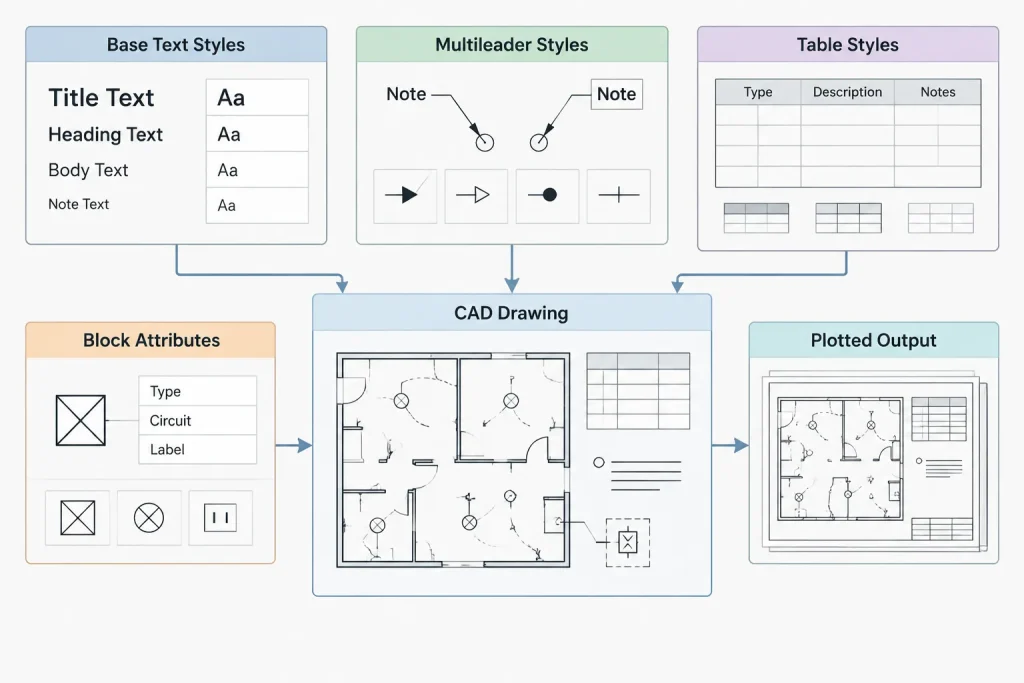
For example, changing a base text style may update some notes while leaving leader or table text unchanged because those objects contain overrides or use another assigned style. Treat the annotation system as a group of connected settings:
- Base text styles
- Leader and multileader styles
- Table styles
- Dimension styles
- Block attributes
- Layers and plotted properties
Document which styles are intended for normal project use. This reduces accidental mixing when drafters create new tags, notes, or schedules.
Control Local Formatting Overrides
Multiline text can contain individual font, height, width, color, or emphasis changes within one object. This is useful for limited emphasis, but excessive local formatting makes global updates difficult. A note may appear correct while no longer responding predictably to its assigned style.
Use local formatting only when it communicates a real distinction. Examples might include a clearly emphasized heading within a general-note block or a deliberate symbol within a note. Avoid using manual formatting to repair every isolated appearance problem. If many objects need the same correction, revise the governing style or workflow instead.
Copied content deserves particular attention. Pasting formatted text from office documents or external drawings can introduce unexpected fonts and embedded formatting. After import, inspect the result as a CAD object rather than assuming that its visible appearance reflects the project standard.
Keep Equipment Tags and Block Attributes Consistent
Many electrical CAD blocks use attributes for device tags, panel names, circuit references, or equipment identifiers. Attribute definitions should point to controlled text styles and use deliberate justification. Consistent alignment helps a tag remain stable when a short identifier is replaced by a longer one.
When auditing attributed blocks, check whether:
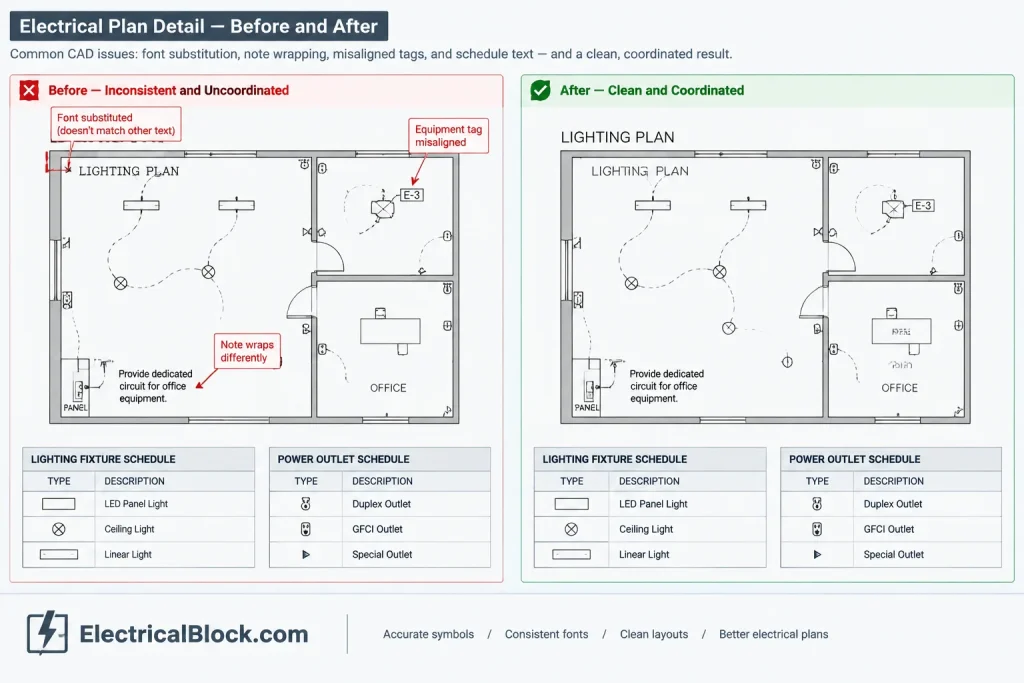
- Attribute text uses the intended project style
- Tag orientation remains readable after block rotation or mirroring
- Default values are placeholders rather than misleading project data
- Invisible attributes are intentionally hidden
- Multiline attributes wrap without overlapping the symbol
- Extracted values match the visible annotation
Updating a block definition may not automatically correct every existing attribute reference. Include placed blocks in the quality-control review rather than checking only the source block.
Test the Plotted and Exported Result
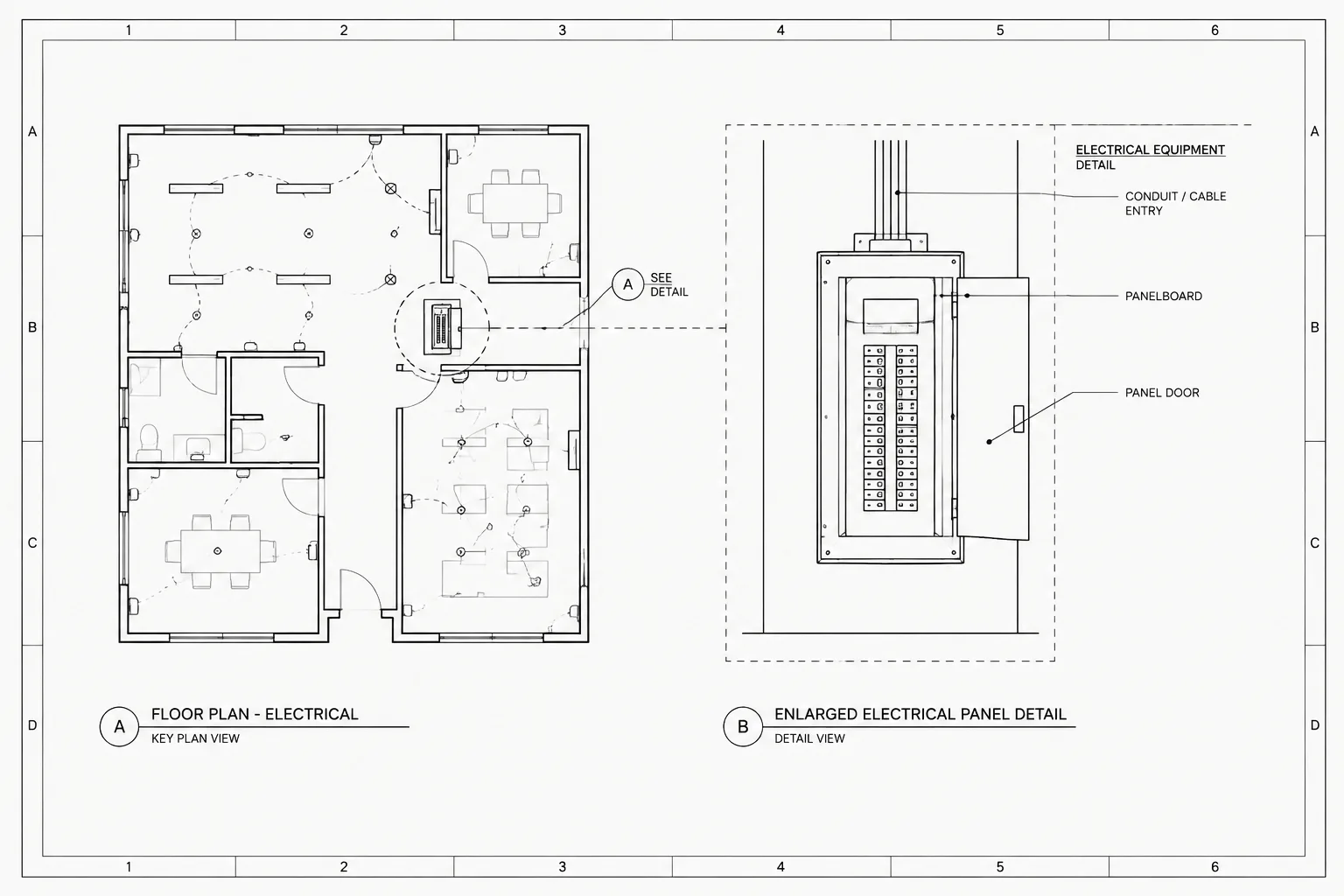
Text that looks acceptable on a high-resolution monitor may not be clear in a printed set or exported PDF. Review representative sheets at the intended output size. Include a dense plan, a schedule-heavy sheet, a single-line diagram, and a detail sheet if the project contains them.
During the test, look for:
- Text that becomes too light or visually merges with background geometry
- Unexpected line wrapping caused by font substitution
- Tags clipped by masks, viewports, or schedule cells
- Special characters that display incorrectly
- Notes that are readable only at excessive zoom
- Text converted into geometry when searchable output was expected
- Inconsistent emphasis between model-space and paper-space annotation
PDF searchability can be helpful during review, but it depends on the font, export method, and treatment of text by the publishing workflow. Confirm the actual deliverable instead of assuming that all visible CAD text will remain searchable.
Text-Style Quality-Control Checklist
Before issuing or handing off an electrical CAD set, perform a focused text review:
- List the text styles in the file and identify unexpected additions.
- Check for missing-font or substitution warnings.
- Compare plan notes, titles, tags, schedules, and diagram labels.
- Inspect multiline text for unnecessary local overrides.
- Confirm that leader, table, dimension, and attribute styles use the intended fonts.
- Review rotated text and annotation inside mirrored blocks.
- Plot or export representative sheets and inspect actual output.
- Package required support files using the project’s approved delivery procedure.
- Do not remove a style until confirming that it is unused by visible and nested objects.
A Maintainable Text System Supports the Entire Drawing Set
Good electrical CAD text styles are intentionally unremarkable: they remain readable, predictable, and consistent from sheet to sheet. Their value becomes most apparent during revisions, file exchange, plotting, and coordination with other disciplines.
Start with a limited style set, assign each style a clear purpose, and coordinate it with leaders, tables, dimensions, and block attributes. Then verify the output rather than relying only on the model-space display. This approach produces electrical drawings that are easier to navigate, revise, review, and hand off without making unsupported assumptions about project-specific drafting requirements.
Apply Text Standards Through the Drawing Lifecycle
Text quality is easier to maintain when it is reviewed at several stages rather than corrected only before issue. Begin with an approved template or reference file, inspect incoming content before incorporating it, and verify representative output after publishing. This separates template problems from imported-object problems and export-related problems.
Template review
Confirm that each approved style has a documented purpose and that related leader, table, dimension, and attribute settings reference the intended text resources. Purpose-based naming helps users select a style without relying on visual trial and error.
Content intake review
Copied details, consultant backgrounds, and manufacturer drawings can introduce styles that appear identical but depend on different fonts or contain different behavior. Preserve the incoming information while determining whether its annotation should remain isolated, be mapped to an approved style, or be rebuilt under the project workflow.
Sheet coordination review
Check annotation in context rather than reviewing isolated text samples. A label that is readable by itself may conflict with a symbol, mask, leader, boundary, or dense background when placed on the sheet. Review equipment tags, circuit references, keynotes, diagram labels, and schedule entries alongside the geometry they describe.
Handoff review
A clean drawing is not automatically a portable drawing. Before transfer, identify external font dependencies, confirm that recipients can use the approved support package, and inspect the delivered drawing and published document independently. The editable file and the plotted output serve different purposes and can fail in different ways.
Distinguish Visual Consistency from Structural Consistency
Two notes can look alike while using different text styles, local formatting, layers, or object types. Conversely, objects assigned to the same style can look different because of overrides or annotation settings. Effective quality control should therefore examine both appearance and object structure.
Structural consistency matters during global revisions. When objects inherit controlled settings, a deliberate style update can propagate predictably. When their appearance depends on manual adjustments, each object may require separate correction, increasing the chance of missed or inconsistent edits.
Record Decisions That Affect Future Editors
Brief documentation can prevent later users from recreating redundant styles or replacing fonts unnecessarily. Record which styles are approved, what annotation role each one serves, which related object styles depend on it, and how external font files are handled during exchange. The objective is not to document every command; it is to preserve the reasoning behind the drawing’s annotation system.
Frequently Asked Questions
What is the difference between a text style and text height?
A text style defines shared characteristics such as the font and character treatment. Text height may come from the style, the individual object, or an annotation workflow. As a result, changing a style does not always change the displayed size of every object assigned to it.
Why does text change when an electrical CAD file is opened elsewhere?
The receiving system may not have the required font, causing substitution. Differences can also come from local formatting, application font mapping, annotation settings, or the way a publishing workflow handles text. Review warnings and compare the delivered output with an approved reference.
Can similar-looking text styles be merged safely?
Not without checking how they are used. Similar styles may reference different font files or support different leaders, tables, dimensions, blocks, or annotation behavior. Inspect visible objects and nested content before consolidating or removing a style.
Why did an attribute remain unchanged after its block definition was edited?
Existing attribute references can retain properties or values that do not automatically follow a revised definition. Review placed block instances as well as the source definition, and use the CAD platform’s approved attribute-synchronization workflow where appropriate.
Why is text visible in a PDF but not searchable?
The publishing process may convert text to geometry, use a font that is not handled as expected, or otherwise alter the text during output. Searchability should be tested in the actual deliverable rather than inferred from the CAD display.
Should every electrical plan type have separate text styles?
Usually, style separation should follow annotation purpose rather than plan type. Shared styles can support lighting plans, power plans, diagrams, and equipment layouts when their text serves the same communication role. Layers and object properties can distinguish content without creating redundant font definitions.
Leave a Reply
You must be logged in to post a comment.