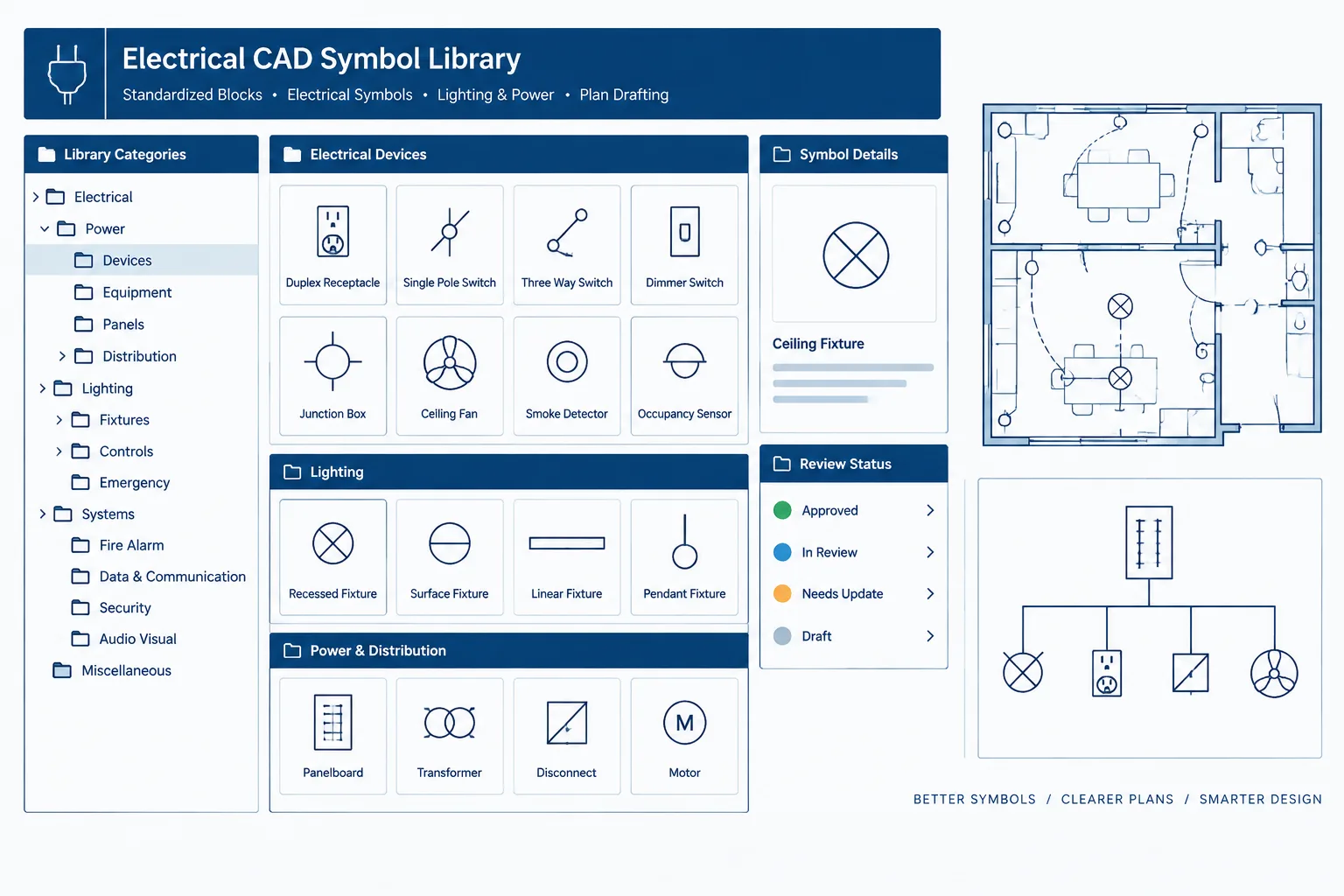
Reliable symbol libraries depend on more than recognizable graphics. Users also need consistent names, clear ownership, controlled release records, and a safe method for handling blocks already embedded in project drawings.
This reference outlines a platform-neutral approach to electrical CAD block naming and version control. It focuses on documentation decisions that help teams distinguish approved content from working copies while preserving the meaning of legacy and record drawings.
A shared electrical symbol library can save substantial drafting time, but only when users can identify, trust, and update its contents. Without a consistent naming and version-control method, similar blocks accumulate under vague names, approved symbols compete with personal copies, and older project files become difficult to interpret.
Electrical CAD block naming is therefore more than a file-management task. It affects searchability, symbol selection, drawing consistency, quality control, and long-term record keeping. A useful system should help a drafter answer four questions quickly: What does this block represent? Where is it intended to be used? Is it the current library version? Can it be replaced safely?
This guide explains how to organize reusable electrical blocks without assuming a particular CAD platform or company standard. Actual symbols, graphical conventions, and required metadata should always be checked against the project criteria and the organization responsible for the drawings.
Why block names become difficult to manage
CAD libraries often grow gradually. One user creates a receptacle symbol, another adds an attributed version, and a third copies both into a project folder under new names. Over time, the library may contain entries such as REC, RECEPT, POWER_OUTLET, REC_NEW, and REC_FINAL2. The names may refer to different graphics, or they may be duplicate definitions of the same object.
Common causes of library confusion include:
- Names based on personal shorthand rather than shared terminology.
- Generic labels that do not distinguish plan, diagram, elevation, or detail symbols.
- Revision words such as “new,” “latest,” or “final” that lose meaning later.
- Files copied from completed projects without review or source identification.
- Block definitions edited inside project drawings but not reconciled with the master library.
- Symbols with identical names but different geometry, attributes, layers, or base points.
- Different names assigned to visually identical blocks.
A naming convention will not solve every technical conflict, but it makes conflicts visible and gives reviewers a repeatable way to classify them.
Build names from useful information
A block name should carry enough information to separate it from nearby alternatives without becoming a sentence. The most useful fields usually describe the discipline, symbol family, represented item, drawing context, and meaningful variation.

| Name field | Purpose | Example concept |
|---|---|---|
| Discipline | Separates electrical content from mixed-discipline libraries | Electrical or communications prefix |
| Family | Groups related symbols during browsing or search | Lighting, power, distribution, controls |
| Item | Identifies the represented device or equipment category | Fixture, outlet, panel, sensor |
| View or context | Distinguishes symbols used in different drawing types | Plan, elevation, single-line, schematic |
| Variant | Records a genuine graphical or documentation difference | Tagged, untagged, wall-mounted, floor-mounted |
Not every library needs every field. A small office may use short family-and-item names, while a multidisciplinary organization may need a discipline prefix and drawing-context suffix. The goal is predictable identification, not maximum name length.
Use controlled terms
Select one preferred term for each recurring concept. If the library uses “receptacle,” avoid alternating among “receptacle,” “socket,” “outlet,” and informal abbreviations unless those terms intentionally identify different items. A controlled vocabulary improves folder browsing and makes partial-name searches more dependable.
Document the approved terms in a brief library guide. Include permitted abbreviations, separators, capitalization rules, and a few examples. Avoid relying on unwritten knowledge held by one library manager.
Name by meaning, not appearance
A name such as CIRCLE_WITH_LINES describes geometry but not electrical meaning. Names should identify the documented object or function. This remains important when two symbol types look similar at a small plotting scale but carry different meanings in the legend or schedule.
Separate block identity from revision history
Adding revision labels directly to every block name can create unnecessary duplication. If each edit produces a new definition such as SYMBOL_V2 or SYMBOL_REVISED, users may continue inserting several generations indefinitely.
A better workflow distinguishes between the stable identity of a symbol and the record of changes made to its source file. The current approved library block can retain its established identity while a change log records what changed, why it changed, who reviewed it, and when it entered the shared library.
There are cases where a new name is appropriate. Rename a block when its documented meaning changes, when a new variant must remain available beside the old one, or when replacing it automatically could alter drawing intent. A graphical cleanup that preserves meaning may not require a new identity, but it still requires review.
Avoid ambiguous status words
Terms such as final, current, old, and new are relative to the person and date. Use controlled library locations and recorded release information to communicate status. If a retired block must be retained, mark it clearly in the library catalog or archive rather than expecting its filename alone to carry the entire history.

Maintain a block catalog
A block catalog is an index of reusable content, not merely a folder listing. It can be maintained as a drawing, spreadsheet, database, or another controlled document appropriate to the organization. The catalog should make it possible to preview and evaluate a symbol before inserting it.
Useful catalog fields include:
- Block name and plain-language description.
- Symbol family and drawing context.
- Preview image or plotted sample.
- Intended insertion behavior and orientation notes.
- Attribute names and their intended content.
- Source or responsible library group.
- Review status and release record.
- Replacement name for retired content.
- Notes about symbols that must not be substituted automatically.
The catalog should not claim that a symbol is universally compliant or suitable for every project. Its purpose is to describe library content. Project-specific legends, owner requirements, drawing standards, and engineering criteria still govern actual use.
Use a controlled promotion workflow
Allowing every project edit to flow directly into the shared library creates risk. Instead, separate experimental content from released content. A simple workflow can use four stages:
- Request: Identify the need for a new block or a change to an existing one.
- Draft: Create or modify the block in a working location outside the released library.
- Review: Check geometry, naming, attributes, layers, insertion behavior, annotation behavior, and plotted appearance.
- Release: Move the reviewed source into the controlled library and update the catalog and change record.
Review should include both visual and data checks. A block may appear correct while containing unexpected layers, duplicate geometry, hidden attributes, inconsistent text settings, or a misplaced insertion point. Test it in a clean drawing as well as in a representative project environment.
Handle legacy blocks without damaging record drawings
Older projects often contain blocks that no longer match the current library. Do not assume that every legacy definition should be replaced. A symbol may have project-specific attributes, a different documented meaning, or geometry coordinated to an existing legend.
Before replacement, compare:

- The meaning assigned in the issued drawing legend.
- Attribute tags, values, prompts, and visibility.
- Insertion point, orientation, and scale behavior.
- Layer assignments and plotted line hierarchy.
- Connections to schedules, extraction workflows, or external data.
- Whether the symbol occurs in plans, details, diagrams, or multiple contexts.
For record or archived drawings, preserving the issued appearance may be more important than updating blocks to a current office style. Keep a read-only archive of the original deliverable before performing normalization or replacement work.
Resolve same-name conflicts carefully
A particularly dangerous condition occurs when two blocks have the same name but different definitions. Inserting or referencing content may cause one definition to take precedence, potentially changing symbols already present in a drawing.
When a conflict is discovered, first determine whether one definition is project-specific, obsolete, or incorrectly named. Compare geometry and metadata rather than relying on preview thumbnails alone. Then choose a controlled action: retain the project definition, rename the project-specific block, replace instances after review, or restore the approved library definition.
Record the decision when it affects multiple sheets or users. Silent fixes make it difficult to understand later why a symbol changed.
Practical governance rules for a shared library
- Assign responsibility for approving additions and changes.
- Keep released library folders read-only for general users where the document-management environment permits.
- Use one documented naming convention across related symbol families.
- Provide a request path so users do not need to create unofficial permanent copies.
- Archive superseded source files separately from active content.
- Review duplicate names and near-duplicate graphics periodically.
- Include library checks in CAD quality-control procedures.
- Communicate changes that could affect existing drawings or automated schedules.
A library should make correct choices easier
The best electrical CAD block naming system is not necessarily the most elaborate. It is the one users can apply consistently and reviewers can understand later. Stable names, controlled terminology, a searchable catalog, and a documented release process reduce the temptation to select blocks by guesswork.
Shared symbols should also remain connected to the larger documentation workflow. Their names and attributes need to align with drawing legends, schedules, diagram conventions, layer practices, and project deliverables. When library governance supports those relationships, CAD blocks become dependable documentation components rather than isolated pieces of geometry.
Distinguish the different forms of block identification
A shared library may identify the same symbol through a source filename, an internal block definition name, a catalog description, and a visible tag or label. These identifiers serve different purposes and should not be treated as interchangeable.
- Source filename: Identifies the controlled file or library package where the reusable content is maintained.
- Block definition name: Controls how the CAD application recognizes the object inside a drawing.
- Catalog description: Explains the symbol in language that users can search and review.
- Visible annotation: Communicates project information on the drawing and may vary by instance.
A change to visible annotation does not necessarily require a different block identity. A change to documented meaning, insertion behavior, or data structure may require a distinct definition even when the graphic remains similar.
Define acceptance criteria before release
Library review is more dependable when approval is based on documented checks rather than a visual impression. The reviewer should confirm that the block name follows the controlled vocabulary, the symbol matches its catalog description, and its behavior remains predictable after insertion.
Acceptance should also consider attributes, layer behavior, base point, orientation, annotation settings, plotted appearance, and compatibility with the intended documentation workflow. The purpose is not to certify universal suitability; it is to confirm that the released object matches the library’s stated requirements.
Treat replacement as a documented migration
Replacing a block across existing drawings is a migration task, not merely a library update. The team should establish which drawings are affected, whether attribute data can be preserved, and whether the replacement changes appearance or meaning. Drawings that have already been issued may need to retain their original definitions.
When automated replacement is considered, test representative files separately from the production set. Record the source definition, the approved replacement, the review outcome, and any exceptions. This creates an audit trail and prevents a broad update from concealing project-specific differences.
Measure library health through usability
A well-managed library should make approved content easy to find and questionable content easy to identify. Useful review signals include recurring search failures, repeated creation of near-duplicate blocks, unresolved same-name conflicts, missing catalog descriptions, and frequent project-level edits to released definitions.
These signals can reveal whether the naming vocabulary is understandable, whether requested variants are missing, or whether users lack a practical route for proposing changes. Governance works best when it reduces unofficial workarounds rather than merely restricting access.
Frequently asked questions
Should a version label be included in every electrical block name?
Usually, the stable block identity and the revision history are better managed separately. A different name is appropriate when both definitions must remain available or when substituting one for the other could change drawing intent.
What is the safest way to compare blocks with the same name?
Compare the actual definitions rather than thumbnails alone. Review geometry, attributes, layers, insertion points, orientation, annotation behavior, and documented meaning before deciding which definition should remain.
Can an existing block be renamed without affecting project drawings?
Renaming may affect references, schedules, extraction processes, scripts, or replacement workflows. Test the proposed change on controlled copies and document any dependency before applying it to active project files.
Should retired symbols be deleted from the shared library?
Retired content should be removed from normal selection when appropriate, but its source and replacement history may still need to be preserved. A separate controlled archive helps users interpret older drawings without presenting obsolete content as an active choice.
Who should approve changes to a shared symbol library?
The organization should assign a responsible role or review group with authority over naming, graphics, metadata, and release status. The approval path should be documented so users know where to submit corrections and new symbol requests.
Does an approved library block automatically apply to every project?
No. Library approval indicates that the block meets the organization’s library criteria. Project legends, owner requirements, engineering decisions, and deliverable standards still determine whether it is appropriate for a particular drawing set.
Leave a Reply
You must be logged in to post a comment.