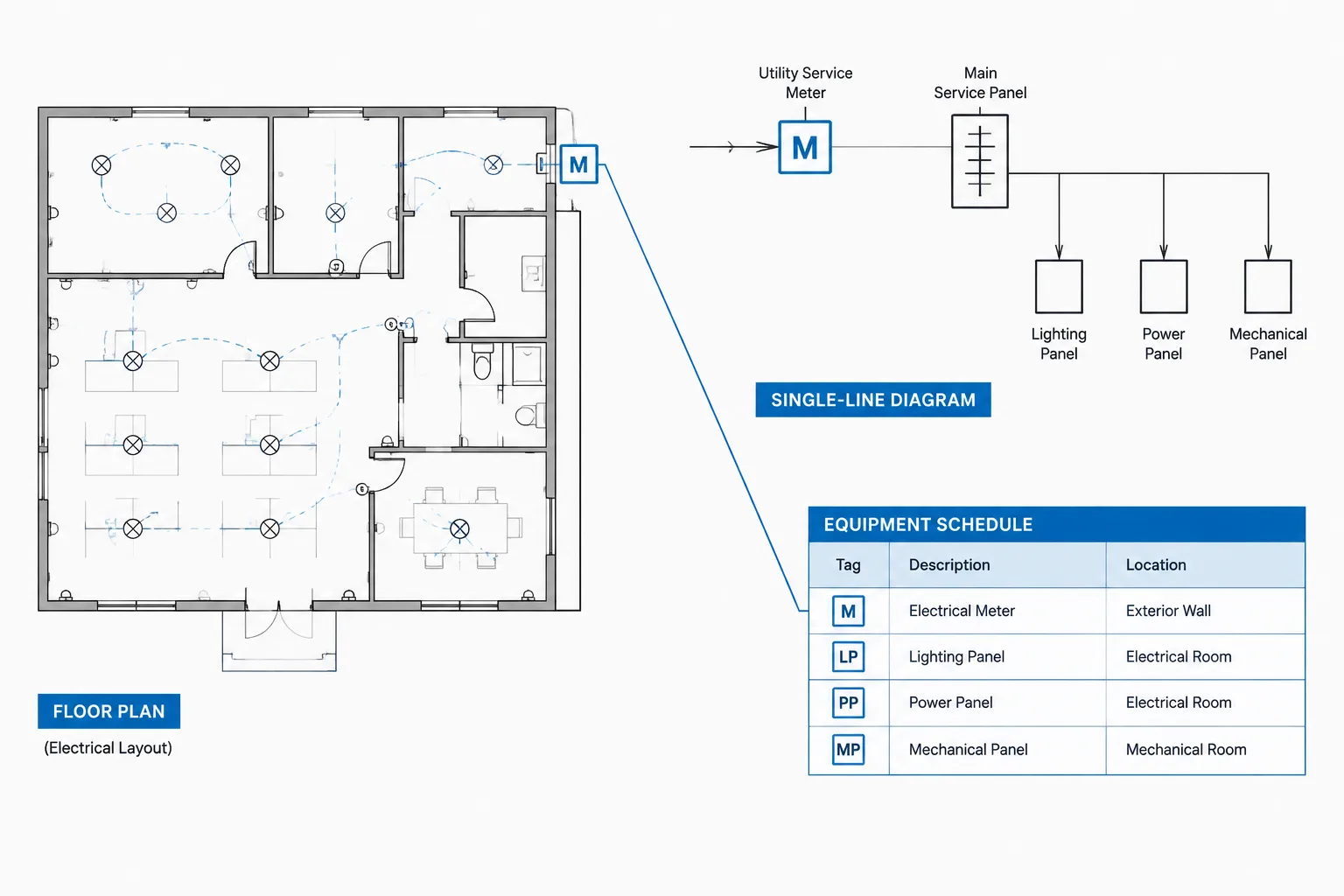
Electrical metering drawings in CAD must connect physical equipment locations with electrical relationships, equipment records, and responsibility boundaries. A meter shown correctly in one view can still create confusion if its tag, function, or associated equipment differs elsewhere in the drawing set.
This reference explains how to coordinate metering information across plans, single-line diagrams, elevations, details, and schedules. It focuses on drafting clarity and document control rather than equipment selection, utility approval, or field installation.
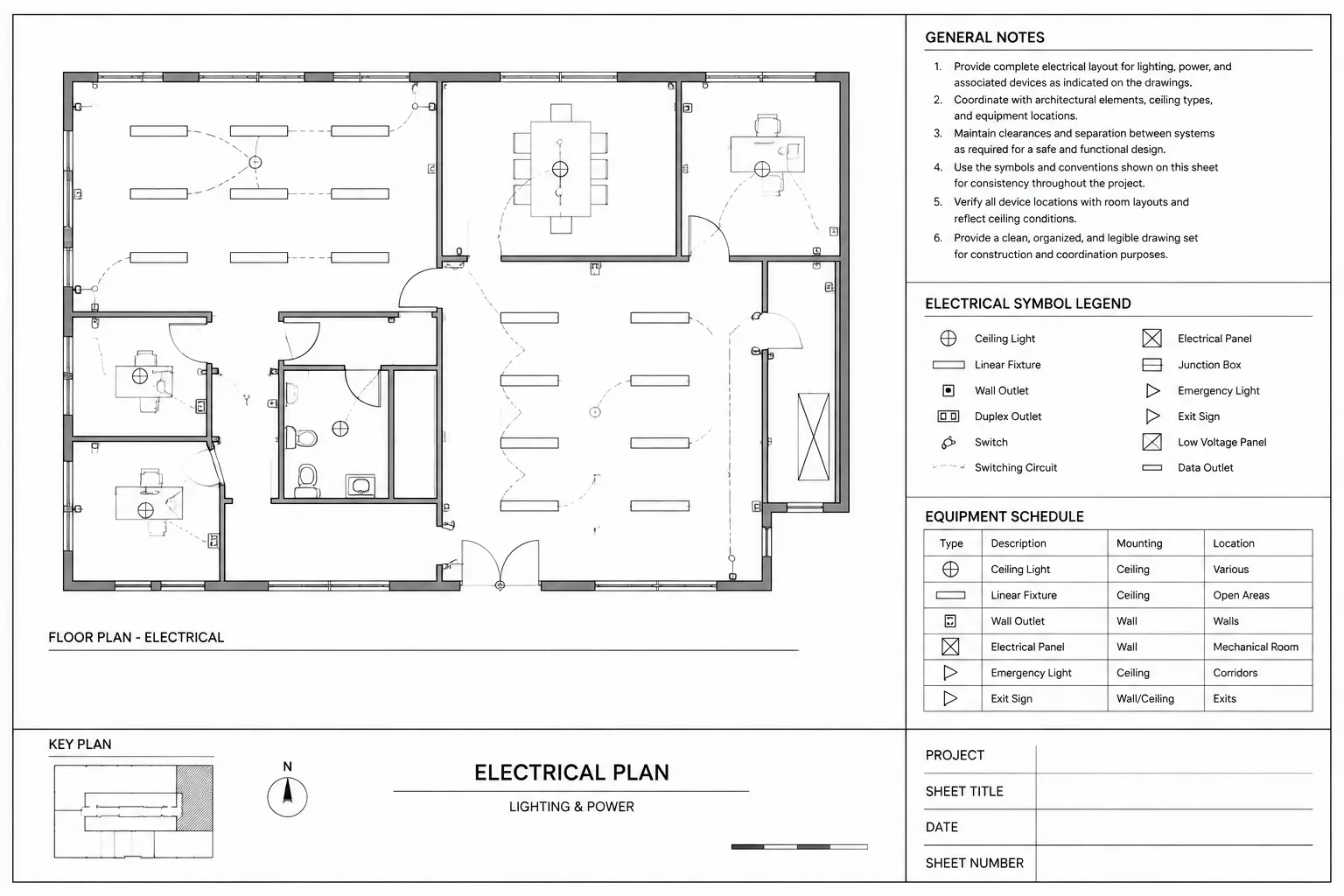
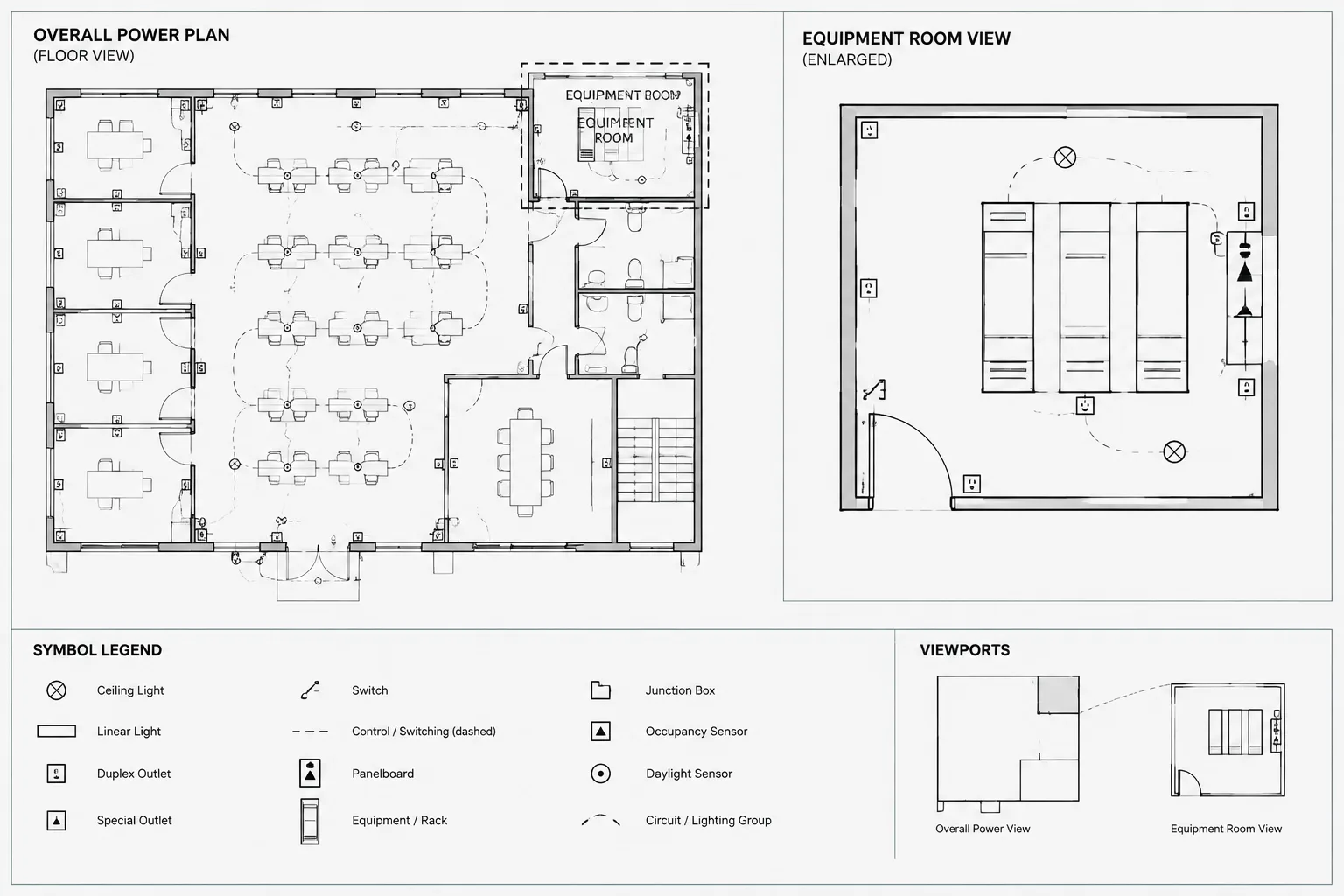
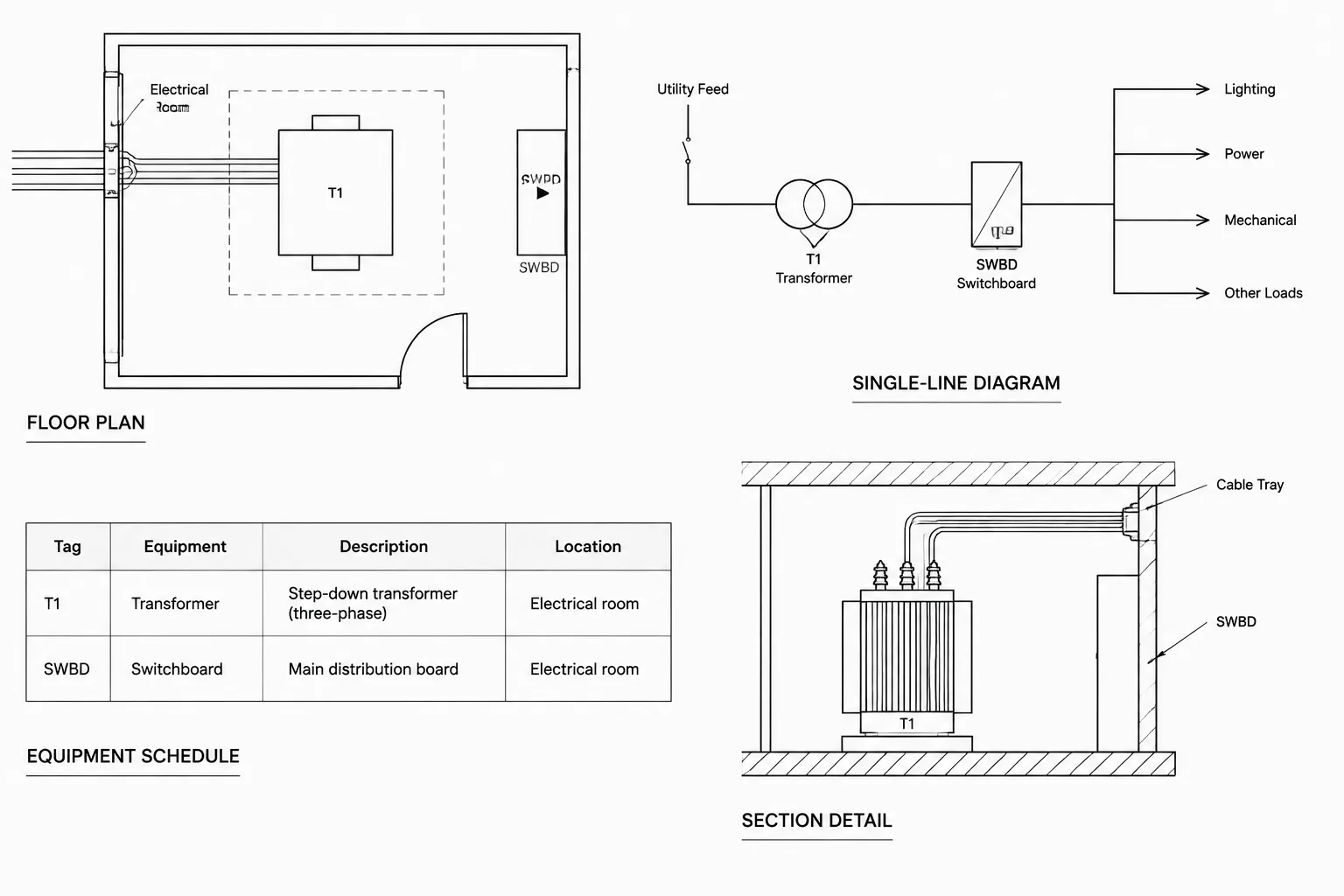
Electrical metering information often appears in several parts of a drawing set. A site or floor plan locates the equipment, a single-line diagram explains its electrical relationship, an elevation or detail shows the physical arrangement, and a schedule records identifying data. If these views are developed independently, meter tags, service relationships, ownership boundaries, and equipment quantities can quickly become inconsistent.
A reliable CAD workflow treats metering as a coordinated documentation system rather than as a single symbol. The drafting objective is not to select or approve metering equipment. It is to communicate location, system relationships, identification, and verification requirements clearly enough for project stakeholders to review the design.
What an Electrical Metering Drawing Needs to Communicate
The required content depends on the project, utility requirements, and type of metering. Service metering, tenant metering, owner-operated submeters, renewable-energy metering, and monitoring devices may require different documentation. Before drafting, determine what role each meter serves and which organization is responsible for its final configuration.
A coordinated drawing set may need to communicate:
- The meter or metering assembly location.
- The electrical source and downstream equipment associated with the meter.
- Whether the device represents utility revenue metering, tenant allocation, owner monitoring, or another function.
- Related enclosures, instrument transformers, test provisions, communication interfaces, or monitoring equipment when applicable.
- Equipment tags that connect the plan, diagram, detail, and schedule.
- Ownership or scope boundaries between the utility, owner, contractor, and equipment vendor.
- Items that remain subject to utility or authority review.
A generic CAD block can provide a useful graphic starting point, but it should not imply that a particular arrangement has been accepted. Metering configurations are often project-specific and may depend on information that is not available during early drawing development.
Choose Symbols by Drawing Purpose
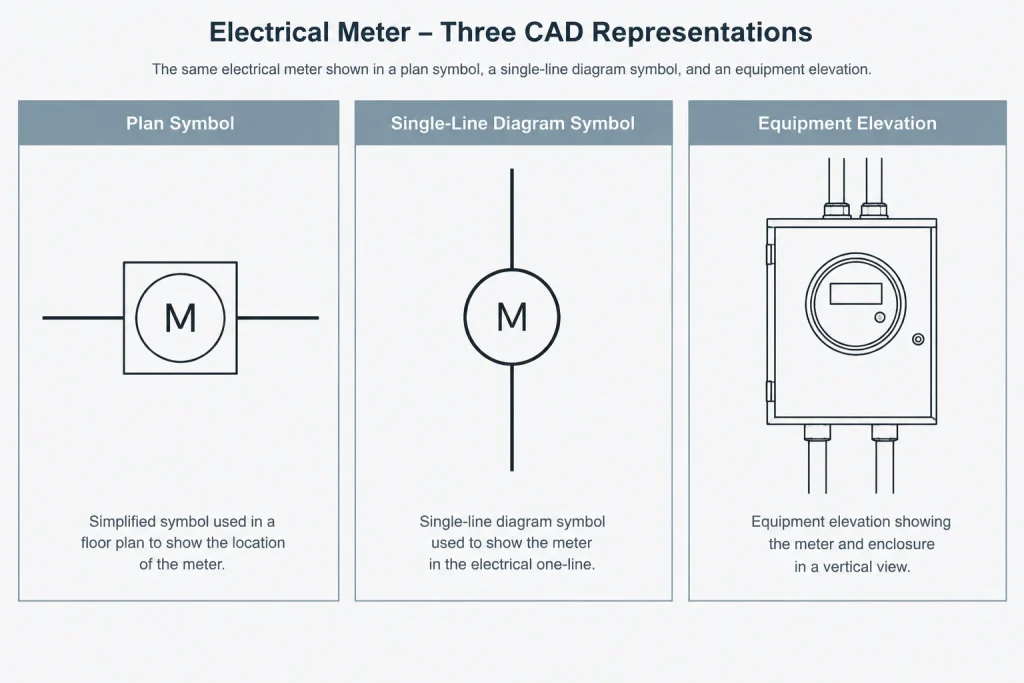
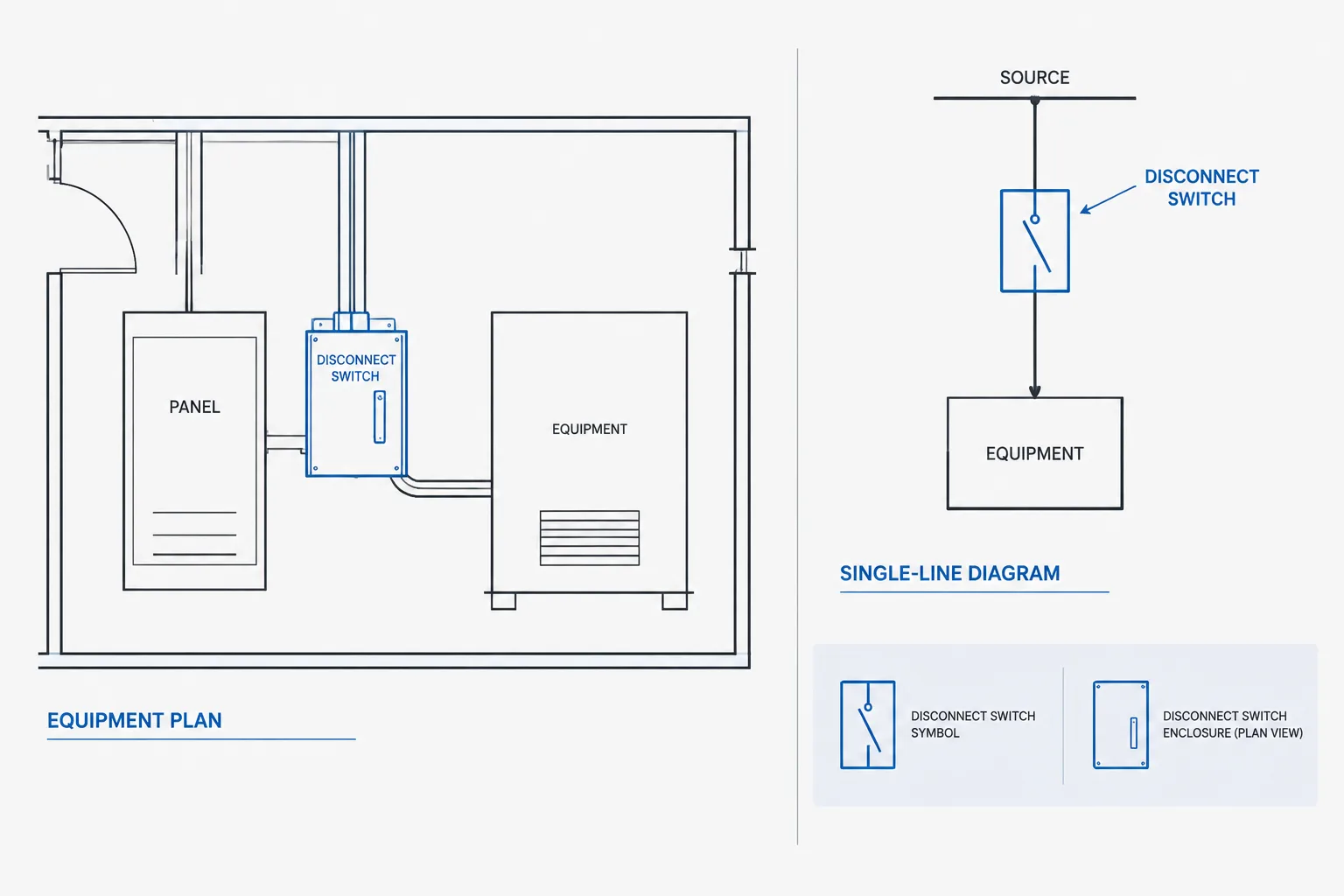
The same metering device should not necessarily use the same graphic in every view. Plan symbols represent location, diagram symbols represent electrical function, and equipment elevations represent physical arrangement. Forcing one block to serve all three purposes usually produces either an oversized plan symbol or an under-detailed equipment view.
Plan Symbols
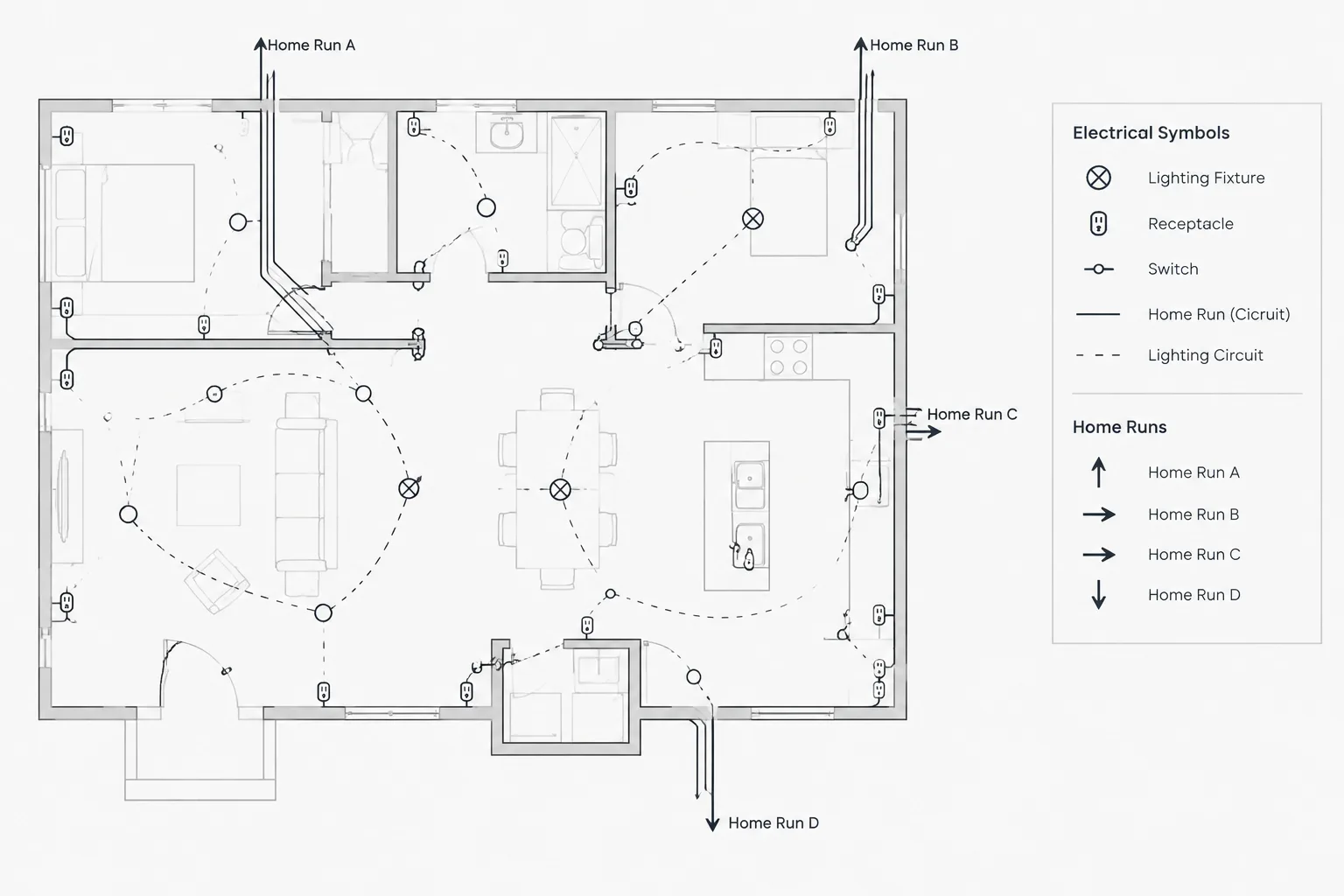
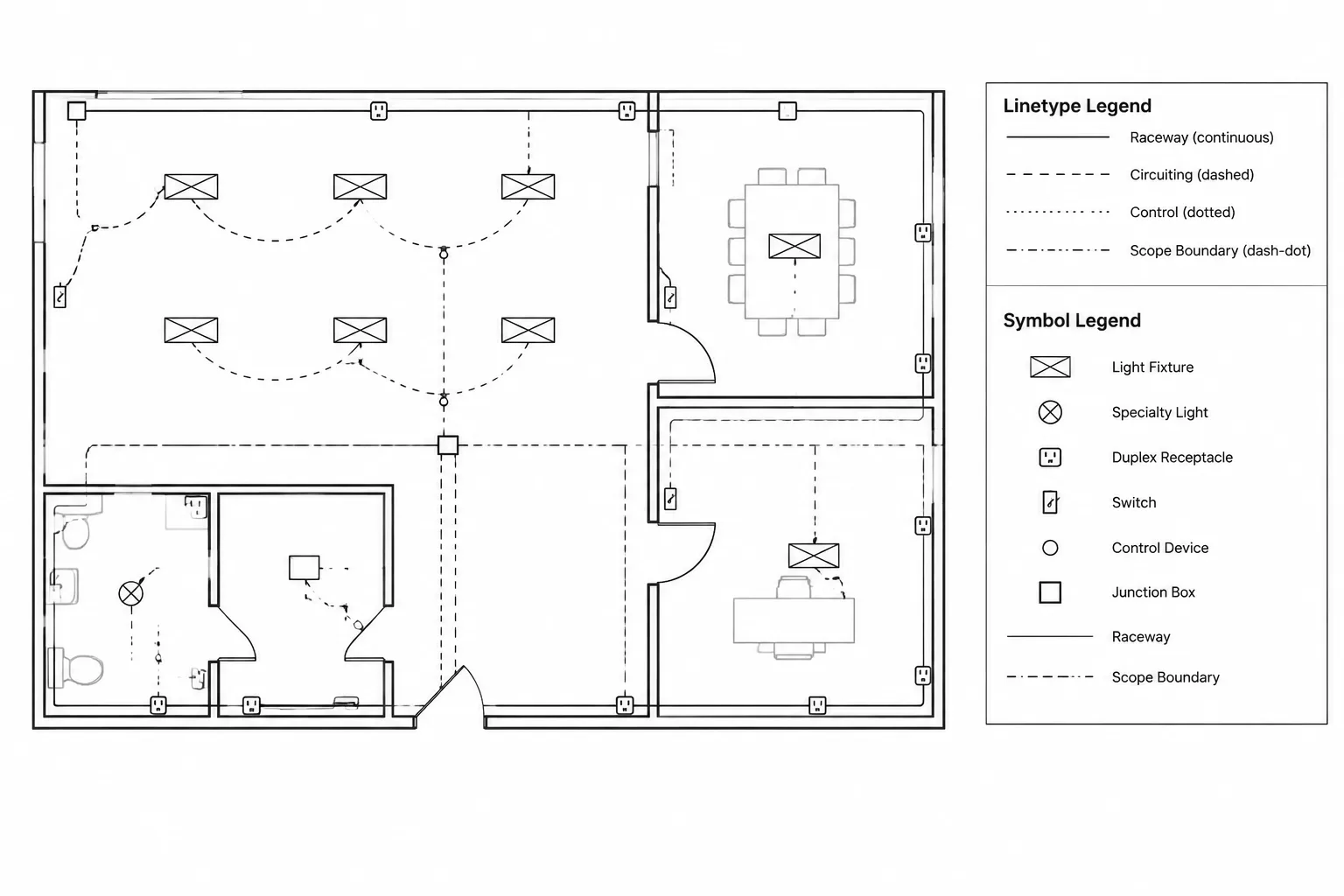
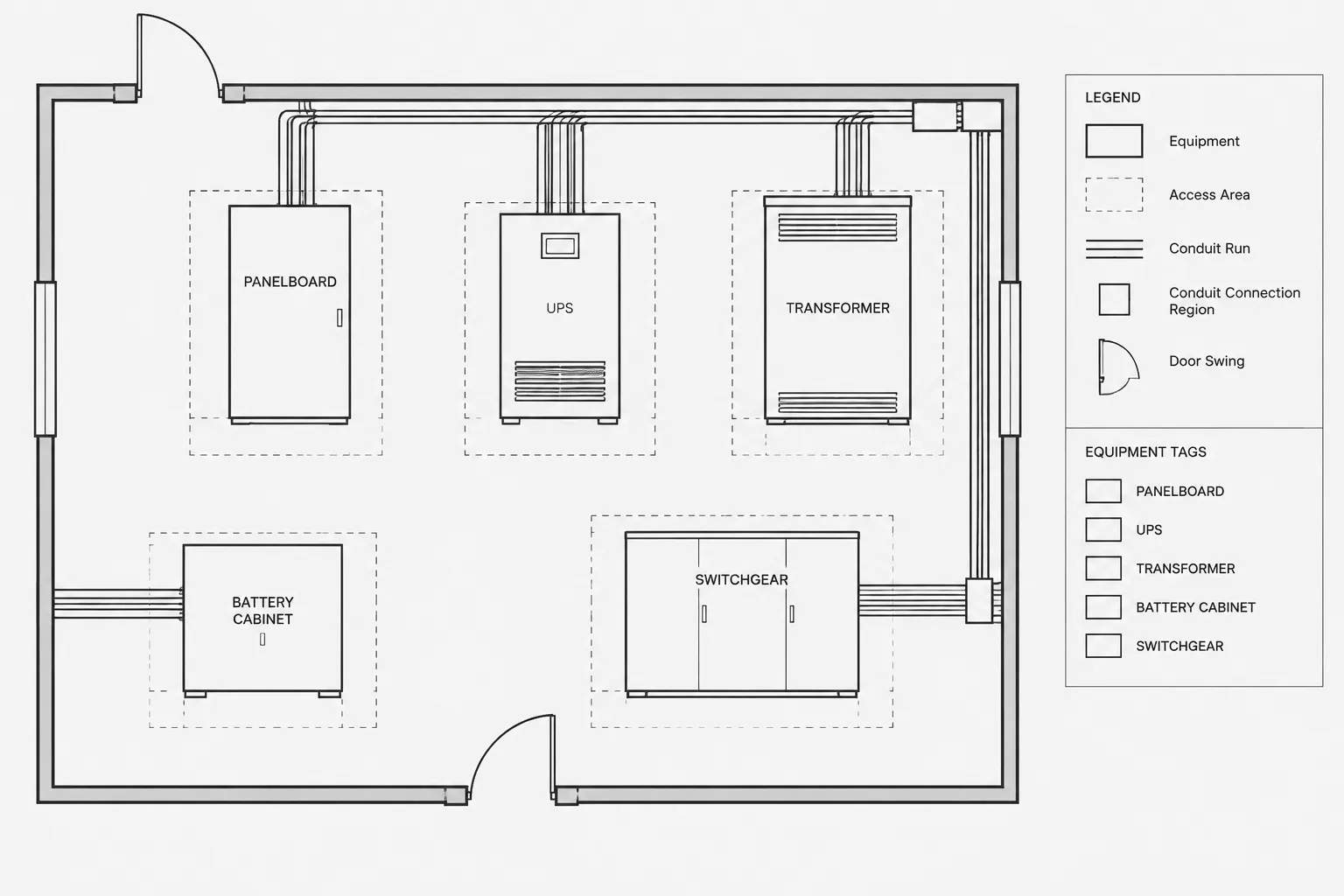
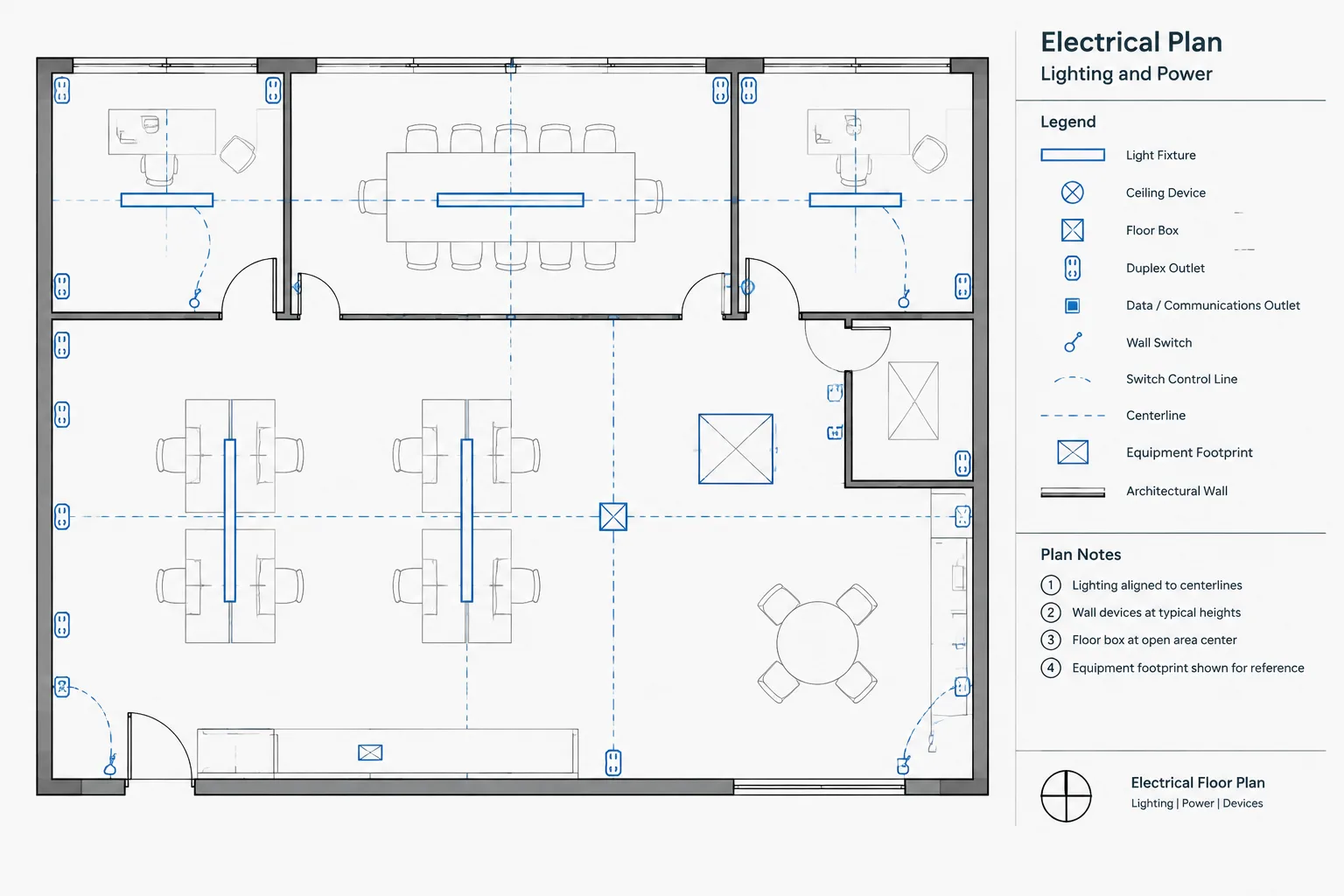
On a plan, show enough information to locate the metering equipment and distinguish it from adjacent distribution equipment. The symbol may be a simplified enclosure footprint, a tagged block, or a diagrammatic marker placed near a verified equipment footprint. Its insertion point should support consistent placement and reliable coordinate extraction.
Plan graphics should also indicate whether the equipment is wall-mounted, part of a lineup, installed outdoors, or associated with another assembly when that distinction affects coordination. Architectural walls, access routes, doors, structural elements, and nearby equipment should remain legible around the symbol.
Single-Line Diagram Symbols
On a single-line diagram, the meter belongs in the electrical path or monitoring relationship that it represents. The symbol should make it clear which conductors, feeder, service section, or distribution segment is being metered. If sensing elements are shown separately from the display or monitoring device, use tags and connecting references that prevent them from being mistaken for unrelated components.
Avoid placing a meter symbol beside a line without a clear association. Readers should not have to guess whether the device monitors the upstream source, a downstream load, or an entire bus.
Elevations and Details
An elevation can show the meter in relation to cabinets, sections, doors, adjacent equipment, and mounting surfaces. Use verified manufacturer or utility information when physical arrangement matters. A placeholder elevation should be labeled as diagrammatic or subject to confirmation rather than presented as final construction geometry.
Build a Consistent Meter Tagging System
Each metering point should have a stable identifier. The identifier does not need to encode every technical characteristic; its primary purpose is to connect information across the drawing set. A short, unique tag is generally easier to maintain than a long identifier assembled from changing design data.
Useful tag-related fields may include:
- Meter identifier.
- Metering function or description.
- Associated service, feeder, panel, switchboard, or load.
- Plan location or room reference.
- Related detail or elevation reference.
- Utility, owner, or tenant responsibility where established.
- Verification status or coordination note.
If block attributes are used, keep visible plan text separate from background data. A plan may only need the meter tag, while additional fields can support schedules or quality-control reports. Attribute names should remain stable even if the displayed label changes.
Coordinate the Plan and Single-Line Diagram
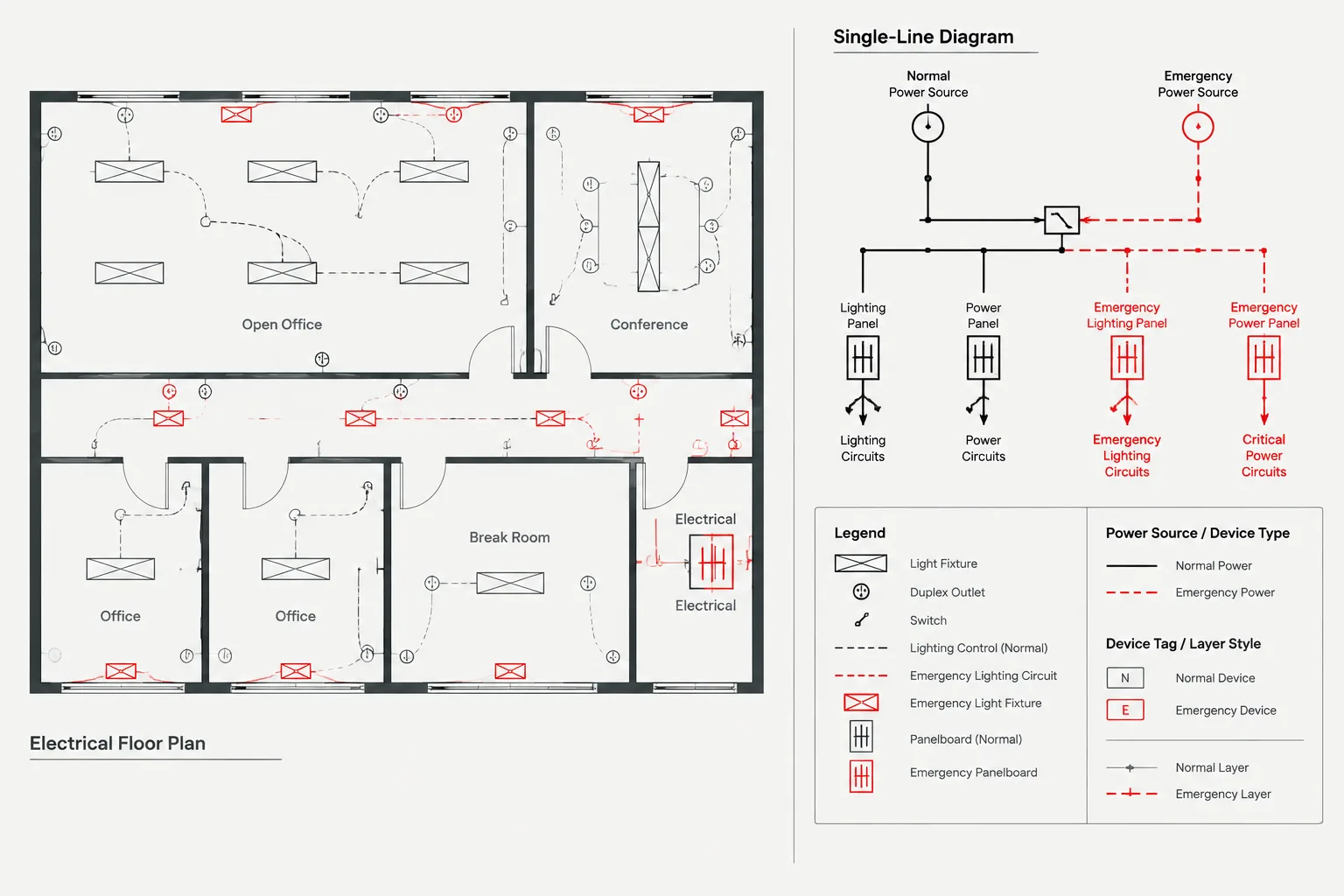
Plan-to-diagram reconciliation is the most important metering review. Every physical metering assembly shown on a plan should have a corresponding electrical function, and every meter shown on the single-line diagram should be locatable or otherwise accounted for in the project documents.
A practical comparison can be organized as follows:
| Review item | Plan question | Diagram question |
|---|---|---|
| Identity | Is the equipment tagged? | Does the same tag appear at the correct electrical point? |
| Location | Can the assembly be found within the building or site? | Is its system relationship clear? |
| Quantity | How many metering assemblies are represented? | Are all metering points shown without unintended duplicates? |
| Association | Which equipment is adjacent or physically integrated? | Which source, bus, feeder, or load is measured? |
| Scope | Who furnishes or coordinates the physical equipment? | Is the ownership or interface boundary documented? |
| References | Are elevations, details, or schedules called out? | Are related notes and equipment references consistent? |
Do not assume that physical adjacency proves an electrical relationship. A meter drawn next to a panel on plan may monitor that panel, a larger distribution section, or another circuit entirely. The one-line and tagging system should resolve the relationship explicitly.
Use a Metering Schedule When the Project Has Repeated Devices
A metering schedule can reduce repeated notes and provide a focused review list. It is especially useful where multiple tenants, buildings, feeders, or monitored loads create similar-looking devices. The schedule should record confirmed project information without becoming a substitute for the electrical diagram.
Potential schedule columns include the meter tag, function, associated equipment, location, drawing reference, responsibility, communications reference, and remarks. Include only fields that serve a real documentation purpose. Unknown information should be identified as pending or subject to confirmation rather than filled with assumed values.
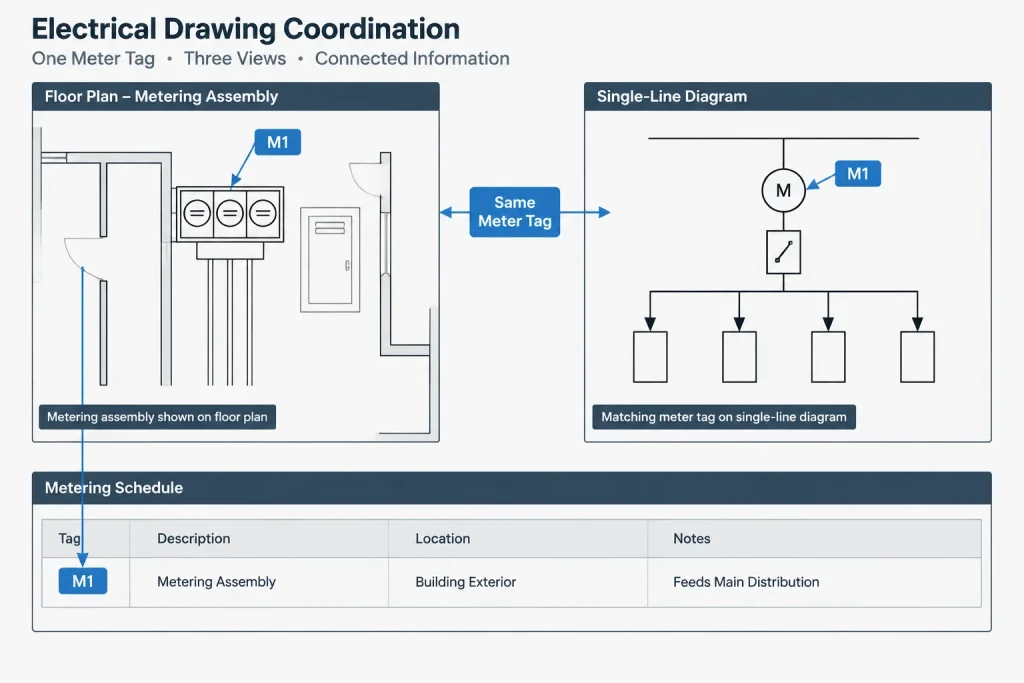
The schedule must also be controlled during revisions. Deleting a plan symbol without removing its schedule row creates a ghost device, while adding a meter to the one-line without updating the schedule creates an undocumented asset. Attribute extraction may help find discrepancies, but automated results still require editorial review.
Document Ownership and Utility Interfaces Carefully
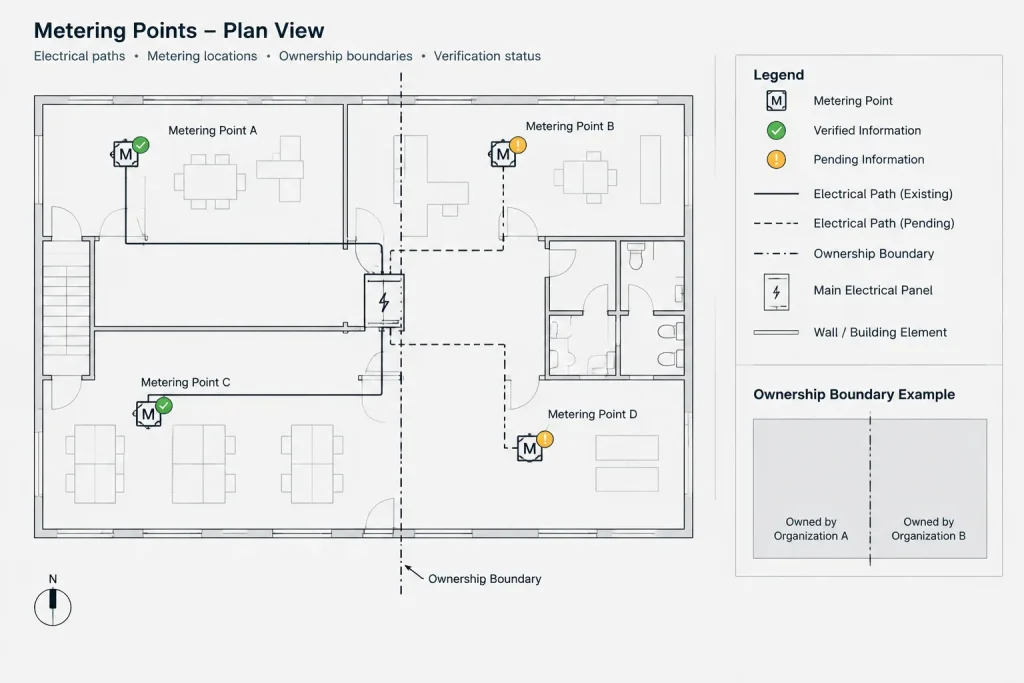
Metering frequently crosses organizational boundaries. Utility-furnished components may be installed within customer-furnished equipment, or an owner-operated submeter may resemble utility metering on a simplified plan. Drawings should distinguish these roles without relying only on color, because plotted or exported files may be monochrome.
Use tags, notes, boundary labels, and schedules to communicate responsibility. Where requirements have not been confirmed, add a clear verification note instead of drawing a detailed arrangement from assumption. Avoid language suggesting that a generic block or preliminary layout is utility-approved.
Utility references should also be separated from general project notes. This makes later updates easier when utility comments arrive and reduces the risk that a project-wide drafting note will be mistaken for a utility requirement.
Layer and Block Organization
Metering objects benefit from a small, disciplined layer structure. Separate physical equipment outlines, diagram symbols, tags, circuit or connection graphics, and reference information according to the project CAD standard. Avoid creating a unique layer for every meter unless the broader project workflow specifically requires that level of isolation.
A reusable meter block may include:
- A simple, readable symbol.
- A logical insertion point.
- A meter tag attribute.
- An optional description or system field.
- A consistent rotation convention.
- A defined method for showing existing, new, relocated, or removed status.
Keep manufacturer-specific geometry out of generic library symbols unless it is intentionally maintained as a separate verified block. Generic blocks should remain visually neutral and easy to replace when actual equipment data becomes available.
A Verification-First Drafting Workflow
Classify the metering function. Identify whether each device represents service metering, tenant metering, owner monitoring, or another documented purpose.
Create stable equipment tags. Assign identifiers before developing schedules and cross-references.
Place plan representations. Show location and coordination context using verified footprints where available.
Add diagram relationships. Place each meter at the electrical point it measures and identify associated equipment.
Develop supporting views. Add elevations, details, or enlarged plans only where they communicate necessary physical relationships.
Record structured information. Build or update the metering schedule from confirmed project data.
Mark unresolved interfaces. Track pending utility, vendor, owner, or design decisions visibly.
Run a cross-document review. Compare quantities, tags, locations, electrical associations, references, and responsibility notes.
Final Quality-Control Checks
Before issuing the drawings, search the CAD files and schedules for every meter tag. Confirm that each identifier is unique, readable, and used consistently. Review the drawings in their plotted appearance so that screening, lineweights, masks, and background geometry do not hide the symbols.
Finally, separate drafting completeness from technical approval. A metering drawing can be graphically complete while still awaiting utility or equipment information. Clearly documenting that status is more useful than presenting an unverified arrangement as resolved. Good electrical metering drawings allow readers to trace each device from physical location to electrical function, supporting detail, schedule entry, and responsible party without guesswork.
Managing Metering Information Through Drawing Revisions
Metering coordination should continue whenever a source, feeder, equipment lineup, tenant assignment, or scope boundary changes. Moving a plan symbol alone does not confirm that the electrical relationship has changed, while revising a one-line connection may require corresponding updates to location plans, schedules, details, and notes.
A useful revision review begins with the meter tag. Search for that identifier throughout the CAD files and compare every occurrence against the current design intent. Where tags are stored as block attributes, extraction tools can help assemble a comparison list. The extracted data should still be checked for duplicate identifiers, empty fields, outdated references, and objects located on hidden or nonplotting layers.
Separate Confirmed Data From Pending Information
Unresolved metering information should remain visible to reviewers without being presented as final. Use a consistent drafting status, note, or schedule remark to identify items awaiting utility, owner, vendor, or design confirmation. Keep that status distinct from installation status so readers do not confuse an unresolved interface with existing or removed equipment.
When confirmed information arrives, update the underlying block data and every displayed reference. Removing the temporary note without revising the associated plan, diagram, or schedule can leave a drawing set that appears complete but remains internally inconsistent.
Review the Published Drawing, Not Only the CAD Model
Meter symbols and tags may be clear in the working file but difficult to interpret after plotting or export. Review the published output for obscured attributes, clipped leaders, overlapping linework, weak contrast, and references that depend on color alone. Also verify that external references and viewport settings display the intended metering information.
The final coordination test is traceability. A reviewer should be able to start with a meter tag in any view and locate its physical position, electrical association, supporting detail, schedule record, and documented responsibility without relying on an unstated assumption.
Electrical Metering Drawing FAQ
Should the same meter block be used on plans and single-line diagrams?
Not necessarily. A plan block communicates location and physical coordination, while a single-line symbol communicates electrical function. Related graphics should share a stable identifier, but each may be designed for the purpose and scale of its drawing.
Can a metering schedule replace the single-line diagram?
No. A schedule organizes identifying and coordination data, but it does not clearly show the electrical path or the point being measured. The schedule and single-line diagram should support each other.
How should pending utility information be shown?
Mark the affected arrangement or data field as requiring confirmation and identify the responsible review interface. Avoid filling missing information with assumptions or presenting a generic arrangement as approved.
Should generic meter blocks contain manufacturer geometry?
Generic library blocks should normally remain visually neutral. Use verified equipment geometry in a separate project or manufacturer-specific block when physical dimensions and arrangements must be coordinated.
What is the quickest way to detect mismatched meter tags?
Search the CAD files and schedules for each identifier, then compare the plan location, one-line relationship, detail references, and schedule record. Attribute extraction can assist with the comparison, but the results still require review.
How can ownership boundaries remain clear in monochrome drawings?
Use explicit tags, notes, boundary labels, and schedule fields rather than relying only on color. These methods remain readable when drawings are plotted, copied, or exported without color.
Leave a Reply
You must be logged in to post a comment.