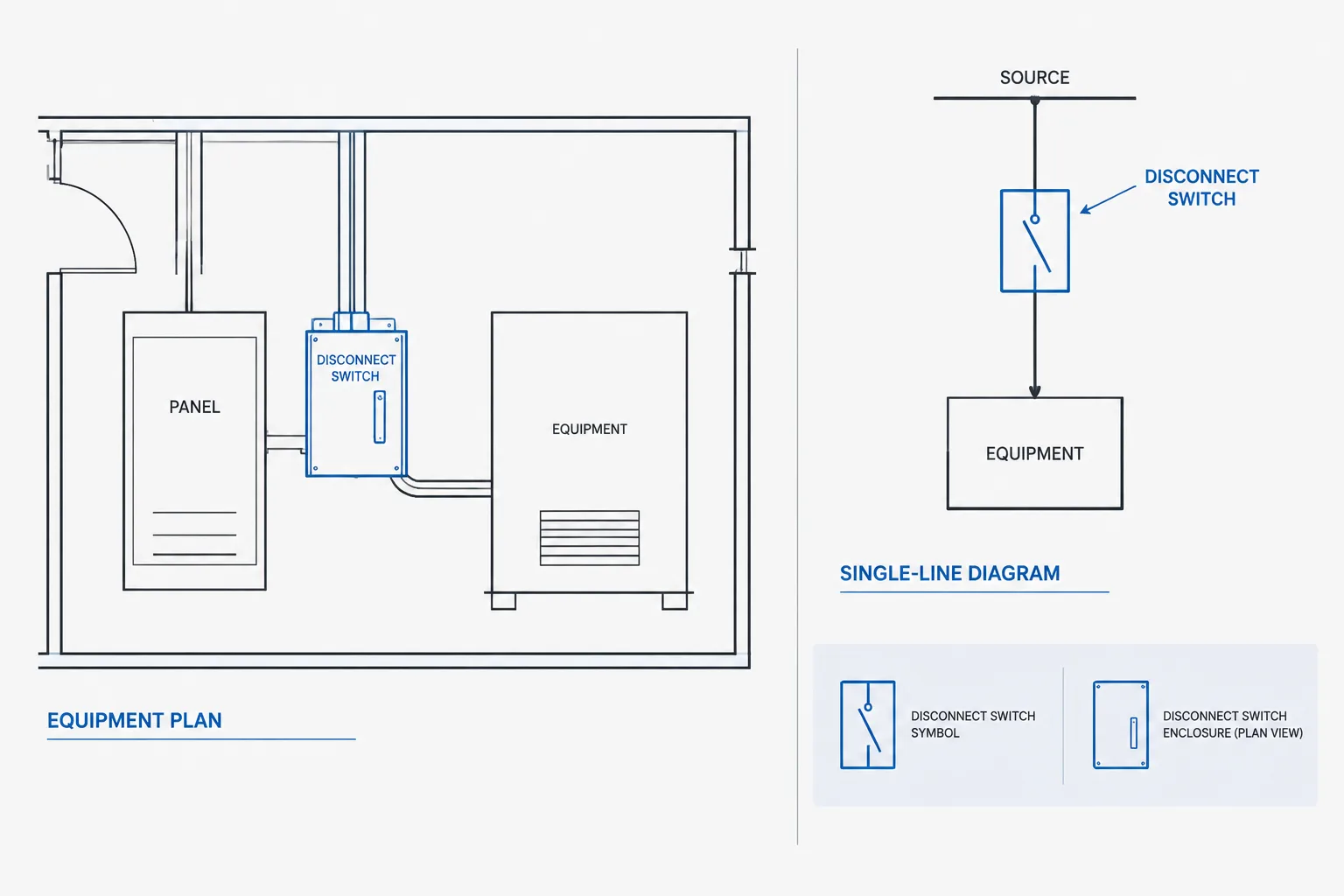
Electrical disconnect switches in CAD must be recognizable in both physical-layout drawings and system diagrams. Although each view uses a different graphic language, the device identity and documented relationships should remain consistent.
This reference explains how equipment tags, block attributes, schedules, legends, and drawing callouts work together. It focuses on drafting coordination and record quality rather than device selection or installation requirements.
Electrical disconnect switches often appear simple on a drawing: a symbol near a piece of equipment, a switch element on a single-line diagram, or a tagged enclosure on an elevation. The drafting challenge is not drawing the symbol itself. It is keeping the same disconnect identifiable and consistent across every document where it appears.
A reliable CAD workflow treats the disconnect as a coordinated project object rather than an isolated block. Its tag, served equipment, source, connection type, location, and descriptive data should agree among plans, diagrams, schedules, details, and equipment information. The final selection and installation requirements must still be verified against the project design, applicable requirements, and manufacturer documentation.
What a Disconnect Symbol Communicates
A disconnect symbol represents a means of isolating equipment or part of a distribution system. Depending on the drawing type, it may communicate physical location, electrical position in a circuit, operating status, enclosure information, or the relationship between a source and a load.
The graphic should not be expected to carry every piece of information. Good documentation divides information by drawing purpose:
- Plans show the approximate physical location and relationship to the served equipment.
- Single-line diagrams show the disconnect in the electrical distribution path.
- Schedules organize repeated descriptive fields and equipment references.
- Elevations and details clarify mounting, orientation, nearby equipment, and coordination conditions.
- Specifications and equipment data define requirements that should not be inferred from a generic CAD symbol.
Because graphic conventions vary among firms and projects, a disconnect block should be checked against the project legend rather than treated as universally self-explanatory.
Plan Symbols Versus Diagram Symbols
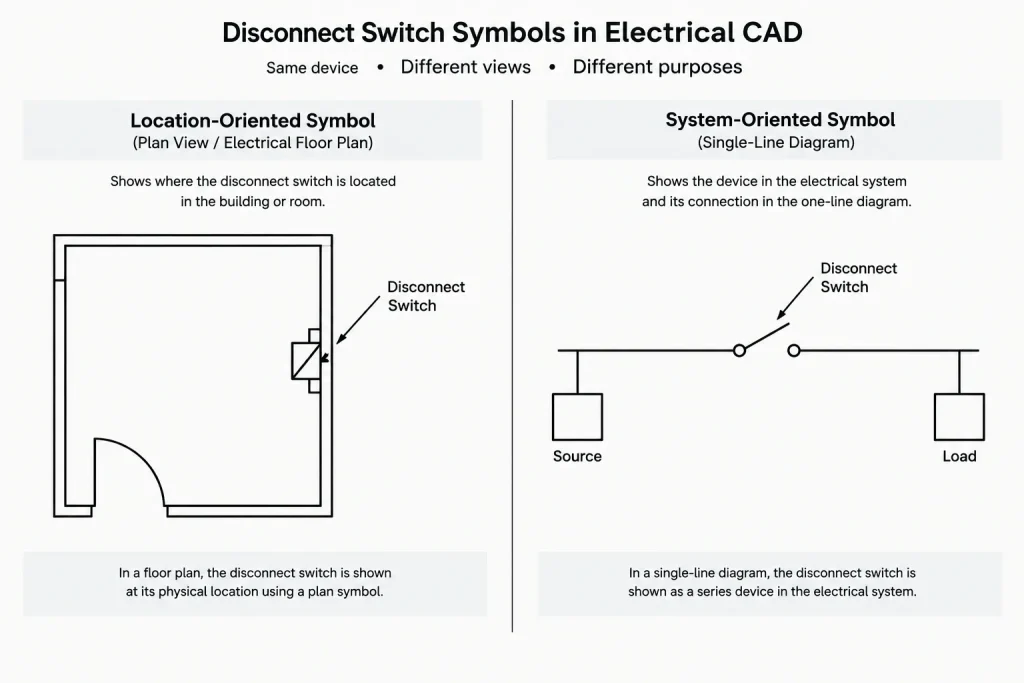
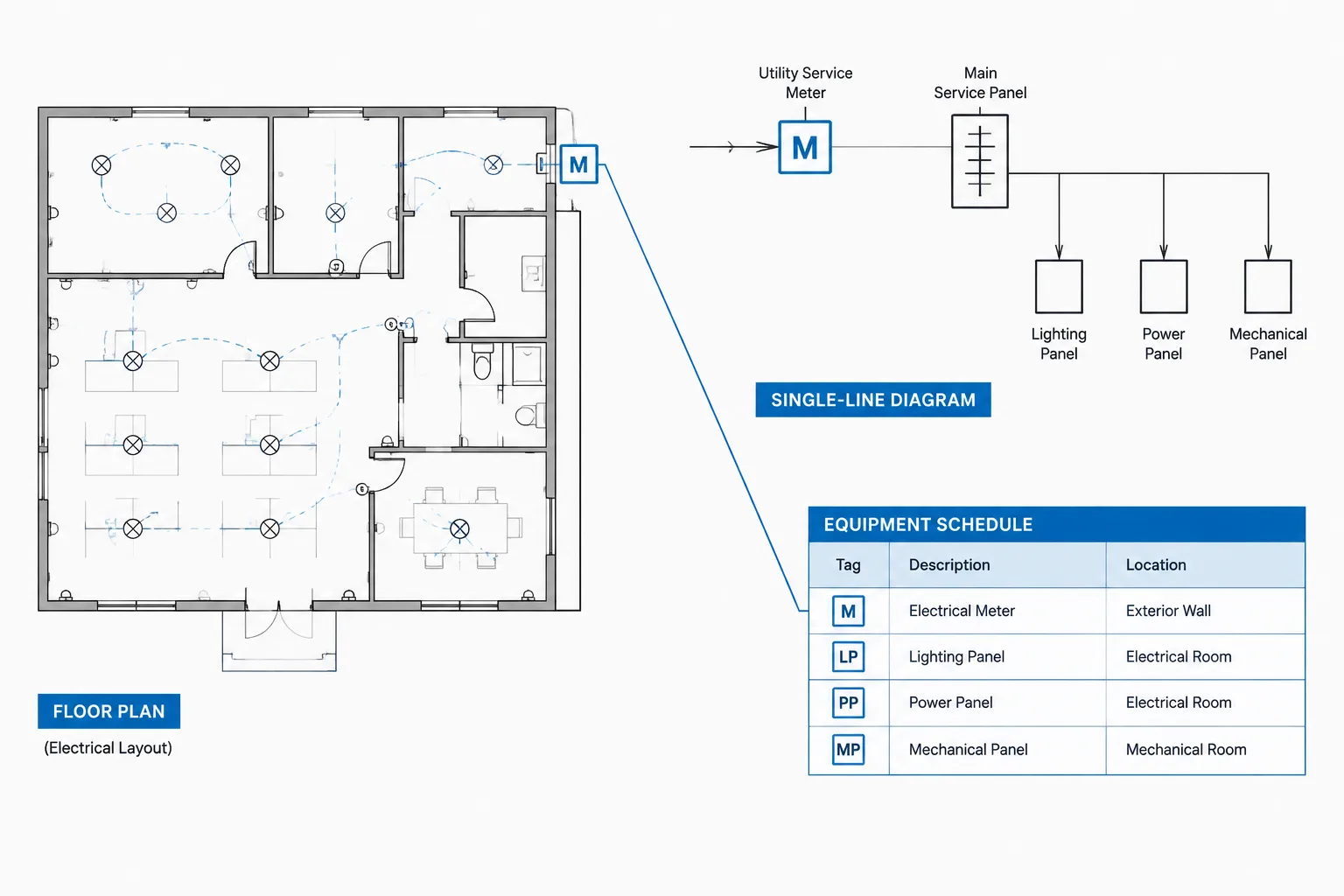
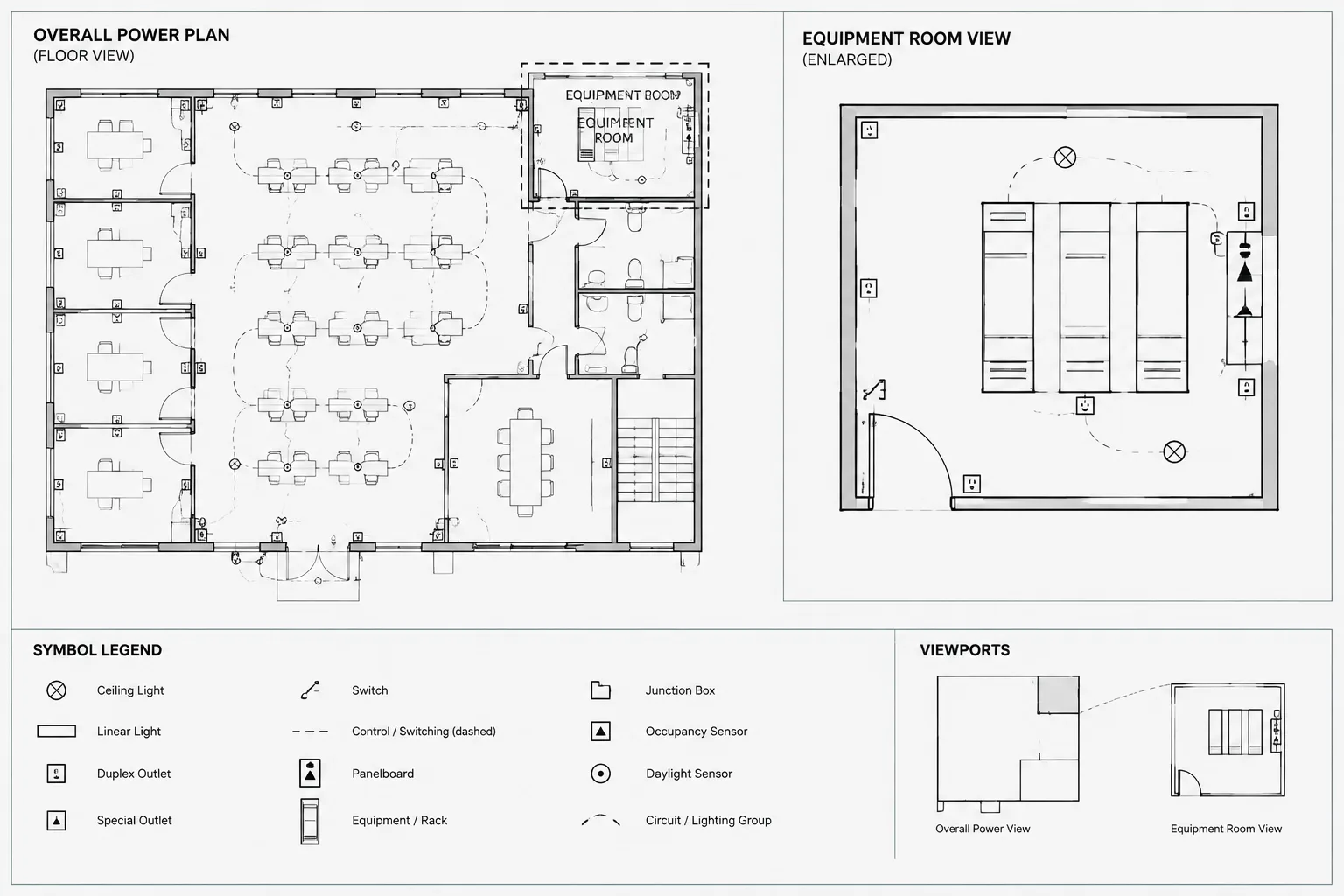
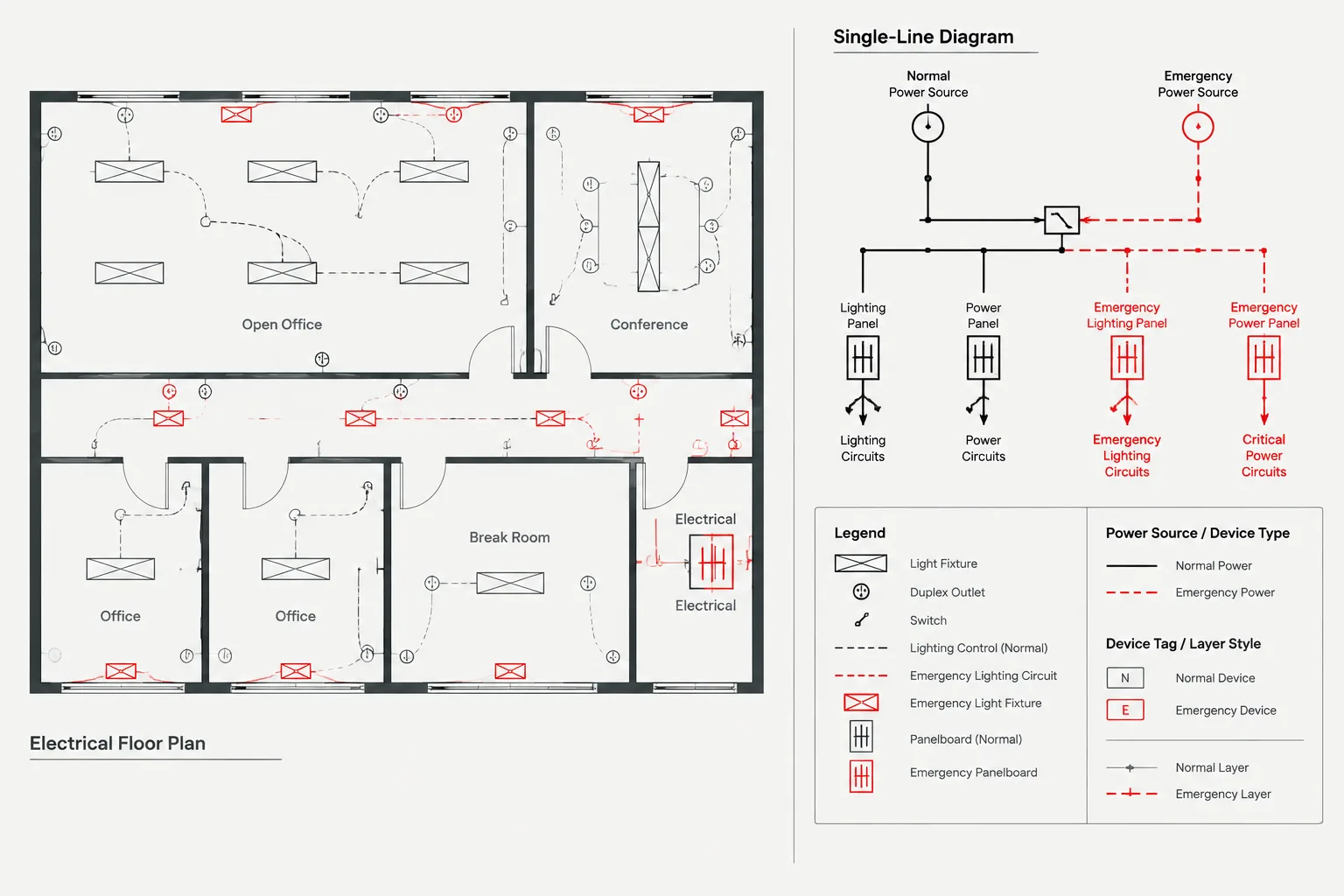
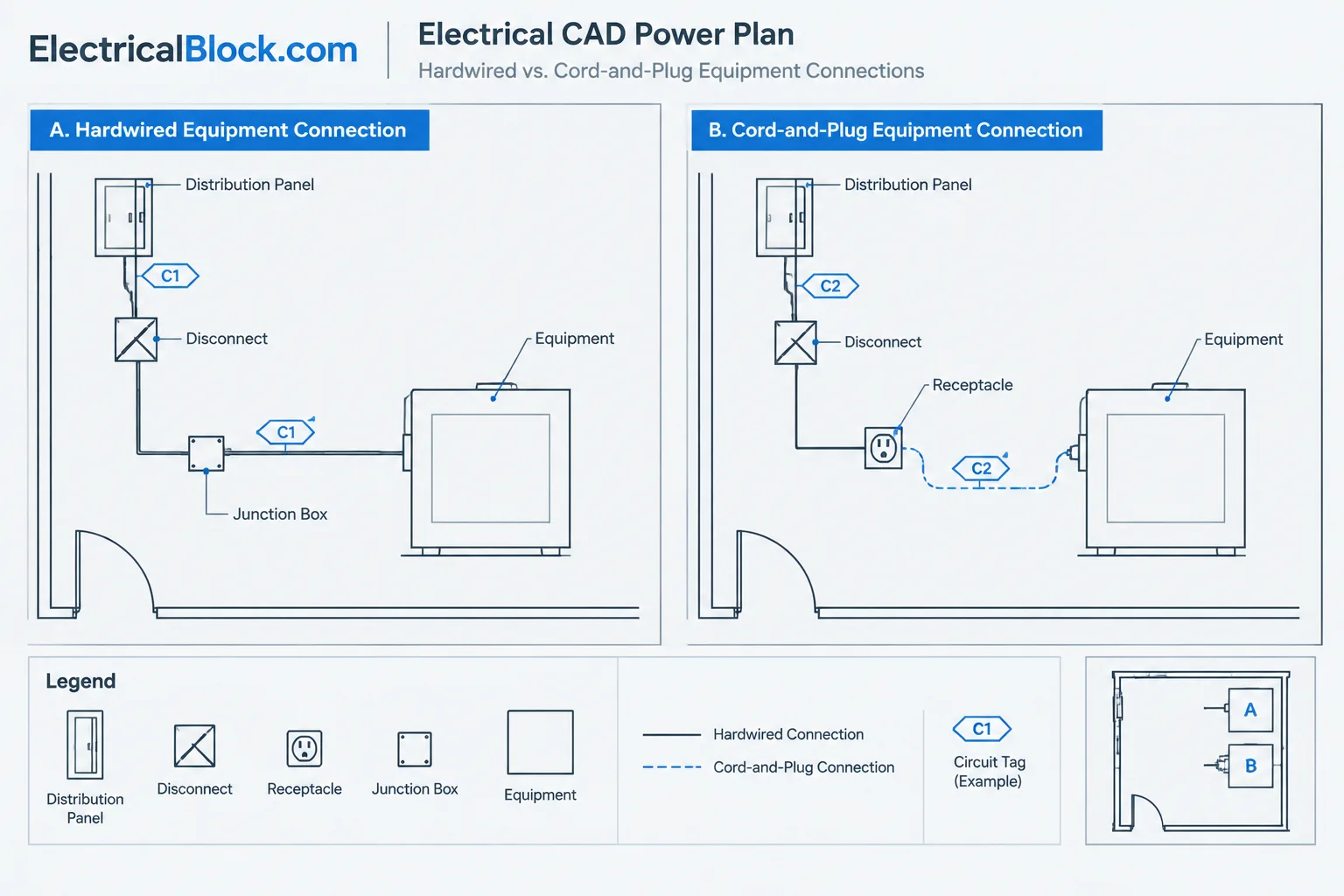
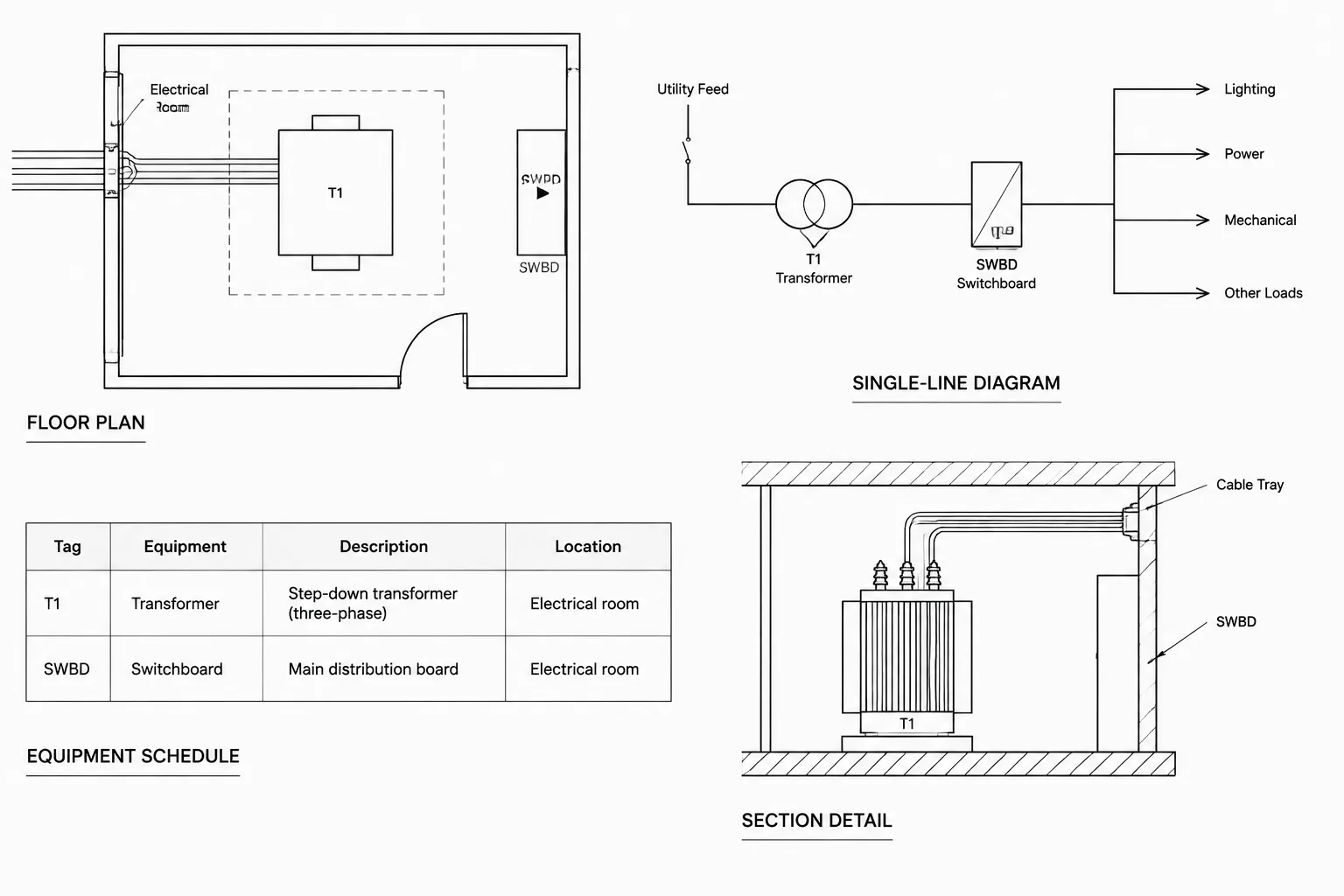
The same disconnect may require different CAD representations. A plan symbol is location-oriented. It may resemble an enclosure, a compact tagged device, or another office-standard symbol placed beside the connected equipment. A single-line symbol is system-oriented and is inserted directly into the line representing the power path.
| Drawing type | Primary purpose | Typical information |
|---|---|---|
| Floor or equipment plan | Locate the disconnect | Device tag, served equipment, mounting reference, local note |
| Single-line diagram | Show distribution relationships | Source, load, protective function, device description, feeder references |
| Equipment elevation | Coordinate physical arrangement | Enclosure position, orientation, adjacent equipment, access context |
| Disconnect schedule | Collect repeated data | Tag, source, load, type description, drawing references, remarks |
| Connection detail | Clarify the interface | Raceway approach, flexible connection, termination boundary, responsibility notes |
Do not force one block to serve every view. A plan block can be compact and readable at floor-plan scale, while a diagram block can emphasize contacts, fusing or other documented functions. Both should share a common equipment identifier so reviewers can recognize them as representations of the same device.
Build the CAD Block Around Stable Information
A reusable disconnect block should contain only geometry and attributes that remain useful across projects. Avoid embedding unverified ratings, enclosure classifications, dimensions, or installation notes into the base block. Those fields can create hidden errors when a generic symbol is reused.
Useful block attributes may include:
- Disconnect tag
- Served equipment tag
- Source or upstream equipment reference
- Type or function code
- Schedule reference
- Detail or elevation reference
- Remarks field
Attributes should support the office documentation process without turning the block into a crowded miniature schedule. Information that is not necessary for plan reading can remain in a schedule, diagram, or linked data workflow.
Use a Consistent Insertion Point
Choose an insertion point that helps the drafter place the symbol predictably. For an enclosure-style plan block, a corner or geometric center may be useful. For a diagram symbol, the insertion point should support clean alignment with the circuit line. Keep attribute locations stable so tags do not jump unpredictably when blocks are rotated or mirrored.
Separate Symbol Geometry from Annotation
Place symbol geometry, tags, circuit information, and optional references on appropriate layers when the CAD standard permits it. This allows teams to control visibility for working views and plotted sheets. However, avoid a block structure so complicated that essential parts disappear under common layer states.
Coordinate the Disconnect Tag Across Drawings
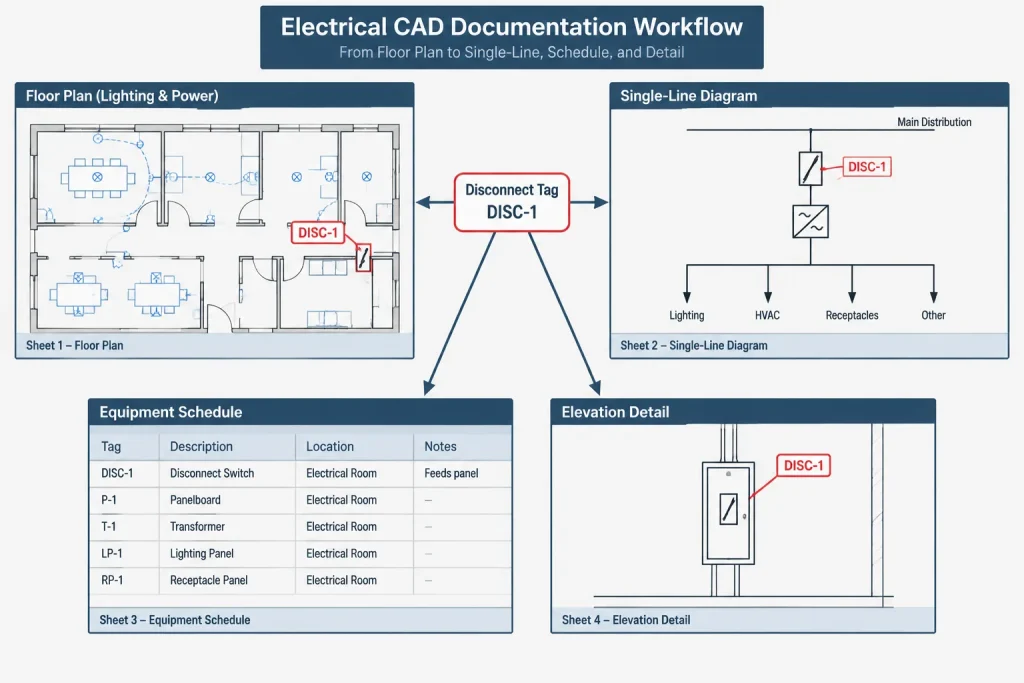
A disconnect tag is the most useful link between plan and diagram representations. The tag should be unique within the project identification system and should remain stable through drawing development. Renaming devices late in the project can break schedules, callouts, field markups, and external equipment lists.
When a disconnect is shown on a plan, use its tag to check the following relationships:
- Is the same tag present on the single-line diagram where applicable?
- Does the served equipment tag match the mechanical, process, or equipment plan?
- Is the upstream source identified consistently?
- Does the schedule use the same device description?
- Do details and elevations point to the correct location?
- Has a copied block retained an old tag or old equipment reference?
If the project does not use individual disconnect tags, another stable cross-reference is needed. That may be the served equipment identifier, a keyed note, or a schedule row. The important point is that reviewers must be able to trace the device without guessing.
Show the Relationship to Served Equipment
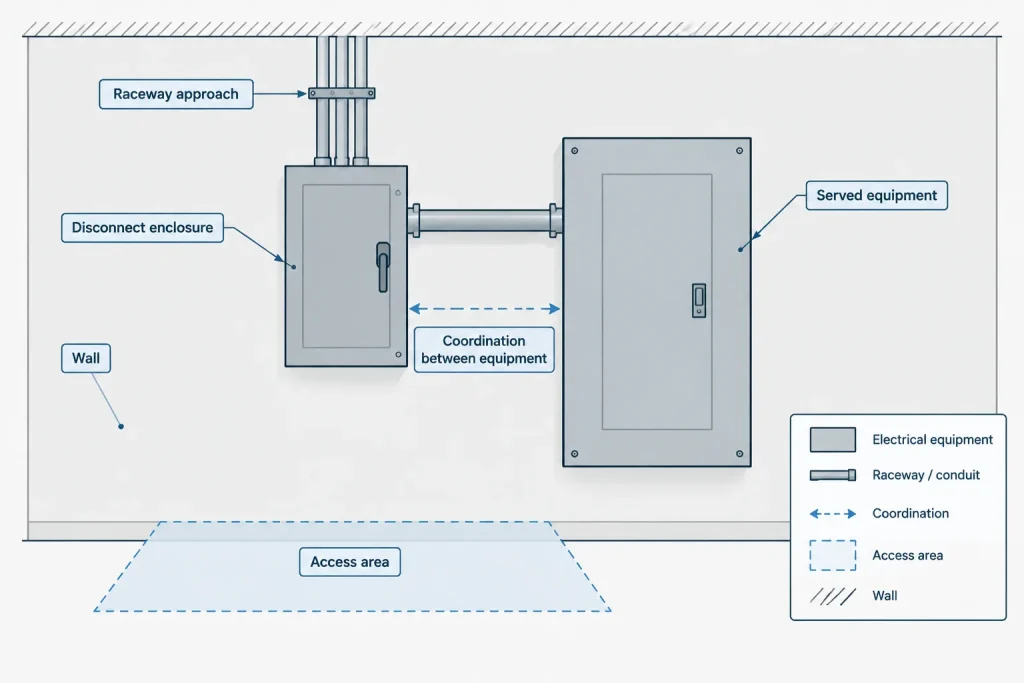
A disconnect located near equipment on a plan can still be ambiguous. It may be unclear which unit it serves, whether it is integral to the equipment, or whether it is a separate wall-mounted enclosure. Use a short equipment reference, connection line, keyed note, or detail callout when proximity alone does not communicate the relationship.
Connection linework should be visually distinct from actual raceway or circuit routing when it is only an association graphic. Otherwise, readers may interpret a simple leader as an engineered pathway. The project legend or drawing notes should explain uncommon line conventions.
Where equipment footprints are based on preliminary information, show the disconnect location as a coordination position rather than a verified installation point. Final placement may depend on approved equipment data, connection locations, architectural conditions, and access requirements.
Document Fused, Non-Fused, and Other Functional Differences
If the design distinguishes among disconnect functions, do not rely solely on subtle symbol variations. Small internal marks may become difficult to read after plotting, reduction, or raster export. Combine the graphic convention with a clear tag, type code, note, or schedule description.
Avoid assuming that a plan symbol proves the detailed characteristics of the device. Information such as protective functions, poles, operating arrangement, environmental classification, and ratings should come from verified project design data. A generic block is a communication tool, not a product selection.
Use Elevations and Details When the Plan Is Not Enough
A floor plan may show where a disconnect belongs without explaining how it relates to a wall, equipment housing, support frame, or grouped electrical assembly. An elevation or detail is useful when the arrangement affects coordination.
An elevation can show:
- The disconnect relative to the served equipment
- Orientation of the enclosure and operating side
- Nearby control stations, receptacles, or connection boxes
- Raceway approach and transition zones
- Conflicts with architectural or mechanical elements
- References to verified mounting or access criteria
Keep generic details generic. If a detail shows a project-specific arrangement, identify the associated equipment and location. If it is only a diagrammatic example, label it accordingly so it is not mistaken for a verified physical layout.
A Practical CAD Review Workflow
Before issuing the drawings, perform a device-centered review rather than checking each sheet in isolation.
- Extract or list the disconnect tags. Use block attributes, schedules, or a controlled manual list.
- Check for duplicates and blanks. Copied blocks often retain identifiers from earlier locations.
- Trace each device from source to load. Compare the plan, single-line diagram, and equipment references.
- Review symbol types. Confirm that graphic differences agree with the legend and schedule descriptions.
- Inspect physical coordination. Look for overlaps, inaccessible annotation, unclear equipment associations, and conflicts visible in referenced backgrounds.
- Review details and callouts. Confirm that every reference points to an existing and relevant view.
- Plot-test the result. Check whether internal symbol graphics, tags, and linework remain readable at the intended sheet scale.
Common Drafting Problems
- Plan-only devices: A disconnect appears near equipment but is missing from the distribution diagram.
- Diagram-only devices: The single-line shows a disconnect that cannot be located on the plan.
- Ambiguous associations: Several units are close to one symbol, with no indication of which unit it serves.
- Overloaded blocks: Too many attributes make the plan unreadable and duplicate schedule content.
- Unverified embedded data: A library block carries ratings or descriptions from a previous project.
- Inconsistent terminology: Plans, schedules, and diagrams use different names for the same device.
- Invisible differences: Critical functional distinctions rely on tiny geometry that disappears when plotted.
Make the Symbol Part of a Coordinated Record
Effective disconnect documentation depends less on elaborate graphics than on traceability. A clear plan symbol establishes location, a single-line symbol establishes electrical context, and a stable tag connects those views to schedules and details. When the CAD library supports that relationship without embedding unverified project data, disconnect blocks become reliable documentation tools instead of isolated marks on a sheet.
Using Disconnect Data as a Coordination Check
A well-structured disconnect block can support drawing review without becoming the sole source of project data. Its attributes can be compared with schedules or controlled equipment records to locate blank tags, duplicated identifiers, inconsistent source references, and mismatched equipment associations.
The most useful review starts with the device identity and follows it through every applicable view. Reviewers should be able to locate the disconnect on the plan, understand its position in the distribution path, identify the equipment it serves, and find any related detail or schedule entry without interpreting proximity as proof.
Preserve Meaning During CAD Reuse
Copying a symbol is faster than creating a device record from the beginning, but copied attributes can retain obsolete information. After reuse, check the visible tag as well as any hidden or schedule-oriented fields. A block that looks correct on the plan may still contain an old source, load, description, or reference.
Library maintenance should also distinguish reusable graphics from project-specific content. Geometry and attribute definitions may belong in the shared library, while assigned identifiers, equipment relationships, and verified device descriptions belong in the project documentation.
Review the Published Output
Coordination is not complete until the drawings are viewed in their issued format. Layer states, annotation visibility, lineweight, background screening, and sheet reduction can alter how a disconnect symbol reads. If a functional distinction disappears in the output, reinforce it with a readable tag, note, legend entry, or schedule description rather than relying on small internal geometry.
Frequently Asked Questions
Is an electrical disconnect symbol universal?
No. Symbol conventions can vary by organization, project, drawing type, and software library. The project legend and associated documentation should define how the symbol is intended to be read.
Should the same CAD block be used on plans and one-line diagrams?
Not necessarily. A plan block communicates location, while a one-line symbol communicates the device’s position in the distribution path. Separate representations are often clearer when they share the same stable identifier.
What is the best way to connect a disconnect to its served equipment?
Use a consistent disconnect tag, served-equipment reference, schedule relationship, or clearly defined callout. Proximity alone may be ambiguous when several devices or equipment items appear in the same area.
Should ratings and enclosure data be stored in a generic disconnect block?
Only verified project information should be assigned to project objects. A reusable library block should not carry ratings, classifications, dimensions, or descriptions left over from another design. Detailed data may be better managed in schedules or controlled equipment records.
How can copied disconnect blocks be checked efficiently?
Extract or review their attributes, then compare identifiers, source references, served equipment, descriptions, and drawing callouts. Pay particular attention to duplicated tags, blank fields, and values retained from the copied device.
What should be checked when the symbol plots too small?
Confirm that the tag, outline, connection linework, and important functional distinctions remain readable in the published sheet. Use annotation or a schedule description when small symbol geometry cannot communicate the required distinction reliably.
Leave a Reply
You must be logged in to post a comment.