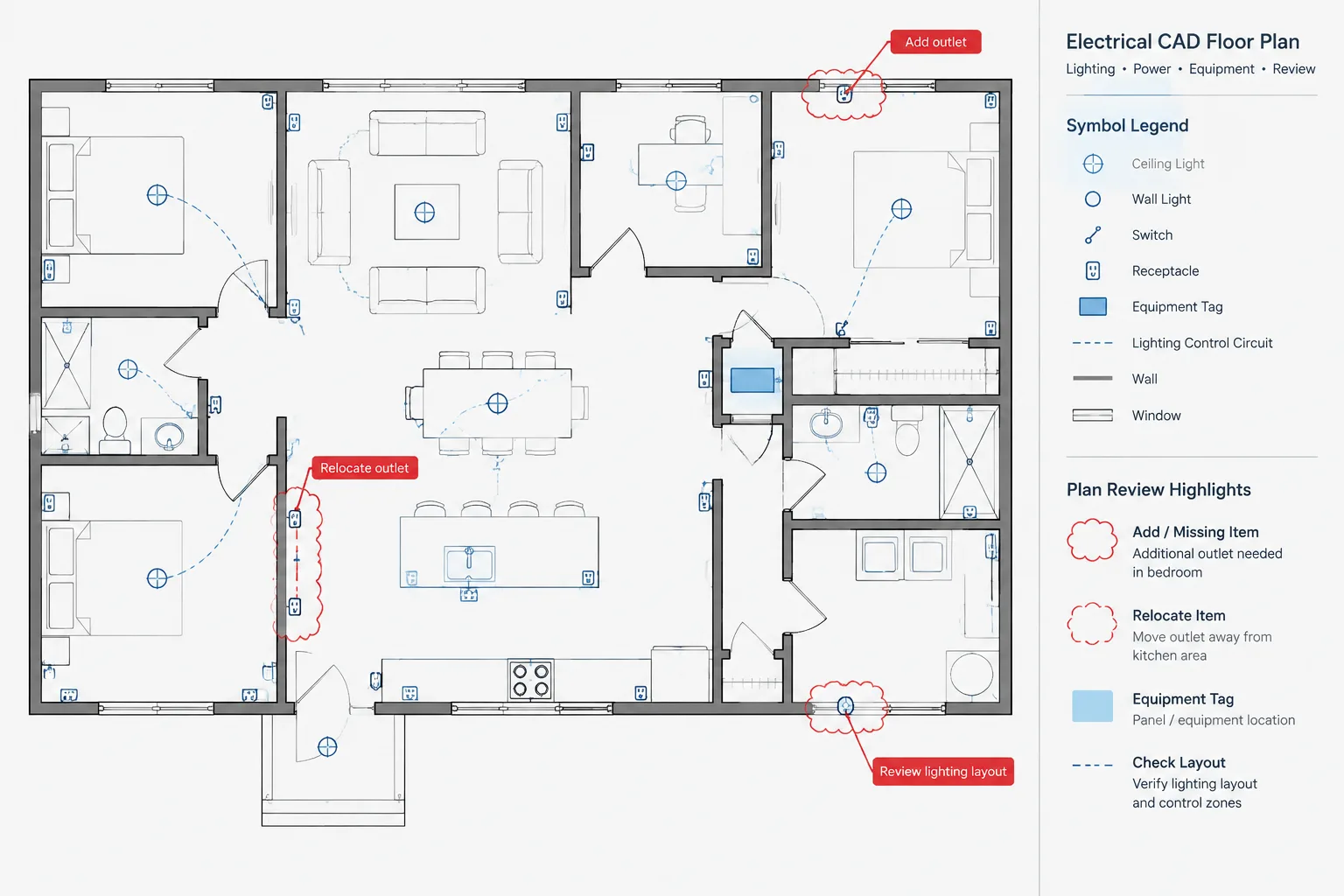
A room-by-room electrical plan review in CAD complements system-based quality control by examining how lighting, power, controls, equipment, schedules, and annotations come together within each space. The workflow below helps reviewers identify documentation gaps while maintaining a clear distinction between drawing completeness and engineering verification.
Use the process as a repeatable review framework rather than a project-independent design checklist. Applicable drawings, equipment interfaces, naming conventions, and review responsibilities must still follow the coordinated project requirements.
Large electrical floor plans are often reviewed by system: lighting first, receptacles next, then power, controls, and low-voltage interfaces. That approach is useful, but it can miss a basic coordination question: does each room have complete and consistent electrical documentation?
A room-by-room electrical plan review provides a second way to examine the drawing set. Instead of following one circuit or system across an entire floor, the reviewer focuses on a defined space and checks every applicable drawing relationship associated with it. This method can reveal missing symbols, mismatched room references, incomplete equipment connections, conflicting notes, and devices that appear on one plan but not on a related view.
This is a documentation review workflow, not a substitute for engineering calculations, code analysis, or project-specific design verification. Its purpose is to help CAD teams organize and inspect the information already required by the project.
Why review electrical plans by room?
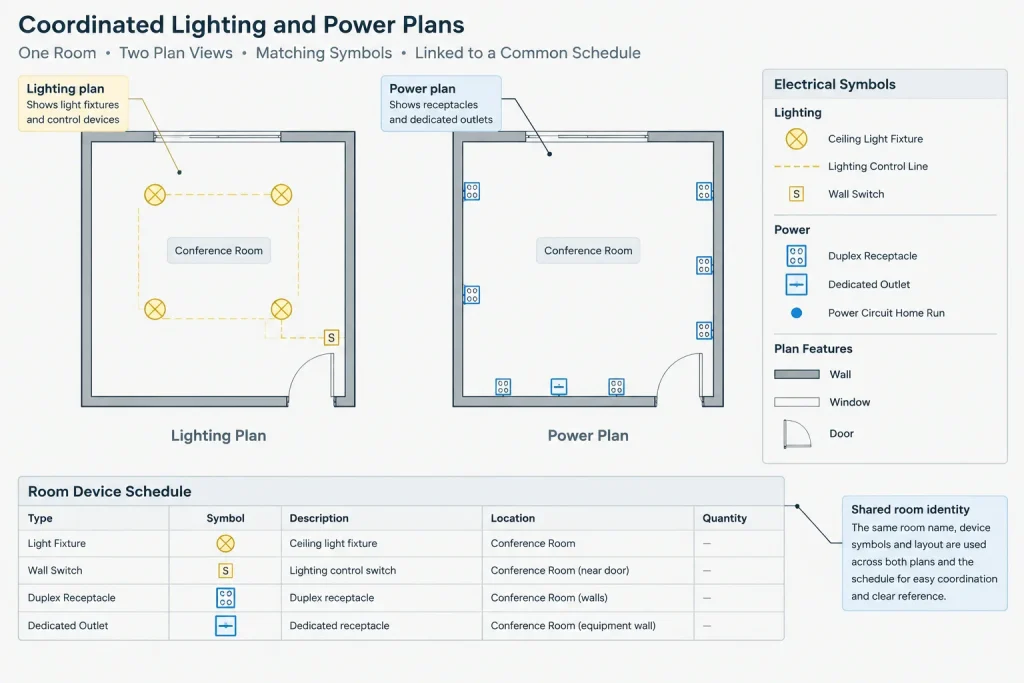
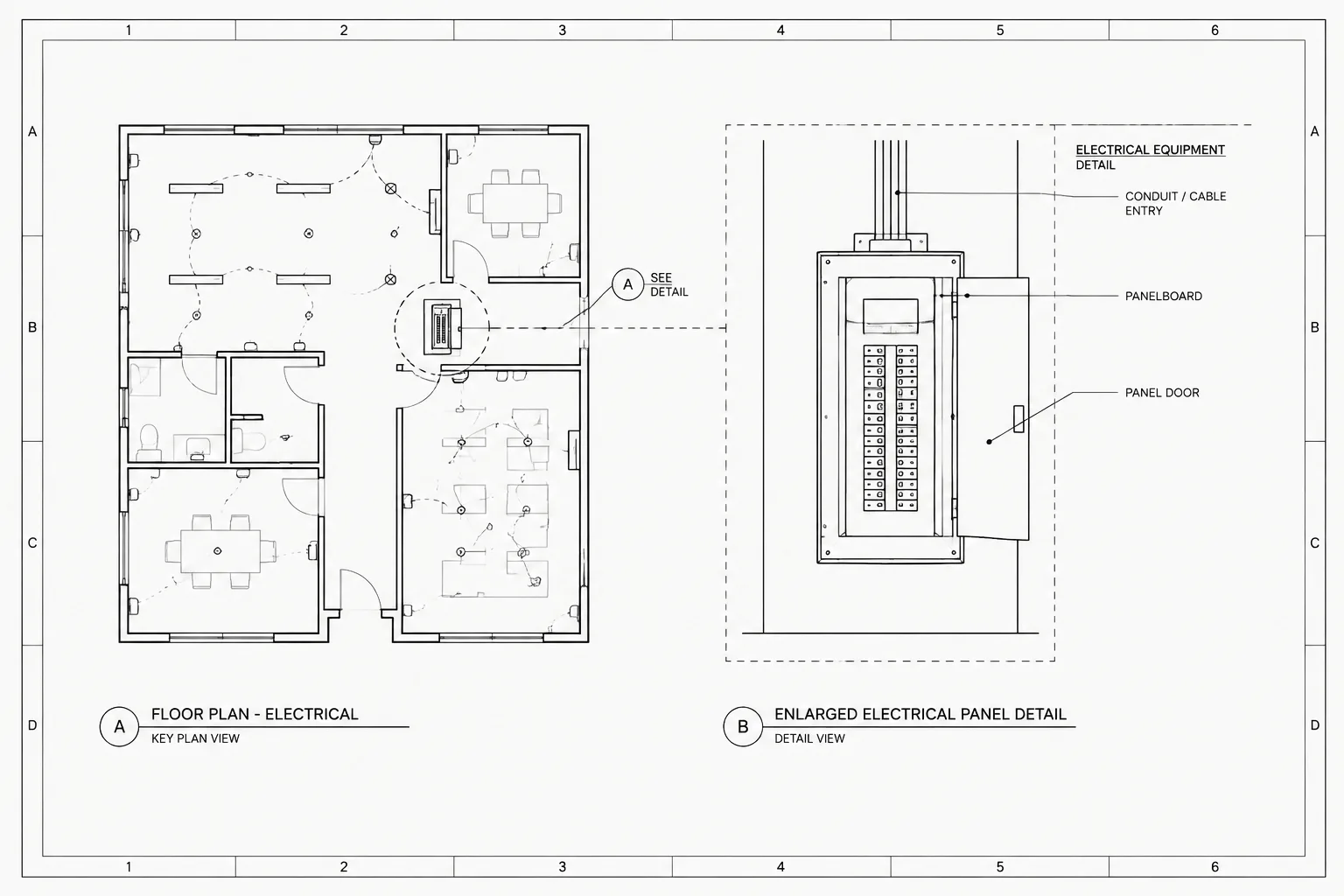
Electrical information for a single room may be distributed across several sheets and schedules. Lighting fixtures might appear on a reflected ceiling plan, receptacles on a power plan, equipment connections on a dedicated plan, and control intent on another sheet. Panel and fixture schedules may add further information that is not visible directly beside the room.
Reviewing only one plan type at a time makes it easy to overlook relationships between those documents. A room-based review changes the viewpoint. It asks whether the complete drawing set tells a coherent story for each space.
This method is particularly helpful where rooms repeat, have specialized equipment, contain dense ceiling layouts, or change frequently during design. It can also help teams identify rooms whose names or numbers changed in the architectural background without being updated throughout the electrical set.
Prepare the CAD files before starting
A reliable review depends on current, aligned backgrounds and controlled drawing visibility. Before inspecting rooms, confirm that the review set represents the intended issue state.
- Load the current architectural backgrounds and resolve missing or outdated references.
- Confirm that room names, room numbers, walls, doors, ceilings, and major equipment are visible where needed.
- Apply the layer states or visibility settings used for the plotted electrical plans.
- Check that plan orientation and referenced floor areas are consistent between sheets.
- Regenerate or refresh schedules and extracted data if the project workflow uses them.
- Use a clearly identified review copy so temporary marks are not confused with design geometry.
Reviewing an unplotted combination of every CAD layer can create false findings. The primary review should use the same information hierarchy that readers will see in the issued sheets. Additional layers may then be turned on to investigate specific questions.
Create a room review matrix
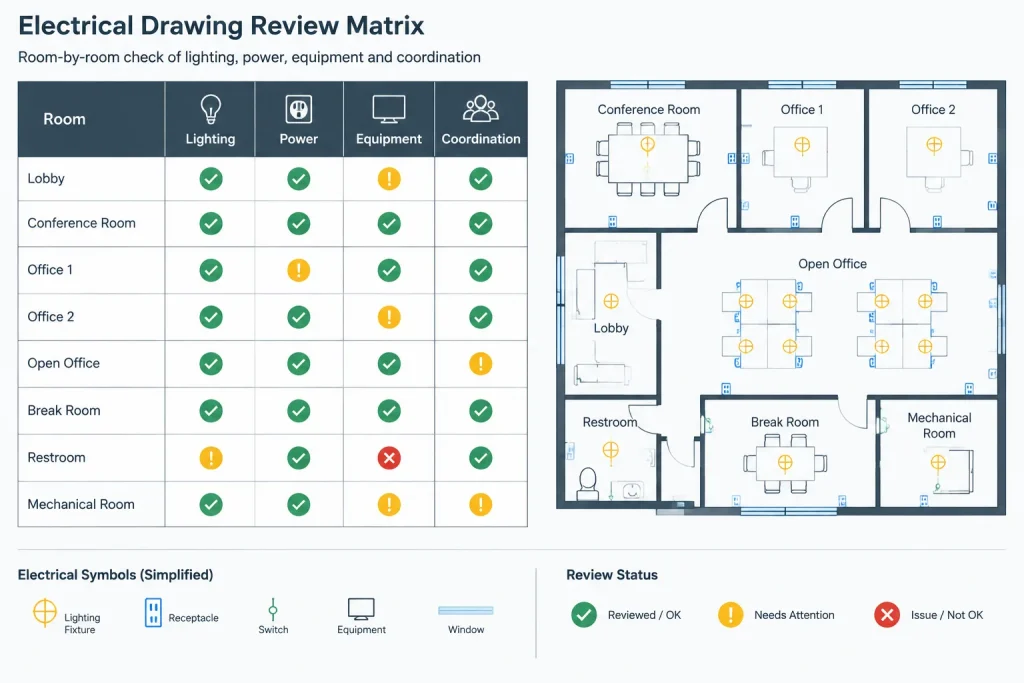
A simple matrix helps prevent rooms from being skipped and gives the team a consistent place to record findings. Room names and numbers should be taken from the coordinated project background rather than typed from memory.
| Review field | What to record | Typical questions |
|---|---|---|
| Room identity | Room number, name, floor, or area | Is the same identity used across relevant plans? |
| Applicable plan types | Lighting, power, equipment, controls, or other project views | Does the room appear on every drawing where it should be documented? |
| Device documentation | Symbols, tags, notes, and circuit references | Are visible devices identified consistently? |
| Equipment interfaces | Connections and responsibility references | Is each required interface represented without assuming undocumented work? |
| Coordination status | Open, reviewed, revised, or verified | Has the finding been resolved in all affected documents? |
The matrix does not need to reproduce all drawing data. It should function as a review index and issue tracker. Detailed corrections belong in the CAD files, schedules, or formal comment system used by the project team.
Follow a consistent review sequence
1. Confirm the room boundary and identity
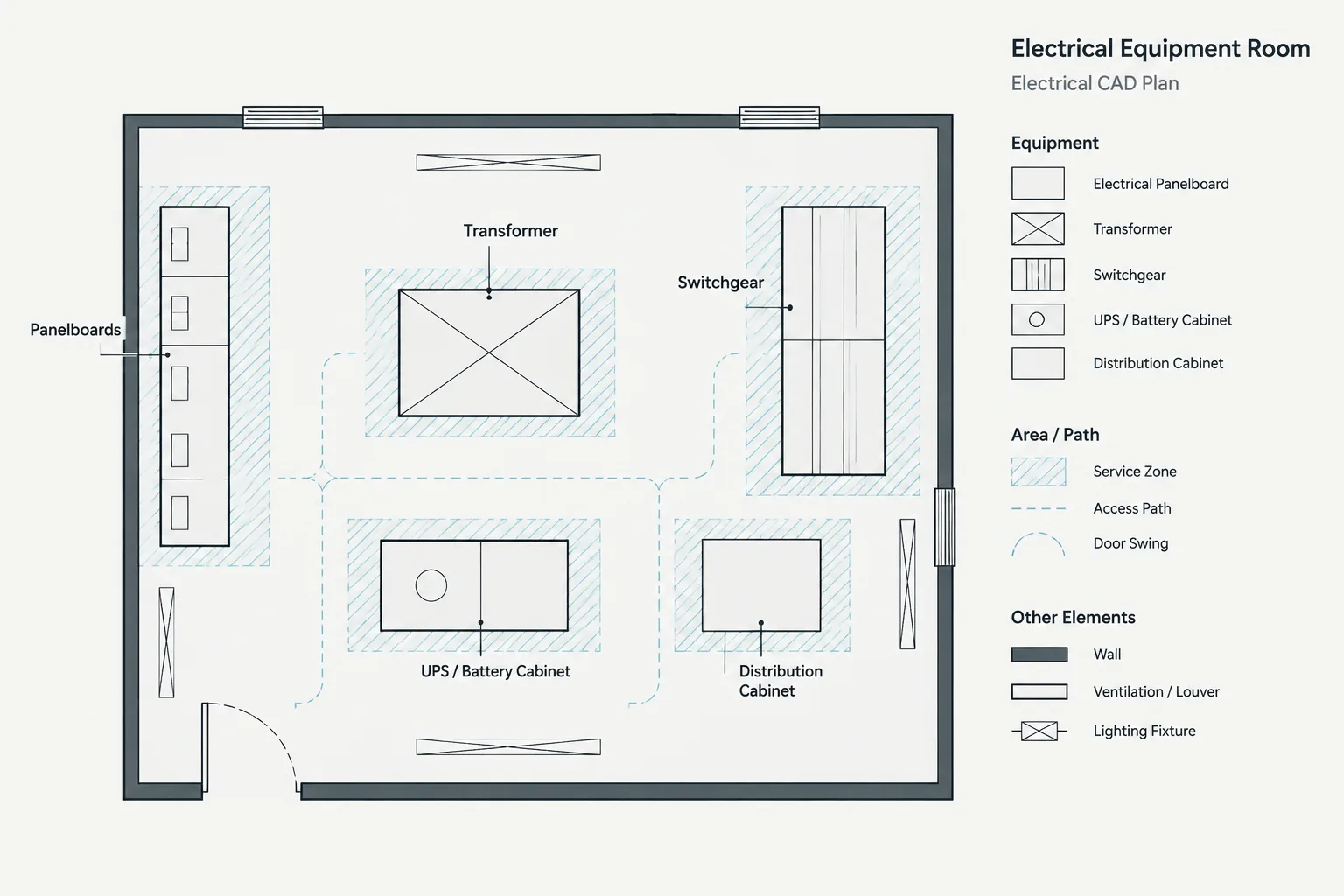
Begin with the architectural definition of the room. Check the room name, number, walls, doors, casework, ceiling areas, and fixed equipment that affect electrical documentation. Watch for electrical symbols placed just outside a room because a wall moved or an external reference was updated.
If a space has no room number, use the project’s established area, grid, or location convention. Do not create an unofficial identifier that could be mistaken for coordinated project data.
2. Review lighting and ceiling-related information
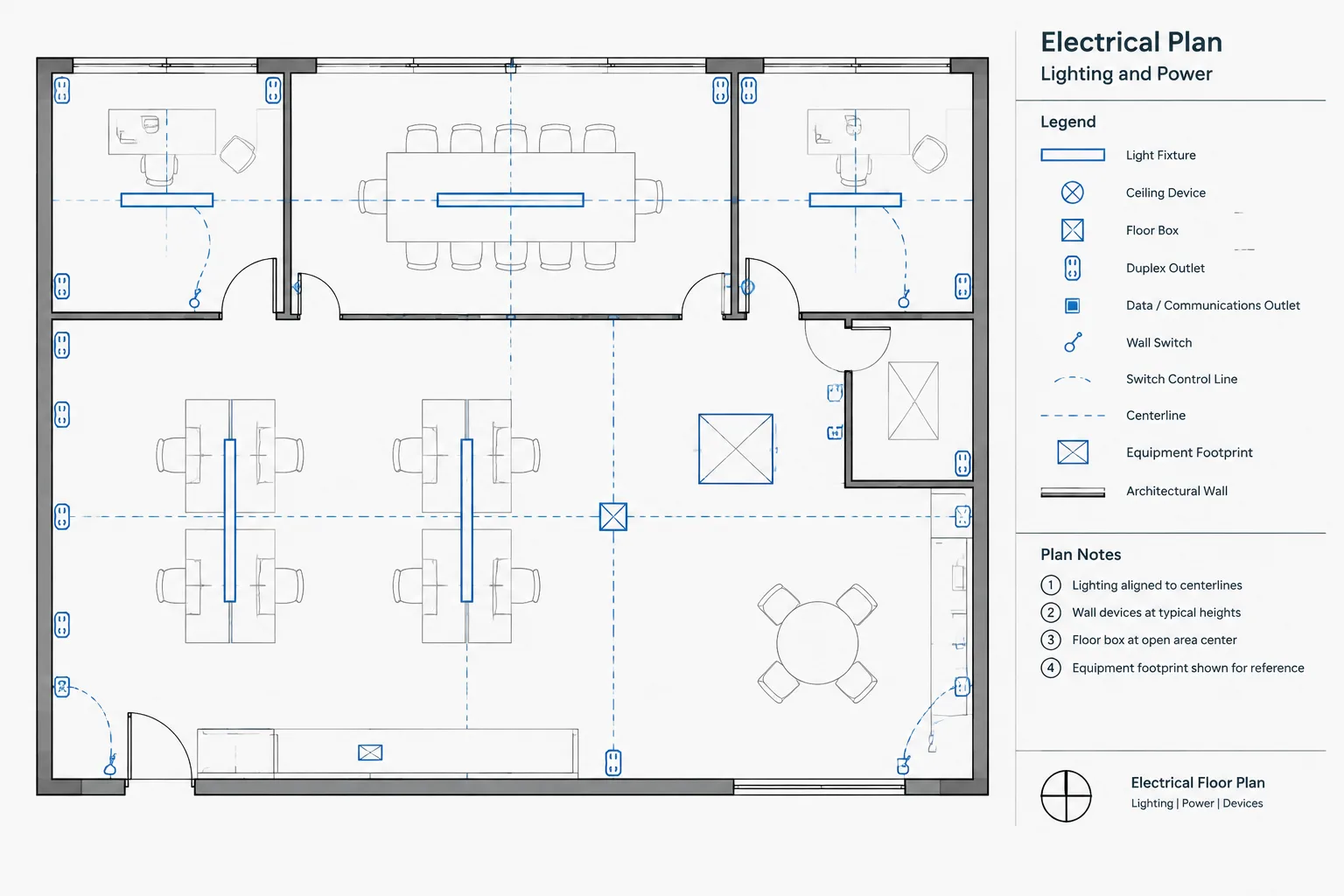
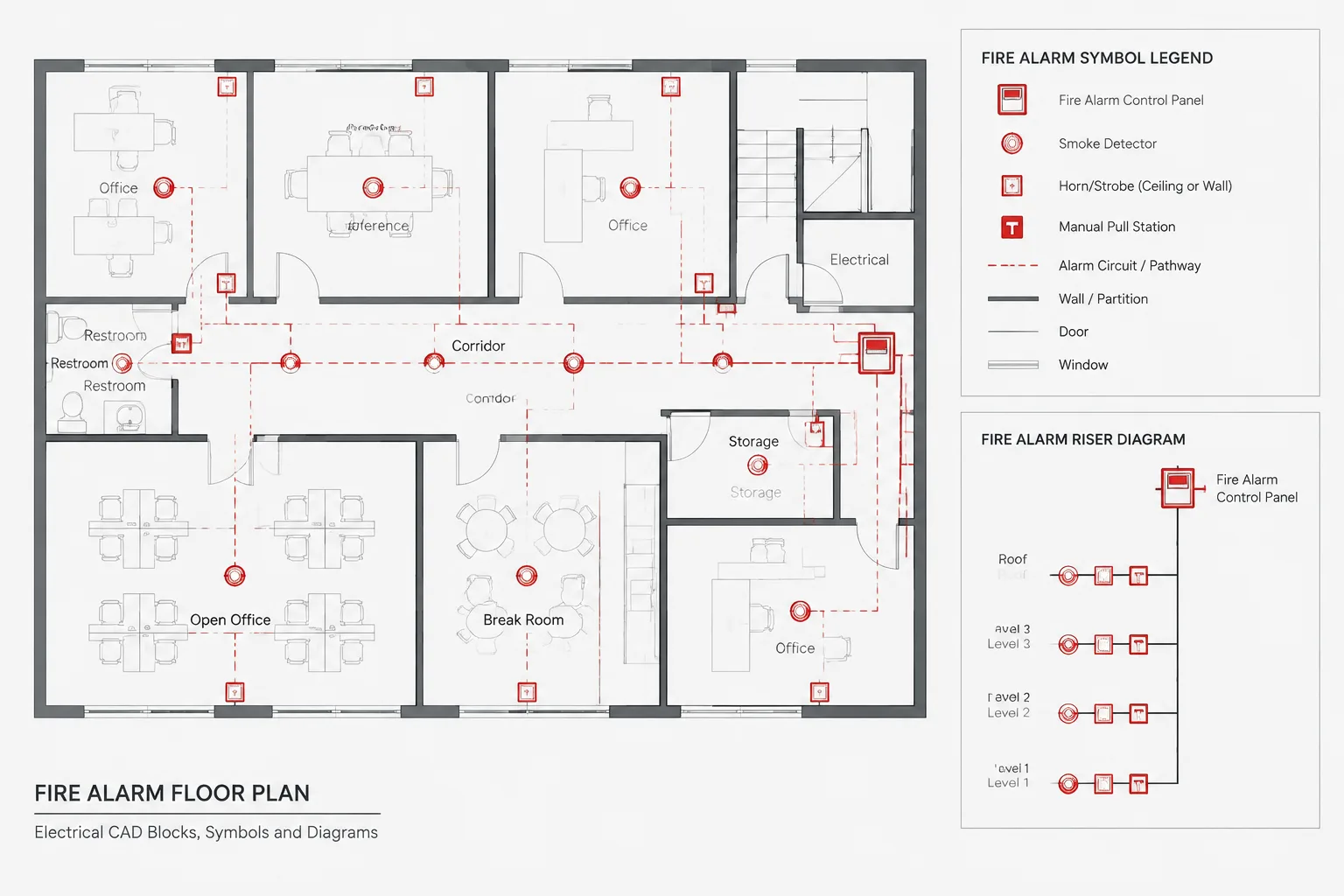
Compare the lighting plan with the reflected ceiling information where applicable. Look for fixtures without type identifiers, control symbols with unclear relationships, and ceiling-mounted electrical devices that conflict with other visible elements.
Verify that fixture tags correspond to the project schedule and that unusual mounting or control conditions have a clear drawing reference. The goal is not to infer design intent from symbol proximity alone. If the relationship cannot be read confidently, it may require a note, control line, tag, or detail reference.
3. Review receptacles and general power devices
Inspect receptacle and small-power symbols for readable placement, orientation, circuit references, and special notation. Check whether devices hidden by furniture, casework, hatches, or background linework remain understandable in the plotted view.
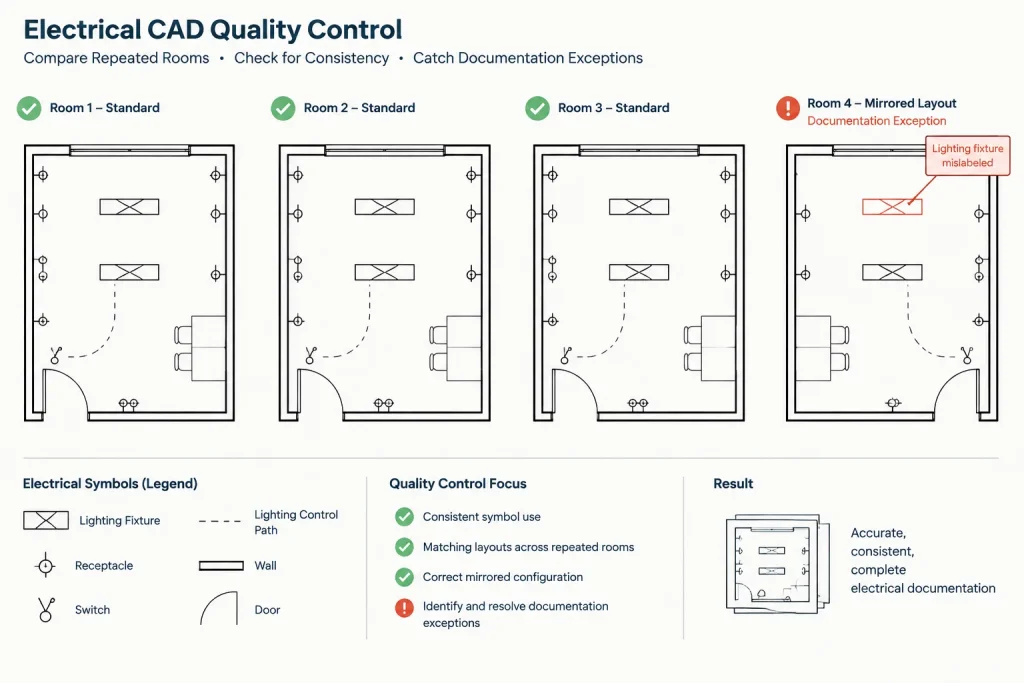
Repeated rooms deserve comparison, but repetition should not be assumed to mean identity. Door swings, equipment layouts, room functions, and architectural configurations may differ even where the basic room type is similar.
4. Check equipment connection documentation
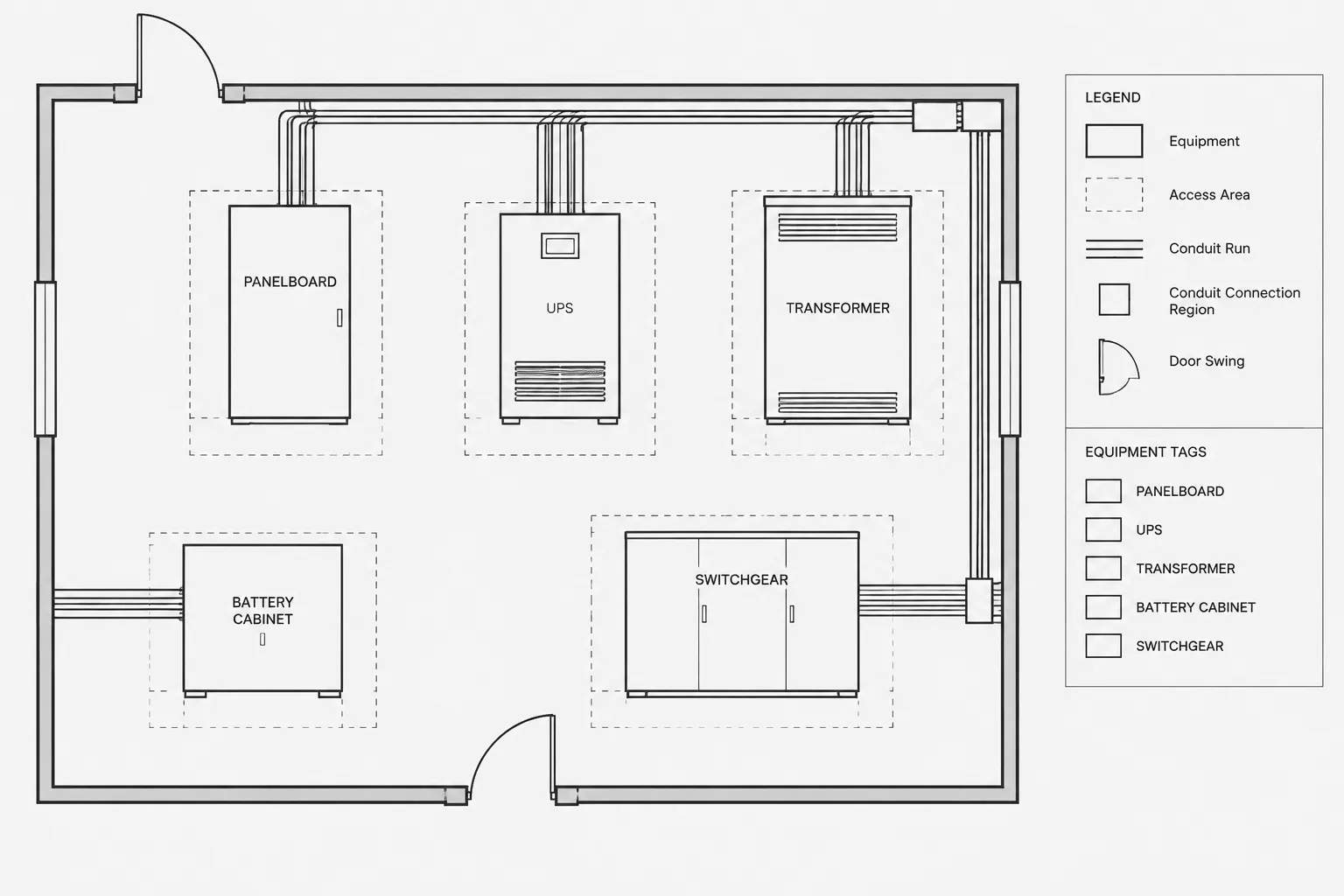
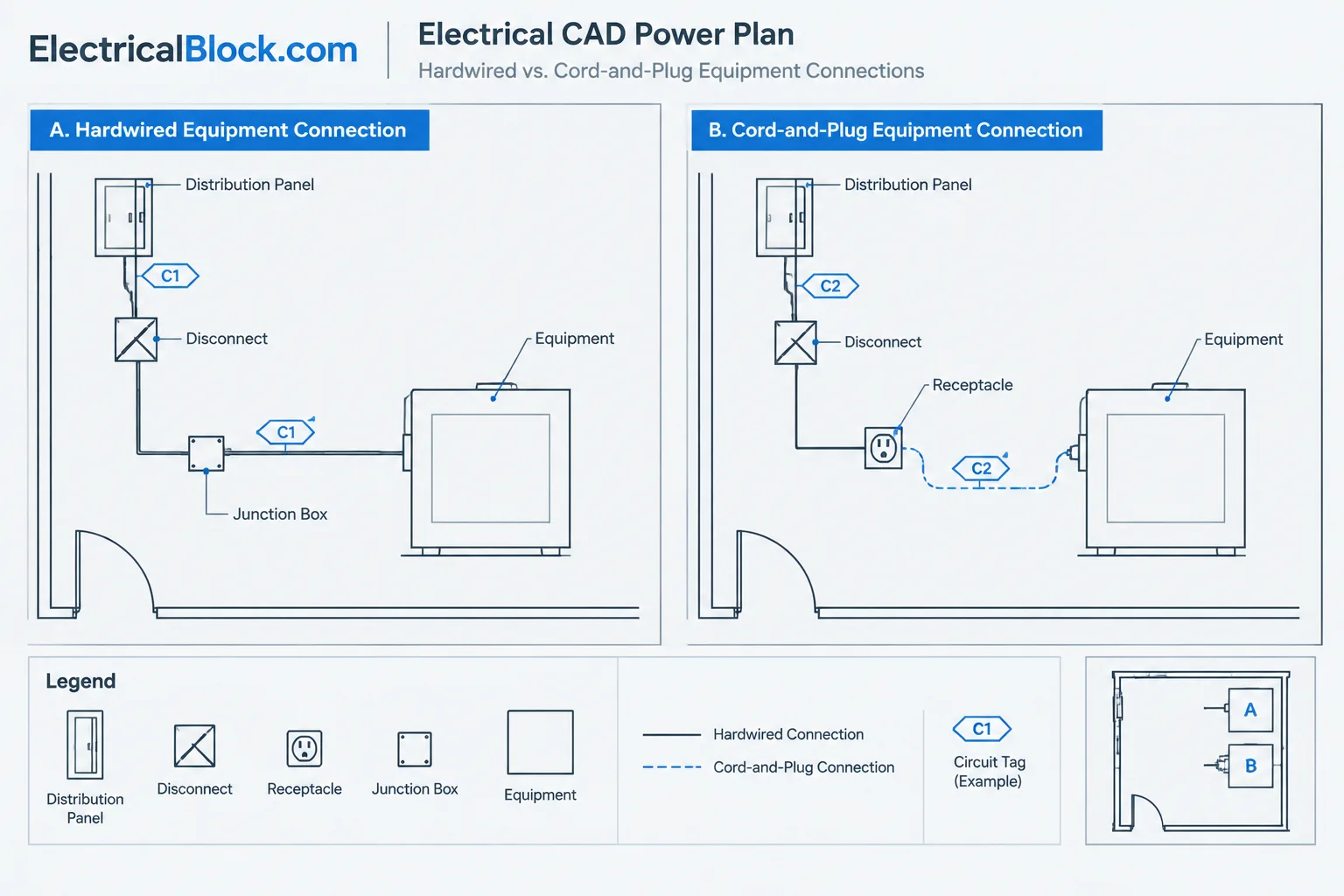
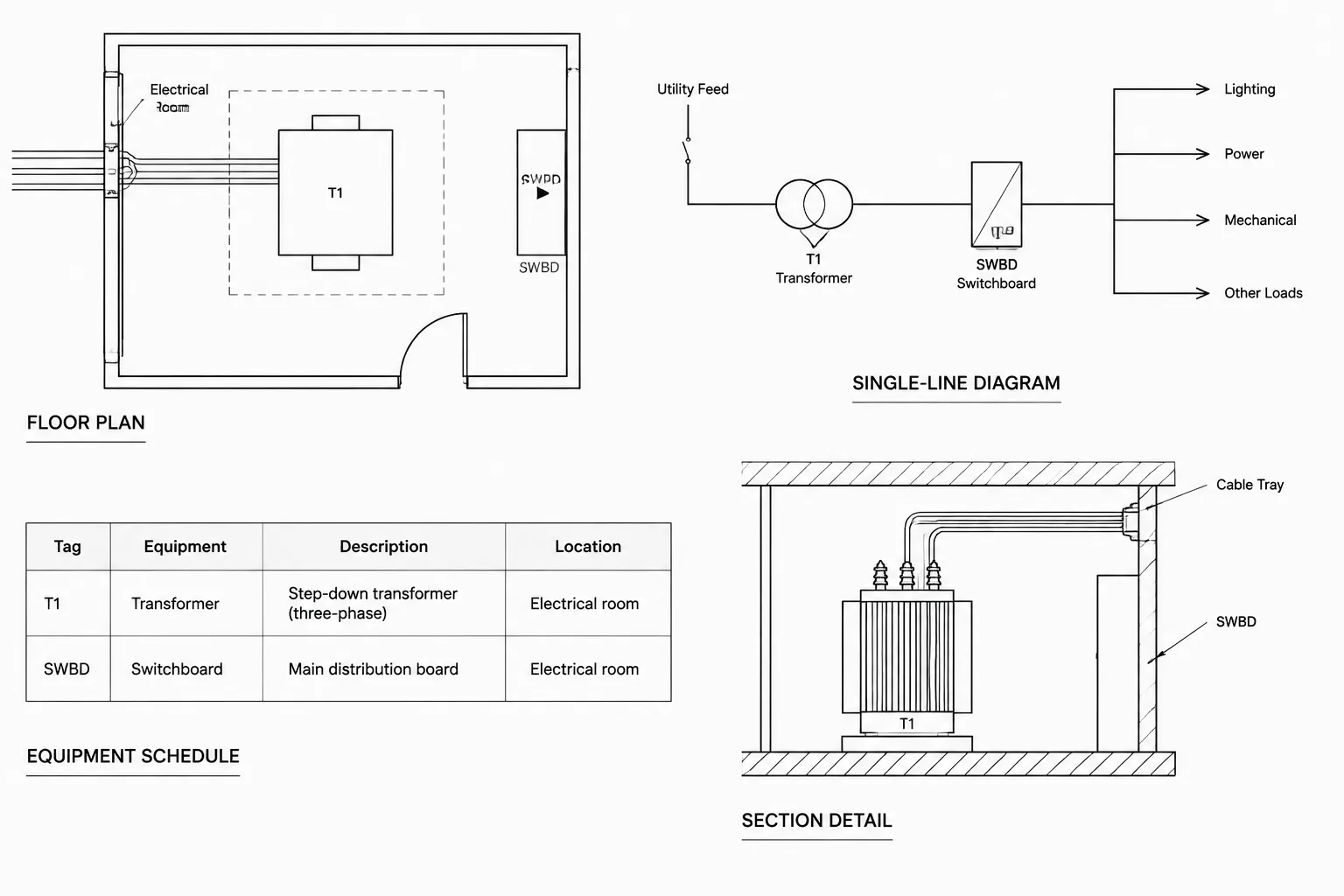
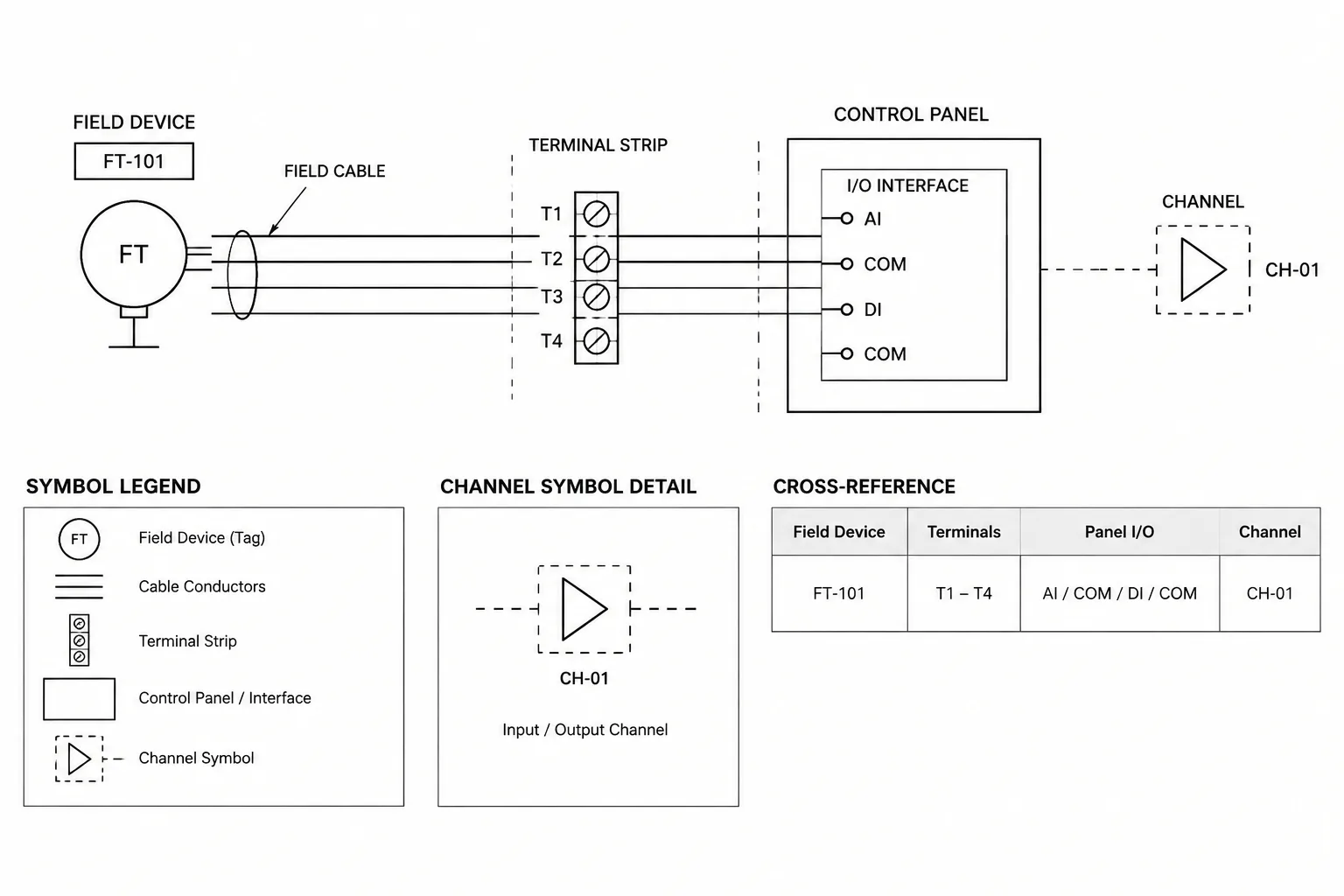
Compare visible equipment with the electrical plan and any connection schedule. Each represented connection should use the project’s established equipment name or tag. Differences in punctuation, prefixes, or abbreviations can break manual reviews and data extraction workflows even when the intended equipment seems obvious.
Also identify architectural or consultant equipment that appears to require coordination but has no documented electrical interface. Record it as a coordination question rather than inventing a connection requirement.
5. Trace tags to schedules and diagrams
Select representative devices and equipment within the room and follow their references. A panel designation should match the applicable schedule and diagram. Fixture types should match the fixture schedule. Equipment tags should correspond to connection schedules or details where those documents are part of the project.
This traceability check helps find stale tags copied from another area, schedule entries that no longer appear on plans, and renamed equipment that was updated in only one location.
6. Inspect annotation and plotting quality
Review the room at intended sheet presentation, not only while zoomed closely into model space. Confirm that symbols, text, leaders, circuit notation, and background geometry remain distinguishable when plotted.
Check for overlapping tags, clipped leaders, text under masking objects, inconsistent symbol rotation, and notes that appear to point at the wrong item. A technically present annotation is not useful if readers cannot associate it with the correct device.
Use CAD tools without hiding judgment
CAD features can accelerate the review, but they should support rather than replace visual inspection. Useful techniques include isolating system layers, highlighting blocks by name, selecting objects by attributes, comparing repeated room layouts, and applying temporary review clouds or nonplot markers.
Where symbol attributes are used, exported block data can help locate blank tags or inconsistent values. However, automated searches may not detect exploded symbols, plain text substitutions, or graphical objects drawn on incorrect layers. Combine data checks with a plotted-sheet review.
Handle repeated rooms efficiently
For hotels, classrooms, offices, residential units, or other repeated spaces, establish a verified reference room for each documented type. Compare other rooms against that reference while still checking room-specific differences.
- Confirm whether the room is truly the same type or only visually similar.
- Check mirrored layouts for text, symbol, and leader orientation problems.
- Identify exceptions such as accessible layouts, corner conditions, or different equipment arrangements.
- Make corrections through controlled source geometry rather than editing many uncontrolled copies where possible.
- Recheck schedules after tags or device quantities change.
A reference room is a review aid, not universal proof that every repeated space is correct.
Close findings across the drawing set
A room review comment may affect more than the sheet where it was discovered. Adding a missing equipment tag could require updates to a schedule, single-line diagram, detail, or control drawing. Closing the graphical mark without checking those relationships can leave the set internally inconsistent.
For each resolved finding, identify the affected files, make the coordinated revisions, and inspect the resulting plotted sheets. If the project uses revision tracking, follow the established issue procedure rather than adding informal revision graphics to production drawings.
Final room-review checklist
- The room name and number agree with the coordinated background.
- Applicable electrical plan types include the room.
- Symbols and tags are visible, readable, and associated with the intended objects.
- Lighting, power, controls, and equipment interfaces tell a consistent story.
- Panel, fixture, equipment, and detail references lead to matching documentation.
- Repeated-room assumptions have been checked against actual conditions.
- Review comments are resolved across every affected sheet and schedule.
- The final plotted view has been inspected, not just the model-space geometry.
A room-by-room electrical plan review is most effective when used alongside system-based checks, drawing comparison, and formal quality control. By looking at the set from the perspective of each space, CAD teams can find coordination gaps that are easy to miss when reviewing one layer, system, or sheet at a time.
Turn room-review findings into actionable comments
A useful review comment should identify the room, affected drawing information, observed inconsistency, and related documents that may require inspection. Comments such as check power are difficult to close because they do not explain whether the concern involves a missing symbol, an unreadable tag, a schedule mismatch, or an unresolved equipment interface.
Separate confirmed drafting discrepancies from coordination questions. A symbol placed on the wrong layer may be a direct CAD correction, while equipment shown without an electrical interface may require clarification from the responsible discipline. This distinction helps prevent reviewers from converting an uncertain condition into unsupported design intent.
Preserve review evidence without cluttering production files
Temporary marks should remain distinguishable from design geometry and should follow the project’s review process. Record enough context to find the condition again after references, backgrounds, or sheet layouts change. When a finding is closed, verify the corrected plotted result and any connected schedule, diagram, detail, or plan reference rather than relying only on the disappearance of a review mark.
Understand what documentation completeness means
A complete-looking room is not automatically a verified electrical design. Room-based review can confirm that visible information is coordinated, readable, traceable, and consistently represented across the drawing set. It does not establish that calculations, ratings, code requirements, equipment selections, or installation conditions are correct.
The strongest quality-control process combines room-based review with system tracing, schedule checks, drawing comparison, discipline coordination, and project-specific engineering review. Each method exposes a different type of omission or inconsistency.
Frequently asked questions
How does a room-by-room review differ from a system review?
A system review follows related electrical information across a floor or drawing set, such as lighting or power. A room-by-room review gathers every applicable electrical relationship for one space and checks whether those documents present a consistent account of that room. The methods are complementary.
Should the review be performed in model space or on sheets?
Both views can be useful, but the issued sheet presentation must be inspected. Model-space examination helps investigate layers, blocks, attributes, and references, while the sheet view reveals plotting, clipping, scale-dependent visibility, and annotation-association problems.
What should happen when equipment appears without an electrical connection?
Record the condition as a coordination question and identify the relevant room, equipment tag, and drawing location. Do not create a connection requirement based only on appearance or assumption.
Can repeated rooms be approved from a single reference room?
A verified reference room can speed comparison, but it does not prove that every similar room is identical. Background geometry, equipment arrangements, mirrored conditions, room functions, and documented exceptions still require review.
Why should schedules and diagrams be checked during a room review?
Plan symbols often depend on information stored elsewhere. Following tags and references can reveal stale designations, unmatched schedule entries, renamed equipment, and changes that were applied to only part of the drawing set.
When is a room-review finding ready to close?
Close a finding after the affected drawing information has been corrected, related documents have been checked, and the resulting sheet presentation has been reviewed. Removing a markup alone does not demonstrate coordinated resolution.
Leave a Reply
You must be logged in to post a comment.