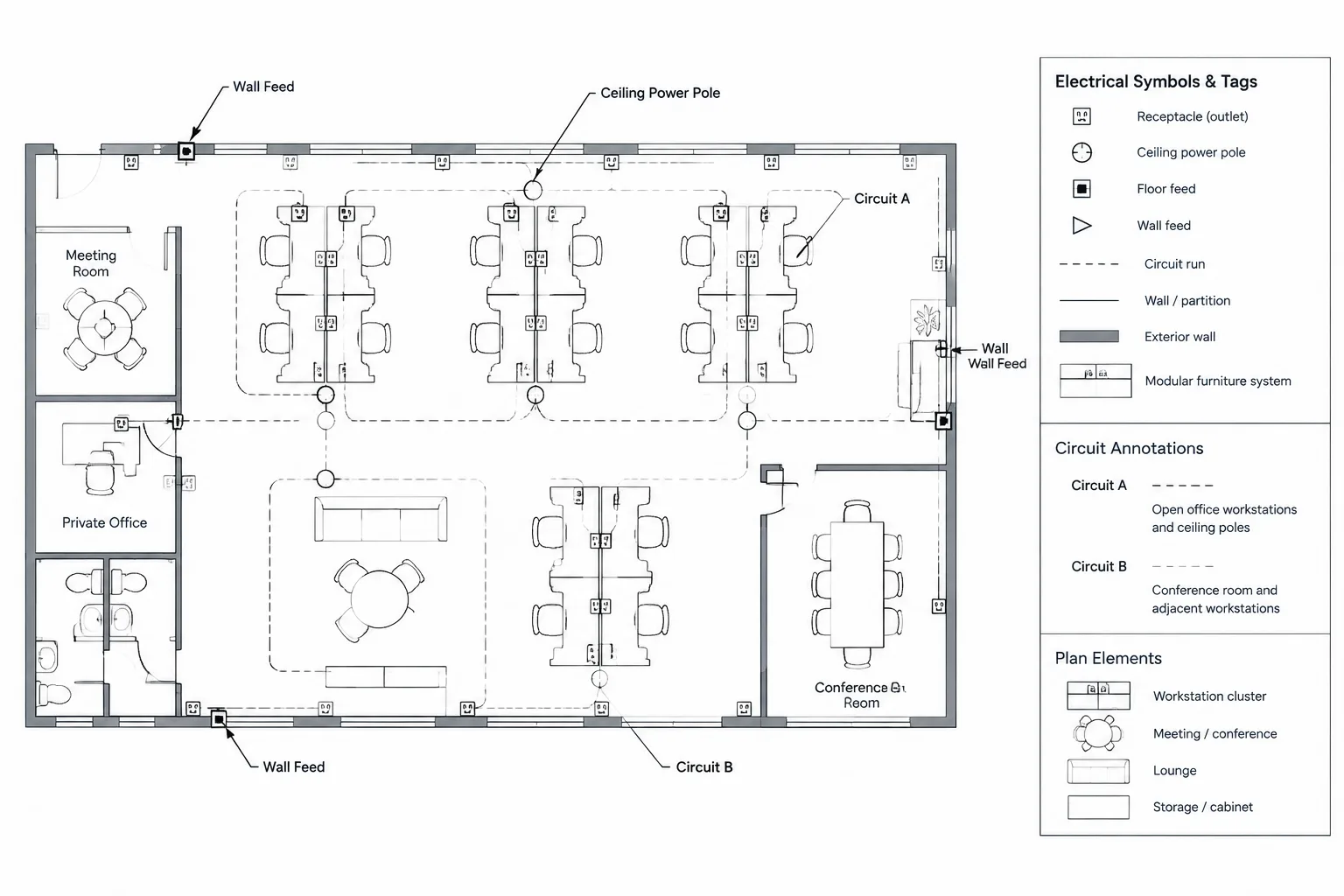
Systems furniture power plans in CAD connect fixed building infrastructure with layouts that may continue changing during design. Clear documentation depends on locating each feed from reliable references, identifying its electrical source, and distinguishing the building-side connection from vendor-defined furniture components.
This guide explains how to organize symbols, layers, circuit references, schedules, backgrounds, and revision checks without presenting a generic CAD block as a verified product connection. It is intended as a drafting and coordination reference for electrical designers, CAD technicians, furniture planners, and drawing reviewers.
Systems furniture can turn a seemingly simple open-office power plan into a complex coordination exercise. The electrical drawing must identify where power enters the furniture system, how that location relates to the architectural layout, and which circuits or distribution sources serve it. At the same time, the plan should avoid implying details that belong to the furniture manufacturer, electrical equipment supplier, or installation contractor.
A reliable CAD workflow treats the furniture power feed as an interface point. The electrical documents show the building-side pathway and connection intent, while verified furniture drawings define the internal components, routing, receptacle modules, and compatible accessories. Keeping that boundary clear helps prevent misplaced floor fittings, disconnected feeds, duplicate circuiting, and outdated coordination backgrounds.
Why Systems Furniture Requires Its Own Drafting Approach
Conventional wall receptacles are coordinated primarily with walls, casework, equipment, and room functions. Furniture feeds may instead depend on movable partitions, workstation spines, table bases, modular raceways, or ceiling-supported power poles. Their locations can shift whenever the furniture plan changes.
A complete documentation workflow may involve several sources:
- The architectural floor plan and room layout
- The furniture vendor’s workstation plan
- The electrical power plan
- Panel schedules or other circuit records
- Floor box, poke-through, junction box, or power-pole details
- Equipment and finish coordination information
These sources do not always progress at the same time. The furniture layout may still be preliminary when the electrical plan is issued. CAD files should therefore distinguish verified connection points from placeholders and should record unresolved information visibly rather than hiding it in informal drafting assumptions.
Identify the Building-to-Furniture Interface
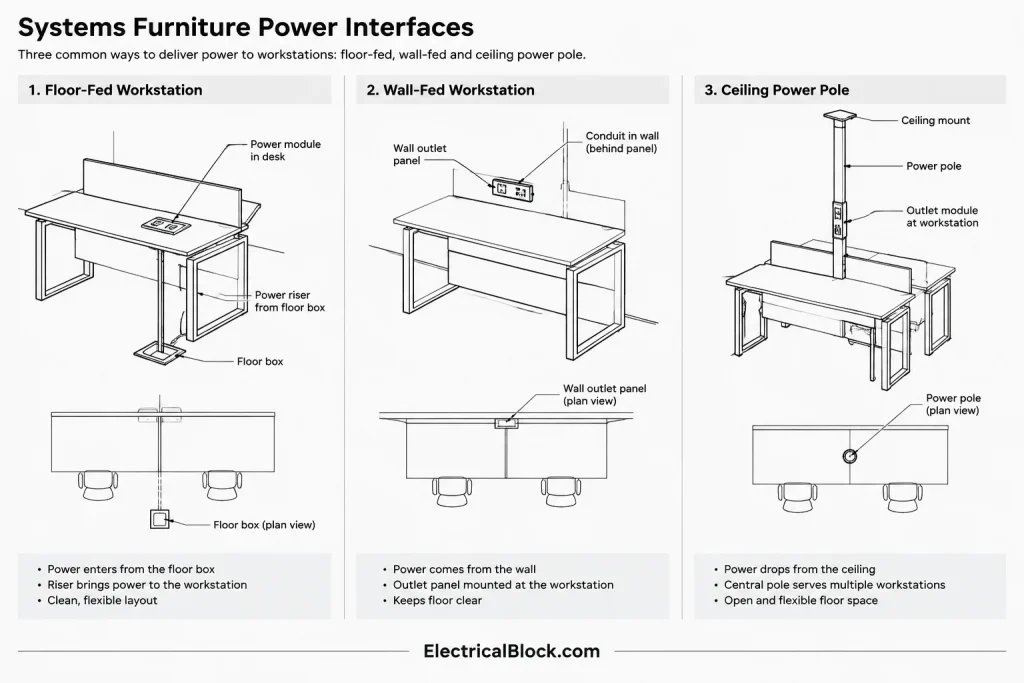
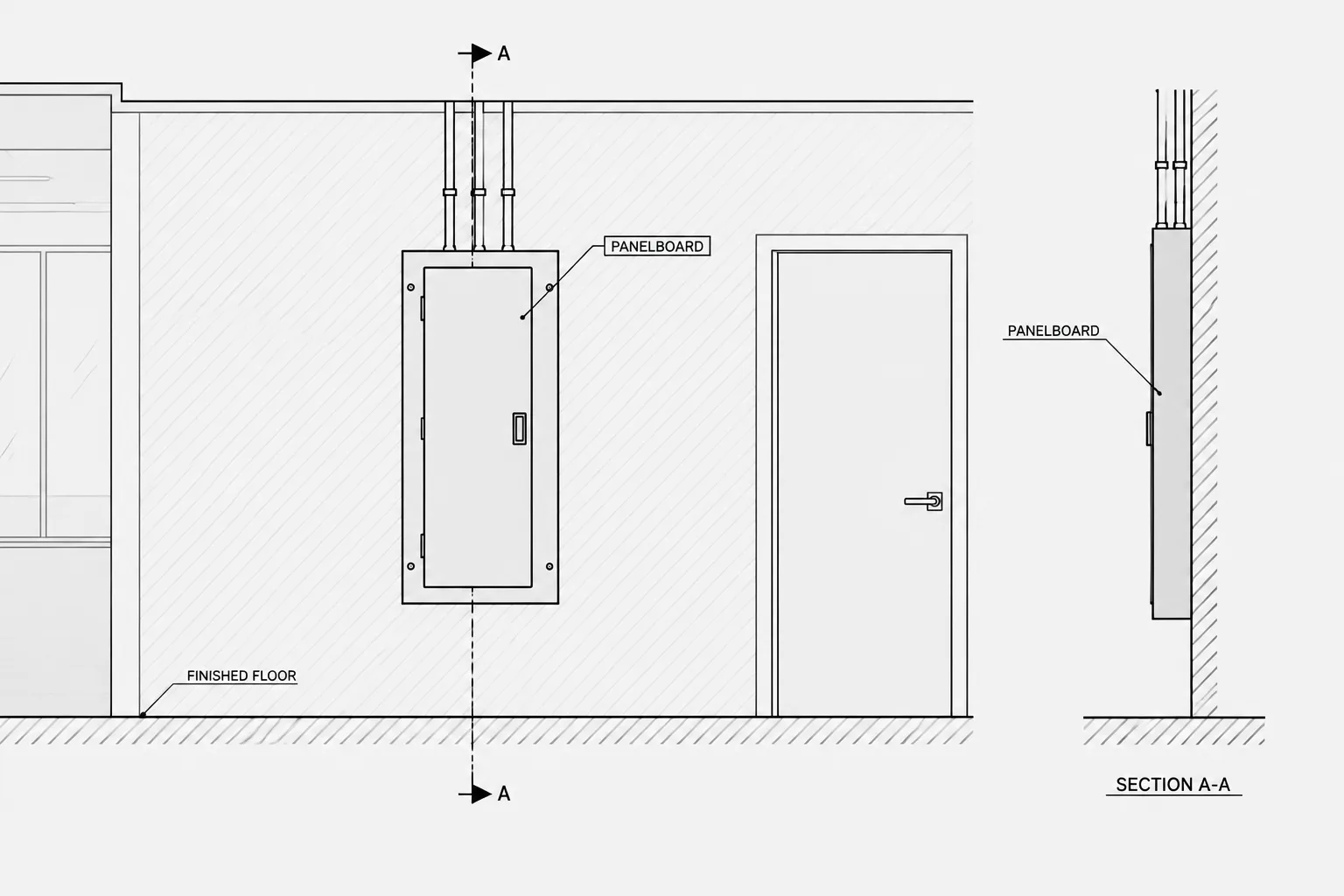
Start by defining exactly where the building electrical system ends and the furniture system begins. This interface could be represented by a floor fitting, junction box, wall connection, ceiling connection, power pole, or another project-specific assembly.
The plan symbol should communicate the connection type without attempting to depict every internal furniture component. A nearby tag or keynote can direct the reader to a detail, schedule, or furniture reference when more information is required.
| Interface condition | Useful plan information | Primary coordination reference |
|---|---|---|
| Floor-fed furniture | Feed point, circuit identification, fitting reference, and workstation association | Furniture layout, structural conditions, and floor-system information |
| Wall-fed furniture | Connection location, wall relationship, circuit tag, and elevation reference if needed | Architectural wall plan and furniture connection requirements |
| Ceiling-fed furniture | Power-pole location, ceiling relationship, source, and furniture alignment | Reflected ceiling plan and furniture layout |
| Vendor-defined connection | Interface symbol, vendor reference, and responsibility note | Approved or verified vendor documentation |
A generic block may be useful early in design, but it should not be mistaken for a verified product footprint. Connection geometry, service combinations, covers, fittings, and access requirements must come from current project information.
Build a Clear CAD Layer Structure
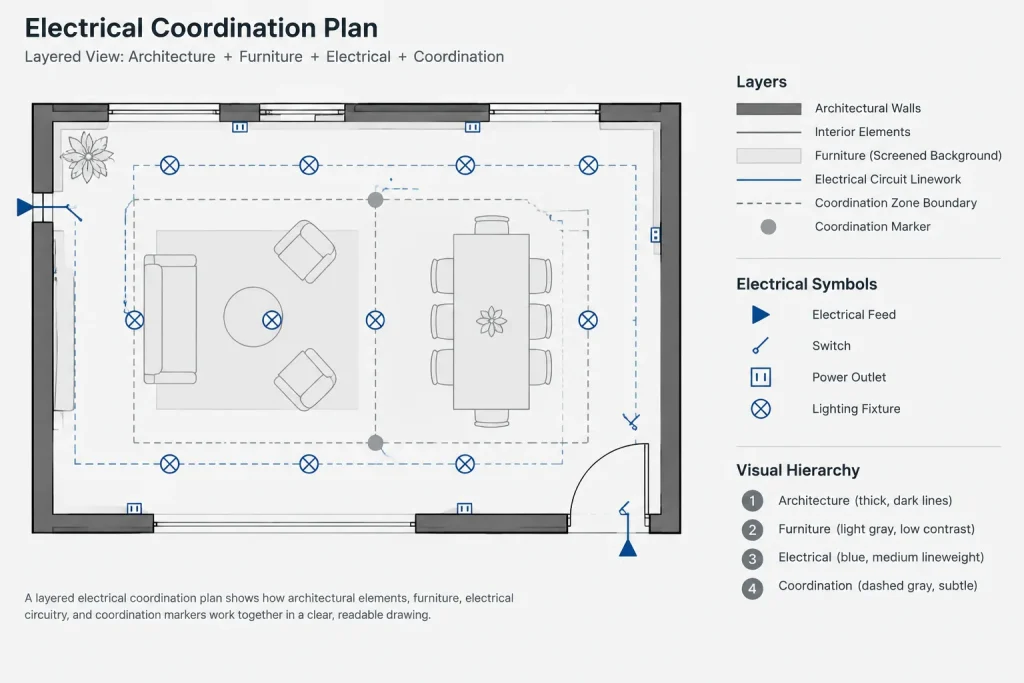
Separate the electrical scope from the furniture background so each can be reviewed independently. A practical layer arrangement may distinguish:
- Electrical furniture-feed symbols
- Power circuiting and home-run graphics
- Feed tags, circuit text, and keynotes
- Furniture background geometry
- Architectural background geometry
- Coordination markers or unresolved-item clouds
Layer names should follow the project’s established CAD standard rather than an improvised naming system. The important principle is that furniture geometry should not be merged permanently into electrical layers. Keeping it separate makes background replacements safer and helps reviewers determine which team owns each element.
If a furniture plan arrives as an external reference, preserve a controlled copy and record its issue status. Avoid tracing the entire workstation layout unless the project workflow specifically requires derived geometry. Traced furniture can appear current even after the source layout has changed.
Create Symbols That Show Intent Without Overpromising
A furniture power symbol should remain readable at the plotted plan scale and should have a consistent insertion point. For a floor-fed system, the insertion point might represent the intended center or reference point of the building-side fitting. For a wall feed, it may represent the connection location at the wall. The block definition or drafting note should make this convention clear.
Useful block attributes may include:
- Feed identifier
- Circuit or source reference
- Connection-type designation
- Furniture group, workstation, or area reference
- Detail or schedule reference
- Coordination status
Attributes should not become a substitute for coordinated schedules. If the same information appears on the plan, in a panel schedule, and in a furniture connection list, decide which location controls and establish a review process for the others.
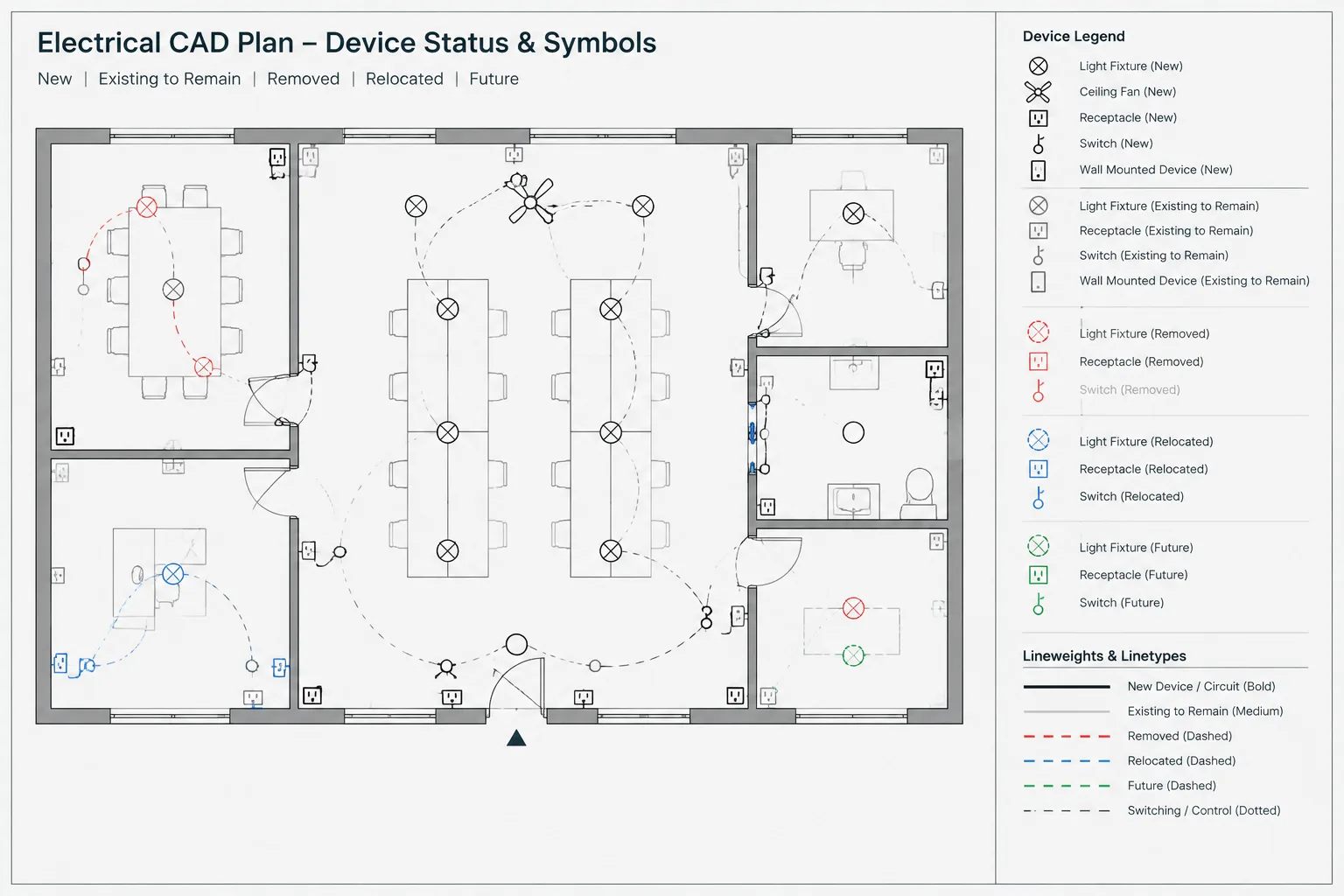
Use separate graphics for genuinely different conditions. A ceiling power pole should not be represented by the same unexplained symbol used for a floor feed. If similar symbols must be used, add an unambiguous type tag and define the distinction in the legend.
Coordinate Feed Locations with the Furniture Plan
Place each interface point using a verified furniture reference, not merely the apparent center of a workstation cluster. The required connection may align with a furniture spine, end panel, base raceway, table leg, or designated entry component. The visible workstation outline alone may not reveal the correct location.
Use Stable References
Dimensions should originate from stable architectural features or the project’s agreed coordinate system. Avoid locating a feed only from movable furniture edges. When a furniture reference is necessary, identify the specific partition line, module, or vendor control point used for coordination.
Check Mirrored and Repeated Layouts
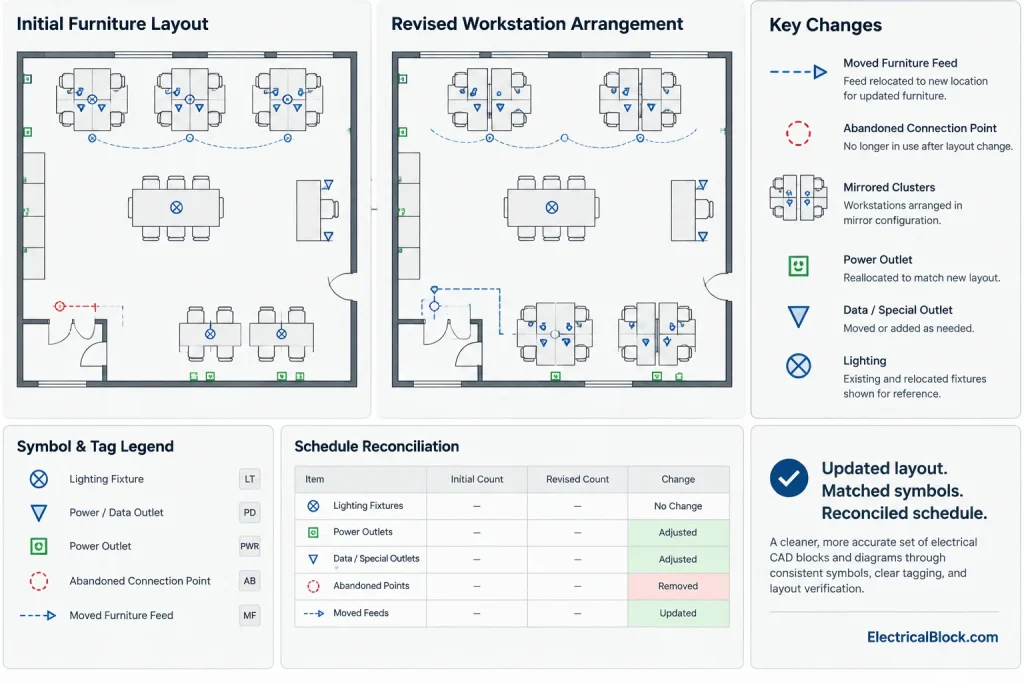
Repeated workstation groups can create a false sense of consistency. A mirrored cluster may place the feed entry on the opposite side, and a typical furniture arrangement may contain local exceptions near columns, walls, doors, or circulation paths. Review each instance rather than assuming that copied symbols remain correct.
Track Preliminary Locations
If a feed point is not final, mark it with an established coordination status, keynote, or issue marker. Do not rely on color alone because plotted sheets, exports, and review copies may not preserve the intended display. The drawing should tell a reviewer that the location requires confirmation.
Document Circuiting Without Drawing Furniture Internals
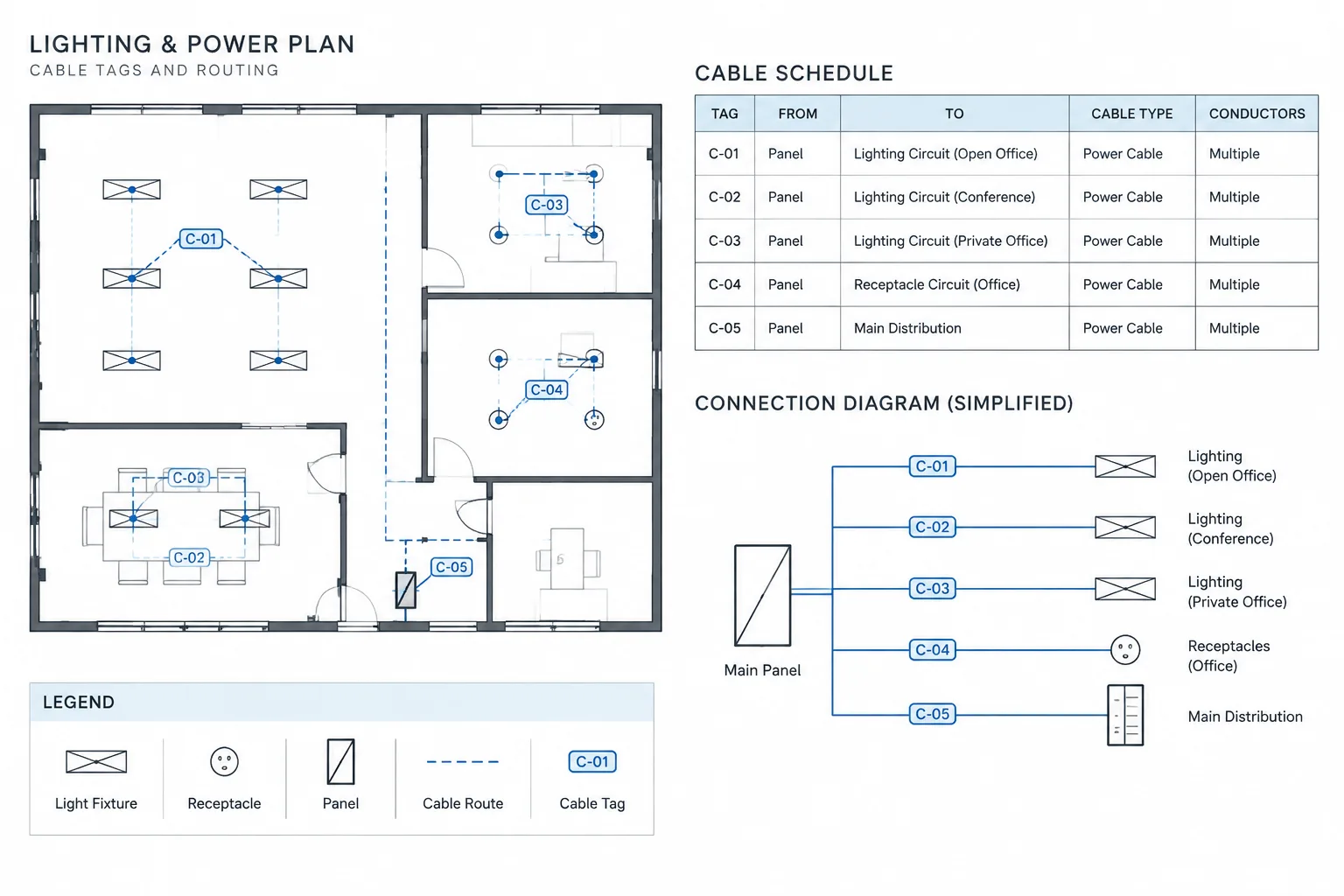
The electrical plan should show how the building distribution system serves the furniture connection. Depending on the project documentation method, that may include a circuit tag, panel reference, circuiting line, feeder reference, or schedule entry.
Avoid drawing an assumed internal furniture wiring path unless that information is part of the electrical design scope and has been verified. Modular furniture systems can contain distinct internal arrangements, connection rules, and component limitations. A conceptual line through a furniture spine can easily be misread as installation documentation.
Where several circuits or services enter one furniture group, use a structured tag or connection schedule rather than crowding the plan with overlapping text. Clearly separate power information from telecommunications, controls, or other services, even when they share a coordinated furniture location.
Use a Furniture Feed Schedule When the Plan Becomes Crowded
A dedicated connection schedule can reduce annotation density and provide a useful reconciliation tool. Its fields should match the project’s needs and verified source information. Common categories include:
- Feed ID
- Plan location or area
- Furniture group reference
- Connection type
- Electrical source or circuit reference
- Associated detail
- Furniture drawing reference
- Coordination status or remarks
Assign every scheduled feed a unique identifier and place the same identifier beside its plan symbol. The schedule should not contain product data or connection characteristics that have not been confirmed.
Coordinate Ceiling, Floor, and Structural Conditions
Each feed method creates different drawing relationships. Ceiling-fed systems require comparison with ceiling grids, light fixtures, air devices, access panels, and other overhead elements. Floor-fed systems require coordination with structural conditions, floor assemblies, underfloor systems, and any relevant below-floor drawing. Wall-fed systems must be checked against wall construction, millwork, doors, and finish conditions.
The electrical plan does not need to reproduce every discipline’s information. It should, however, include enough reference geometry and cross-references for the connection to be located and reviewed. Enlarged plans, sections, or details may be more effective than adding dense notes to a general floor plan.
Perform a Final Reconciliation Review
Before an issue, compare the electrical plan directly with the current furniture source. A useful review sequence is:
- Confirm that every furniture group requiring building power has an identified feed.
- Confirm that every electrical furniture-feed symbol corresponds to a current furniture group.
- Compare feed IDs between plans, schedules, details, and circuit records.
- Check copied and mirrored furniture arrangements for local differences.
- Verify that ceiling-fed symbols align with the current ceiling background.
- Review floor-fed locations against structural and architectural information.
- Remove abandoned feed points created by previous furniture layouts.
- Resolve or clearly list all preliminary locations and missing vendor information.
- Confirm that legends distinguish the connection types used on the drawings.
For revision work, overlay the current furniture plan with the previous issue and inspect moved partitions, resized workstation groups, and changed table configurations. A minor furniture shift may have a major effect on a fixed building connection.
Keep Responsibility Boundaries Visible
Systems furniture power documentation is most reliable when the drawings clearly separate design intent, verified interfaces, and vendor-specific content. Notes should identify required coordination without making unsupported claims about compatibility, installation methods, or product approval.
CAD blocks from a symbol library are starting points for consistent graphics, not proof that a connection is correct for a particular furniture system. Before issue, verify the selected symbol, location, attributes, and referenced details against the project’s current architectural, electrical, and furniture documentation. That verification-first approach produces cleaner plans and reduces the risk that a generic drafting symbol will be treated as a fully coordinated connection.
A Practical Issue-State Framework for Furniture Feeds
Feed symbols can look complete even when their locations or connection requirements remain unresolved. To prevent preliminary information from being mistaken for coordinated design intent, associate each feed with an issue state that is visible in the drawing record. The project team may use established terms such as preliminary, awaiting furniture information, coordinated, or revised, provided those terms are defined consistently.
Status information can be carried in a block attribute, connection schedule, keynote, or coordination log. It should remain understandable when the drawing is plotted or exported, so color should support the status rather than serve as its only indicator.
Review the Feed as a Coordinated Data Object
Each systems-furniture feed is more than a plan symbol. It represents a relationship among location, connection type, furniture group, electrical source, detail reference, and issue status. Reviewing those fields together makes omissions easier to detect.
- Location: Is the insertion point tied to a stable architectural reference or an identified furniture control point?
- Connection: Does the symbol clearly distinguish floor, wall, ceiling, or another documented interface condition?
- Association: Can a reviewer identify the furniture group served by the feed?
- Source: Does the plan reference agree with the applicable circuit or distribution record?
- Detail: Is any necessary section, schedule, or connection detail cross-reference present?
- Status: Does the drawing disclose information that remains preliminary or dependent on vendor documentation?
Use Change-Based Review Instead of Visual Comparison Alone
When a revised furniture background is received, check the effect of the change on electrical objects rather than looking only for obvious graphic movement. A workstation outline may remain similar while its entry component, orientation, partition arrangement, or designated feed point changes.
A useful revision review isolates added, removed, moved, and mirrored furniture groups. The reviewer can then reconcile associated feed symbols, tags, schedules, circuit references, and details. Superseded background files should be retained according to the project’s document-control process but should not remain active in the current drawing where they could be mistaken for valid geometry.
Check the Published Sheet, Not Only the CAD Workspace
Layer controls, annotation scales, clipped references, and plotting conventions can change how coordination information appears on the issued sheet. Before publication, inspect the plotted or exported result to confirm that feed symbols remain legible, tags do not overlap furniture geometry, status notes are visible, and referenced schedules or details can be found.
This final document check does not replace technical coordination. It confirms that the coordination already performed in CAD is communicated clearly to the people who will review and use the drawings.
Frequently Asked Questions
What should a systems furniture power symbol represent?
It should represent the documented building-to-furniture interface and provide enough identification to coordinate its location, connection type, source, and related references. It should not imply unverified internal furniture wiring or product geometry.
Should the electrical plan show wiring inside the furniture system?
Only when that information is within the documented design scope and supported by verified project information. Otherwise, the electrical drawing should show the building-side service and reference the appropriate furniture documentation.
Can a generic CAD block establish the final feed location?
No. A generic block provides consistent graphic communication, but its insertion point must be coordinated with the current architectural plan, furniture layout, connection requirements, and other affected building information.
How should preliminary furniture feed locations be identified?
Use the project’s established status note, attribute, schedule field, keynote, or issue marker. The preliminary condition should remain visible in printed and exported drawings rather than depending only on screen color.
Why use a feed identifier when the plan already shows circuit information?
A feed identifier connects the symbol to schedules, details, furniture references, and coordination records. A circuit reference identifies the electrical source, while the feed identifier tracks the interface point itself.
What should be checked after a furniture layout revision?
Review moved, removed, added, repeated, and mirrored furniture groups. Then reconcile their feed symbols, insertion points, tags, circuit references, connection schedules, details, and coordination statuses.
Which drawing background should control the feed location?
No single background automatically controls every condition. Use the current verified references relevant to the connection, such as architectural geometry, furniture control points, ceiling information, structural conditions, and approved project coordination data.
Leave a Reply
You must be logged in to post a comment.