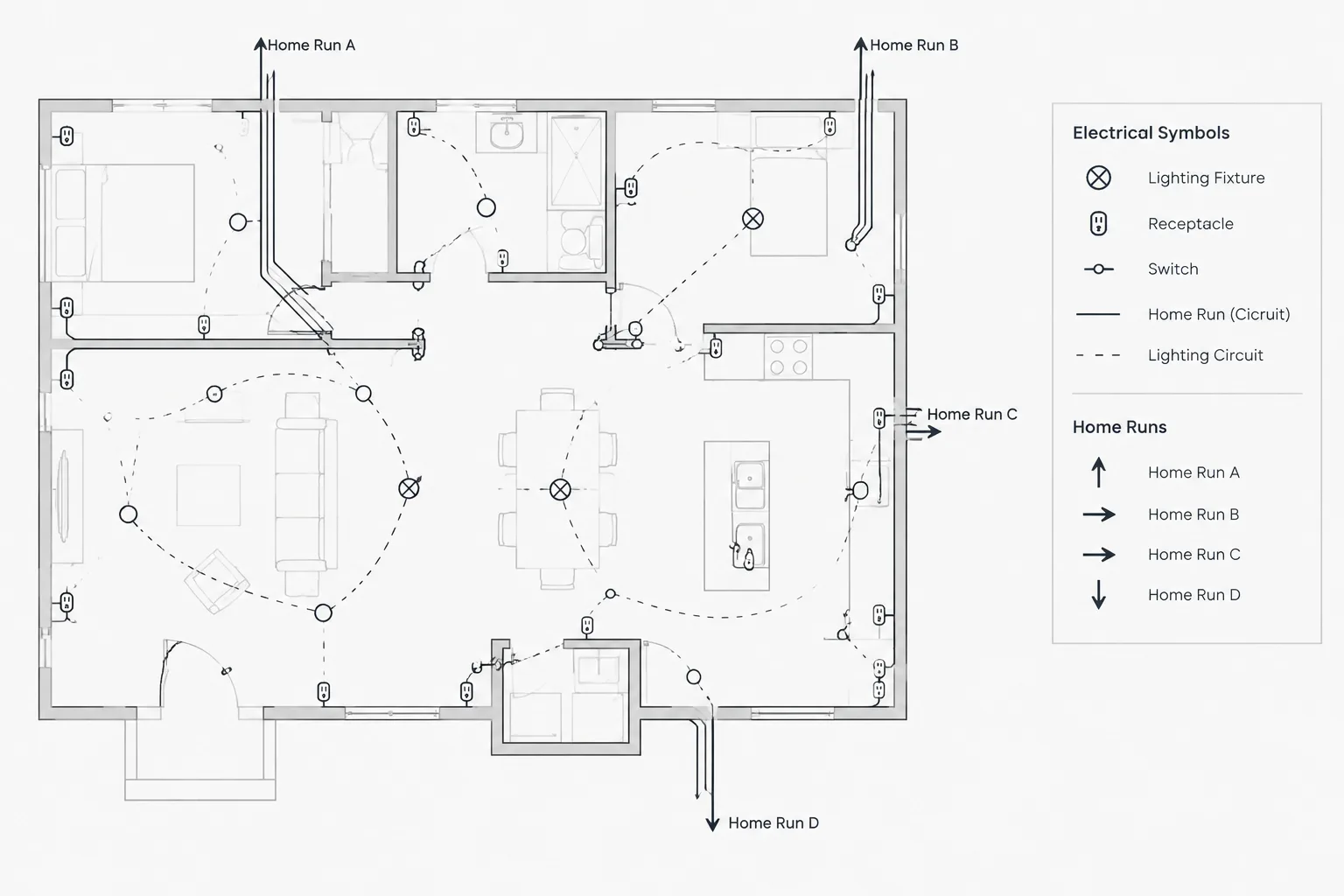
Electrical home run symbols in CAD help readers follow circuit connectivity beyond the devices visible on a lighting or power plan. Their usefulness depends on more than the arrow graphic: destination labels, circuit data, linework, references, and drawing legends must work together.
This reference explains how to distinguish a home run from physical raceway routing, organize its annotation, choose an appropriate CAD construction method, and review the result across coordinated electrical documents.
Electrical home run symbols in CAD indicate where circuiting shown on a plan continues toward a panel, control enclosure, junction point, or another documented destination. Although the familiar arrow or slash-ended circuit line may look simple, it often carries several layers of information: the destination equipment, circuit identifier, conductor notation, system designation, and sometimes a cross-reference.
A home run is primarily a documentation device. It should not automatically be interpreted as the exact physical route of every conductor or raceway unless the drawing notes explicitly establish that level of routing. Clear drafting separates circuit connectivity from installation routing and gives readers enough information to trace the circuit through the drawing set.
What a Home Run Symbol Communicates
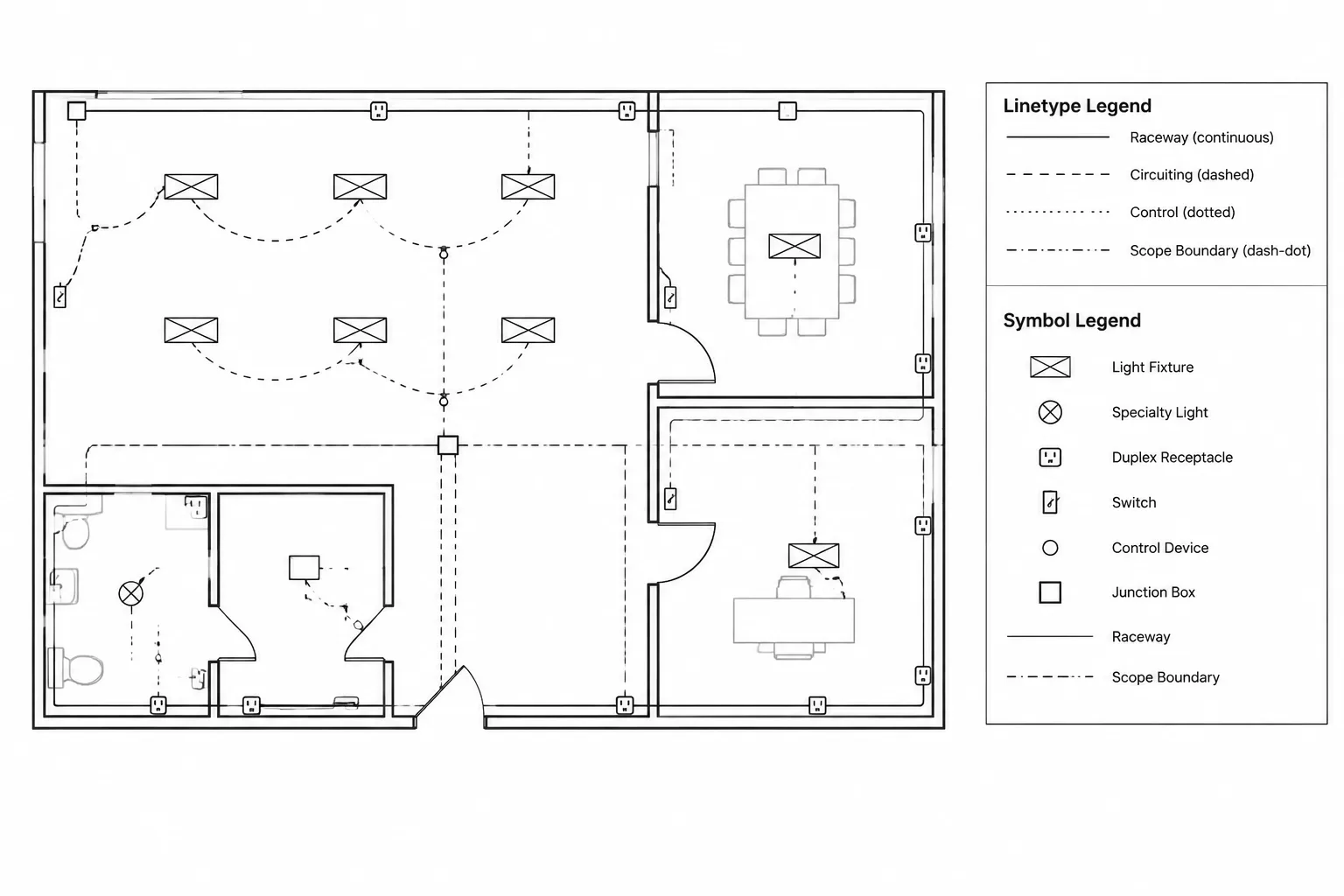
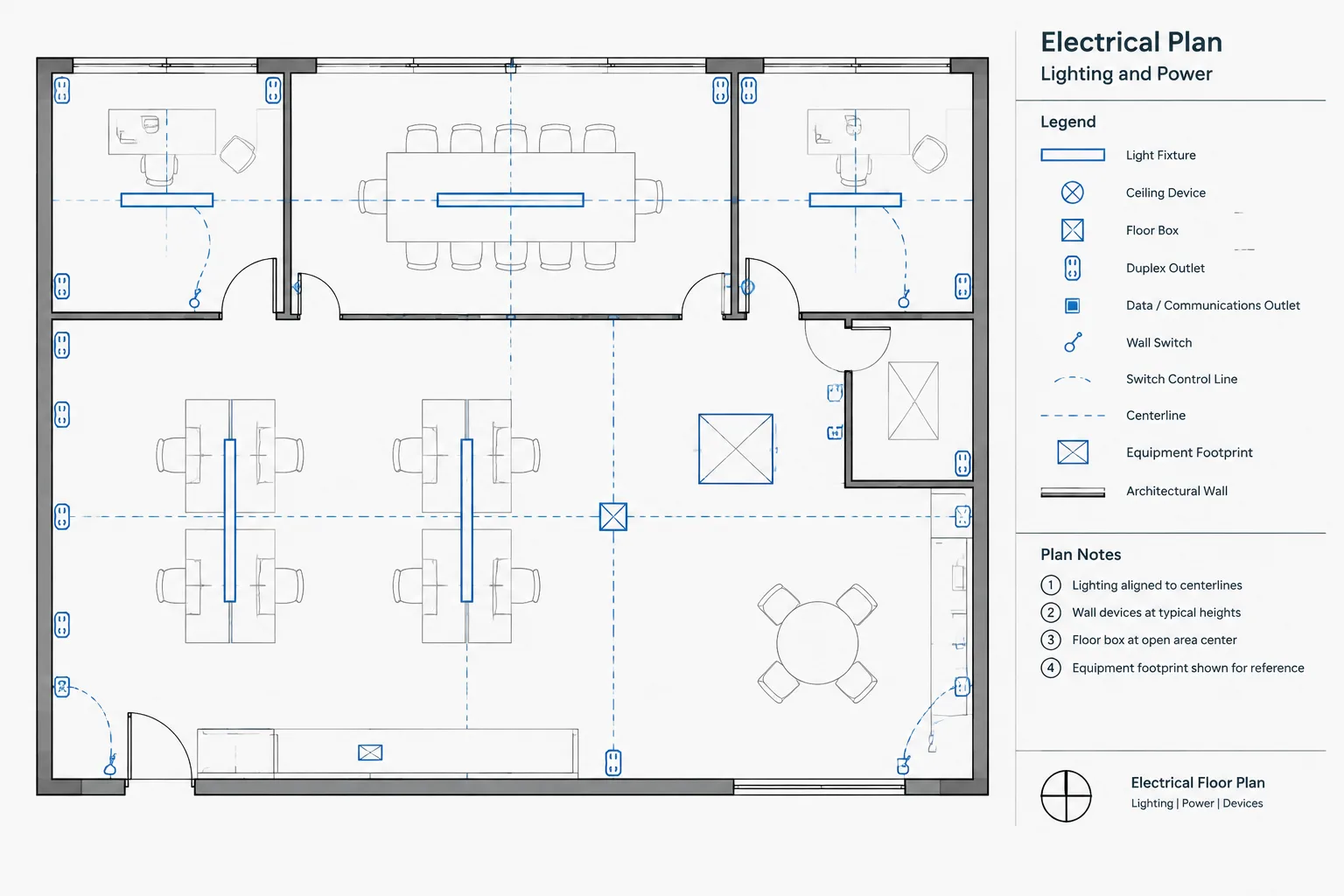
On a typical power or lighting plan, circuiting linework connects devices or fixtures that belong to the same circuit. The line eventually ends at a home run marker. That marker tells the reader that the circuit continues to a named destination rather than stopping at the final visible device.
Depending on the project’s documentation method, the home run may identify:
- The serving panel or distribution equipment.
- One or more circuit identifiers.
- A controlled or emergency system designation.
- Conductor or cable information when required by the drawing convention.
- A destination sheet, diagram, or detail reference.
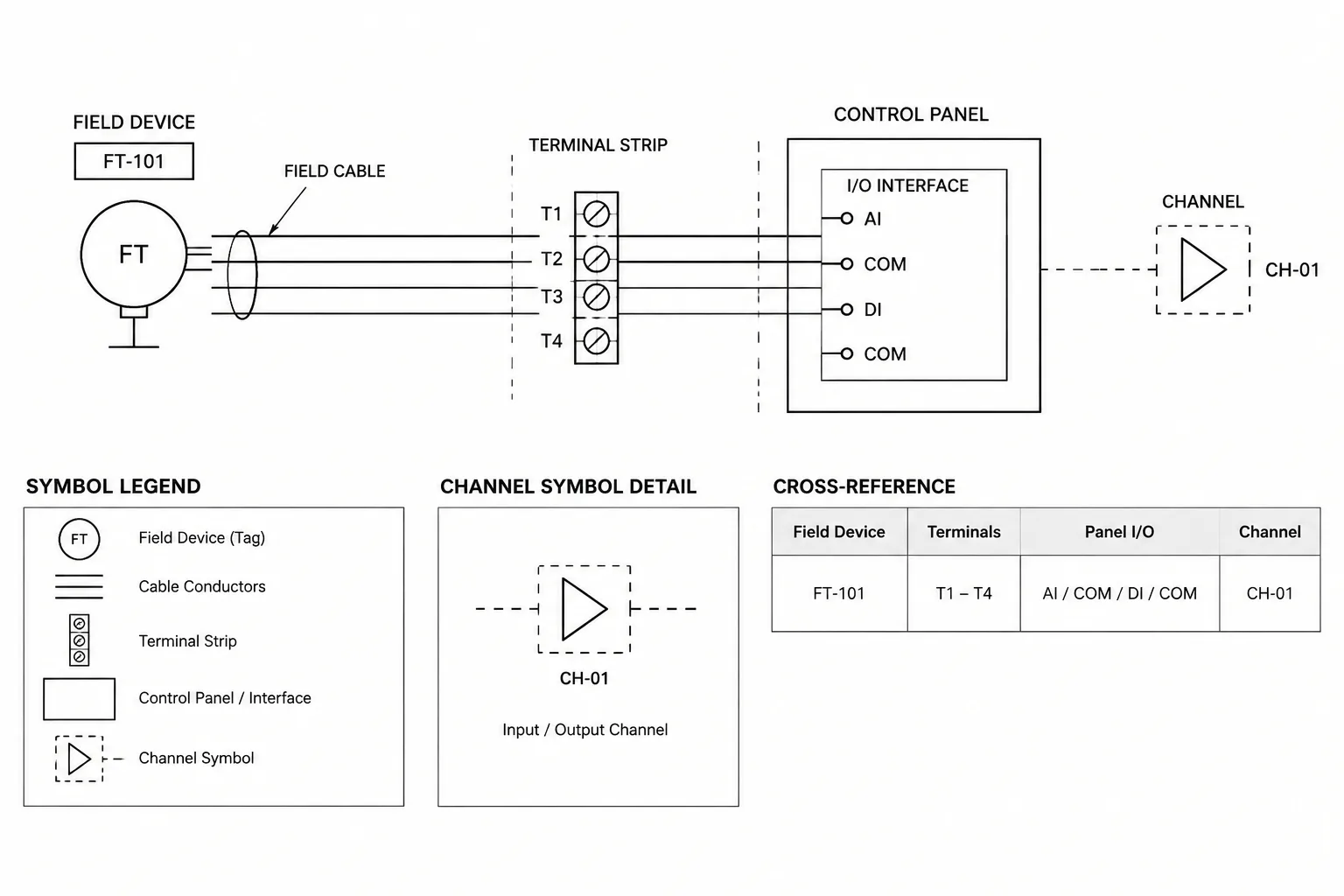
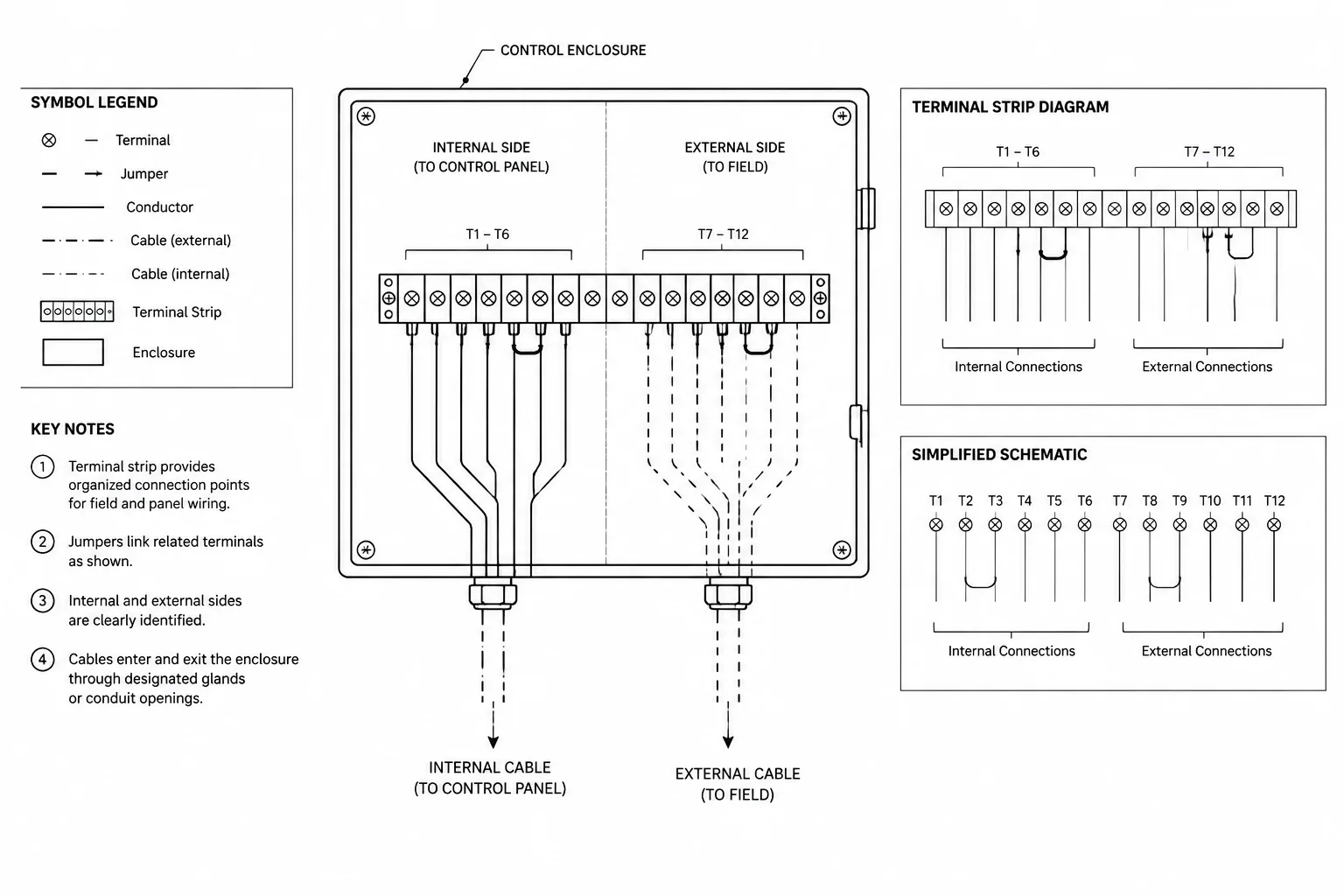
- A junction point or control enclosure instead of a panel.
There is no single graphic treatment that should be assumed across every project. Arrowheads, ticks, slashes, text arrangements, and circuit-line styles vary among firms and drawing types. The project legend, notes, and established CAD standard should define the intended meaning.
Home Run Graphics and Circuit Routing Are Not the Same Thing
A common drafting mistake is treating the circuiting arc or polyline as a surveyed raceway path. On many plans, circuiting is diagrammatic. It shows which devices are electrically grouped without prescribing the exact route between them.
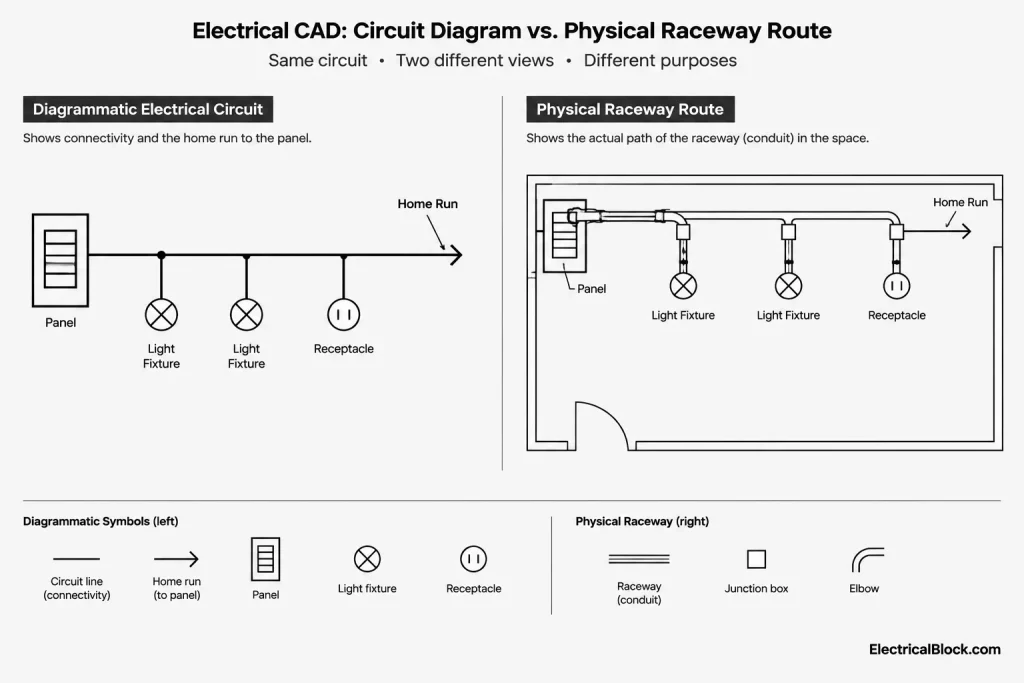
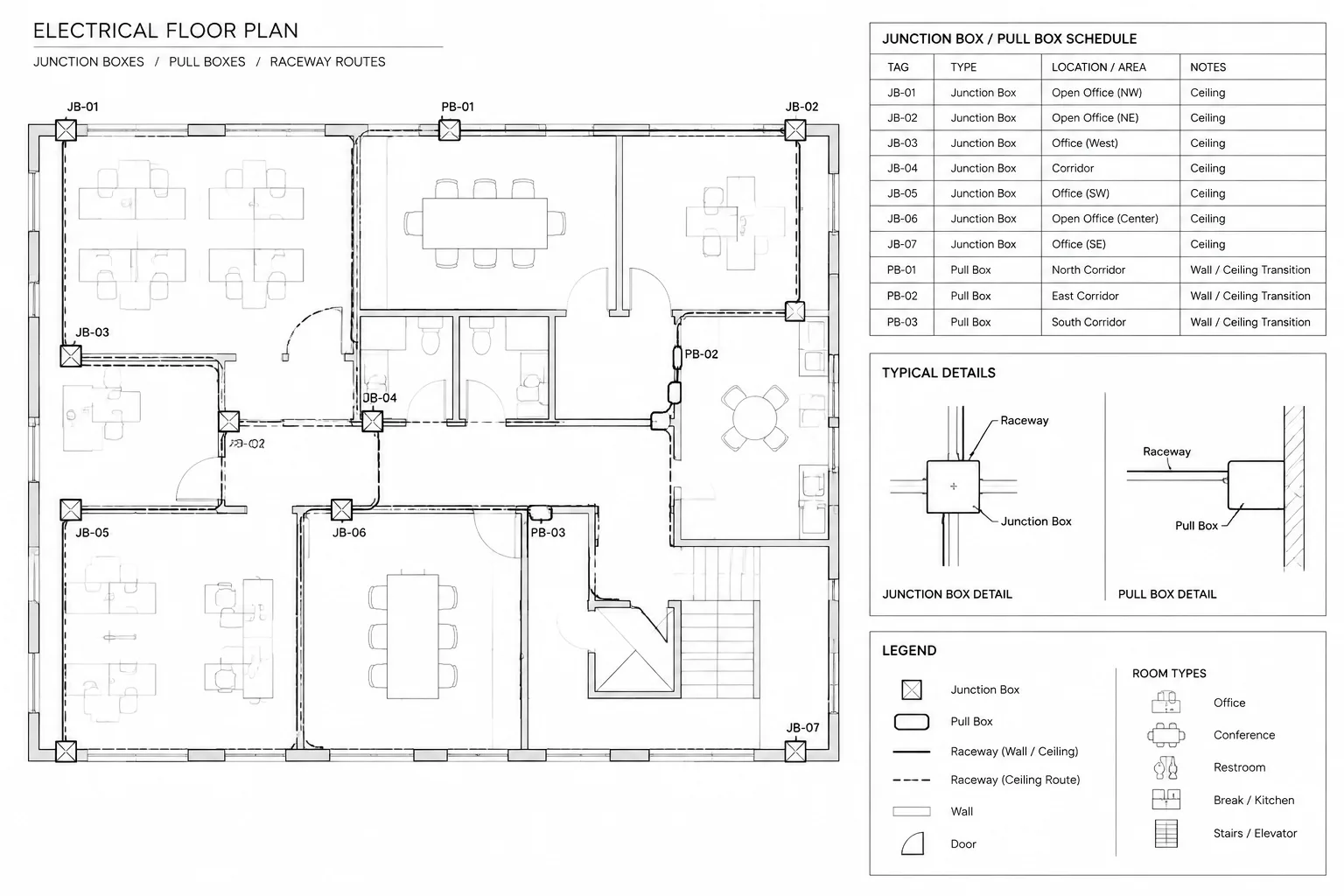
Raceway routing may be documented separately with polylines, conduit tags, elevation notes, feeder plans, or enlarged coordination views. If both circuit connectivity and raceway routing appear on the same sheet, they need visibly different graphic conventions. Otherwise, readers may mistake a curved circuit line for a required conduit path.
| Drawing element | Primary purpose | Typical information |
|---|---|---|
| Circuiting line | Connects devices assigned to a common circuit | Connectivity, grouping, switching relationship |
| Home run marker | Shows continuation to a destination | Panel, circuit, system, or reference data |
| Raceway route | Documents pathway location or routing intent | Route, conduit identity, transitions, elevation references |
| Feeder or one-line connection | Represents distribution relationships | Source, downstream equipment, feeder identity |
Where the distinction could be unclear, use a legend note that explains whether circuit lines are diagrammatic, routed, or a combination of both.
Choosing a Consistent CAD Construction Method
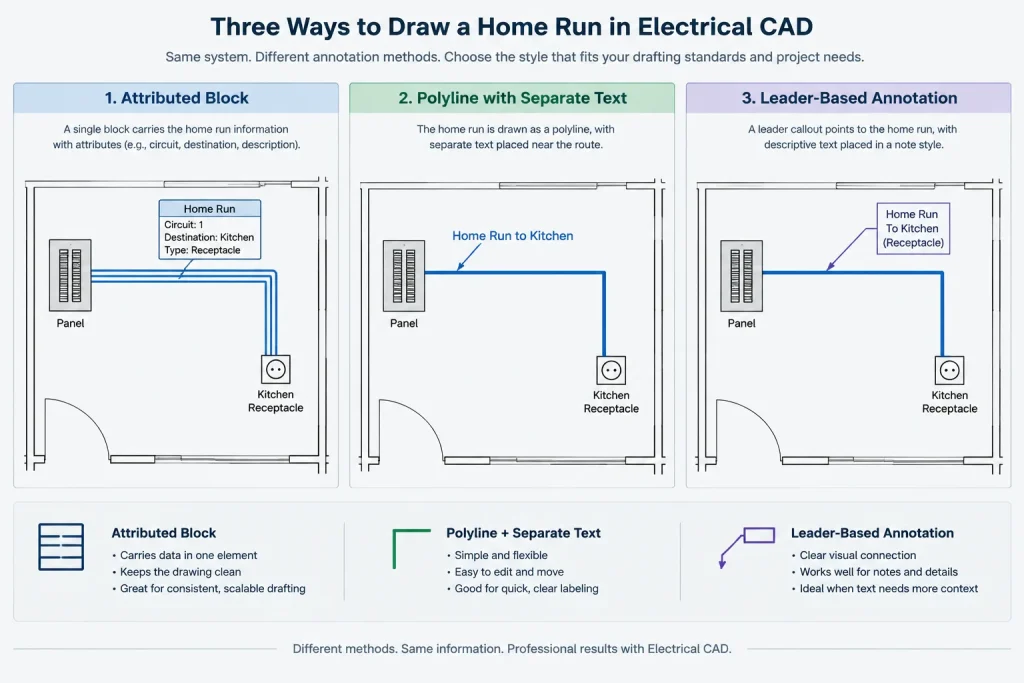
A reliable home run symbol can be built as a block, assembled from standard annotation objects, or incorporated into a circuit-tagging workflow. The best method is the one that remains readable, editable, and consistent throughout the project.
Block-based home runs
A block can combine the arrow, leader geometry, and attributes for panel and circuit data. This approach supports consistent appearance and may simplify symbol audits or data extraction. It also reduces the chance that an arrowhead will become separated from its associated text.
However, the block should not become so rigid that it cannot accommodate different text lengths or plan orientations. Test it near walls, equipment, dense device groups, and rotated plan areas. If dynamic behavior or visibility options are used, verify that they survive file exchange and plotting in the project environment.
Polyline and text construction
Separate circuit lines and text offer flexibility, especially when home run annotations must fit around architectural features. The tradeoff is greater potential for inconsistent arrow sizes, detached labels, and uncontrolled object properties. Layer and style discipline becomes especially important.
Leader-based construction
A leader can keep the arrow and annotation associated, but its meaning must remain distinct from ordinary note leaders. Readers should not have to guess whether an arrow identifies a circuit continuation or simply points to an object. Separate layers, leader styles, or termination graphics can help preserve that distinction.
Organizing Panel and Circuit Information
The home run label should place related data in a repeatable order. A project might show the panel identifier first and circuit identifiers second, or use another office convention. What matters is that the same reading pattern applies throughout the drawing set.
When several circuits share a home run graphic, the annotation must make their grouping unambiguous. Avoid relying only on text proximity. A reader should be able to tell whether multiple identifiers belong to one shared continuation, separate home runs, or adjacent circuit lines.
Useful drafting practices include:
- Keep the destination identifier visually associated with its circuit data.
- Use delimiters consistently when listing multiple circuits.
- Avoid placing unrelated notes inside the home run annotation cluster.
- Orient text for the project’s normal sheet-reading direction.
- Prevent circuit lines from passing through tags, room names, or equipment labels.
- Use a background mask only when it improves readability without hiding important base information.
If circuit designations are revised, update the home run, device tags, panel schedule, and applicable diagrams as one coordinated task. Editing only the plan annotation can leave contradictory information elsewhere in the set.
Locating the Home Run on the Plan
The symbol does not necessarily need to be placed next to the panel footprint. In diagrammatic circuiting, it is often positioned at a convenient end of the device group, with the destination stated in the annotation. Forcing every circuit line to reach the panel can create long arcs, excessive crossings, and unreadable plan areas.
Choose a location that:
- Clearly attaches to the intended circuit line.
- Avoids overlapping architectural doors, dimensions, and room labels.
- Does not imply connection to a neighboring device.
- Leaves sufficient space for the complete annotation.
- Remains understandable when adjacent disciplines are overlaid.
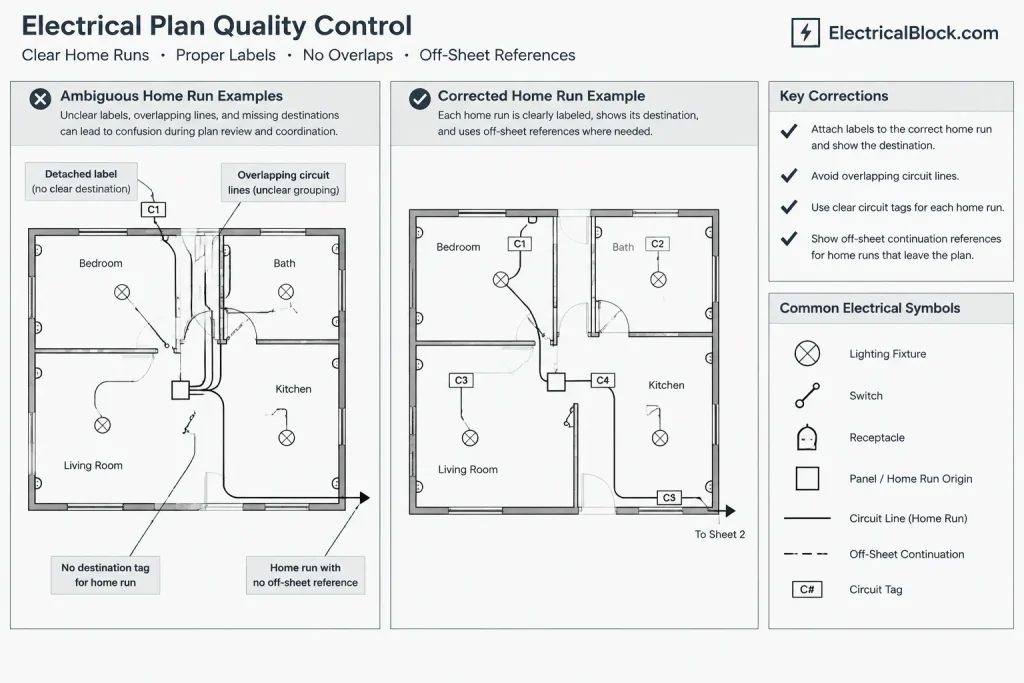
Where a circuit continues across a match line, enlarged plan, or separate sheet, use the project’s continuation and cross-reference convention instead of leaving the arrow to imply an undocumented jump.
Layer and Display Strategy
Home run symbols, circuiting linework, and circuit text may be placed on one coordinated layer group or separated by function. Separating them can make display control easier, but excessive fragmentation complicates editing and layer management.
A practical structure distinguishes at least the electrical circuit annotation from architectural backgrounds and physical raceway routing. If demolition, existing work, and new work share a file, the status of the home run should also follow the project’s phase and graphic rules.
Check appearance in the plotted sheet, not only in model space. Arrowheads that look prominent while zoomed in may disappear at publication scale, while oversized masks may obscure walls or nearby symbols. Evaluate lineweight, text style, screening, and spacing through the actual viewport configuration.
Common Ambiguities to Avoid
| Problem | Why it causes confusion | Drafting response |
|---|---|---|
| Unlabeled home run arrow | The destination cannot be verified | Add the required panel, circuit, system, or reference data |
| Arrow touching multiple circuit lines | It is unclear which circuits continue | Separate the geometry or clarify the grouped connection |
| Same line style for circuiting and conduit | Connectivity may be mistaken for physical routing | Use distinct layers, graphics, tags, and legend descriptions |
| Panel name differs from the schedule | The circuit cannot be reconciled across documents | Use a controlled equipment identifier and perform a cross-check |
| Home run ends at a match line without a reference | The continuation cannot be located | Add an off-sheet or continuation reference |
| Copied annotation retains old data | The symbol appears valid but identifies the wrong destination | Edit attributes immediately and include them in the review |
A Practical Home Run Review Workflow
- Isolate the circuiting layers. Temporarily reduce background detail so disconnected lines and duplicate home runs are easier to see.
- Trace each device group. Confirm that every intended circuit path reaches a home run, continuation marker, or clearly documented connection.
- Check destination names. Compare panel and equipment identifiers against schedules, plans, and single-line diagrams.
- Review circuit identifiers. Look for missing, duplicated, obsolete, or inconsistent circuit data.
- Inspect crossings and endpoints. Make sure nearby lines do not appear accidentally connected and that the home run attaches to the correct circuit.
- Review sheet transitions. Verify match-line and off-sheet references wherever circuit documentation continues elsewhere.
- Plot a test view. Confirm that text, arrowheads, masks, and linework remain readable at the intended publication scale.
Build the Symbol Around Verifiable Information
A polished home run graphic cannot compensate for unresolved circuit data. Draft the symbol so its information can be checked against the rest of the electrical drawing set. Use consistent destination names, controlled annotation styles, and a clear distinction between connectivity and physical routing.
Before relying on a library block, review its layers, attributes, units, text behavior, and graphic meaning. A generic CAD symbol is a starting point, not proof that its convention matches a particular project. The project legend and coordinated documentation should remain the final reference for how each home run is interpreted.
Documentation Priorities for Reliable Home Runs
A home run should answer a basic drawing question: where does this circuit documentation continue? The destination may be distribution equipment, a control enclosure, a junction point, or another referenced drawing location. If the answer depends on guessing from line direction or symbol placement, the annotation needs clarification.
Give each information type a clear role. The graphic termination establishes continuation, the text identifies the destination and circuit data, and the legend defines any project-specific convention. Separating these roles makes the drawing easier to review and reduces the risk that a copied symbol will appear complete while retaining obsolete information.
Coordinate Changes Across the Drawing Set
Home run edits often affect more than the plan where the symbol appears. A destination rename, circuit reassignment, or revised continuation may also require updates to schedules, diagrams, enlarged plans, and cross-references. Treat these related annotations as a coordinated information set rather than independent text objects.
Review for Meaning, Not Just Appearance
A symbol can plot cleanly and still communicate the wrong connection. During review, trace the attached circuit line, confirm the destination identifier, compare related documentation, and check that neighboring geometry does not create a false junction. Then evaluate the plotted presentation for legibility and interference with other annotations.
Consistent graphics support quick reading, but consistency alone does not establish technical correctness. The project legend, drawing notes, equipment identifiers, and coordinated design documents determine how each home run should be interpreted.
Frequently Asked Questions
Does a home run arrow show the exact conduit route?
Not necessarily. It commonly represents circuit continuation rather than a field-routed pathway. Consult the drawing legend and notes to determine whether the linework is diagrammatic or intended to document routing.
Can several circuits share one home run symbol?
They can when the project convention permits it and the annotation clearly identifies the grouped circuits. The graphic and text arrangement should prevent confusion with separate adjacent home runs.
Should the home run symbol be drawn beside the serving panel?
Not in every documentation method. It may be placed at a readable end of the circuiting line while the annotation identifies the destination. Placement should not create an implied connection to unrelated devices or linework.
Is a block better than separate lines and text?
Neither method is universally preferable. Blocks can improve consistency and retain related attributes, while separate objects can provide flexibility in congested plan areas. The selected method should remain editable, readable, and reliable through plotting and file exchange.
What should be checked after copying a home run annotation?
Verify the destination, circuit data, system designation, layer assignment, orientation, and attachment point. Also compare the copied information with schedules and related diagrams so obsolete source data is not carried into the new location.
How should an off-sheet home run be documented?
Use the established continuation or cross-reference convention for the drawing set. An arrow by itself should not require the reader to guess which sheet, view, or diagram contains the continuation.
Leave a Reply
You must be logged in to post a comment.