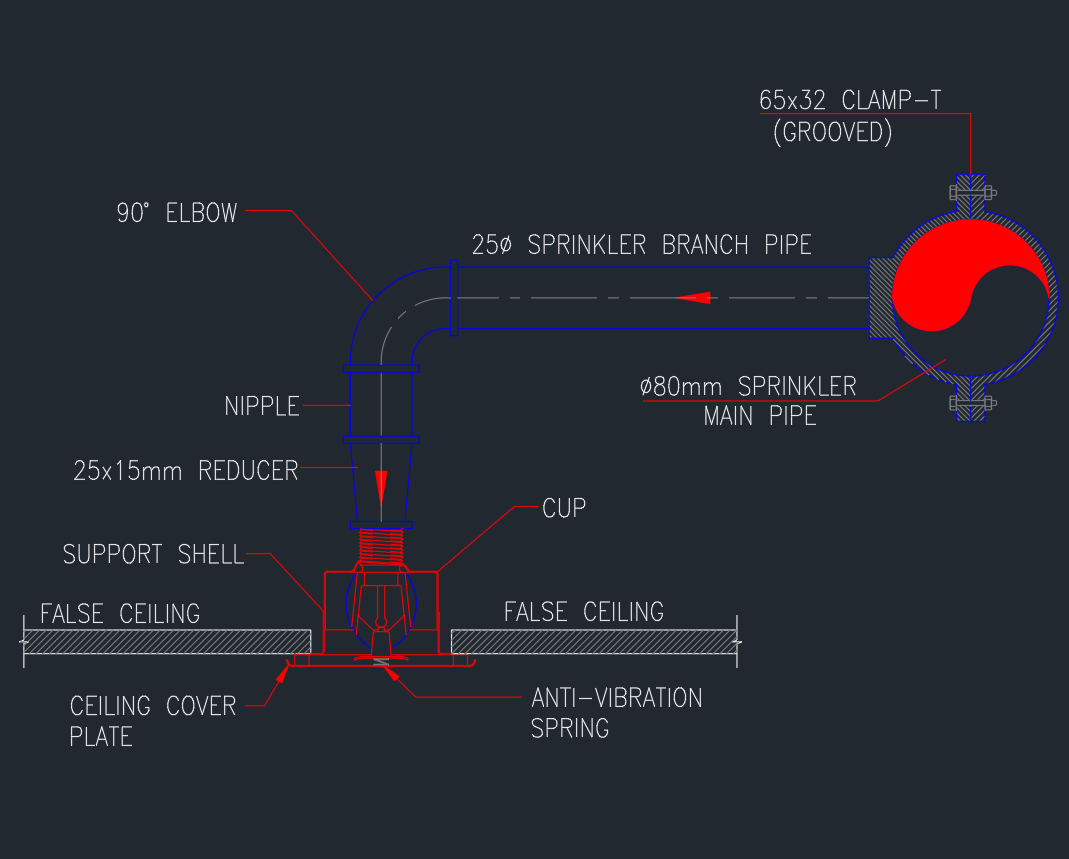
This page provides a concealed sprinkler head installation detail for use as a CAD drawing reference. Unlike a plan symbol, an installation detail uses a sectional or enlarged view to communicate how the sprinkler assembly relates to the ceiling finish, supporting construction, and system connection.
The DWG can support detail sheets, reflected ceiling plan coordination, and fire protection documentation. Before incorporating it into a drawing set, compare the content with the project design criteria, ceiling assembly, manufacturer information, and requirements identified by the responsible fire protection professional.
Download the “Concealed Sprinkler Head Typical Installation Detail” DWG file for precise and professional fire protection design. This high-quality CAD block provides a detailed representation of a concealed sprinkler head installation, including essential mounting and connection details. Ideal for architects, engineers, and MEP professionals, this DWG file streamlines fire sprinkler system layouts for residential, commercial, and industrial projects. Fully compatible with AutoCAD and other leading CAD software, the file ensures easy integration into your construction drawings. Optimize your fire safety designs with this accurate, ready-to-use concealed sprinkler head CAD detail.
Please log in or register to download this file.
What a Concealed Sprinkler Detail Communicates
A concealed sprinkler is coordinated with the finished ceiling so that its visible cover plate aligns with the architectural surface. A typical installation detail helps the drawing team show the relationship among the sprinkler assembly, ceiling plane, connection, and surrounding construction. It supplements the plan view, where the device may appear only as a compact symbol.
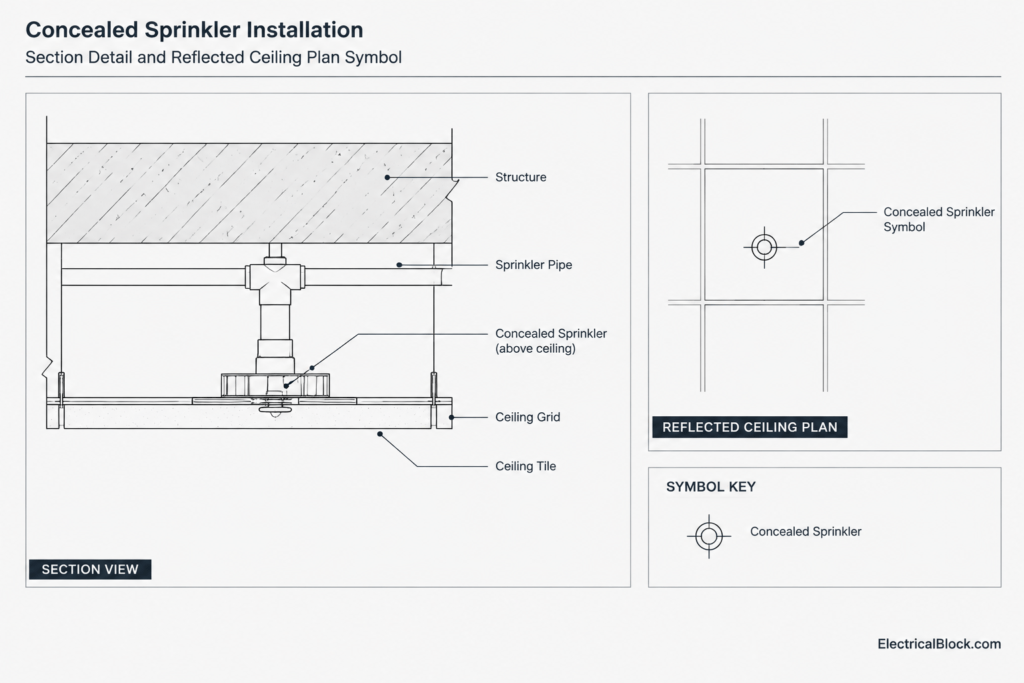
The detail should be treated as a documentation aid rather than a universal installation instruction. Ceiling types, connection arrangements, approved product configurations, and project requirements can differ. Any generic CAD content should therefore be reviewed and adapted by qualified project personnel before issue.
CAD Coordination and Drawing Workflow
Check the File Before Placement
- Units and scale: Confirm that the imported geometry matches the receiving drawing environment.
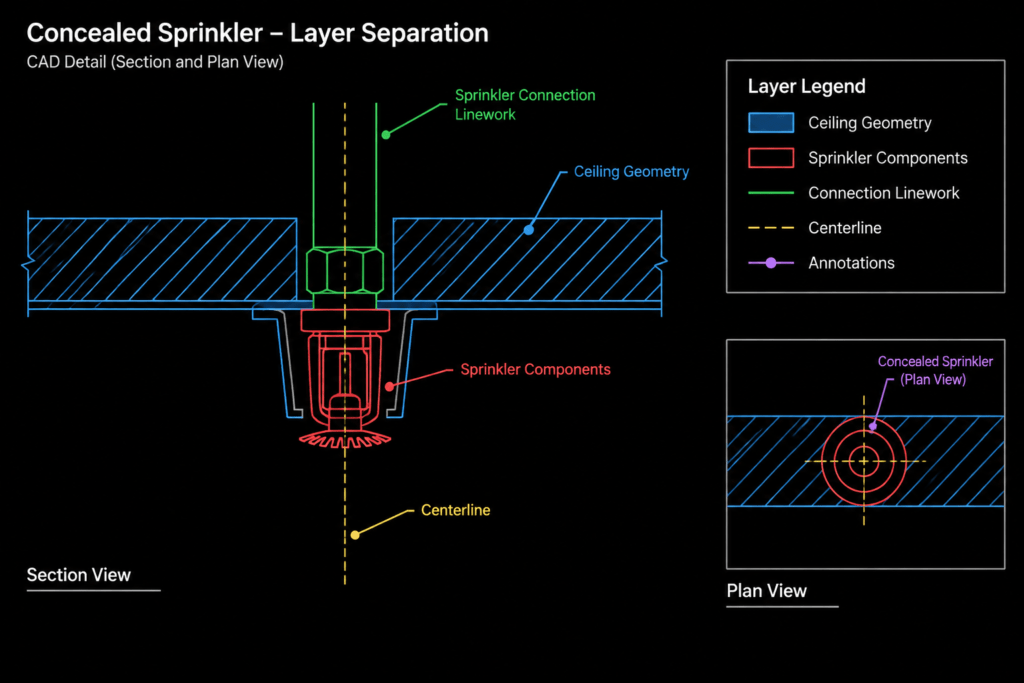
- Layers: Map linework, text, centerlines, and reference geometry to the office or project layer standard.
- Text styles: Review note appearance, plotted readability, and consistency with the detail sheet.
- Lineweights: Separate cut elements, visible objects, hidden conditions, and annotation according to the drawing convention.
- Block structure: Determine whether components should remain grouped, become a reusable block, or be edited as project-specific linework.
Coordinate With Related Drawings
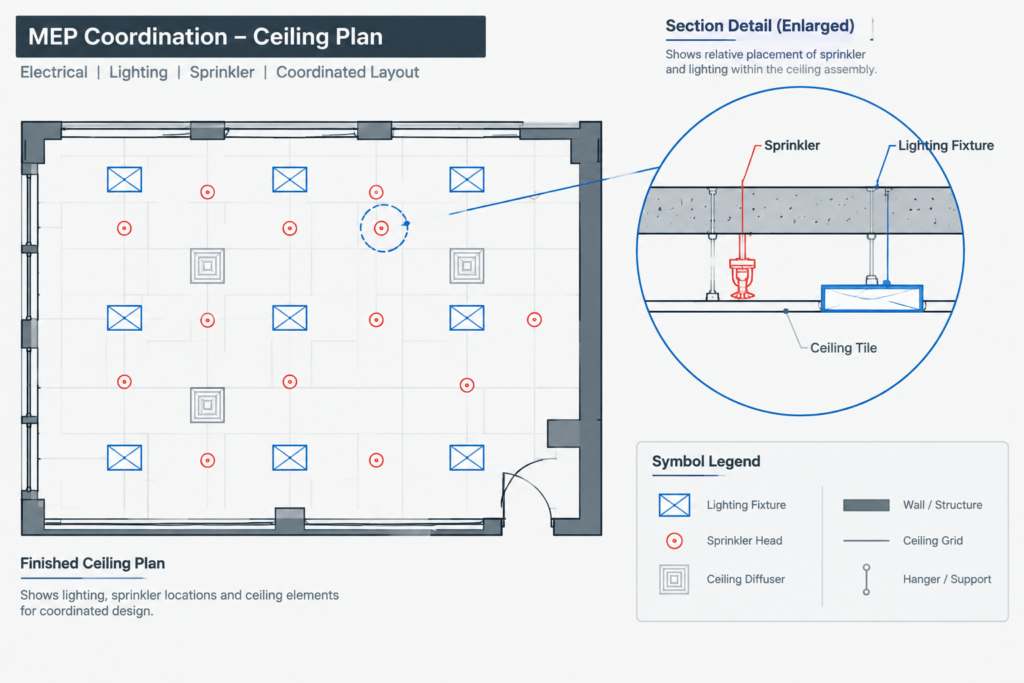
Compare the detail with the reflected ceiling plan, sprinkler layout, architectural ceiling information, and applicable equipment or finish schedules. The plan view establishes location, while the detail explains the installation relationship. Consistent device tags and terminology help readers connect these views.
Where the ceiling changes in material, elevation, or construction, confirm that the selected detail still represents the intended condition. Avoid applying one typical detail to visibly different ceiling assemblies without documenting the variation.
Drawing Review Reference
- Ceiling relationship: The drawing should clearly distinguish the finished ceiling plane from concealed construction above it.
- Component identification: Leaders and notes should identify the intended sprinkler and visible cover element without obscuring the geometry.
- Connection context: Show enough surrounding system linework to explain the relationship without turning the detail into an unrelated piping layout.
- Plan-to-detail reference: Use coordinated tags or callouts so the applicable locations can be found on the plan.
- Project verification: Compare generic notes and geometry with approved project information before publishing the sheet.
Related Drawing Topics
This detail is most useful when reviewed alongside fire protection plan symbols, reflected ceiling plan coordination, equipment legends, CAD layer conventions, and MEP detail-sheet organization. These related drawing topics help distinguish device location information from installation and construction context.
Frequently Asked Questions
What is the difference between a sprinkler plan symbol and an installation detail?
A plan symbol identifies the sprinkler location and often its type or reference tag. An installation detail provides a closer sectional view of the sprinkler, ceiling, connection, and adjacent construction.
Can this DWG be inserted directly into a project sheet?
It can be used as a starting CAD reference, but its units, scale, layers, text, lineweights, and technical content should be checked against the project drawing standards before issue.
Why is ceiling coordination important for a concealed sprinkler?
The visible cover element is coordinated with the finished ceiling surface. Architectural ceiling information and fire protection documentation therefore need consistent locations, terminology, and represented conditions.
Should the detail match a specific product?
The issued project detail should agree with the approved product information and project requirements. Generic geometry should not be assumed to represent every sprinkler assembly or ceiling condition.
Where is this detail typically referenced?
It may be referenced from a fire protection plan, reflected ceiling plan, detail sheet, or coordinated MEP drawing set, depending on the project’s documentation structure.


Leave a Reply
You must be logged in to post a comment.