
Electrical symbols provide a visual language for communicating the intended relationships between equipment, wiring, circuits, and distribution elements. A well-organized symbol library can make CAD drafting more consistent and help readers interpret electrical drawings more efficiently.
This resource presents a DWG collection of various electrical symbols for use in AutoCAD and other compatible CAD workflows. It is intended as a drafting reference for architects, engineers, designers, and anyone reviewing electrical plan information.
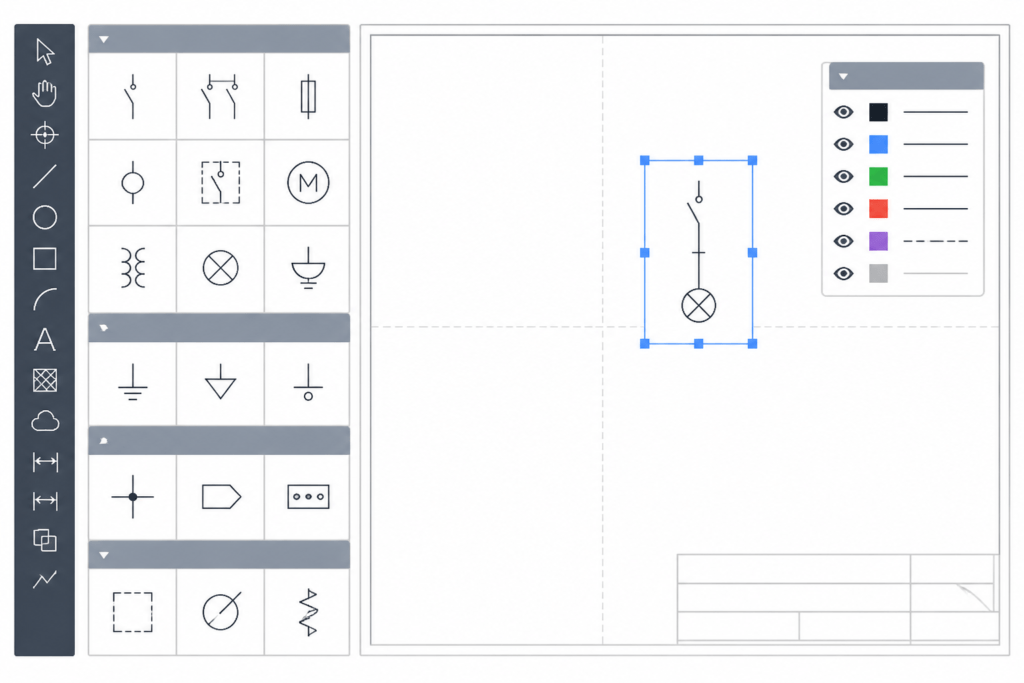
Discover a comprehensive DWG file featuring various electrical symbols, perfect for architects, engineers, and designers. This high-quality CAD Block collection includes a wide range of standardized electrical symbols used in schematic diagrams, wiring layouts, and circuit plans. The DWG file is fully compatible with AutoCAD and other popular CAD software, ensuring seamless integration into your projects. Enhance your electrical design workflows, improve accuracy, and save time with this essential resource. Ideal for residential, commercial, and industrial electrical planning, this DWG file streamlines your drafting process with ready-to-use symbols.
Please log in or register to download this file.
How to use an electrical symbol DWG reference
A symbol collection is most useful when each block is reviewed in the context of the drawing where it will appear. Before placing a symbol, confirm its visual meaning, insertion orientation, scale behavior, and relationship to nearby conductors, equipment outlines, notes, and room or system boundaries.
Common drawing contexts
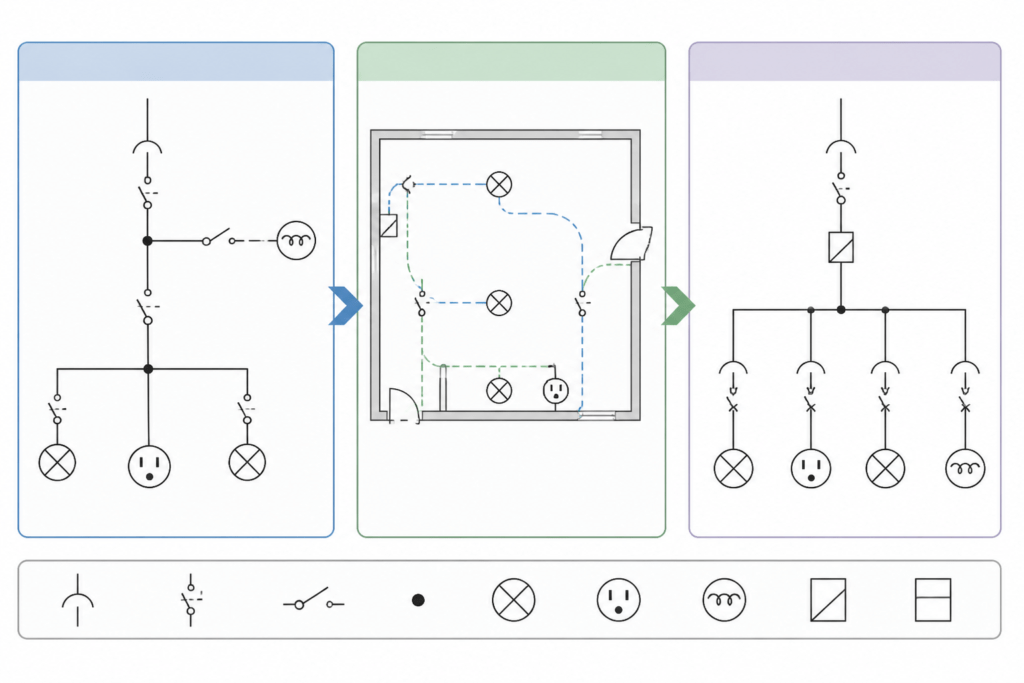
- Schematic diagrams: Symbols communicate logical connections and functional relationships without necessarily representing the physical location of every item.
- Wiring layouts: Symbols are coordinated with drawn wiring paths, device locations, and routing information.
- Circuit plans: Symbols identify electrical devices and their relationships within a plan view or circuit representation.
- Legends: A legend helps establish how symbols are interpreted within a particular drawing set. The project legend should take precedence when its graphics or terminology differ from a general reference library.
CAD coordination considerations
When incorporating blocks into a drawing, check layer assignment, lineweight behavior, color conventions, rotation, insertion point, and annotation visibility. These details affect plotting and coordination even when the symbol geometry itself is correct. Keeping symbols organized by function or drawing use can also make revisions easier to manage.
This DWG resource can be considered alongside references for electrical legends, single-line diagrams, lighting and power plans, panel schedules, cable and conduit drafting, and distribution equipment layouts. Those related topics explain how individual symbols fit into larger electrical documentation workflows.
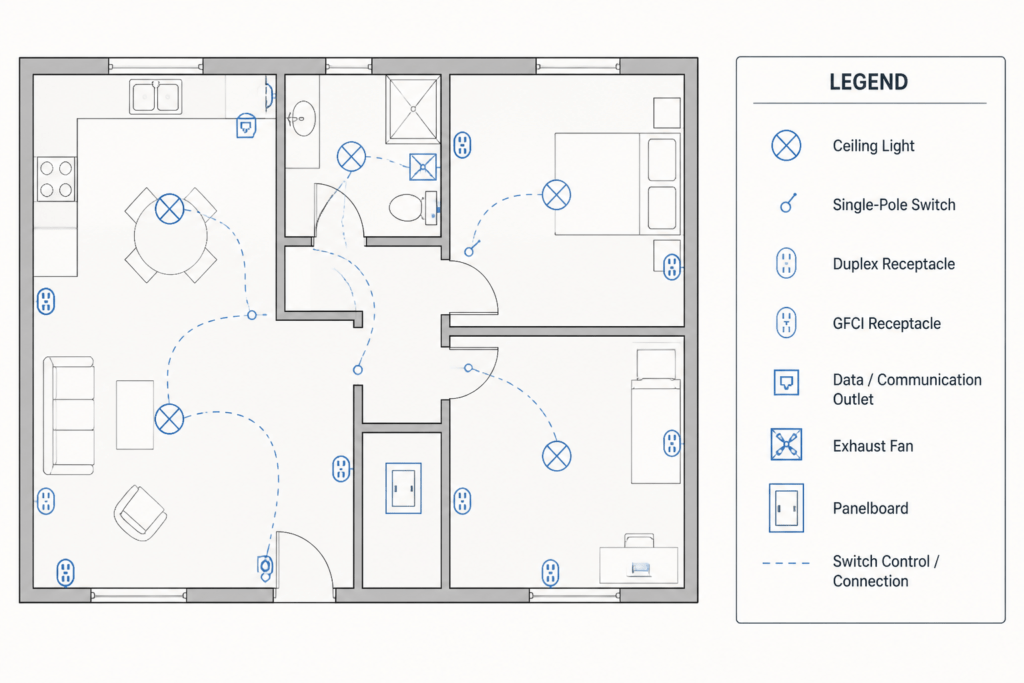
Reference checklist
- Confirm that the selected symbol matches the intended device or diagram function.
- Compare the symbol with the project legend and surrounding drawing conventions.
- Review orientation, insertion point, scale, layers, and annotation before finalizing placement.
- Coordinate symbols with connected lines, equipment labels, notes, and schedules.
- Have the completed drawing reviewed by the responsible design professional before it is used for project decisions.
Frequently asked questions
What is included in this electrical symbols DWG resource?
The source describes a DWG file containing various electrical symbols for schematic diagrams, wiring layouts, and circuit plans. Review the file itself to determine the exact symbols and organization provided.
Can the DWG be used with AutoCAD?
The source identifies the file as compatible with AutoCAD and other popular CAD software. Compatibility can depend on the software version, import settings, and how the blocks were created, so inspect the file in the intended drafting environment.
Are these symbols a substitute for a project electrical legend?
No. A general symbol collection is a drafting reference. The project legend, drawing notes, and responsible design documentation should govern interpretation for a specific drawing set.
Can these blocks be used directly in an electrical design?
They may support drafting workflows, but block placement does not by itself establish circuit intent, equipment coordination, ratings, code compliance, or installation suitability. Project-specific electrical design requires review by the responsible qualified professional.

Leave a Reply
You must be logged in to post a comment.